
July 17, 2026•15 min read
How to Make AI Video for Your Clothing Brand: Step-by-Step (2026)
A repeatable 6-step workflow to turn your real product and model photos into short-form promo videos for TikTok, Reels, and paid ads, with export specs and a way to measure what actually sells.
Picture of How to Make AI Video for Your Clothing Brand: Step-by-Step (2026) article
A short clip of your jacket moving on a real-looking body will almost always outsell a flat photo of the same jacket folded on a table. That is the whole reason to learn how to make an AI video for clothing brand pages, ads, and social feeds without booking a videographer. Video already pulls its weight: 66% of video marketers report a stronger return on investment from product videos than from any other type of video content, according to Shopify's roundup of HubSpot data.
Here is the good news for a small team. You do not need a set, a model call sheet, or a week of editing. You need the product and model photos you already have, one AI tool, and a repeatable process. This guide walks through that process end to end, from planning the clip to publishing it and reading the numbers afterward. It is tool-agnostic on which video generator you use, though I will show where WearView fits, and it starts from your own garments rather than generic stock models.
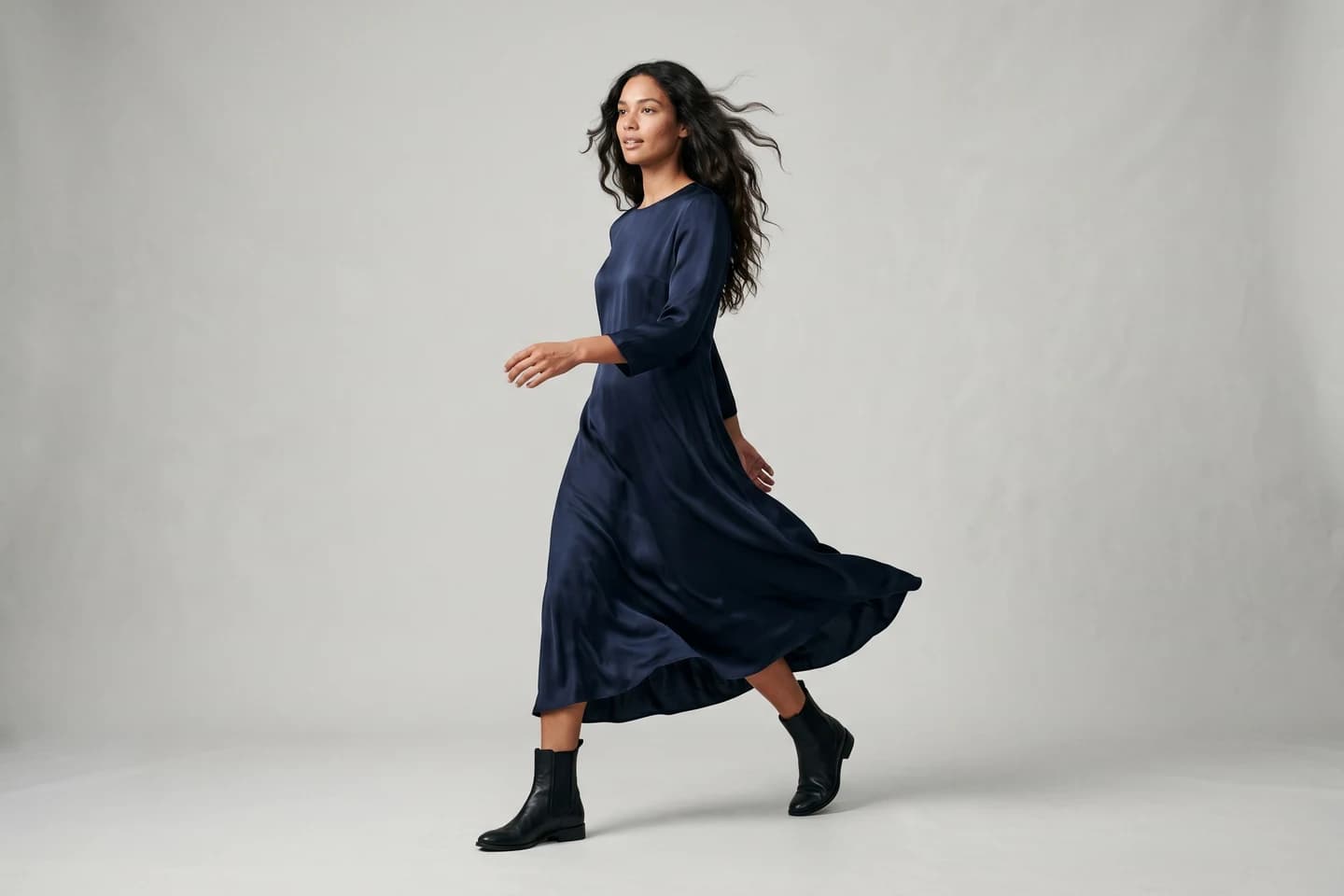
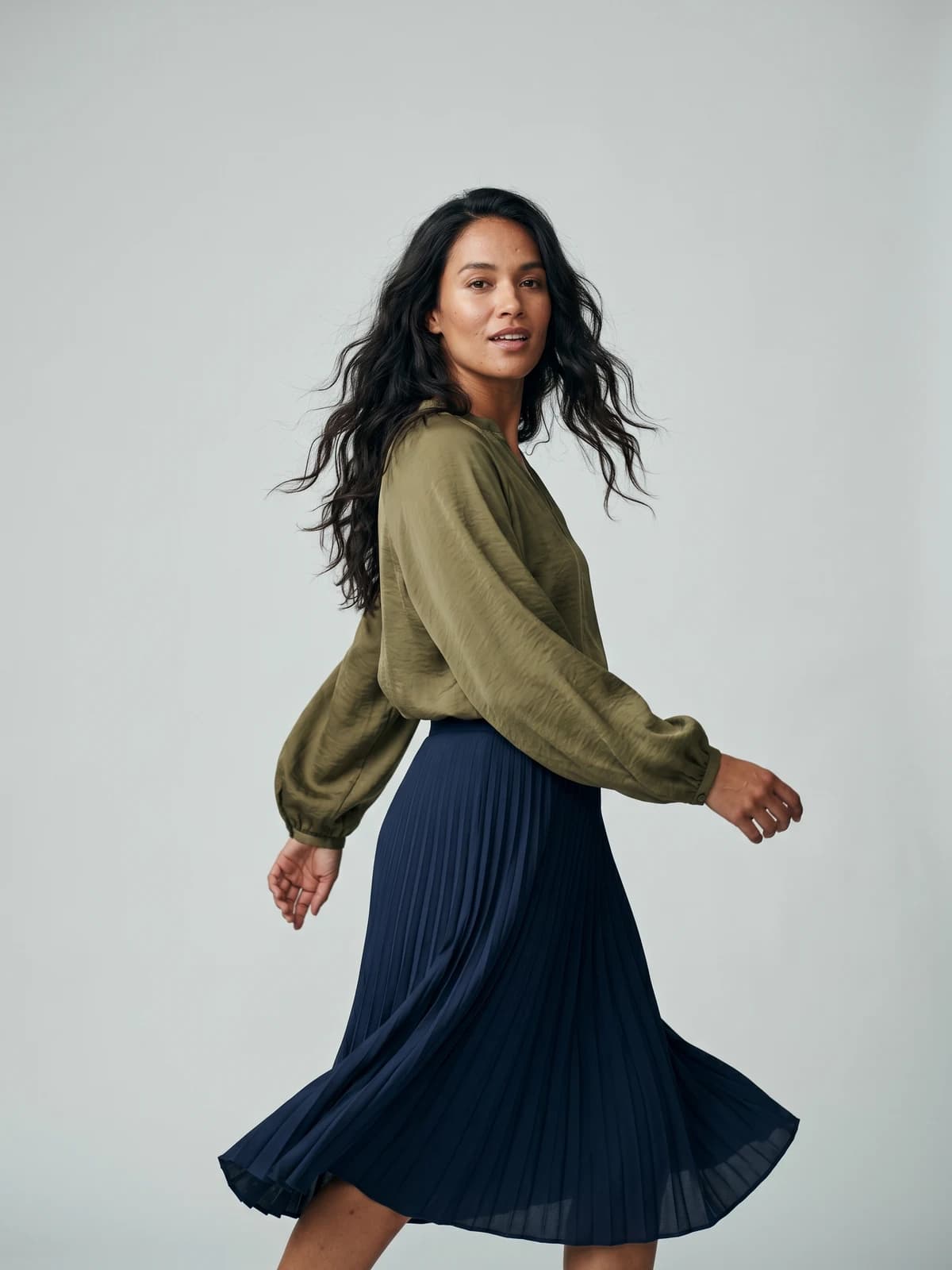
Bring your products to life on video
Turn a single product image into a scroll-stopping fashion video for social feeds and product pages.
What an AI video for clothing brand pages actually is (and where each format fits)
An AI fashion video is a short clip generated from still images instead of filmed footage. You feed a tool one or more photos of your garment, on a flat surface, on a model, or as an invisible-mannequin shot, and the model animates it: a slow camera push, a fabric sway, a model turning to show the back, a walk toward the lens. That is the image-to-video step doing the heavy lifting.
The mistake most brands make is treating every platform the same. A clip that works as a paid ad will flop as an organic TikTok, because the intent behind each surface is different. Match the format to the job before you generate anything.
| Format | Best platform | Length | The job it does |
|---|---|---|---|
| Hook-led product reveal | TikTok | 7-15 sec | Stop the scroll in the first second, show the garment fast |
| Styled aesthetic clip | Instagram Reels | 10-20 sec | Look premium, fit the grid, drive saves and shares |
| Quick tip or how-to | YouTube Shorts | 15-30 sec | Answer a search, earn a follow |
| First-3-seconds ad | Meta or TikTok ads | 6-15 sec | Communicate the offer before the skip |
Keep clips short. 83% of video marketers say the best length for short-form video is under one minute, per HubSpot data cited by Shopify. For a clothing brand, under 20 seconds is usually plenty.
Step 1: Plan the clip and write a hook that stops the scroll
Before you touch a tool, decide three things: the platform, the single garment or look you are featuring, and the first frame. The first frame is the whole game. On TikTok and in paid feeds, viewers decide in under a second whether to keep watching, so the opening has to show motion or a clear payoff, not your logo.
Write the hook as one line. A few that work for apparel:
- "This is the only white tee that survives 40 washes."
- "POV: you found the coat that goes with everything."
- Fast cut straight into the garment moving, no intro card.
Then sketch the beats. A 12-second clip might be: hook frame (0-1s), garment reveal on model (1-5s), a detail shot of the fabric or stitching (5-9s), and a closing frame with the product name and a soft call to action (9-12s). Write this down before generating. It stops you from producing pretty clips that go nowhere.
For paid ads specifically, front-load the offer. If free shipping or a launch price is the reason to buy, it belongs in the first three seconds, not the last.
Step 2: Prep your source photos
The quality of your video is capped by the quality of the images you feed it. This is where starting from your real catalog beats generic AI models, because the garment on screen is actually yours, with the correct print, color, and cut.
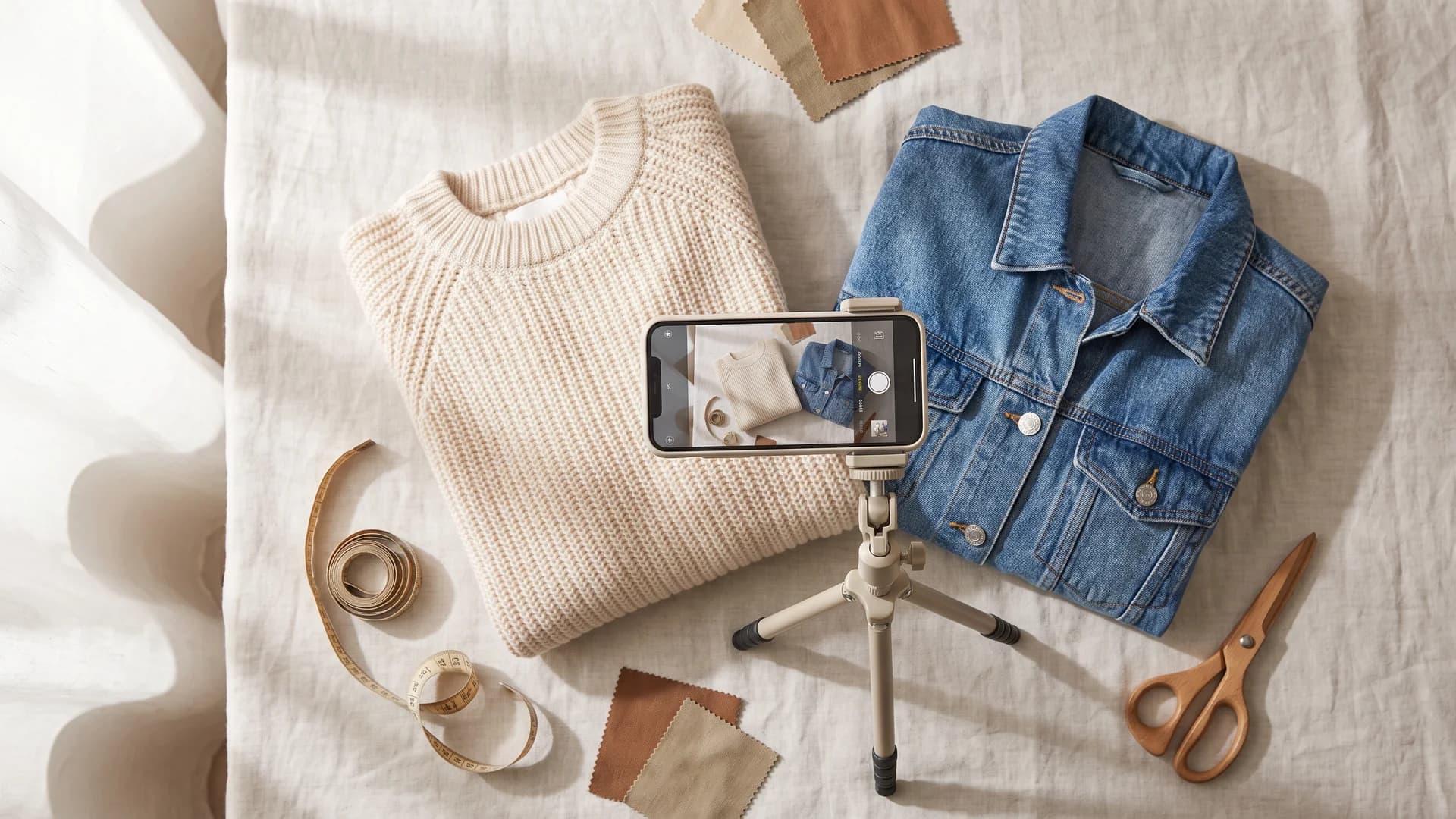
Source photos for an AI fashion video, with a phone photographing a flat-lay sweater and denim jacket
You have three useful sources, and each animates differently:
- Flat-lays and packshots. Good for clean reveals and detail pushes. If you only have a flat photo, convert it to an on-body shot first with a flatlay to model tool so the garment has a body to move on.
- On-model shots. The strongest starting point. A model already wearing the piece gives the generator a pose, drape, and lighting to work from, which produces more believable motion.
- Ghost-mannequin images. Clean, floating-garment shots that work well for premium reveals where you want the product to be the hero. If you shoot these yourself, our ghost mannequin photography tips for fashion brands covers how to get them clean.
Practical prep checklist before you generate:
- Use the highest resolution you have. Blurry input makes blurry, warped video.
- Crop to the aspect ratio you will publish in (9:16 for TikTok and Reels).
- Keep the background simple if you want the garment to lead.
- Fix obvious retouching issues first. The video will exaggerate them, not hide them.
If your on-model shots are AI-generated and the skin looks waxy, sort that out before animating, because motion makes plastic skin more obvious. Our guide on how to fix AI skin texture walks through it.
Step 3: Generate the video from your product and model photos
Now the actual generation. Upload your prepared image to your chosen tool, describe the motion you want, and render. If you have not settled on a tool yet, our comparison of the best AI video generators for clothing brands breaks down seven options by price and garment fidelity. The prompt matters more than people expect. Vague prompts give you random camera drift; specific prompts give you the shot you planned in step 1.
Prompt in plain language and name the motion:
- Camera move: "slow push in," "orbit around the model," "static camera, model turns."
- Garment action: "fabric sways gently," "model walks toward camera," "coat opens to show lining."
- Pace: "smooth and slow" for aesthetic Reels, "quick and energetic" for TikTok.
With WearView you can generate fashion video directly from a product or model image at 720p or 1080p, and because the same platform also handles product-to-model conversion and virtual try-on clothes with AI, you can take a raw flat-lay all the way to a moving clip without switching apps. Generate a few variations of each shot. The first render is rarely the keeper, and having three to pick from is cheap when each one costs credits rather than a reshoot.
One consistency note: if you are building a set of clips for a launch, keep the same model across all of them. A different face in every video reads as scattered. WearView's consistent AI models hold one identity across a whole sequence, which makes a multi-clip campaign feel like one brand.
Step 4: Add motion, captions, and music that fit the platform
A raw generated clip is not a finished post. The layer on top is what makes it feel native to the platform, and it is where a lot of the watch-time gains hide.
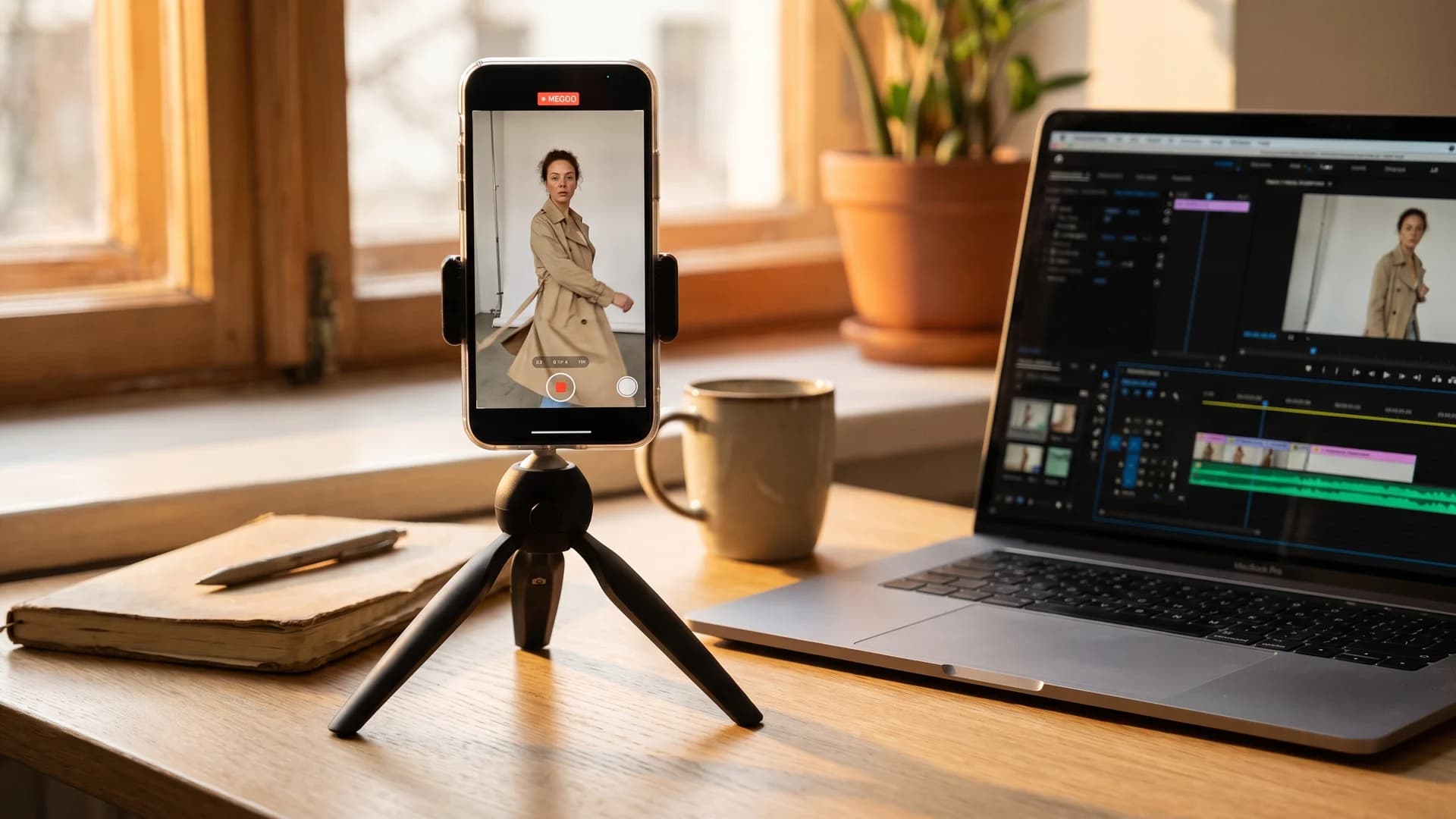
Editing an AI clothing video for social, with a vertical 9:16 clip previewed on a phone next to an editor timeline
- Captions. Most feeds autoplay muted, so on-screen text carries the message. Add a caption that restates your hook in the first frame. Keep it large, high-contrast, and clear of the platform UI at the bottom and right edges.
- Text overlays. Price, product name, or a one-line benefit near the end. Do not clutter the reveal itself.
- Music. On TikTok and Reels, trending audio still lifts reach. Pick a track that matches the pace you rendered. For paid ads, use licensed or royalty-free audio so the ad account does not get flagged.
- Pacing edits. Trim dead frames. If the garment reveal does not land by the second or third second, cut earlier.
You can do this in CapCut, InShot, or any editor you already know. The AI generator makes the raw motion; a light edit makes it publishable.
Step 5: Export specs for TikTok, Reels, Shorts, and paid ads
Wrong export settings quietly kill good clips. A video that gets cropped, compressed, or letterboxed by the platform looks amateur no matter how good the source was. Here are the settings that keep quality intact in 2026.
| Platform | Aspect ratio | Resolution | Frame rate | Max length | File notes |
|---|---|---|---|---|---|
| TikTok | 9:16 | 1080 x 1920 | 30 fps | 10 min (aim 7-15s) | H.264 MP4, keep under ~50MB for fast upload |
| Instagram Reels | 9:16 | 1080 x 1920 | 30 fps | 90 sec (aim 10-20s) | MP4, high bitrate to avoid re-compression banding |
| YouTube Shorts | 9:16 | 1080 x 1920 | 30-60 fps | 60 sec | MP4, higher bitrate tolerated |
| Meta ads (Reels/Feed) | 9:16 or 1:1 | 1080 x 1920 or 1080 x 1080 | 30 fps | 15s recommended | MP4 or MOV, keep captions inside safe zone |
A few rules that apply everywhere:
- Export at 1080p minimum. 720p is passable for organic but looks soft as an ad.
- Use H.264 in an MP4 container for the widest compatibility.
- Keep important content out of the bottom 15% and right 10%, where platform buttons sit.
- Render one master, then export per-platform crops rather than reformatting a compressed file.
Step 6: Publish, test, and measure what works
This is the step almost every competing guide skips, and it is the one that turns video from a cost into a channel. Publishing is not the finish line. You publish to learn which hook, format, and garment actually move people.
Track these metrics, because they map to different problems:
- Hook rate (viewers who watch past the first 3 seconds). Low hook rate means the opening frame is weak. Fix the first second, not the whole clip.
- View-through or average watch time. Tells you whether the middle holds attention.
- Saves and shares. Strong signals on Reels that the aesthetic landed.
- Click-through and add-to-cart. The commercial numbers. A clip can be entertaining and still sell nothing, so watch these separately from views.
- CPM and cost per result (for paid ads). Rising CPM with flat sales means the creative is fatiguing; refresh it.
Run it like a loop. Post two or three variations of the same garment with different hooks, keep the winner, and cut the rest. Short-form video is cheap enough to generate that you can afford to let the audience vote. 78% of people say they would rather learn about a product by watching a short video than reading about it, versus just 9% who prefer text, according to Wyzowl data cited by SellersCommerce, so the reach is there if the creative earns it.
For a deeper look at picking the right generator for this loop, see our roundups of the best AI fashion video generators and the 7 best AI fashion Reels and TikTok generators.
AI video for clothing brand vs a traditional fashion shoot
The cost gap is the reason this workflow exists. A single traditional fashion photoshoot runs roughly $2,000 to $5,000 for a small brand once you add up the photographer, model, studio, styling, and post-production, according to figures from the Professional Photographers of America cited by Outfica. A video shoot with a crew costs more again. AI video collapses that to a monthly subscription and the time it takes to write a prompt.
| Factor | AI fashion video | Traditional video shoot |
|---|---|---|
| Cost | $29-$99/month subscription | $2,000-$5,000+ per shoot, video higher |
| Turnaround | Minutes per clip | Days to weeks including editing |
| Reshoots | Regenerate for credits | Rebook crew and studio |
| Model variety | Swap models per prompt | New casting each time |
| Best for | Volume, testing, social, ads | Hero brand films, flagship campaigns |
This is not an argument that AI replaces every shoot. A flagship brand film with real actors and a director still has a place. But for the weekly grind of product clips, launch teasers, and ad variations, AI wins on cost and speed by a wide margin. The reason so many teams are switching is not novelty: 59% of business executives say their organizations already use AI tools to create image and video content, per eMarketer data cited by Shopify. If you want the full breakdown of studio pricing, we ran the numbers in the real cost of fashion photoshoots.
Common mistakes clothing brands make with AI video
Most bad AI clothing videos fail for the same handful of reasons. Avoid these and you are ahead of most feeds.
- Warped garments. The tool distorts prints, logos, or seams during motion. Fix it by using a sharper source image and shorter, simpler camera moves.
- Generic models over your own product. A stock AI body in a stock outfit is not your brand. Start from your real garments and keep the same model identity across the set.
- Overlong clips. A 40-second product video loses people. Cut to the reveal fast.
- No captions. Muted autoplay means silent, and silent means ignored.
- Ignoring AI disclosure. Platforms increasingly ask you to label AI-generated or heavily edited content. Toggle the disclosure when prompted; it does not hurt reach and it keeps the account safe.
- Publishing once and moving on. Without the measure step, you never learn what your audience responds to.
Replace your next photoshoot with AI
Professional on-model fashion photography and video in seconds, at a fraction of the cost of a studio shoot.
Key takeaways
- Plan before you generate. Pick the platform, one garment, and a first frame that shows motion. The hook decides whether anything else gets seen.
- Start from your own photos. Flat-lays, on-model shots, and ghost-mannequin images all animate. Real garments beat generic AI models for a real brand.
- Match export specs to each platform. 9:16, 1080p, H.264 MP4, captions inside the safe zone. Wrong settings undo good work.
- Measure hook rate and add-to-cart, not just views. Run two or three variations, keep the winner, and treat it as a loop.
- Use AI for volume, save shoots for hero films. At $29 to $99 a month against $2,000-plus per shoot, AI video is built for the weekly cadence social and ads demand.
FAQ
How do I make an AI video for my clothing brand? Plan a short clip around one garment and a strong first frame, prep a high-resolution product or on-model photo, generate motion with an AI video tool, add captions and music, then export in 9:16 at 1080p. Publish two or three variations and keep the one with the best hook rate and add-to-cart.
Can I turn a product photo into a video? Yes. Image-to-video tools animate a still photo into a short clip with camera movement or garment motion. For the most believable result, start from an on-model shot, or convert a flat-lay to an on-body image first so the tool has a body and pose to work from.
What's the best AI video format for TikTok vs Instagram Reels? TikTok rewards a fast, hook-led product reveal of 7 to 15 seconds that shows motion in the first second. Reels reward a more styled, aesthetic clip of 10 to 20 seconds that fits the grid and earns saves. Both use 9:16, but the pacing and tone differ by platform intent.
How long should a clothing brand AI video be? Under 20 seconds for most product and social clips, and 6 to 15 seconds for paid ads. Short-form performs best under one minute, and for apparel the garment reveal should land within the first few seconds regardless of total length.
What aspect ratio and export settings should I use for Reels, TikTok, and Shorts? Use 9:16 at 1080 x 1920, 30 fps, exported as an H.264 MP4. Keep the file under about 50MB for fast uploads, and keep captions and text out of the bottom 15% and right 10% where platform buttons sit.
How much does it cost to make AI fashion videos compared to a real shoot? A traditional fashion shoot costs roughly $2,000 to $5,000 for a small brand, and a video crew costs more. AI video runs on a subscription instead, from around $29 to $99 a month, with regeneration costing credits rather than a full rebooking.
Are AI-generated fashion videos allowed on TikTok and in paid ads? Yes, on all major platforms, provided you follow their rules. Most now ask you to disclose AI-generated or significantly edited content with a label, and you should use licensed or royalty-free audio in ads. Labeling does not reduce reach and keeps your account in good standing.
Do AI clothing videos actually increase sales? They can, because video communicates fit and movement in a way flat photos cannot, and shoppers prefer watching over reading. The lift depends on the creative, so measure add-to-cart and click-through per clip rather than assuming views equal revenue, and keep testing hooks.
Sources: Shopify, SellersCommerce, Outfica, Video marketing statistics (2025-2026)

WearView Team
WearView Content & Research Team
WearView Team is a group of fashion technology specialists focused on AI fashion models, virtual try-on, and AI product photography for e-commerce brands. We publish in-depth guides, case studies, and practical insights to help fashion businesses improve conversion rates and scale faster using AI.


