
June 1, 2026•16 min read
7 best AI fashion video generators for ecommerce (2026)
Explore the best AI fashion video generators for ecommerce in 2026. See pricing, features, and which tool fits your workflow for product page and social videos.
Picture for Best AI Fashion Video Generators article
Static product images are no longer enough. Fashion brands that add video to their product pages and social channels see measurably higher engagement, longer time on site, and stronger conversion rates. But traditional video production (models, studios, lighting, editing) is slow and expensive for most ecommerce teams. Moving to AI video production for fashion brands replaces most of that pipeline with a browser workflow.
AI fashion video generators solve this by turning product photos into short, dynamic videos in minutes. In this guide, we compare the best AI fashion video tools, covering what each does best, how pricing works, and which fits your ecommerce workflow.
Best AI fashion video generators: a brief overview
If you need on-model fashion videos from garment images:
- Start with WearView for template-driven fashion videos with full control over models, poses, and aspect ratios, built specifically for fashion ecommerce.
- Add Runway if you already have an on-model image and want cinematic, prompt-directed motion with the most creative control.
- Use Pic Copilot if your priority is social-first content (TikTok, Instagram Reels) with AI fashion avatars and built-in music.
If you need general-purpose AI video with fashion-quality output:
- Start with YouCam Online Editor for the most realistic fabric movement and garment texture in generated video.
- Use Hailuo AI when you need fast turnaround and visually expressive, mood-driven fashion content.
- Use The New Black if video is one part of a broader fashion design and creative workflow.
If you need video as part of a broader editing suite:
- Use CapCut to generate a clip and then edit, caption, and format it for social — video as one part of a full content-editing workflow.
| Tool | Key strength | Pricing | Platforms |
|---|---|---|---|
| WearView | Template-driven fashion video with full model, pose, and aspect ratio control | From $29/month | Web |
| YouCam Online Editor | Multiple AI video models (Kling, Veo, Seedance, Wan) plus virtual try-on in one platform | Free tools available; Plus from $3.33/mo (100 credits), Pro $5.83/mo (300 credits) | Web (desktop + mobile) + API |
| Runway | Professional image-to-video with fine motion and camera control (Gen-4 models) | Free plan (125 credits); Standard from ~$12/mo, Pro from ~$28/mo | Web + iOS + API |
| Pic Copilot | Social-first fashion reels with AI avatars, built-in music, and commercial licensing | Free plan available; Pro unlocks Fashion Reels | Web + marketplace integrations |
| Hailuo AI | Fast generation with expressive, mood-driven fashion video output | From $14.99/month; Free tier with limited credits | Web |
| The New Black | Fashion design-to-video pipeline with try-on, moodboards, and trend tools | From $5 (40 credits); Monthly plan at $65/month | Web |
| CapCut | AI image-to-video plus a full editing suite (captions, music, format presets) | Free plan; Pro ~$20/mo (or ~$179.99/yr) | Web + desktop + mobile |
1. WearView, best overall for ai fashion ecommerce video
WearView's AI Fashion Video Generator is built around a simple workflow: upload a model image (or select from your existing AI-generated models), pick an animation template, and generate a polished short video. The template system gives you pre-built animations designed for fashion (walk cycles, poses, turns) so outputs feel purposeful rather than randomly animated.
What sets WearView apart is the integration with its broader AI fashion video generator. You can create an AI model, generate on-model photos, and then turn those same images into video, all in one platform. This means your videos stay consistent with your product page imagery. Multiple aspect ratios (1:1, 3:4, 9:16, 16:9) cover everything from product pages to TikTok and Instagram. If you also need static AI fashion model photos, WearView handles that in the same workspace.
AI Fashion Video with WearView
Key features
- Template-driven video generation designed for fashion (model walks, pose transitions, turns)
- Multiple aspect ratios: 1:1, 3:4, 4:3, 9:16, 16:9
- 720p and 1080p resolution options
- Custom animation prompts for advanced control
- Integrated with WearView's AI model creation and AI virtual try-on
- White studio or original background options
Best for
- Fashion brands that already use WearView for AI model images and want video from the same models
- Ecommerce teams producing product page videos and social content from a single platform
- Brands that need consistent visual identity across photos and videos
Pricing
- Lite plan starts at $29/month
- Pro and Advanced plans offer higher volumes and 1080p resolution
- Video generation costs 10 credits (720p) or 20 credits (1080p)
Pros
- End-to-end fashion workflow: model creation, try-on, photos, and video in one place
- Template system produces fashion-appropriate animations, not random motion
- Consistent model identity across all your generated content
- Multiple aspect ratios built in for cross-platform publishing
Cons
- Video length is limited to 6–8 seconds per generation
- 1080p is only available on higher-tier plans
- Credit-based system requires planning for high-volume campaigns
2. YouCam Online Editor
Best for multi-model video in one platform
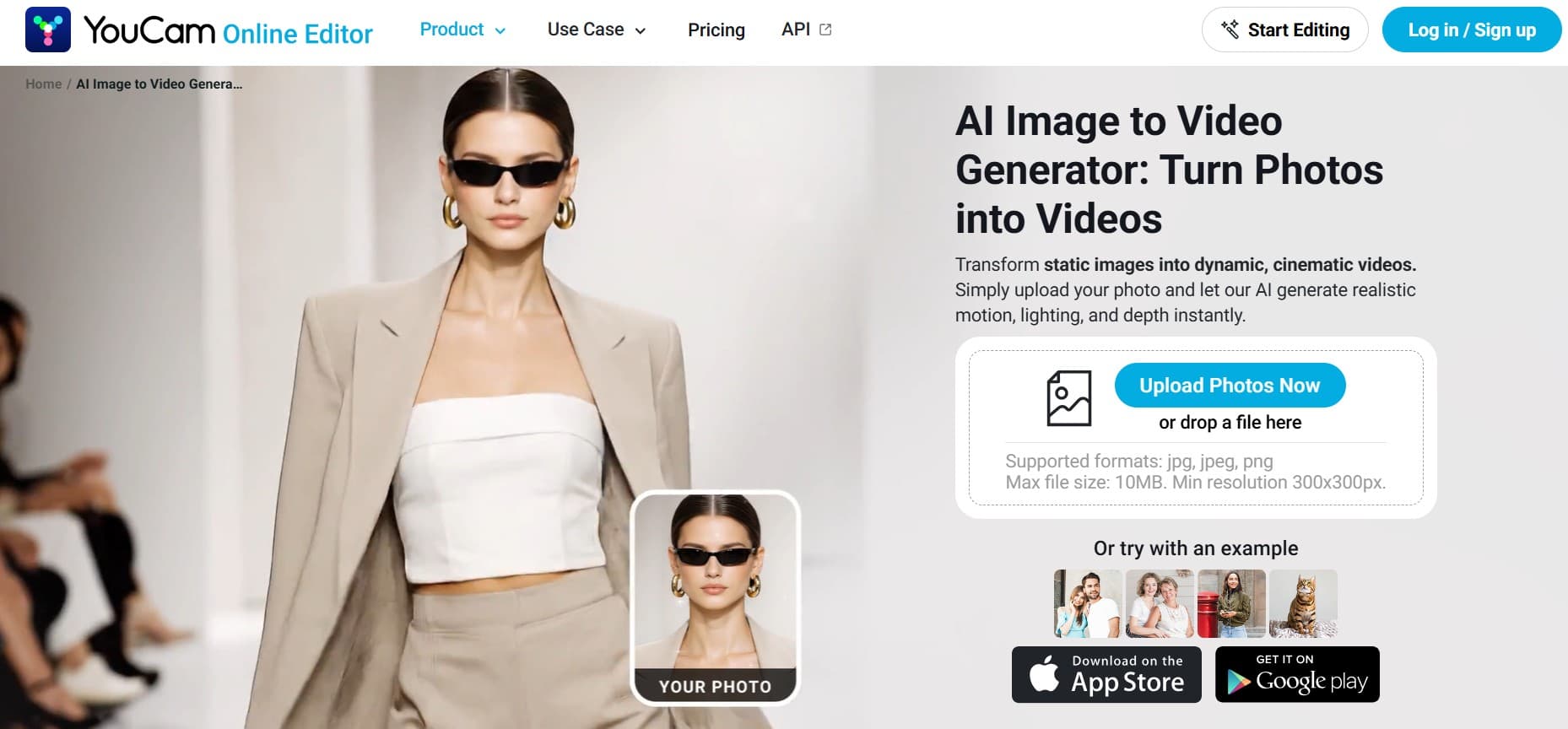
YouCam Online Editor AI fashion video generation for ecommerce
AI Image-to-Video Generator turns a single static model image into a short runway-style clip, making it a strong pick for ecommerce brands that want scroll-stopping social ads and campaign content without a production crew. Its AI Image-to-Video Generator animates one photo into a fashion clip in minutes — usable for product visuals, social ads, and seasonal campaigns.
What sets it apart is the choice of engines under one roof. You can animate with motion templates or write custom prompts, and the platform runs multiple leading video models — including Kling, Google Veo, Seedance, and Wan — so you can switch between them without juggling separate subscriptions. It also bundles a wider creative toolkit: AI Video Enhancer, AI Photo Enhancer, AI Background Changer, object removal, image extender, and AI Clothes Virtual Try-On for end-to-end content production.
Key features
- Image-to-video generation from a single model photo
- Template-based and prompt-based animation workflows
- Multiple AI video models in one place: Kling, Google Veo, Seedance, Wan, and more
- AI Video Enhancer and AI Photo Enhancer for quality cleanup
- AI Clothes Virtual Try-On plus a try-on API for storefront integration
- Web-based, works across desktop and mobile
Best for
Fashion brands, agencies, and ecommerce marketers who want fast, scalable video production with access to several video models from one platform. Also a good fit for retailers that want to layer in a virtual try-on experience on their storefront.
Pricing
Free tools with limited usage. Plus plan from $3.33/month (100 credits). Pro plan from $5.83/month (300 credits). Higher-volume commercial use typically needs an upgraded tier for enough credits and export quality.
Pros
- Multiple AI video models (Kling, Veo, Seedance, Wan) accessible in a single tool
- Beginner-friendly web platform that still works for professionals
- Broad creative toolkit — background changer, object removal, enhancer, image extender
- Virtual Try-On and API integration add real value for ecommerce storefronts
Cons
- Fine-tuning controls are more limited than dedicated professional video editors
- High-volume commercial usage pushes you into higher-tier plans for sufficient credits and export quality
- Not fashion-specific — getting ecommerce-ready results can take some prompt iteration
3. Runway, best for professional-grade AI video
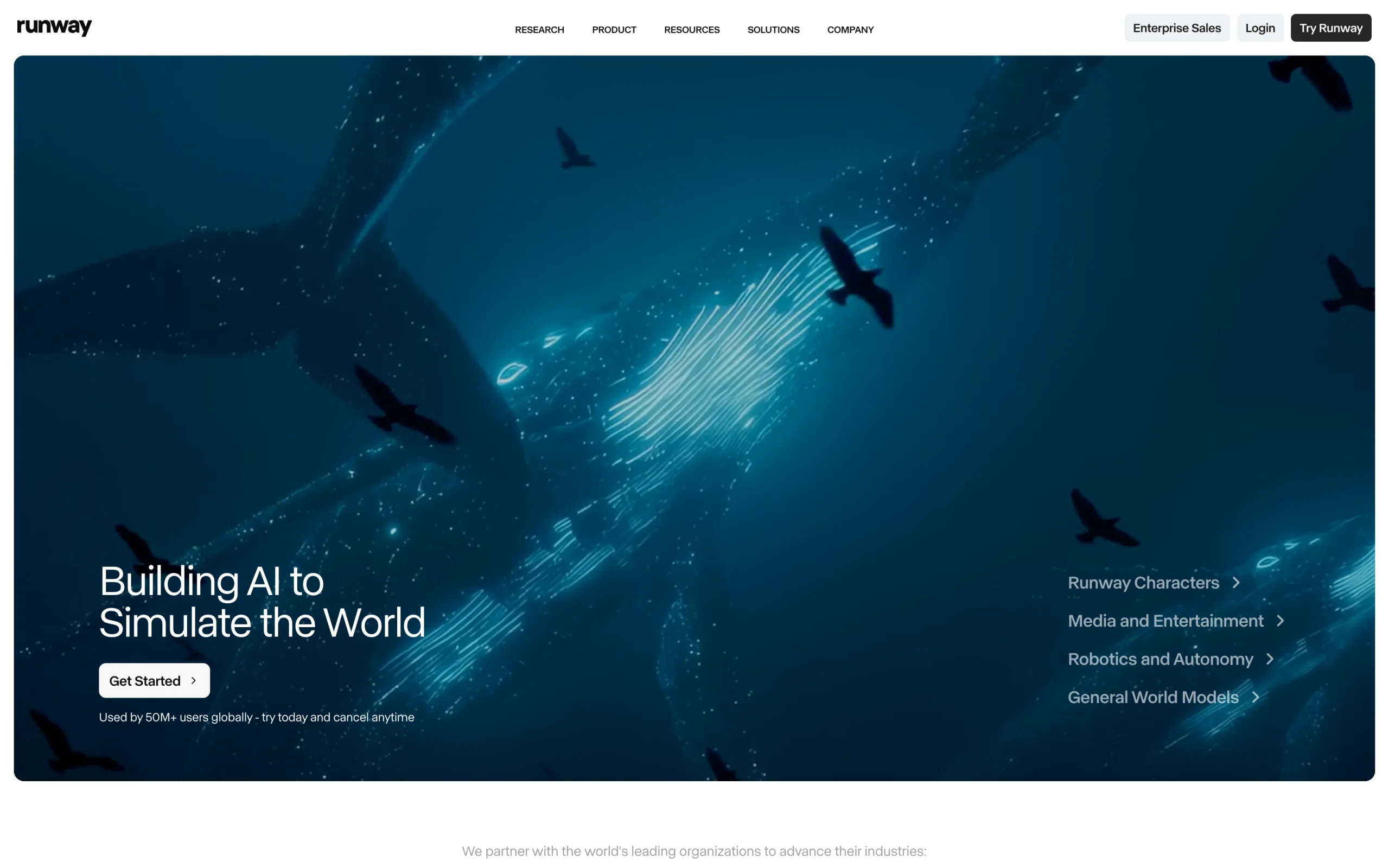
Runway is a leading general-purpose AI video platform. Its Gen-4 family of models turns a single still image into short, cinematic video with unusually fine control over motion and camera movement. Feed it an on-model or product still you already have, describe the shot, and Runway animates it — dolly-ins, orbits, subtle drift — with a level of directorial control that most one-click tools don't offer.
Runway isn't fashion-specific, so it won't turn a flat garment image into an on-model shot the way a dedicated fashion tool does. But if you already have a strong on-model image and want the highest-quality general motion — for campaign films, hero clips, or social ads — it's one of the most capable engines available. Recent plans also bundle in-dashboard access to other leading models (Veo, Kling, Seedance), plus tools like Motion Brush and camera controls for shot-level direction.
AI Fashion Video with Runway
Key features
- Gen-4 / Gen-4.5 image-to-video and text-to-video generation
- Fine motion and camera controls (Motion Brush, camera moves, keyframes)
- In-dashboard access to additional models (Veo, Kling, Seedance)
- Upscaling and watermark-free export on paid plans
- iOS app and API for automated production pipelines
Best for
- Brands and agencies producing campaign films, hero clips, and social ads
- Creative teams that want directorial control over motion and camera
- Anyone who already has a strong on-model still and wants cinematic movement
Pricing
- Free plan with 125 one-time credits (image-to-video)
- Standard from ~$12/month (annual billing)
- Pro from ~$28/month; Max/Unlimited and Enterprise tiers for heavy use
- Credit-based (roughly 12 credits per second of Gen-4.5 video)
Pros
- Among the highest-quality general-purpose video models available
- Deep motion and camera controls for precise, cinematic shots
- Multiple leading models accessible from one dashboard
- Strong for advertising, campaign, and hero content
Cons
- Not fashion-specific; won't convert a garment flat lay into an on-model video
- Garment details (logos, patterns) can warp under complex motion
- Credit costs add up quickly for high-volume or longer clips
- Steeper learning curve than one-click fashion tools
4. Pic Copilot, best for social-first fashion video
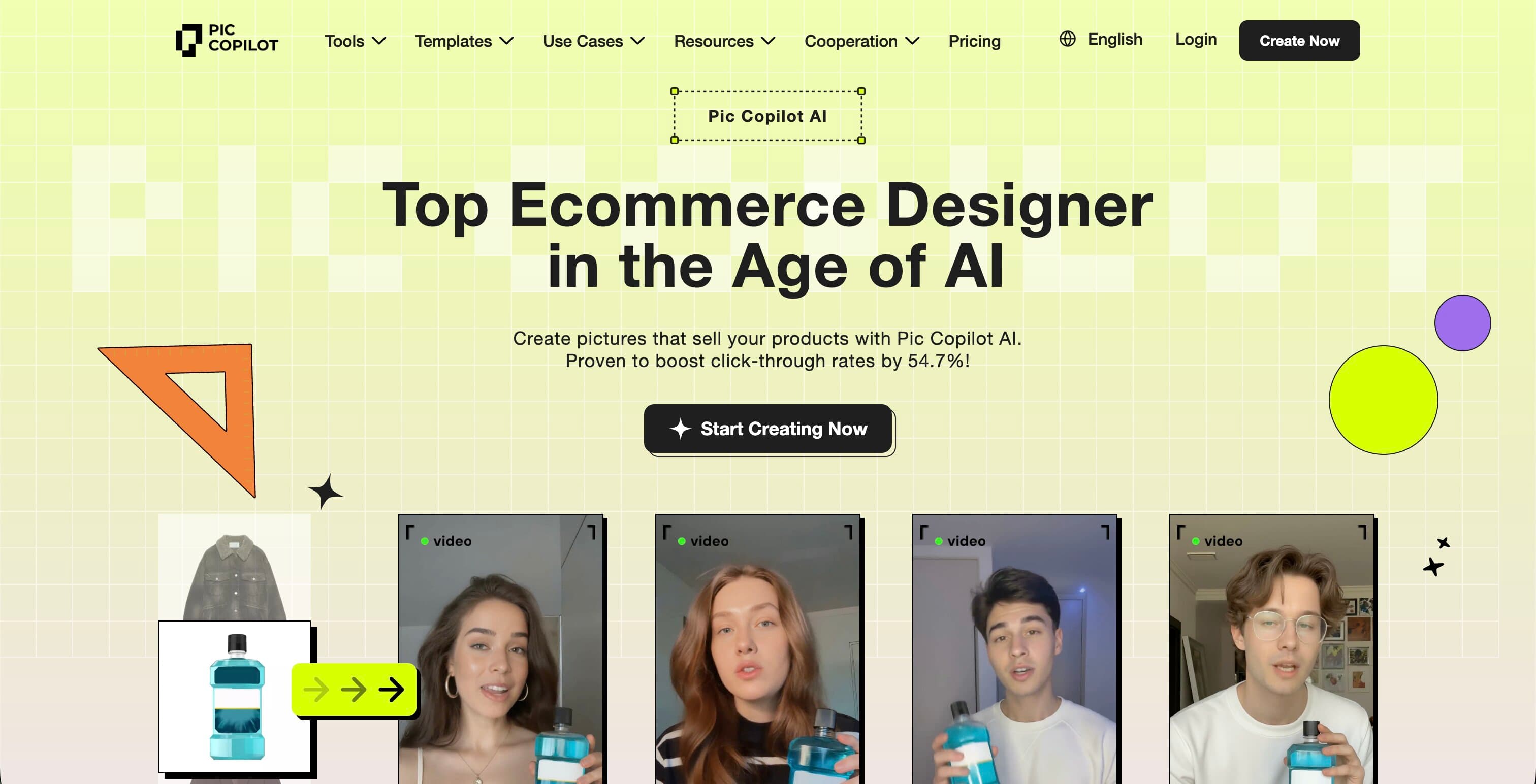
Pic Copilot's Fashion Reels feature is purpose-built for social commerce. It transforms static garment photos into short-form video content optimized for TikTok, Instagram Reels, and YouTube Shorts. The tool includes AI fashion avatars, built-in music, and commercial licensing, so what comes out is ready to post without additional editing.
Backed by Alibaba, Pic Copilot leans heavily into marketplace and social commerce workflows. Internal testing showed conversion rate improvements exceeding 150% compared to static images. The credit system (Pcoins) includes a refund policy for unsatisfactory results, which reduces the risk of wasted spend.
AI Fashion Video with Pic Copilot
Key features
- Fashion Reels: turns garment photos into social-ready video content
- AI fashion avatars and virtual model swap
- Built-in music and commercial licensing
- Optimized exports for TikTok, Instagram, YouTube
- Credit refund for low-quality outputs
Best for
- Social commerce brands producing TikTok and Instagram content at volume
- Marketplace sellers (Amazon, Alibaba) who need video for product listings
- Teams without video editing resources that need publish-ready outputs
Pricing
- Free plan with basic AI tools
- Pro and Pro+ plans unlock Fashion Reels and virtual try-on
- 7-day free trial on paid plans
- Credit-based (Pcoins) with refund policy
Pros
- Purpose-built for Social commerce video optimized for platform formats
- Built-in music and licensing removes post-production steps
- Credit refund policy reduces risk
- Strong marketplace-specific presets
Cons
- More focused on social content than product page video
- Alibaba ecosystem integration may not suit all workflows
- Less control over video style and animation compared to general tools
5. Hailuo AI, best for fast fashion mood content
Hailuo AI (by MiniMax) stands out for speed and visual expressiveness. It generates video in seconds from either images or text prompts, with a style that works particularly well for mood-driven fashion content: brand films, seasonal campaigns, or lifestyle videos where atmosphere matters more than garment detail.
The platform supports text-to-video, image-to-video, and subject reference (for consistent characters across scenes). With preset characters and multilingual narration options, it's a solid pick for international fashion brands producing social and campaign content across markets.
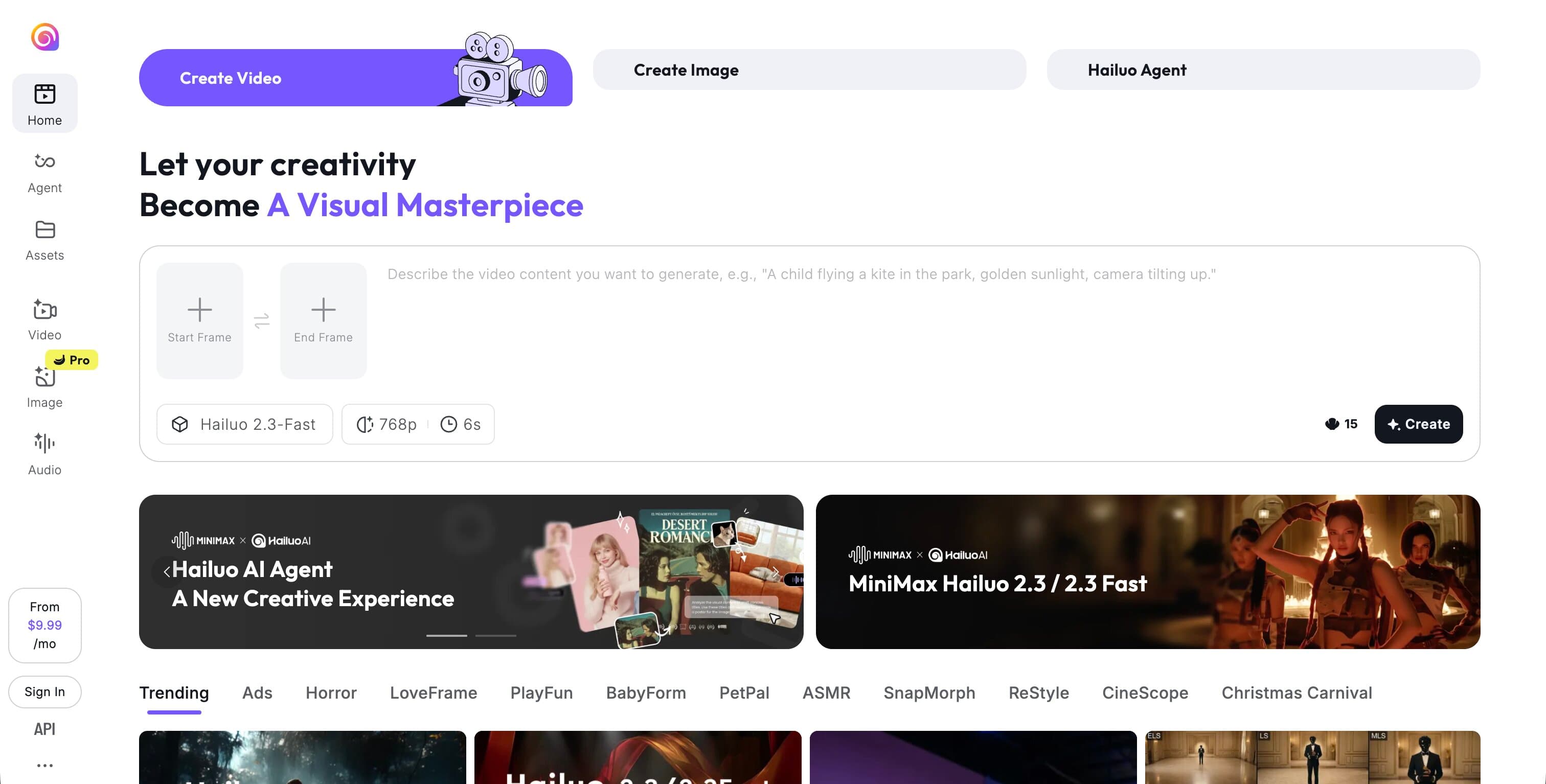
AI Fashion Video with Hailuo AI
Key features
- Fast video generation (seconds, not minutes)
- Text-to-video, image-to-video, and subject reference modes
- Preset characters and multilingual narration
- Up to 1080p resolution
- Stylization options including anime, illustration, and custom art styles
Best for
- Fashion brands creating mood boards, campaign teasers, and lifestyle content
- International brands needing multilingual video content
- Teams that prioritize speed and creative variety over pixel-perfect garment accuracy
Pricing
- Free tier with limited credits
- Standard: $14.99/month (1,000 credits, watermark-free)
- Pro: $54.99/month (4,500 credits), with Master and Max tiers up to $199.99/month (the $94.99 Unlimited plan is a legacy tier and is no longer sold)
- Individual credit purchases available
Pros
- Very fast generation, good for rapid iteration and testing
- Strong visual style for lifestyle and mood content
- Flexible generation modes (text, image, subject reference)
- Competitive Standard plan pricing
Cons
- Not fashion-specific, garment detail preservation requires careful prompting
- Paid tiers scale up quickly in price (Pro is $54.99/month) and get expensive for small brands
- Less control over specific garment movement and texture compared to fashion-focused tools
6. The New Black, best for fashion design-to-video workflows
The New Black is a fashion design platform first, video generator second. Its video tool lets you turn any image or text into a 5 or 10-second AI video, but the real value is the surrounding ecosystem: AI clothing design, virtual try-on, moodboards, tech pack creation, and trend analysis. If you're a fashion designer or brand that already uses The New Black for design, adding video is a natural extension.
The platform is particularly useful for early-stage creative work: turning design concepts into animated presentations, creating lookbook previews, or producing quick social content from design files before final production.
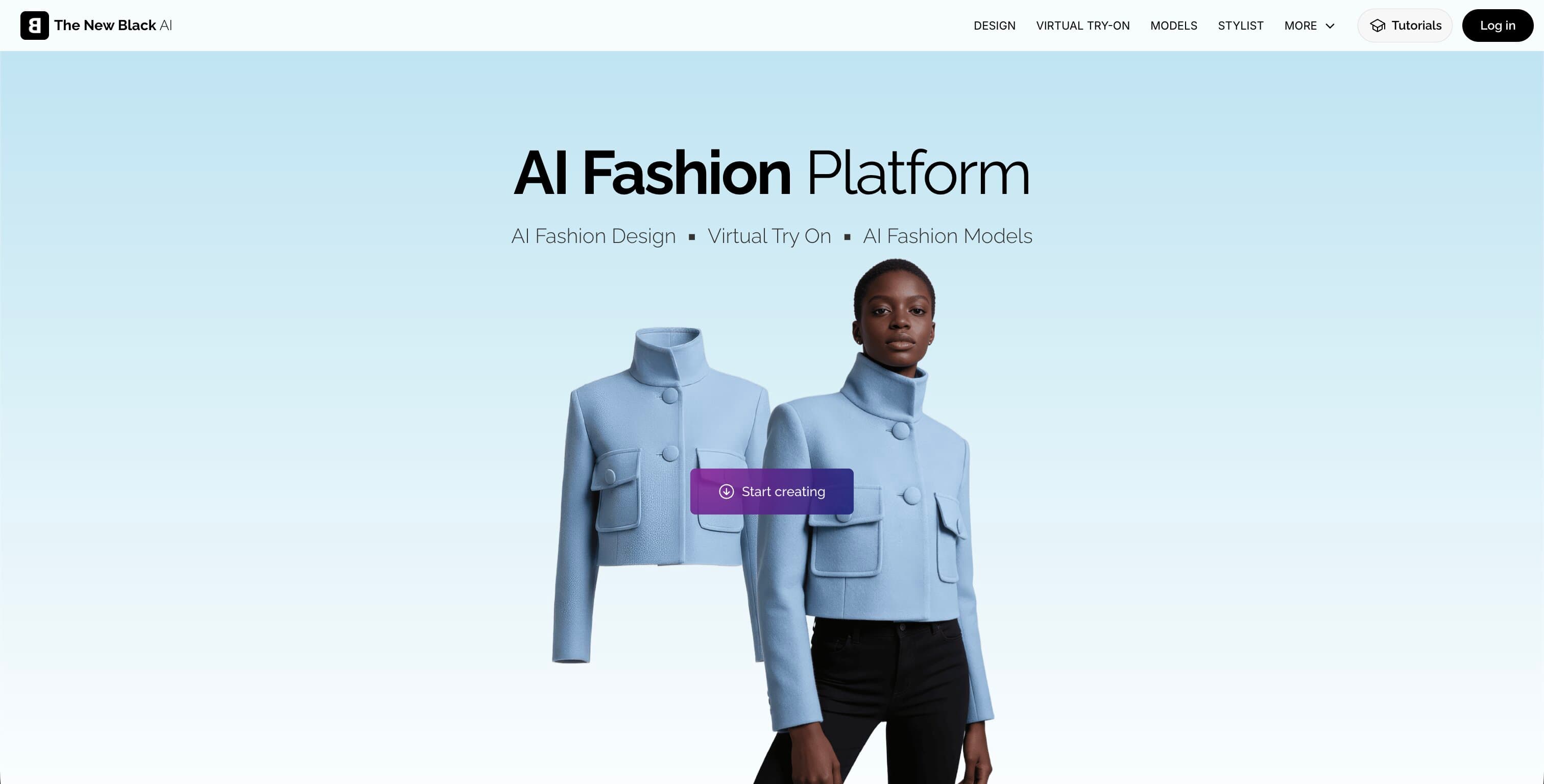
AI Fashion Video with The New Black
Key features
- Image-to-video and text-to-video generation (5 and 10 seconds)
- Integrated with AI clothing design, virtual try-on, and moodboards
- AI tech pack creator for design specs
- Fashion trend analysis and forecasting tools
- Community-driven creative inspiration
Best for
- Fashion designers turning concepts into animated presentations
- Brands that use The New Black for design and want video from the same workflow
- Creative teams doing ideation, lookbook previews, and early-stage visual content
Pricing
- Limited free trial
- Credit packs: $5 (40 credits) to $45 (500 credits)
- Black Monthly: $65/month (1,000 credits, all features)
Pros
- Strongest design-to-video pipeline: concept, design, try-on, and video in one place
- Large creative community for inspiration and reusable prompts
- Good for rapid creative iteration and exploration
Cons
- Video is secondary to the design toolkit, less specialized than dedicated video generators
- Credit packs can get expensive for video-heavy workflows
- Output quality focused on creative concepting rather than production-ready PDP video
7. CapCut, best for editing and finishing fashion video
CapCut, from the makers of TikTok, is primarily a video editor, but it now bundles an AI image-to-video and text-to-video generator alongside its full editing timeline. You can turn a product or model still into a short clip, then trim, caption, add licensed music, and export it in the exact aspect ratio each platform wants, all without leaving the app.
CapCut isn't a fashion tool, and its AI generation isn't tuned for garment fidelity, so it won't preserve logos and textures the way a dedicated fashion generator does. Where it earns its place is finishing: take a clip from any generator (including WearView) and polish it — captions, transitions, music, and format presets for TikTok, Reels, and Shorts — with one of the most widely used editors available. If video is one part of a broader content workflow, CapCut covers generation and post in one suite.
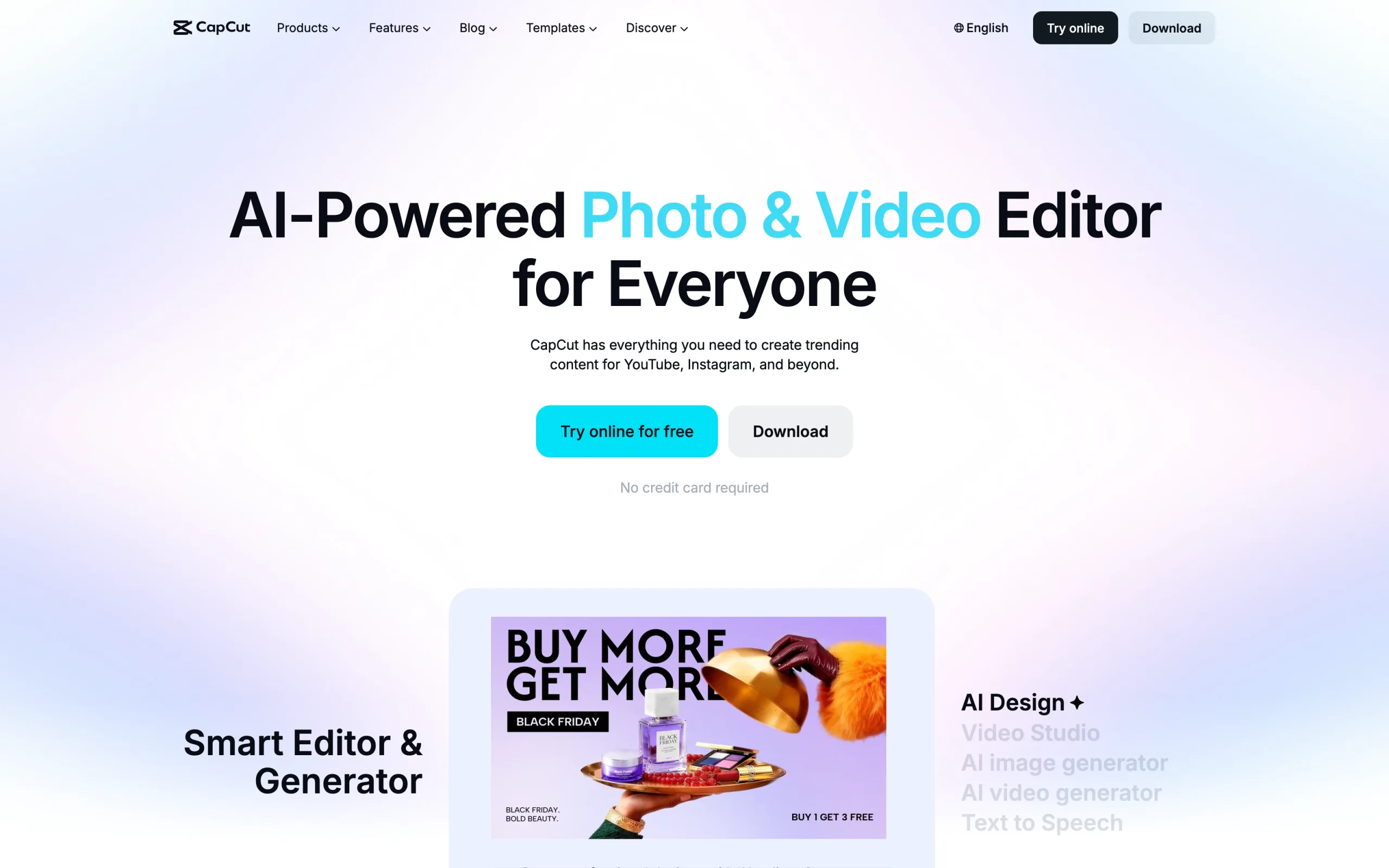
AI Fashion Video with CapCut
Key features
- AI image-to-video and text-to-video generation
- Full editing timeline with auto-captions, transitions, and effects
- Large licensed music and template library
- Background removal and platform-ready export presets (1:1, 9:16, 16:9)
- Web, desktop (Windows/Mac), and mobile (iOS/Android) apps
Best for
- Teams that want to generate, edit, and format social clips in one tool
- Social-first brands producing TikTok, Reels, and Shorts at volume
- Creators who need captions, music, and format presets without extra software
Pricing
- Free plan with a robust editing toolkit and 1080p export
- Standard around $10/month (removes watermarks, more premium assets)
- Pro around $20/month (or ~$179.99/year): 4K export and the full AI toolkit
- Team plan around $24.99/month per user
Pros
- Combines AI generation with a genuinely capable editing suite
- Excellent for captioning, music, and platform formatting
- Generous free tier; widely used and well-documented
- One tool for both generation and post-production
Cons
- Not fashion-specific; AI generation isn't tuned for garment accuracy
- The best AI features (4K export, full AI toolkit) are gated to the Pro plan
- Output quality trails dedicated video models for hero product clips
- Less control over realistic garment movement than fashion-focused tools
How to choose the best AI fashion video generator
1) What type of fashion video do you need?
Product page videos (PDP enhancement): You need short, clean clips that show garments in motion on a model: subtle animation, consistent lighting, and accurate product representation.
- WearView: purpose-built fashion templates with model pose animations
- Runway: cinematic, prompt-directed motion from an on-model still you already have
- CapCut: AI image-to-video plus editing tools to finish and format product clips
Social and marketing videos (TikTok, Instagram, YouTube): You need fast, platform-optimized content with music, dynamic motion, and engaging visuals.
- Pic Copilot: Fashion Reels designed for social platforms with built-in music
- Hailuo AI: fast mood and lifestyle content for brand campaigns
- YouCam Online Editor: multiple video engines (Kling, Veo, Seedance) in one place for social ads and campaign clips
Design and concepting videos: You need to turn early-stage ideas into visual presentations.
- The New Black: design-to-video pipeline with fashion-specific creative tools
2) How important is garment accuracy?
If you sell logo-heavy streetwear, patterned fabrics, or premium tailoring, you need a tool that preserves garment detail in motion. AI video can warp textures, shift logos, or alter proportions, especially with complex movement.
- Highest garment preservation: WearView (template-controlled motion)
- Good with careful prompting: YouCam Online Editor (runs strong engines like Kling and Veo), Runway (leading general models, direct the shot with prompts)
- Creative over accurate: Hailuo AI, The New Black, CapCut (general AI generation, better for social edits than product fidelity)
3) Does the tool fit your existing workflow?
- Already using WearView for AI models/try-on? Add video from the same platform. Your models stay consistent.
- Want the highest-quality general video model? Runway delivers cinematic motion and camera control from a single image.
- Social-first brand? Pic Copilot outputs social-ready content with no editing.
- Design-focused team? The New Black keeps video inside your design workflow.
- Need to edit and format clips for social? CapCut finishes your videos with captions, music, and platform presets.
- Agency or creative team? YouCam Online Editor or Hailuo AI gives the most creative flexibility.
FAQ
What is an AI fashion video generator? An AI fashion video generator turns static product photos or text descriptions into short fashion videos. Most tools create 5–10 second clips showing garments on AI models with realistic movement, suitable for product pages, social media, and marketing campaigns.
Can AI fashion videos actually improve conversion rates? Yes. Pic Copilot reported over 150% conversion improvement versus static images in internal testing. Short product videos increase time on page and give shoppers a better sense of fit, texture, and movement, all of which reduce purchase hesitation.
What video length works best for fashion ecommerce? 5–10 seconds is the sweet spot for product page videos. For social content (TikTok, Reels), 10–15 seconds performs well. Most AI fashion video tools generate in this range. For longer content like lookbooks, generate multiple clips and chain them together.
Do AI fashion videos preserve garment details like logos and patterns? It depends on the tool and the animation complexity. Simple, controlled animations (like WearView's fashion templates) preserve details better. More dynamic, general-purpose motion increases the risk of texture warping. Always QA outputs before publishing, especially for products with prominent branding.
What inputs produce the best AI fashion videos? High-quality, well-lit model photos with clean backgrounds. The better your input image, the better the video output. Ghost mannequin and flat lay images can work but typically produce better results when first converted to on-model photos through tools like WearView's try-on studio.
Are AI-generated fashion videos commercially safe to use? Most dedicated fashion AI platforms (WearView, Pic Copilot, The New Black) generate content with commercial usage rights included. For general-purpose tools (YouCam Online Editor, Hailuo AI, Runway, CapCut), check the specific plan terms. Commercial licensing is typically included on paid tiers.
Which tool is best if I'm already using WearView? If you're generating AI models and try-on images in WearView, the built-in video generator is the natural choice. It uses the same models and keeps your visual identity consistent across photos and videos without exporting to a separate tool.
Can I generate fashion videos without any product photos? Yes. Hailuo AI supports text-to-video, so you can generate fashion scenes from descriptions. The New Black can create videos from design concepts. However, for ecommerce product videos, starting from an actual product photo produces more accurate and trustworthy results. If your workflow centers on animating a single product or model still, our guide to the best AI image-to-video tools for fashion compares the top options in depth.
Ready to turn your product photos into scroll-stopping fashion videos in minutes? WearView's AI Fashion Video Generator creates polished, on-model video content from a single image, saving you thousands on traditional video production and getting your products moving (literally) in front of customers faster. Create your first AI fashion video today.

WearView Team
WearView Content & Research Team
WearView Team is a group of fashion technology specialists focused on AI fashion models, virtual try-on, and AI product photography for e-commerce brands. We publish in-depth guides, case studies, and practical insights to help fashion businesses improve conversion rates and scale faster using AI.


