
July 16, 2026•16 min read
How to Create a Walking Video From a Single Photo: AI Tools 2026
Have one full-body outfit photo and want it to walk? Here is the exact image-to-video workflow, copy-paste prompts for a natural gait, and how to fix warped legs, morphing faces, and melting fabric.
Picture of How to Create a Walking Video From a Single Photo: AI Tools 2026 article
You have one good photo of someone in an outfit. A full-body shot, sharp, well lit. Now you want it to move: the model steps forward, the hem sways, the fabric catches the air. Turning a still into a walking video from a single photo used to be a research demo. In July 2026 it is a five-minute job you can do from your phone or your product dashboard. Purpose-built tools like an AI fashion model video generator handle the walk, the fabric, and the model's consistency for you.
The reason this matters for anyone selling clothes is context. Baymard Institute's usability testing is blunt about apparel: it "require[s] the context of a human model in order to get the truest sense of the product," because without one shoppers "cannot accurately determine critical product attributes, such as the product's fit and length." A short clip of your garment actually moving on a body is the strongest version of that context a product page can give.
This guide is a workflow, not a tool ranking. You will learn how image-to-video AI actually animates a still, which photo to feed it, exact prompts for a believable walk, and the fixes for the ugly stuff nobody warns you about (warped legs, morphing faces, feet that slide like ice skates). Then you will see how to turn one on-model outfit photo into a runway clip for a product page, a Reel, or an ad.
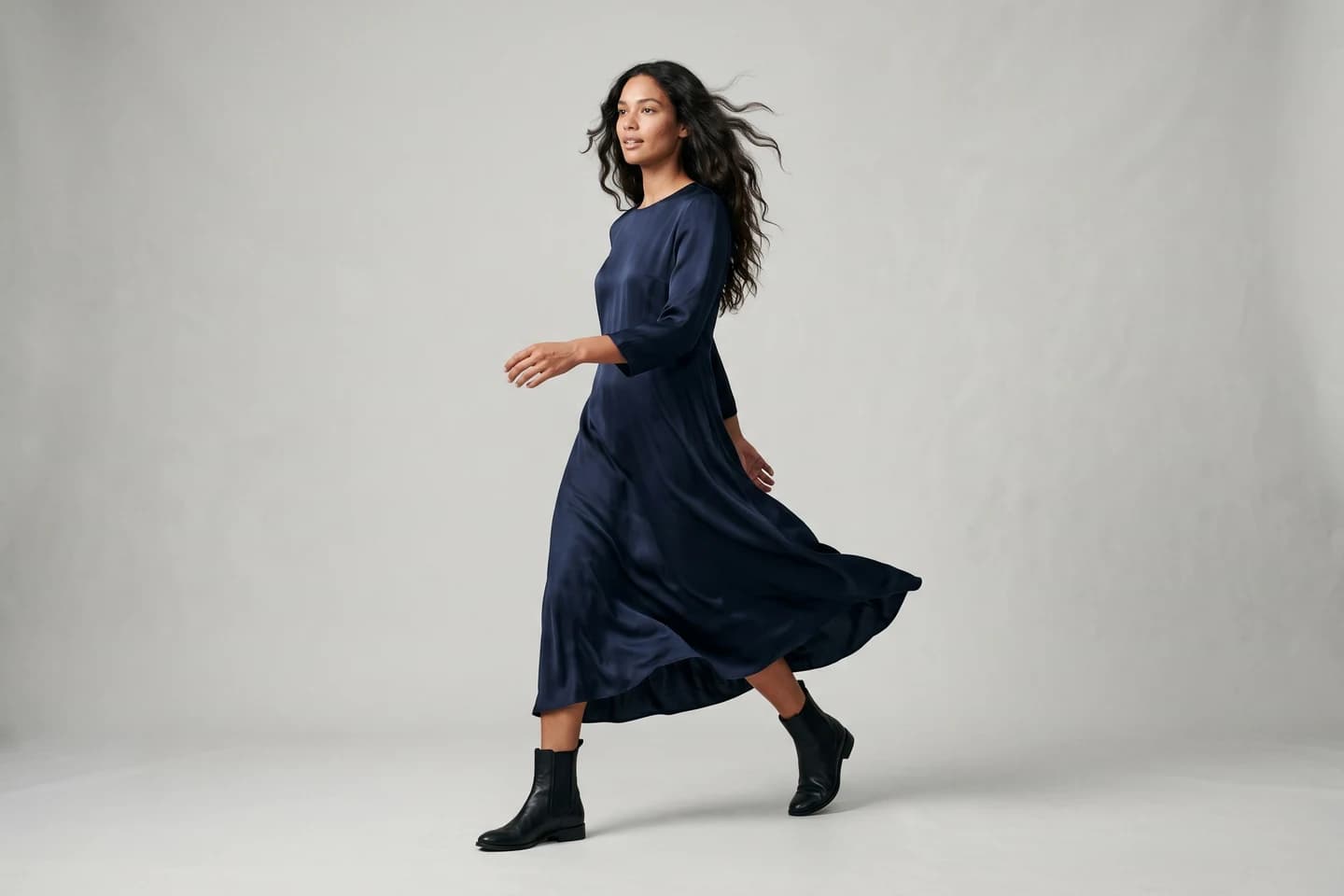
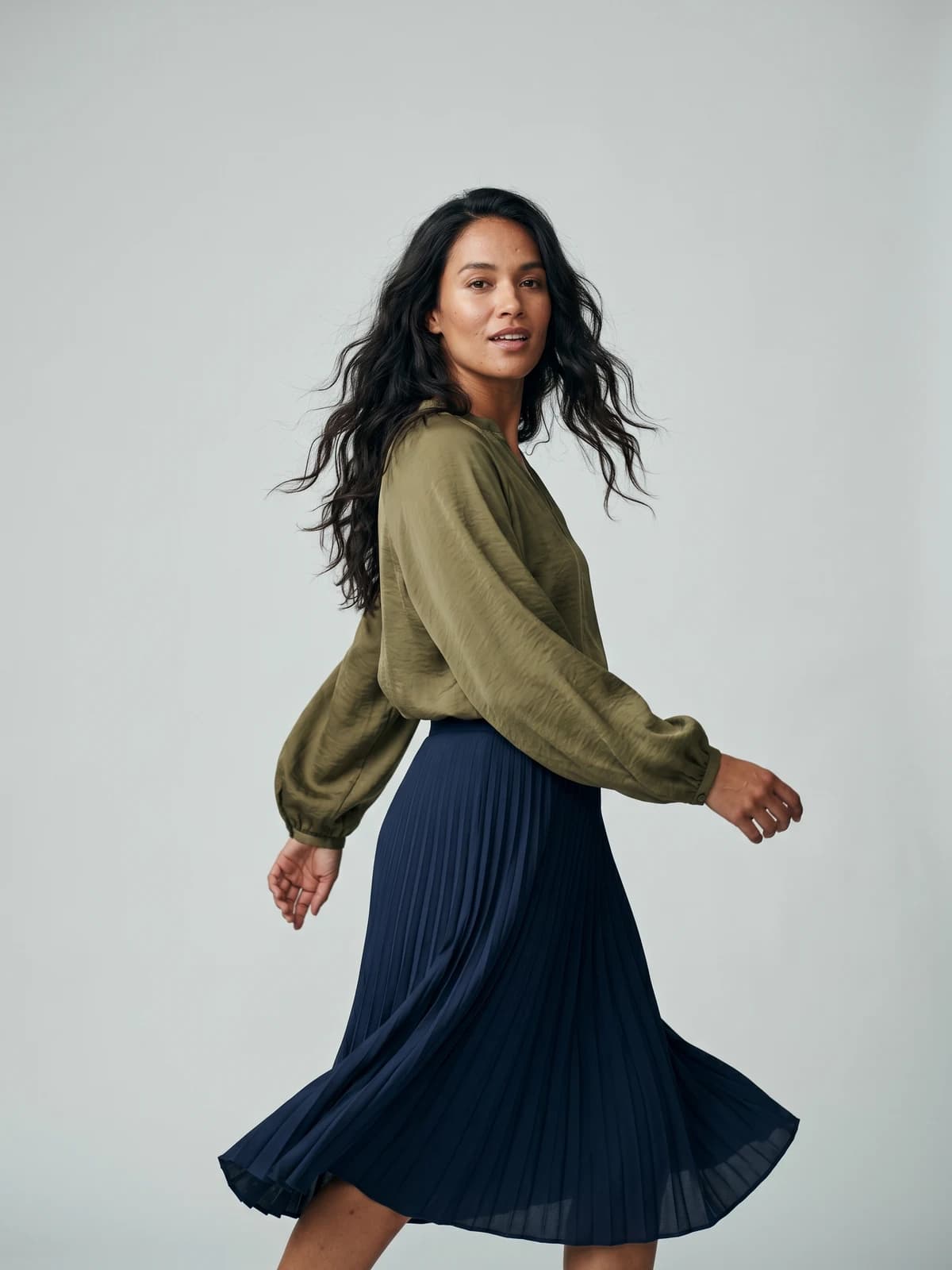
Bring your products to life on video
Turn a single image into a scroll-stopping fashion video for social feeds and product pages.
What a walking video from a single photo actually means
You start with one static image and end with a short clip, usually 3 to 10 seconds, where the subject in that image walks toward or across the camera. Nothing was filmed. The motion is generated.
Two things are happening at once under the hood:
- New frames are invented. The AI produces dozens of images that did not exist, one per frame, so the person appears to move through time.
- The original identity is kept. A good model holds onto the face, the body, and the clothing from your source photo so the walker still looks like the same person in the same outfit.
That second part is where most tools quietly fail. Generating motion is easy. Generating motion while keeping a printed logo, a face, and a garment cut stable across 240 frames is the hard problem. Keep that tension in mind, because it explains almost every artifact later in this guide.
How image-to-video AI turns one still photo into a walk
The engine behind almost every current tool is a diffusion model, the same family that powers text-to-image generators. For video it runs in a specific order.
- It reads your photo. The model encodes the source image into a compressed representation of the person, pose, lighting, and garment.
- It predicts motion. A motion module estimates how a body walks: weight shifting hip to hip, arms swinging in opposition to legs, the torso rising and falling slightly with each step. Some tools call this motion synthesis.
- It denoises frame by frame. Starting from noise, the model generates each frame conditioned on both your original image and the predicted motion, so frame 60 still resembles frame 1.
- It enforces temporal consistency. Extra layers compare neighboring frames and smooth the differences so the video does not flicker or jump.
- It renders fabric and hair physics. The best models add secondary motion: a dress swings a beat behind the hips, hair lags then settles, a jacket hem lifts on the forward step.
You control this with a text prompt, a chosen motion preset (walk toward camera, catwalk, slow turn), and sometimes a strength slider that trades faithfulness to your photo against how much movement you get. Crank strength too high and the person morphs. Too low and they barely move. The sweet spot is usually the middle.
The best photo to start with for clean motion
The input decides 70% of the output. A messy source photo cannot be rescued by a better prompt. Feed the model something it can read.
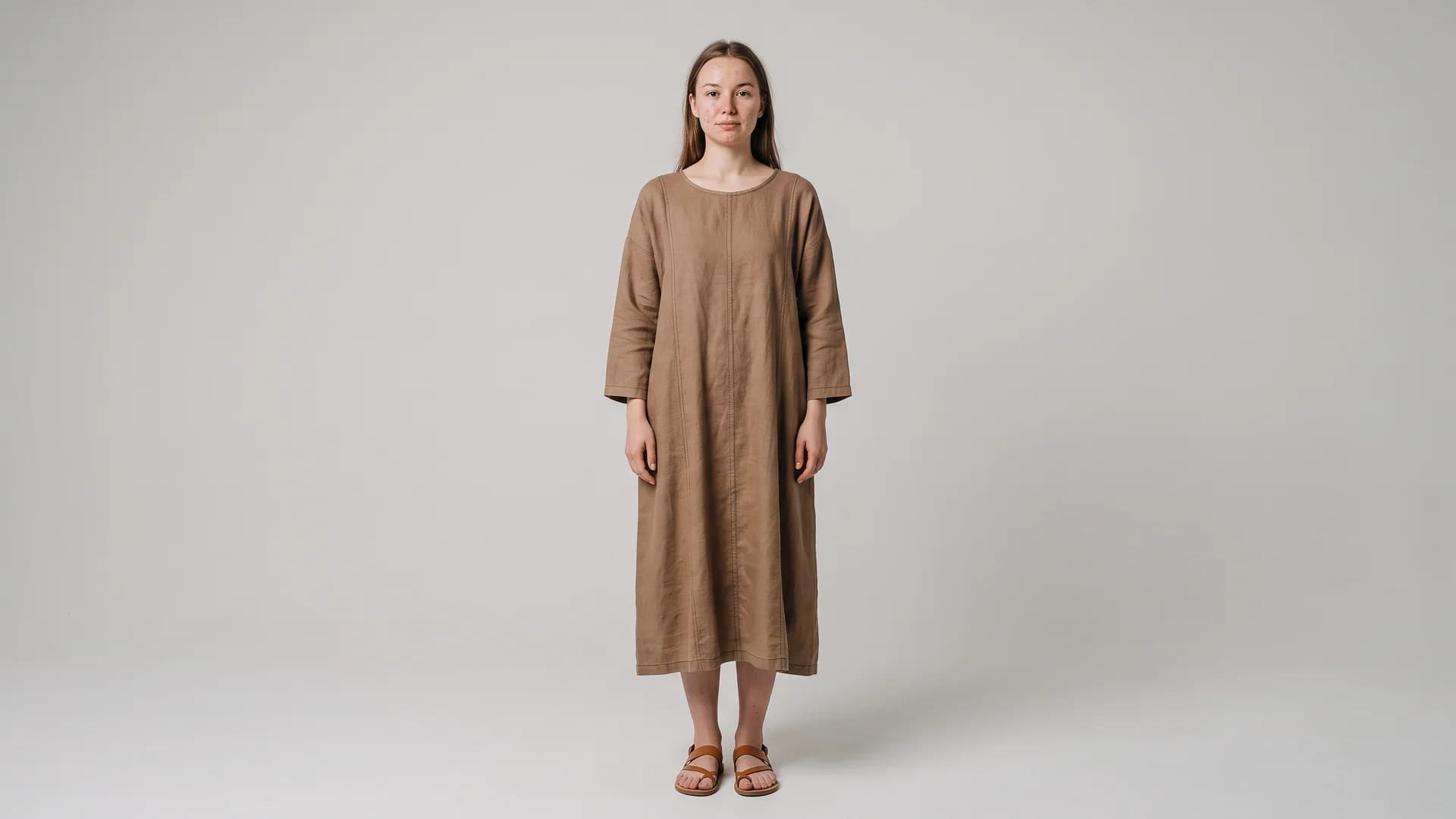
Full-body source photo ready for an AI walking video from a single photo
What works:
- Full-body framing with head and feet inside the frame, plus a little headroom and floor. The model needs to see the legs to animate a stride.
- A slight three-quarter or straight-on stance. A neutral standing pose gives the AI room to move the subject forward. A dynamic action pose confuses it.
- Even, soft lighting with the subject clearly separated from the background. Hard shadows get baked in and then warp.
- Sharp focus on the garment so prints, seams, and buttons survive the regeneration.
- A plain or simple background. Busy backgrounds tend to smear when the camera implies movement.
What breaks:
- Cropped feet or a cropped head. The model invents the missing part and it rarely matches.
- Motion blur already in the photo.
- Two or more people crammed together. Multi-person animation is where limbs swap and merge.
- Tiny, low-resolution source images. Upscale to at least 1024px on the long edge first.
For fashion specifically, the cleanest starting point is a proper on-model photo: one person, one outfit, standing, well lit. If you only have a flat-lay or a packshot, generate the on-model still first, then send that clean result into the video step.
Prompt tips for a natural gait and realistic fabric motion
Prompting for video is different from prompting for a still. You are describing an action over time, not a frozen scene. Keep it concrete and physical. This is where a little prompt engineering pays off.
A reliable structure is: subject, action, camera, pace, and physics.
Copy-paste starting prompts:
- Natural forward walk:
A woman walks slowly toward the camera, relaxed natural gait, arms swinging gently, weight shifting between steps, soft studio light, steady camera, subtle fabric movement on the dress. - Runway catwalk:
Model walks a straight runway line toward the camera, confident catwalk stride, hips leading, long coat swaying behind with each step, shallow depth of field, slow motion. - Side profile street walk:
Person walks across the frame left to right, casual pace, denim jacket moving with the shoulders, tracking camera follows at the same speed, daylight.
Words that improve the walk:
- Pace words:
slow,relaxed,steady,confident stride. These reduce the sped-up, jittery gait. - Physics words:
weight shifting,natural gait,arms swinging in opposition,hem swaying,hair moving softly. - Camera words:
steady camera,slow dolly in,tracking shot. A defined camera stops the background from sliding around.
Use a negative prompt. Most tools accept one, and it removes a lot of pain. A negative prompt tells the model what to avoid:
distorted legs, extra limbs, warped face, morphing, foot sliding, floating, flickering, melting clothes, changing outfit, blurry hands
Keep prompts short and physical. Long, adjective-stuffed prompts fight the source image and cause drift.
AI tools that make a walking video from a single photo, by use case
The live search results for this query are almost entirely product pages that hide the same button behind different logos. Rather than re-rank them, here is what actually separates them for a fashion use case: output length, resolution, whether there is a watermark on the free tier, and how well they hold identity and garment detail. For a full head-to-head, see our roundup of the best AI fashion video generators.
| Use case | What to prioritize | Typical output | Watch out for |
|---|---|---|---|
| Quick social clip (TikTok "AI walking effect") | Speed, vertical 9:16, mobile app | 3 to 5 seconds, 720p | Watermarks on free tiers |
| Product page hero video | Identity and garment consistency, resolution | 5 to 10 seconds, 1080p | Melting prints, changing outfit |
| Runway or lookbook clip | Fabric physics, longer duration, consistent model | 6 to 10 seconds | Foot slide on the catwalk |
| Paid ad creative | Commercial usage rights, clean output, resolution | 5 to 8 seconds, 1080p and up | Licensing on generic apps |
The pattern to notice: general "make a photo walk" apps are built for a novelty clip, not for selling a product. They rarely promise the garment stays identical or that you can use the result in a paid ad. For anything that goes on a store or in an ad, you want a tool that keeps the model identity and outfit locked and gives you commercial rights on the export. That is the gap a fashion-specific AI fashion video generator is built to close.
Common artifacts and how to fix them
This is the part every tool page skips. Your first render will probably have at least one of these. Here is what causes each one and the concrete fix.
| Artifact | What you see | Why it happens | The fix |
|---|---|---|---|
| Warped or extra legs | Legs bend the wrong way, a third leg appears | Motion strength too high, occluded legs in the source | Lower motion strength, use a full-body source with visible legs, add distorted legs, extra limbs to the negative prompt |
| Morphing face | Face melts or shifts identity mid-walk | Low-res face, too much movement, weak identity lock | Start from a higher-res photo, reduce strength, pick a shorter clip, use a tool with face consistency |
| Foot slide (ice skating) | Feet glide instead of stepping | Motion module fails to plant feet | Prompt natural gait, feet planting, weight shifting, add foot sliding to negatives, slow the pace |
| Melting fabric | Print smears, hem dissolves | Diffusion loses garment detail over frames | Use a sharper source, shorten the clip, avoid tiny busy patterns, lower strength |
| Flickering print or logo | Logo shimmers or changes shape | Temporal inconsistency on fine detail | Keep the logo large and centered in the source, shorten duration, upscale the source first |
| Background smear | The scene warps as the subject moves | Undefined camera plus busy background | Prompt a steady camera, use a plain background, or shoot on a solid backdrop |
Three rules solve most of these at once:
- Shorter is safer. A clean 4-second clip beats a warped 10-second one. Generate short, then extend only if the first pass holds.
- Less motion, more faithfulness. When in doubt, drop the strength slider. A subtle, believable walk sells better than an aggressive one full of glitches.
- Fix the source, not the prompt. If the print keeps melting, the input photo is too small or too soft. Upscale and re-crop before you touch the prompt again.
Turning an on-model outfit photo into a runway clip
Here is the fashion payoff. You photographed a dress on a model, or generated an on-model image, and you want a runway clip for the product page.
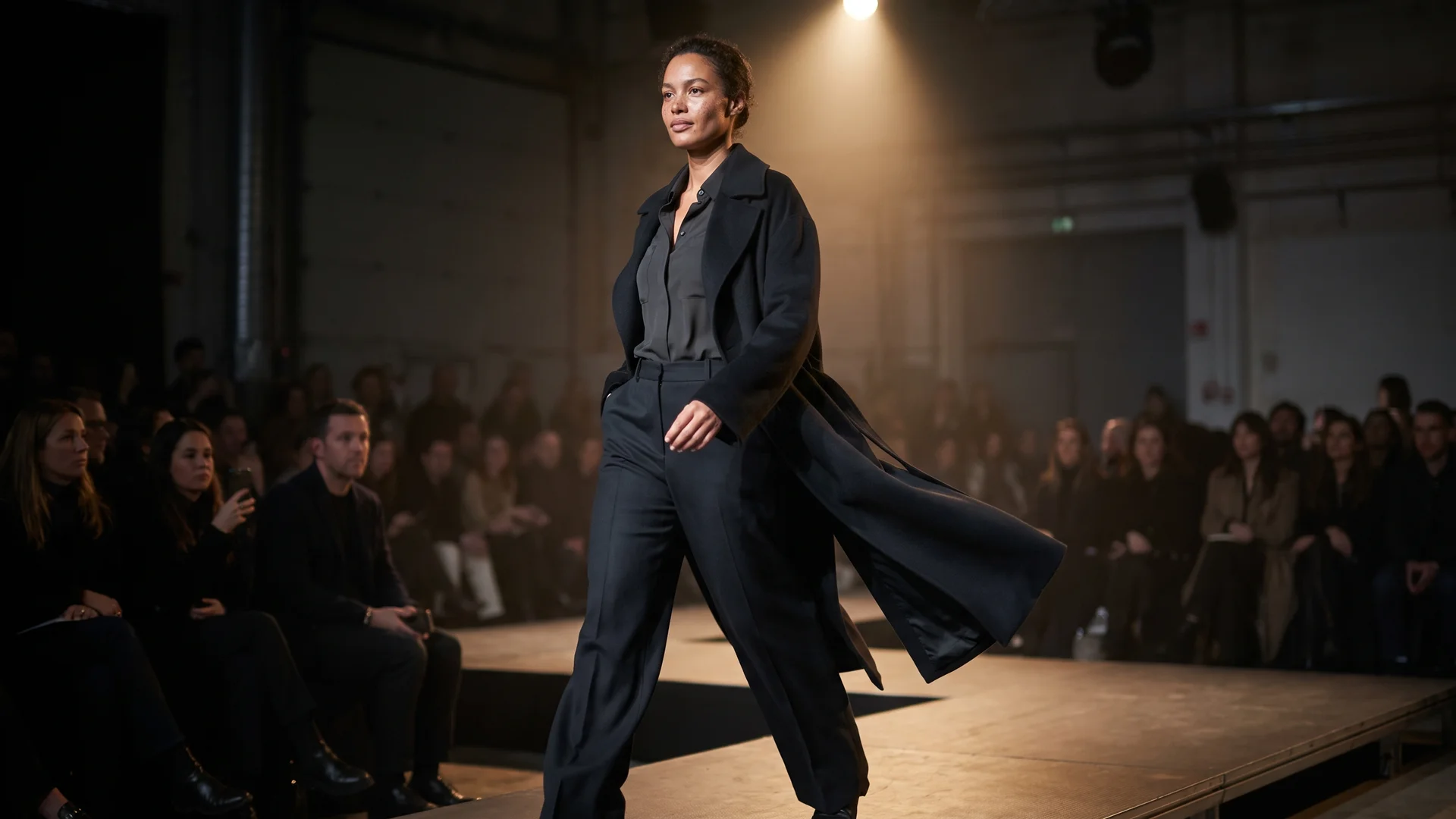
Runway catwalk clip generated from a single photo with AI
The workflow:
- Start from a clean on-model still. One person, standing, full body, sharp garment. If you started from a flat-lay, run it through a product to model step first so the video model has a real body to animate. If you want to preview the garment on different bodies before you commit, a virtual try-on pass gives you that still. And if the clip you actually want is a specific person in a specific outfit, our guide to creating an AI video of a person wearing an outfit from a photo covers that exact workflow.
- Choose a catwalk motion. Pick a walk-toward-camera or runway preset. Prompt for a
confident catwalk stride, hips leading, hem swaying. - Lock identity and outfit. Set motion strength to the middle, add the negative prompt from earlier, and keep the clip to 5 to 8 seconds.
- Keep the same model across the collection. If you are animating a whole drop, you want one face walking every look. Reusing consistent AI models means shot one and shot twelve feature the same person, which is what makes a set of clips read as one campaign instead of twelve strangers.
- Export at 1080p with commercial rights. For a product page or ad, the export needs a license you can actually use.
The thing to protect through all of this is the garment. A shopper watching your runway clip is deciding whether that hem falls the way they want. If the print smears or the outfit subtly changes mid-walk, the clip works against you. Prioritize consistency over drama every time.
Where to use your walking clips
A walking clip earns its place in a few spots, though not equally in all of them.
- Product detail pages. Be honest about the ceiling here. Baymard finds "the majority of users don't engage" with product videos on product pages, and treats video as a poor substitute for a proper set of images rather than a replacement for them. Where a clip does earn its place is the one question a photo cannot answer: how the garment moves. A 6-second walk showing drape and movement answers exactly that.
- Reels and TikTok. The "AI walking effect" is an active trend, and short vertical clips of a look moving are made for the feed. This is the one placement that needs no justification: motion is the native format there, and a still photo competes badly against it.
- Paid ads. Motion stops the scroll. A walking model as the first frame of a paid ad tends to out-hook a static image, and you can cut several ratios (9:16, 1:1, 16:9) from one render.
The cost angle is hard to ignore too. A mid-range clothing-brand photoshoot runs about $1,000 to $5,000 per day before you add a videographer, per Squareshot. A walking clip generated from a photo you already have costs a fraction of that and ships the same afternoon.
From still garment photo to walking model with WearView
If your goal is fashion, not a one-off gimmick, the workflow above is built into WearView. You can take a flat-lay to an on-model photo in under 15 seconds, keep the same model identity across an entire collection, and generate video from that still, all in one place with commercial usage rights on paid plans.
Pricing is straightforward and there is no free tier: Lite is $29 a month for 50 credits, Pro is $49 a month for 200 credits, and Advanced is $99 a month for 500 credits. For a brand shooting several drops a year, that replaces a lot of studio days.
Replace your next photoshoot with AI
Professional on-model fashion photography in seconds, at a fraction of the cost of a studio shoot.
Key takeaways
- The source photo decides everything. Use a full-body, sharp, evenly lit still with visible legs and a simple background before you touch a prompt.
- Prompt for physics, not adjectives. Words like
natural gait,weight shifting, andsteady cameraproduce a believable walk. A negative prompt kills most glitches. - Shorter and gentler wins. A clean 4-second clip at moderate motion strength beats a warped 10-second one. Generate short, then extend.
- Diagnose artifacts at the source. Warped legs, morphing faces, and melting prints usually trace back to a weak input photo or motion strength set too high.
- For fashion, protect the garment and the identity. Use product-to-model and consistent models so your runway clip actually sells the item instead of distorting it.
Sources: Baymard Institute, Squareshot, Human Model Imagery and Clothing Photoshoot Cost (2026)
FAQ
How do I turn a single photo into a walking video? Upload one full-body photo to an image-to-video tool, choose a walking or catwalk motion, write a short prompt describing the gait and camera, then generate a 4 to 8 second clip. The AI invents new frames of the subject moving while trying to keep the face and outfit from your original photo.
What is the best AI tool to make a photo walk? There is no single best tool; it depends on the job. For a quick vertical social clip, a mobile app is fine. For a product page or ad where the garment and model must stay identical and you need commercial rights, use a fashion-specific video generator rather than a novelty app.
Can I make a walking video from a photo for free? Some tools offer a free tier, but they usually add a watermark, cap the length at a few seconds, limit resolution to 720p, and rarely grant commercial usage rights. For anything on a store or a paid ad, a paid plan gives you clean, licensable output.
Why does the AI walking video look glitchy or warped?
Almost always because the motion strength is set too high or the source photo is too small, soft, or cropped. Lower the strength, start from a sharp full-body image with visible legs, keep the clip short, and add terms like distorted legs, warped face, foot sliding to the negative prompt.
What kind of photo works best for an AI walking video? A full-body shot with the whole person in frame, a neutral standing pose, even lighting, a sharp garment, and a simple background. Avoid cropped feet, motion blur, multiple people, and low-resolution images.
How long does it take to generate a walking video from a photo? Most tools return a short clip in under a minute or two, depending on length and resolution. The slow part is usually iterating: your first render often needs a strength or prompt tweak before the walk looks natural.
Can I turn a product or on-model clothing photo into a runway walk? Yes. Start from a clean on-model still (generate one from a flat-lay first if needed), pick a catwalk motion, lock the identity and outfit with a moderate strength setting and a negative prompt, and export at 1080p. Keeping one consistent model across the collection makes a set of clips read as a single campaign.
Can I use AI walking videos commercially for my store or ads? Only if the tool grants commercial usage rights on your plan. Many free novelty apps do not. Confirm the license before you publish a clip on a product page or run it as paid media. Fashion-focused platforms typically include commercial rights on paid tiers.

WearView Team
WearView Content & Research Team
WearView Team is a group of fashion technology specialists focused on AI fashion models, virtual try-on, and AI product photography for e-commerce brands. We publish in-depth guides, case studies, and practical insights to help fashion businesses improve conversion rates and scale faster using AI.


