
May 26, 2026•17 min read
Photoroom vs Modelia: A complete comparison for AI fashion photography
Photoroom is the broad ecommerce visual suite. Modelia is the AI fashion model generator built for Shopify stores. Here is how they actually compare on features, pricing, and reviews, plus where a fashion-only alternative like WearView fits in.
Picture of Photoroom vs Modelia comparison article
Photoroom and Modelia both promise to replace the traditional photoshoot with AI, but they are built for very different jobs. Photoroom is a broad ecommerce visual suite used by sellers across categories, with background removal and product staging at the core. Modelia is a fashion-specific platform that turns flatlay and mannequin shots into AI model photos, primarily for Shopify stores and ecommerce fashion brands.
If you sell fashion online in 2026 and you are trying to choose between the two, the right pick depends less on which tool is "better" overall and more on how much of your day is fashion product photography versus general listing creation across categories.
This guide compares Photoroom and Modelia feature by feature, on the workflows that matter for fashion brands: flatlay to model, ghost mannequin, video, and consistent model identity. You will see real Trustpilot ratings for both, a side-by-side pricing breakdown, and where a fashion-only alternative like WearView fits when neither generalist nor Shopify-first is the right shape for your team.
What's the difference between Photoroom and Modelia?
Photoroom is a horizontal ecommerce image platform with a fashion module bolted into a larger toolkit. Modelia is a vertical fashion image platform whose entire surface area is on-model generation. That single sentence drives almost every pricing, output, and workflow difference below.
Product breadth
Photoroom ships roughly two dozen named tools that span every ecommerce category: Background Remover, Background Generator, Instant Shadows, Object Removal, Logo Maker, Image Resizer, Recolor Clothing, Unwrinkle Clothes, Virtual Model, Product Staging, Ghost Mannequin, Flat Lay, Video Generator, AI Image Generator, Brand Kit, and a Shopify integration. The breadth is the value proposition for resellers who handle electronics one day and apparel the next.
Modelia keeps the surface area in fashion. Its ~18 tools cluster around clothing on bodies: Flatlay to Model, Mannequin to Model, Model to Model, Outfit Generator, Repose, Consistent Character, Smart Styler, Hat / Sneaker / Glasses / Handbag generators, and a Video Generator. The trade-off is that someone selling skincare alongside apparel will hit the edges of what Modelia does.
Audience focus
Photoroom is built for "sellers." Its highest-volume customers are catalog operators processing hundreds of thousands of images per year across category mixes, which is why Enterprise pricing only starts at 200K+ images annually. The product reflects that: it optimizes for clean cutouts and packshot polish.
Modelia is built for fashion brands and Shopify stores that need on-model imagery without a studio. Its Shopify App and account architecture (consistent characters, batch generation, unlimited team seats on Pro) are tuned to one workflow: take a garment, put it on an AI model, ship it to a product page.
Photoroom vs Modelia: feature-by-feature comparison
| Category | Photoroom | Modelia |
|---|---|---|
| Best for | Multi-category ecommerce sellers | Fashion brands and Shopify stores |
| Primary use case | Background removal, packshots, product staging | Flatlay and mannequin to on-model photos |
| Background removal | Yes (core product) | Yes |
| AI model creation from text prompts | Limited (Virtual Model module) | No (works from product input, not pure text) |
| Virtual try-on / product-to-model | Yes (Virtual Model + Product Staging) | Yes (Flatlay to Model, Mannequin to Model) |
| Ghost mannequin | Yes (named tool) | Mannequin-to-Model handles similar use case |
| Pose control | Not a named tool | Yes (Repose) |
| Consistent model identity | Not listed | Yes (Consistent Character; 3-unlimited by tier) |
| AI fashion video | Yes (Video Generator) | Yes (Video Generator, 25-40 credits per video) |
| Sneaker / handbag / hat generators | No (general staging only) | Yes (dedicated tools) |
| Logo Maker / general image tools | Yes (Logo, Resize, Edit with AI) | Limited (Inpaint, Outpaint, Upscaler) |
| Output resolution | HD on Pro; not publicly broken out higher | Up to 4K on paid plans |
| Commercial usage rights | Yes on paid plans | Yes on paid plans; No on free Starter |
| Free tier | Yes (250 exports, limited AI) | Yes (Starter: 20 credits, watermarked, non-commercial) |
| Free trial on paid | Yes | Project plan $12 one-time also works as paid sampler |
| Starting price (annual / monthly) | Pro $7.50/mo annual ($12.99/mo monthly) | Basic $28/mo annual ($35/mo monthly) |
| Team seats | Up to 50 across Pro / Max / Ultra | 1 on Basic, unlimited on Pro and Business |
| Minimum commitment | None | 2 months on Basic and Pro, 1 month on Business |
| API access | Yes (separate API pricing) | Yes (included in Basic and Pro) |
| Shopify integration | Yes (Max tier and up) | Yes (Shopify App) |
Source: Photoroom and Modelia pricing pages, verified May 2026.
How Photoroom and Modelia compare for fashion brands
The feature table makes the surface-area difference clear. The harder question for a fashion brand is which platform produces a faster, cleaner path from a flatlay sitting on your camera roll to a publishable product page image.

Photoroom homepage screenshot showing AI ecommerce photo editor
1. Flatlay to on-model image
Modelia's headline product is Flatlay to Model. You upload a flatlay photo of a garment, pick a model and pose, and the system generates an on-model image at up to 4K. Mannequin to Model and Model to Model cover the variations where you already have a body shot and want to swap in a different model. Because every Modelia tool sits inside a fashion-first workspace, the pose, fabric, and styling controls are tuned for clothing.
Photoroom approaches the same workflow through two separate tools: Virtual Model and Product Staging. Virtual Model puts a garment on an AI body; Product Staging changes the surrounding scene. Combined they cover the same job, but you assemble the workflow yourself across more clicks, and the prompts and controls are written for the general "seller" rather than for the fashion stylist.
For a brand whose primary work is converting flatlays into on-model PDP images at scale, Modelia is the more focused tool. For a brand whose product photography lives alongside non-apparel SKUs (accessories, beauty, gifts), Photoroom's breadth pays back.
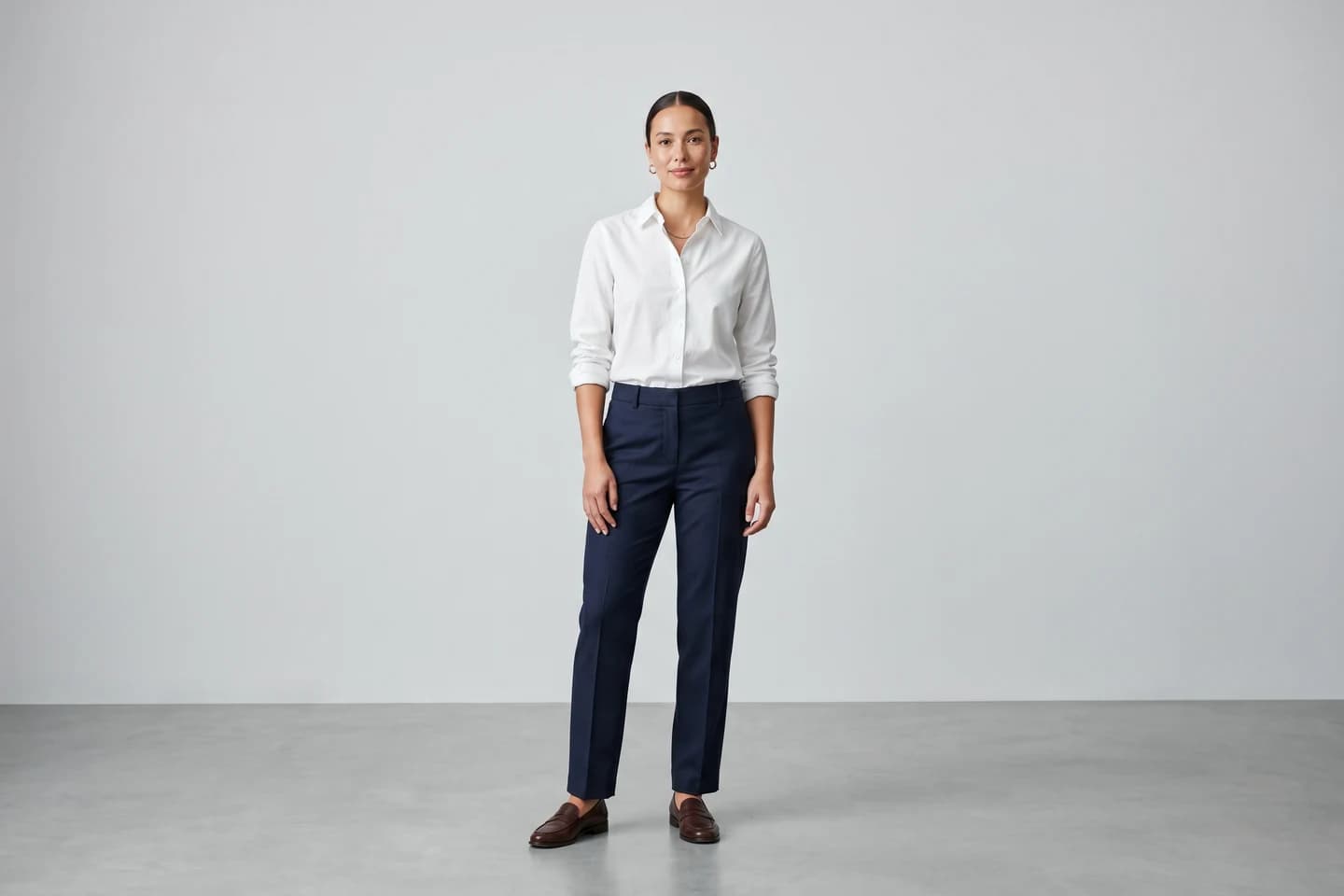
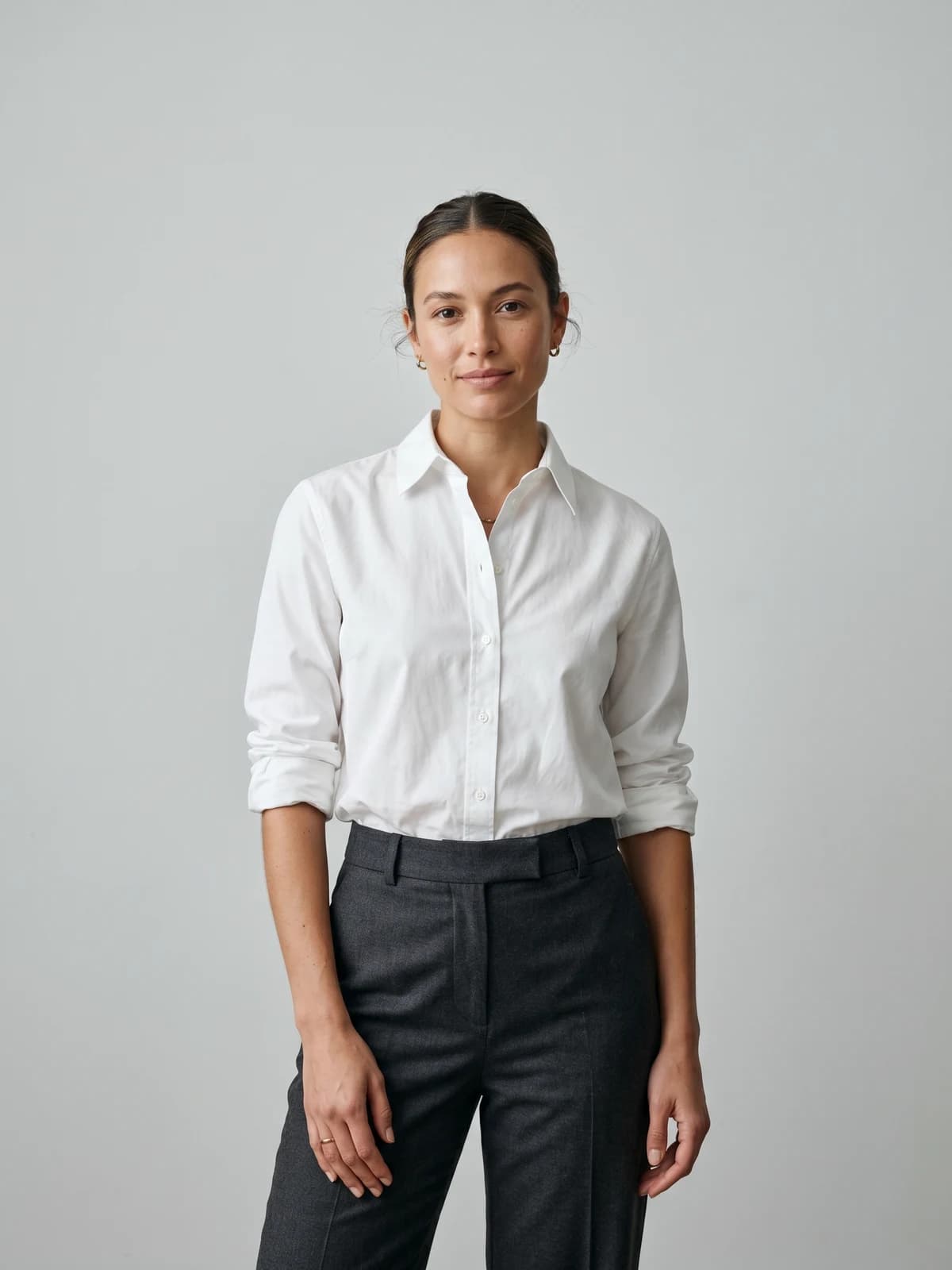
Turn flat-lays into on-model photos
Drop in a flat-lay or product shot and get professional on-model photography ready for your store.
2. Brand and model consistency across campaigns
Consistent model identity is the single biggest workflow gap between the two platforms for fashion brands running ongoing collections.
Modelia exposes a named Consistent Character feature with tiered limits: up to 3 characters on Basic, 6 on Pro, and unlimited on Business. Inside a subscription you can rebuild the same model for new garments, new poses, and new collections without re-prompting from scratch.
Photoroom does not list a consistent-model feature on its pricing or features pages as of May 2026. Virtual Model regenerates a body for each run, which is fine for one-off packshots but is harder to weave into a multi-drop fashion calendar where the brand wants the same face across the campaign.
If your roadmap involves the same model across a season or several SKUs, Modelia is the closer fit. If you only need one-off model shots inside a broader ecommerce catalog, the gap will not matter.
3. Output, video, and commercial rights
Output resolution and commercial rights are where the pricing tiers start to matter.
Modelia caps output at 4K on every paid plan from Basic upward, including via the API, and grants commercial rights from the Project tier ($12 one-time) and above. The free Starter plan does not grant commercial rights and watermarks output. Video generation runs through the same credit pool, costing roughly 25-40 credits per clip.
Photoroom publishes HD export on Pro and refers to higher-quality output on Max and Ultra without a single published resolution number across tiers. Commercial usage on Photoroom subscriptions is part of the standard terms once you are on a paid plan. The Video Generator is included across tiers.
For an apparel team that lives on 4K crops for marketplaces or printed lookbooks, Modelia's predictable 4K ceiling is easier to plan against. For a generalist seller whose 1080p web crops are the norm, the difference is largely cosmetic.
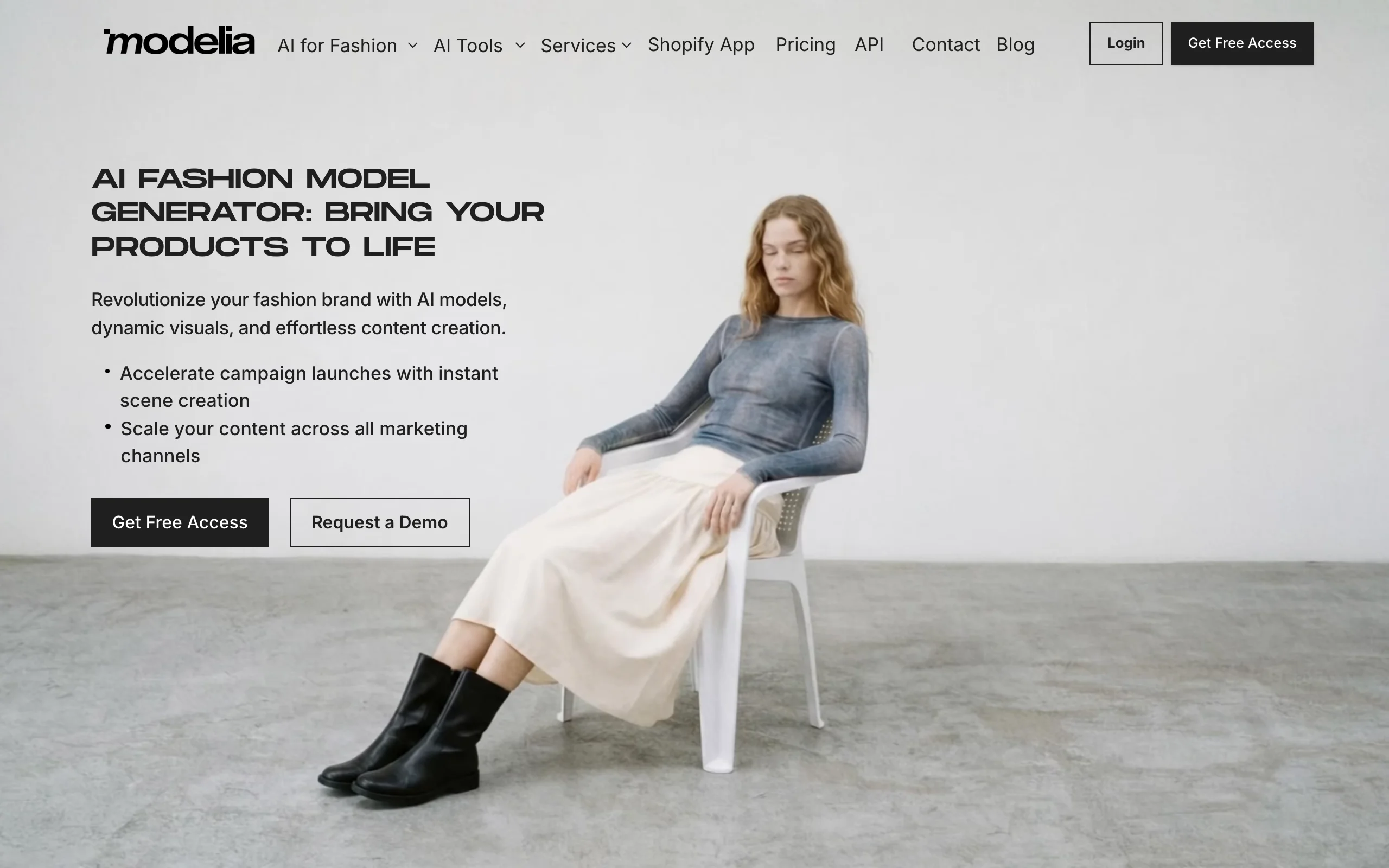
Modelia homepage screenshot showing AI fashion model generator
What users say about Photoroom and Modelia
Aggregate ratings make this the most lopsided section of the comparison, and they are worth weighing carefully before committing to a paid plan.
| Platform | Photoroom | Modelia | WearView |
|---|---|---|---|
| Trustpilot | 1.4/5 (203 reviews) | 4/5 (28 reviews) | 4.5/5 (89 reviews) |
Ratings as of May 2026.
What users praise
For Modelia, recurring positives on its Trustpilot page cluster around photorealism on garments, the simplicity of the flatlay-to-model flow, and the time saved versus studio shoots. Reviewers tend to describe the outputs as preserving the product's actual fabric and detail rather than inventing new ones, and several frame Modelia as a fast way to spin up marketing imagery for a fashion store without a photographer.
For Photoroom, its editing engine is widely praised by business users elsewhere for the same reason it has been known for since launch: a fast, accurate background remover and an easy template library for product photos. Long-time users commonly describe it as one of the cleanest tools they have used for cutouts and packshot work, even among reviewers who are frustrated with its billing.
What users complain about
For Photoroom, the criticisms on its Trustpilot page are largely about billing and the credit model rather than image quality. The 1.4/5 score reflects 203 reviews of which 81% are 1-star, and the dominant themes are difficulty cancelling subscriptions during free trials, charges that users say came after cancellation, the migration of previously-included batch features into higher tiers, and slow or bot-only customer support. It is worth noting that the picture is more favorable on business-software review sites, where the editing engine itself earns solid marks: the Trustpilot complaints are concentrated on billing and support, not on the quality of the cutouts. Read both the billing reports and the product feedback before subscribing.
For Modelia, the smaller review base (28 on Trustpilot) means individual complaints carry weight. Recurring gripes when they surface are around credit cost on 4K generations (a single 4K image is double credits versus 2K), the 2-month minimum commitment on Basic and Pro plans, and occasional artifacts on busy prints or complex fabric drape.
For WearView, the Trustpilot reviews are overwhelmingly positive at 4.5/5 across 89 reviews, with the most common minor critique surfacing around generation loops on the rare failed output. WearView's public responses on Trustpilot note ongoing work on stability and credit safeguards.
Pricing breakdown
The pricing pages from both companies, verified May 2026, look like this when laid side by side.
| Tier | Photoroom (annual / monthly) | Modelia (annual / monthly) |
|---|---|---|
| Free | 250 exports/mo, limited AI | Starter: 20 credits/mo, 2K, watermarked, non-commercial |
| One-time entry | n/a | Project: $12 (50 credits, 4K, commercial) |
| Entry paid | Pro: $7.50/mo annual ($90/yr) / $12.99/mo monthly | Basic: $28/mo annual ($336/yr) / $35/mo monthly, 250 credits |
| Mid | Max: $20.99/mo annual / $34.99/mo monthly | Pro: $68/mo annual / $85/mo monthly, 750 credits, unlimited seats |
| Top | Ultra x1: $82.50/mo annual / $99/mo monthly (scales to x10) | Business: $240/mo annual / $300/mo monthly, 3,000 credits |
| Enterprise | Custom; starts at 200K+ images/year | Manual top-ups + Business tier |
| Annual discount | ~42% vs monthly on Pro | 20% across paid plans |
| Minimum commitment | None | 2 months on Basic and Pro; 1 month on Business |
Pricing as of May 2026.
The two pricing structures are not directly comparable on a "per credit" basis because Photoroom sells exports and Modelia sells credits that map roughly to 3 per 2K image, 6 per 4K image, or 25-40 per video. A Modelia Pro user generating 4K images uses 750 credits / 6 = 125 images per month for $68 ($0.54/image). A Basic user generating 2K images uses 250 / 3 = ~83 images for $28 ($0.34/image).
Photoroom's Pro at $7.50/mo is by far the cheapest entry point in this market if all you need is background removal and templates. Once you turn on heavier AI features (Virtual Model, Video, batch beyond the included quota), the relevant comparison is Photoroom Max or Ultra, where the math gets closer.
The one variable that does not show up on either pricing page is what happens when you cancel: Photoroom's Trustpilot reviews flag billing friction as their dominant complaint, so confirm cancellation paths before swiping a card.
When to choose Photoroom, Modelia, or a fashion-only alternative
| Factor | Choose Photoroom | Choose Modelia | Consider WearView |
|---|---|---|---|
| Primary workflow | Background removal + product staging across categories | Flatlay or mannequin to on-model photos | End-to-end fashion content (try-on, model creation, video, consistent models) |
| Business size | Resellers, solopreneurs, multi-category catalogs | Shopify and DTC fashion stores at any size | Fashion brands and agencies scaling on-model production |
| Output priority | Clean packshots and listing-ready images | On-model fashion images and reposes | High-volume fashion catalogs and lookbooks |
| Feature breadth | Broad (general ecommerce) | Focused fashion suite with general image extras | Focused fashion suite, no general image utilities |
| Pricing fit | Lowest entry for cutouts and templates | Mid-priced fashion subscription with 4K | Mid-priced, no free tier, predictable per-credit cost |
| Commercial rights | Yes on paid | Yes on paid (No on Starter) | Yes on every paid plan |
| Trustpilot reputation | 1.4/5, billing complaints dominant | 4/5, smaller sample | 4.5/5 across 89 reviews |
If you are a multi-category seller
Photoroom is the path of least resistance. The Pro plan at $7.50/month annual covers most of what a small Etsy or eBay seller needs, and Max adds enough batch capacity for a growing Shopify store carrying apparel and accessories together. If you are choosing between a photo editor and a design suite instead, we also compared Photoroom vs Canva for fashion product images. Verify the cancellation flow before subscribing, and budget for the credit ceiling on heavier AI tools.
If you run a fashion-first Shopify store
Modelia is purpose-built for the way you already work. Flatlay to Model, Mannequin to Model, and Consistent Character cover almost every recurring task, and the Shopify App means assets land on product pages without extra plumbing. The 2-month minimum commitment on Basic and Pro is the main friction; if you are testing the workflow, start with the $12 Project plan.
If you are scaling fashion-only production
For fashion brands and agencies whose entire week is on-model photography, neither a general ecommerce suite nor a Shopify-app fashion tool is necessarily the right shape. A fashion-only alternative like WearView keeps the workspace focused on the seven workflows fashion teams actually run (virtual try-on, product-to-model, AI model creation, consistent models, pose control, ghost mannequin, fashion video), with 4K commercial rights on every paid plan, no minimum commitment, and team seats up to 15 on the Advanced plan.
Key takeaways
- Photoroom is broad, Modelia is fashion-specific. Pick Photoroom if your catalog spans categories. Pick Modelia if every photo you ship is a garment on a body.
- Cancellation friction is the loudest Photoroom complaint. The Trustpilot 1.4/5 score is concentrated around billing, not image quality. Confirm the cancellation path in writing before subscribing.
- Modelia's Consistent Character feature is its biggest fashion-specific advantage. If your brand reuses the same model across collections, this alone can justify the higher monthly price.
- 4K is standard on Modelia, an upsell on Photoroom. Plan for the credit cost: 4K images at Modelia are double the credits of 2K.
- A fashion-only alternative can sit between them. If you want the focused fashion workflow without a Shopify-app dependency or a 2-month minimum, WearView covers the same on-model jobs with predictable credit packs.

Replace your next photoshoot with AI
Professional on-model fashion photography in seconds, at a fraction of the cost of a studio shoot.
FAQ
What's the main difference between Photoroom and Modelia?
Photoroom is a broad ecommerce visual suite with background removal, product staging, and a wide tool set across categories. Modelia is a fashion-specific platform that turns flatlay and mannequin photos into AI on-model images. For multi-category sellers, Photoroom is more practical; for fashion brands running on-model photography, Modelia is more focused. A third option like WearView covers the same fashion workflows with no minimum commitment.
Modelia vs Photoroom: which is better for fashion brands?
For the specific workflow of turning garments into on-model photos, Modelia is the tighter fit. It ships Flatlay to Model, Mannequin to Model, Model to Model, Repose, and Consistent Character as named tools, and the entire interface is built around clothing. Photoroom's Virtual Model and Product Staging cover the same job, but the workflow lives inside a generalist app and consistent identity is not a published feature as of May 2026.
Is Photoroom cheaper than Modelia?
Yes at the entry tier. Photoroom Pro is $7.50/month billed annually; Modelia Basic is $28/month billed annually. Once you move up to features that fashion brands actually use (Virtual Model batches, video, higher resolution), the relevant Photoroom tier is Max at $20.99/month annual or Ultra at $82.50/month annual, which puts the two platforms in the same neighborhood. Modelia includes 4K output and commercial rights from Basic upward; Photoroom publishes HD on Pro and does not break out output resolution per tier.
Does Modelia have a free plan?
Yes. The Starter plan gives you 20 credits per month with a daily cap of 10, watermarks output, restricts use to non-commercial, and caps resolution at 2K. It is a useful sampler but cannot ship product page images. The $12 one-time Project plan unlocks 50 credits, 4K, and commercial rights without a subscription, which is a low-friction way to test the paid workflow.
What is the catch with Photoroom's Trustpilot rating?
Photoroom's Trustpilot score is 1.4/5 across 203 reviews, with 81% of them 1-star. The dominant theme of those complaints is billing rather than image quality: difficulty cancelling free trials, charges users report after cancellation, and feature changes when previously-bundled batch tools moved into higher tiers. The editing engine itself is generally well regarded by business users elsewhere, which is why the low Trustpilot figure is best read as a billing-and-support signal, not a verdict on output quality. Confirm the cancellation path before subscribing.
Does Photoroom or Modelia support Shopify?
Both. Photoroom integrates with Shopify from its Max tier and up. Modelia ships a dedicated Shopify App built specifically for on-model fashion imagery. If your store is Shopify-first and on-model fashion is the only job, Modelia's app is the more direct integration. If your store carries non-apparel SKUs too, Photoroom's app covers more of the catalog.
Can WearView replace Photoroom and Modelia for fashion brands?
For fashion-only teams, yes. WearView covers the same on-model and ghost mannequin workflows Photoroom and Modelia run, adds AI fashion model creation from text and consistent models across campaigns, and grants 4K commercial rights on every paid plan with no minimum commitment. For multi-category ecommerce sellers who also need a Logo Maker, Background Generator for non-fashion SKUs, and general image tools, Photoroom remains the better generalist.
Which has better customer support, Photoroom or Modelia?
The public review evidence skews to Modelia on this question, with smaller-sample but more consistently positive feedback. Photoroom's Trustpilot reviewers frequently report bot-only responses and unresolved billing issues, even though its editing tools are well regarded elsewhere. Modelia's review base is smaller, and Trustpilot reviewers there tend to highlight responsive support and quick result iteration. Sample sizes are uneven, so weigh the data accordingly.

WearView Team
WearView Content & Research Team
WearView Team is a group of fashion technology specialists focused on AI fashion models, virtual try-on, and AI product photography for e-commerce brands. We publish in-depth guides, case studies, and practical insights to help fashion businesses improve conversion rates and scale faster using AI.


