March 4, 2026•25 min read
Finding the Best App for Designing Clothes Your Brand Needs
Discover the best app for designing clothes for your brand. Our guide explores AI mockups, 3D/CAD tools, and visualization software to streamline your workflow.
Finding the Best App for Designing Clothes Your Brand Needs
The fashion world moves ridiculously fast. What used to be the best app for designing clothes—a simple digital sketchpad—is now a full-blown engine for creativity and commerce. Today's tools are a powerful mix of 3D modeling, virtual prototyping, and AI visualization, making them absolutely essential for any brand that wants to keep up.
Navigating the New Era of Fashion Design Apps
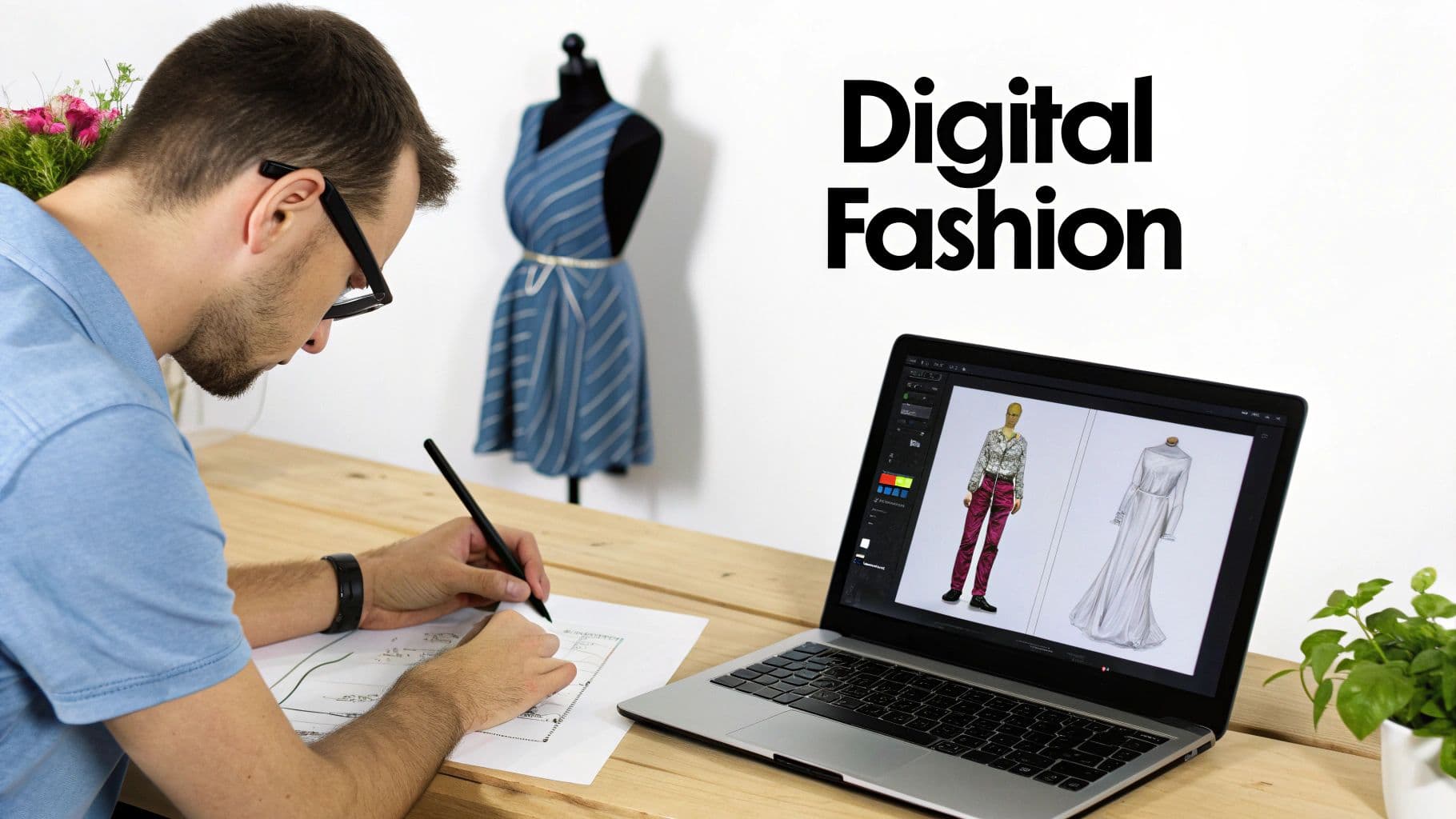
Man sketching fashion designs on paper next to a laptop displaying digital clothing designs.
Let's be honest, the days of relying only on hand sketches and waiting weeks for expensive physical samples are over. To survive in today's market, you need to be agile, fast, and efficient. That's exactly what modern design apps deliver. These platforms aren't just cool gadgets anymore; they're fundamental for staying competitive, whether you're a scrappy startup or a big e-commerce player.
This isn't just a fleeting trend. The global fashion design app market hit $497 million in 2025 and is set to grow at a blistering 8.3% compound annual growth rate through 2033. For brands, that explosive growth sends a clear message: using these apps isn't optional, it's a core business strategy that can slash design cycles from weeks down to hours.
What to Expect from Modern Design Tools
When you think about an app for designing clothes today, you have to look way beyond basic sketching. The entire ecosystem has split into specialized tools, each built to solve a specific problem in the product lifecycle.
- Creative Ideation & Sketching: Think of apps like Procreate or Adobe Fresco as your digital Moleskine. They're perfect for capturing those initial sparks of inspiration, pulling together mood boards, and creating beautiful fashion illustrations.
- Technical Design & Production: This is where the serious CAD software lives. These tools are critical for manufacturing, helping you create precise patterns, technical flats, and 3D prototypes that bridge the gap between a cool idea and a file you can actually send to the factory.
- AI-Powered Visualization & Marketing: This is the exciting new frontier. We’re talking about platforms that use artificial intelligence to generate incredibly realistic product photos without ever needing a physical photoshoot. For e-commerce stores that need a constant stream of high-quality marketing assets, these tools are an absolute game-changer.
The right digital toolkit doesn't just make your design process faster—it makes it smarter. By integrating these technologies, brands can slash waste, collaborate more effectively, and launch innovative products with way more confidence and speed.
Why Your Brand Needs a Digital Workflow
Going digital-first gives you a massive competitive edge. It’s all about rapid iteration. Your team can test dozens of colorways or tweak a silhouette in the time it used to take to get a single physical sample made. That efficiency trickles down through your entire operation, from design handoffs all the way to your marketing campaigns.
On top of that, these tools make it incredibly easy to create more inclusive and diverse marketing content. You're no longer limited by who you can book for a photoshoot. You can see how leading brands are completely overhauling their operations by understanding the role of a modern fashion tech company. The end goal is to build a workflow that’s not just efficient but also resilient and scalable—ready to pivot as quickly as the fashion world does.
What Features Actually Matter in a Design App?
Navigating the crowded market for design software can feel like a chore, but it gets a whole lot easier once you know what to look for. The right app isn't just a digital sketchpad; it’s a full-blown command center for your entire creative process, from initial spark to production-ready files.
Everything starts with the basics. Any serious design app needs rock-solid 2D sketching capabilities. This is where your ideas first get their legs. You need a tool that lets you create clean, precise technical flats—the two-dimensional blueprints that communicate every single stitch, seam, and measurement to your pattern maker. These aren't just nice to have; they are the non-negotiable foundation of your garment.
From 2D Flats to 3D Forms
Once you've nailed down the flat sketch, the real magic begins. Modern fashion design has moved way beyond paper, diving headfirst into the world of 3D. This is where professional-grade apps leave basic drawing tools in the dust.
The biggest game-changer is 3D pattern making and Computer-Aided Design (CAD). Instead of the old-school cycle of cutting, sewing, and fitting physical samples for every minor tweak, 3D CAD software lets you build, drape, and fit your patterns on a digital avatar. You can see instantly how a garment hangs, where it might pull, or how it moves. This lets you make critical adjustments in minutes, not weeks, which completely changes your development timeline.
This digital-first workflow isn't just a gimmick; it has a massive impact on your bottom line. The fashion design software market is booming, projected to jump from $3.34 billion in 2025 to $5.64 billion by 2032. Brands in the U.S. are seeing huge benefits, with 3D prototyping and fabric simulations proven to slash physical sampling costs by up to 40%. You can dig into the full fashion design software market research to see where the industry is heading.
Core vs. Advanced Design App Features
To make sense of it all, it helps to separate the absolute must-haves from the game-changers that will elevate your workflow. Think of it as building your ideal toolkit—you need a solid foundation before adding the power tools.
| Feature Type | Core Features (Must-Haves) | Advanced Features (Game-Changers) |
|---|---|---|
| Initial Design | 2D Technical Flats & Sketching | AI-Powered Sketch-to-Image Generation |
| Prototyping | Basic 3D Visualization | Realistic 3D CAD & Fabric Simulation |
| Fit & Simulation | Static Garment Previews | Virtual Try-On on Custom Avatars |
| Production Prep | Tech Pack Creation (PDF) | Direct-to-Manufacturer File Exports (DXF) |
| Workflow | File Saving & Versioning | Real-Time Cloud Collaboration & Commenting |
| Visualization | Colorway & Print Application | Photorealistic Marketing Renders |
The core features get the job done, but the advanced ones are what truly accelerate your business, saving you time, money, and countless headaches in the long run.
Why Realistic Simulation is a Dealbreaker
A 3D model without accurate physics is just a pretty picture. That's why material and fabric simulation is another non-negotiable feature. A great design app must allow you to assign specific physical properties to your digital fabrics, making them behave like their real-world counterparts.
Think about it: you need to see the true difference between a heavy wool that holds its shape and a slinky silk chiffon that flows. The software has to simulate these key traits:
- Drape: How a fabric hangs and falls under its own weight.
- Stretch: The give-and-take of materials like jersey or spandex.
- Texture: The visual surface, from a bumpy tweed to a smooth satin.
- Weight: How the fabric's density impacts its structure and movement.
Without this level of realism, your 3D prototype is a guess at best. Accurate simulation ensures what you see on screen is what you’ll get in production, saving you from expensive surprises later.
A truly powerful design app closes the gap between imagination and reality. By providing precise simulations and collaborative tools, it empowers you to make smarter, faster, and more sustainable design decisions before a single yard of fabric is ever cut.
Teamwork and Production Readiness
Fashion design is rarely a one-person show. Your whole team—designers, pattern makers, merchandisers—needs to be perfectly in sync. That's where collaboration tools become essential. Look for apps that offer real-time commenting, version history, and cloud-based workspaces so everyone can work together seamlessly, whether they're in the same studio or across the globe.
Finally, remember the end goal: manufacturing. The app you choose must make the handoff to your factory smooth and error-free. File format compatibility is absolutely critical here. Your software should export industry-standard files without any drama.
Make sure it supports these key formats:
- DXF (Drawing Exchange Format): This is the universal language for 2D patterns, compatible with nearly all automated cutting machines.
- OBJ or FBX: These are common 3D file formats for sharing models with other software or using them for marketing visuals.
- PDF: Still essential for creating comprehensive tech packs that bundle all your sketches, measurements, and construction notes into one document.
When an app nails all of these features, it stops being just a tool and becomes the central nervous system for your entire product development cycle.
How AI Is Completely Changing Clothing Visualization
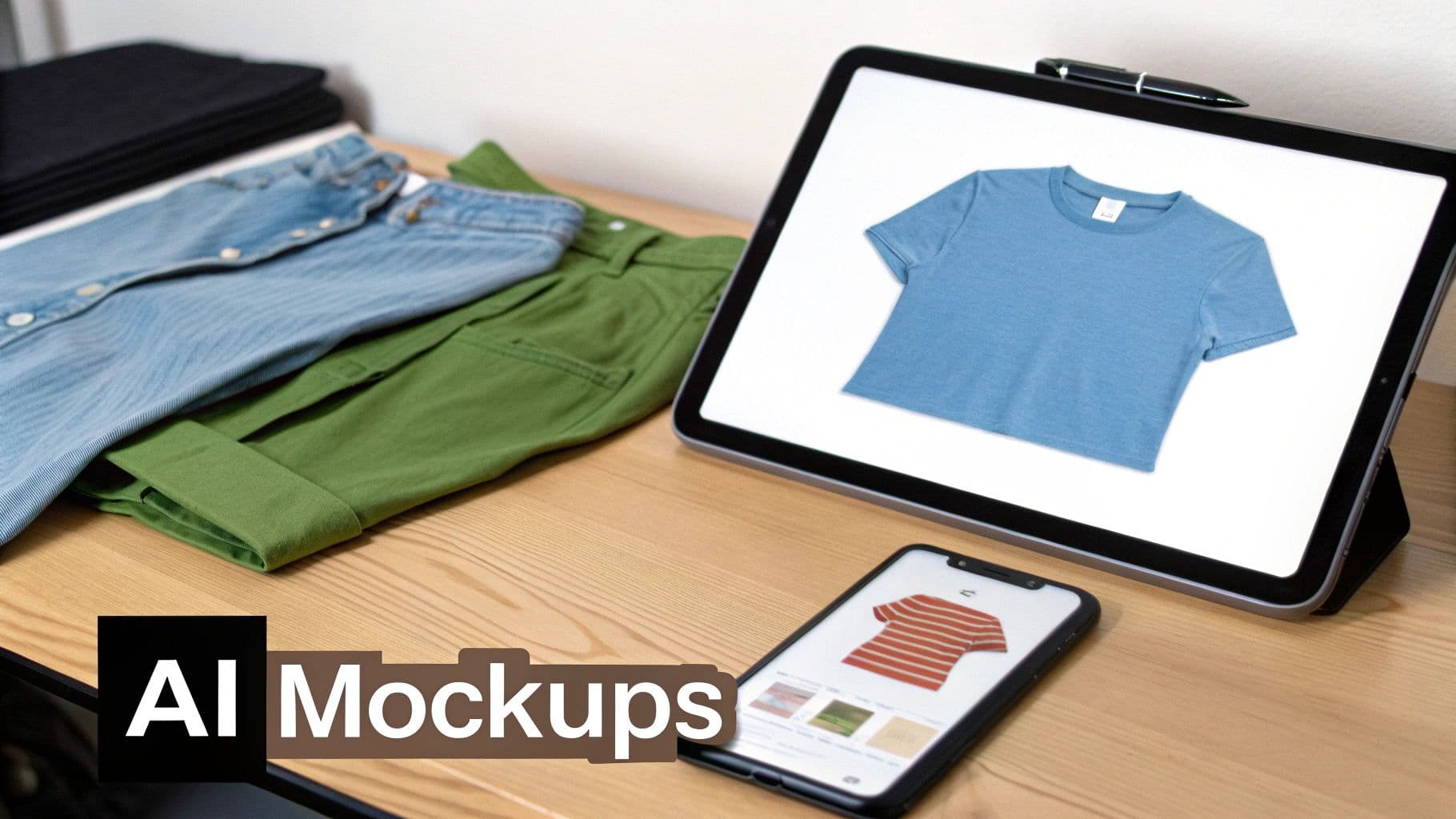
Clothing items and digital devices displaying various apparel mockups on a wooden table.
AI in fashion isn't some far-off concept anymore; it's here, and it’s a powerful tool that’s actively changing how brands create and sell their clothes. We've moved way past simple design suggestions. Now, AI is the muscle behind smart clothing visualization, putting studio-quality product photos within reach for literally everyone.
This is a massive shift. Not long ago, getting a new design in front of customers was a long, expensive ordeal. It meant physical samples, model castings, location scouting, and pricey photoshoots. Today, the best app for designing clothes will almost certainly have AI features that can spin up stunning, realistic visuals from a single, flat photo of a T-shirt.
The Magic of Product-to-Model Transformation
The real breakthrough here is something called product-to-model transformation. Picture this: you take a quick photo of a sweatshirt laid out on the floor, upload it, and in a few seconds, you see it on a dozen different models, in different poses, in different settings. That’s what modern AI visualization tools do.
The tech is smart enough to analyze the garment's shape, fabric texture, and design from that one image. It then digitally drapes it onto a model, figuring out the folds, shadows, and fit to create something that looks shockingly real. For any e-commerce brand, this is a total game-changer, wiping out the logistical headache of traditional product photography.
By separating content creation from physical production, AI gives you the freedom to market your designs before a single piece is even made. This lets you get feedback faster and make data-backed decisions on what to actually produce, cutting your financial risk way down.
Building a Cohesive Brand with Consistent AI Models
One of the toughest parts of marketing is keeping your brand identity consistent. This is especially true for model photography, where booking the same models for every single shoot is both expensive and a scheduling nightmare. AI has a brilliant fix for this.
Many of the more advanced platforms now let you create and reuse consistent AI models. This means you can generate a unique digital model that perfectly fits your brand’s vibe and use them across all of your product pages and ad campaigns.
This gives you a few major advantages:
- Brand Recognition: Customers start to recognize that "face," associating it with your brand and strengthening your identity.
- Visual Consistency: Every product shot has the same look and feel, making your online store look incredibly polished and professional.
- Total Flexibility: Need new content? You can generate it with your brand's model anytime you want, without dealing with scheduling or booking fees.
The impact isn't just a hunch; the numbers are huge. The AI in fashion market is projected to hit $2.92 billion in 2025 and then explode to an incredible $89.41 billion by 2035. Brands already using AI are seeing a 35% faster time-to-market and a 20% lift in ad performance.
From Static Photos to Dynamic AI Video
While great images are the foundation of e-commerce, video is what grabs attention on platforms like TikTok and Instagram. AI is making moves here, too, with features that can generate short, eye-catching videos from just one product photo.
These tools can animate your garment on a model, creating subtle movements that show off how the fabric drapes and flows. It's a much more engaging way to see a product than a flat photo, and it's perfect for stopping the scroll and boosting engagement.
The Real-World Business Impact of AI Visualization
At the end of the day, any new tech has to deliver a real return. For AI in clothing visualization, the benefits are clear, direct, and they add up fast. Understanding what AI can do for your visuals is essential to staying in the game, and checking out guides on utilizing AI tools like Google Gemini can offer more insight into image generation.
Here’s what this looks like in the real world:
- Massive Cost Savings: We're seeing brands slash their content creation budgets by up to 90% by ditching traditional photoshoots for AI-generated images.
- Faster to Market: Creating marketing assets in minutes instead of weeks lets you launch collections faster and jump on trends while they’re still hot.
- Higher Conversion Rates: When customers can see high-quality, diverse, and inclusive on-model photos, they can picture themselves in the clothes. This leads to a measurable increase in sales.
- Content that Scales: Need ten product shots or a thousand? AI can pump them out without a huge jump in cost or effort, making it easy to grow quickly.
This tech really levels the playing field. It gives smaller brands and independent designers access to the kind of top-tier visual content that used to require a massive budget.
Choosing the Right App for Your Brand's Needs
Finding the right app isn't about chasing the biggest name on the market. It's about finding the one tool that clicks perfectly into your workflow. The best app for designing clothes for a freelance illustrator sketching on an iPad is worlds away from what a high-volume e-commerce brand needs to pump out marketing assets.
Nailing this choice from the start means you'll work faster, slash costs, and bring your vision to life with way fewer headaches.
The first step is simple, but crucial: get brutally honest about your main goal. What's the single biggest problem you're trying to solve right now? Answering that question will instantly shrink the overwhelming list of options down to a handful of real contenders.
What’s Your Primary Mission?
Are you a creative director living in mood boards and initial concepts? A technical designer buried in production-ready patterns? Or are you a marketer who needs a firehose of on-model photos for social media yesterday? Each of these jobs demands a completely different toolkit.
Think about which of these scenarios sounds most like you:
You're a Solo Designer or Illustrator: Your world revolves around sketching and pure creative expression. You need a digital canvas that feels like an extension of your hand. Look at apps with killer drawing tools, like Procreate or Adobe Fresco, that let you capture ideas the moment they strike.
You're a DTC Brand Focused on Prototyping: Your biggest pain point is the slow, expensive back-and-forth of physical sampling. You need a powerful 3D CAD tool like CLO 3D to build virtual samples, check the fit, and perfect your patterns before a single piece of fabric gets cut. This digital-first approach can literally save you thousands per collection.
You're an E-commerce Store Needing Marketing Assets: Your constant challenge is feeding the content beast. You need a mountain of high-quality product photos, but your budget isn't endless. This is where an AI visualization platform like WearView comes in. It’s built to turn one flat-lay photo into hundreds of on-model shots, no photographer or studio required.
Once you’ve identified your core mission, you can stop getting distracted by flashy features you'll never touch and start focusing on the tools that will actually move the needle for your business.
How Well Does It Play with Others?
A great app is a team player. Its true power is unlocked when it connects seamlessly with the other software you already rely on. Before you even think about signing up for a trial, map out your entire process from that first sketch to the final sale and pinpoint all the handoff points.
Does it need to talk to your e-commerce platform? For many, a smooth connection to Shopify is non-negotiable. Maybe you need an app that exports images perfectly sized for your theme, or one that syncs with your Product Lifecycle Management (PLM) system to keep production data straight.
And don't forget manufacturing. If your factory runs on a specific automated cutting machine, you have to pick an app that can export compatible DXF files. I've seen brands get stuck for weeks because they overlooked this one simple check, leading to frustrating delays and costly communication breakdowns.
The right app isn't just a powerful island. It needs to be a bridge, connecting the different parts of your workflow and making the whole process smoother—not adding another layer of complexity.
The True Cost vs. The Real Value
Software pricing can feel like a maze of one-time fees, tiered subscriptions, and usage-based credits. It’s easy to get sticker shock, especially with professional-grade tools. But instead of just looking at the price tag, you need to analyze the return on your investment.
Subscription Models: This is the standard for pro software like the Adobe Creative Cloud or 3D CAD tools. You get the latest updates and support, but it's an ongoing operational cost you have to budget for.
Usage-Based Pricing: This is common with AI platforms. You pay per image you generate or for a monthly bundle of credits. When you compare this to the $500 - $5,000+ you'd spend on a single traditional photoshoot, this model can be incredibly efficient.
Freemium or One-Time Fee: You'll usually find this with simpler sketching apps. They're a great entry point for beginners or designers with limited needs, but they often lack the heavy-duty features you'll need as you grow.
The trick is to calculate the savings elsewhere. If a $200/month 3D software subscription completely eliminates $2,000/month in physical sample shipping and production costs, it’s not an expense—it’s a massive win. If an AI tool gives you unlimited marketing assets for one low monthly fee, the value it provides dwarfs the cost of even one photoshoot.
Your Ultimate Evaluation Checklist
To cut through the marketing noise and make a decision you won't regret, you need a system. This checklist helps you score each app based on what actually matters to your brand, forcing you to look past the hype and focus on practical benefits.
Before you start, take a few minutes to fill out the "Ideal Outcome" column for your own brand. This turns a generic checklist into a personalized decision-making tool.
Fashion App Evaluation Checklist
| Evaluation Criteria | Key Questions to Ask | Ideal Outcome for Your Brand |
|---|---|---|
| User Interface (UI) | Is this thing intuitive? Can I find what I need without digging through menus, or am I going to live in the help docs for a month? | A clean, modern interface that feels natural and helps my team get work done faster, not slower. |
| Learning Curve | How long until we're actually productive? Are there good tutorials, clear documentation, or an active community to help us get unstuck? | We can get up and running quickly on the basics, with plenty of resources available to master the advanced stuff down the line. |
| Core Functionality | Does this app absolutely nail the one main job I need it for (sketching, 3D prototyping, image generation)? | The software is a specialist and best-in-class for my primary goal. It’s not a bloated "jack-of-all-trades, master-of-none." |
| Scalability | Will this still work for me in two years? Can I upgrade to a higher plan or unlock new features as my brand grows? | A solution that scales with us, so we don't have to go through the pain of switching platforms and retraining everyone in a year. |
| Customer Support | If something breaks at a critical moment, how do I get help? Is it a real person via live chat, an email black hole, or just a forum? | Fast, reliable, and accessible support that can solve real problems and keep our projects moving forward without long delays. |
By methodically checking these boxes, you’re not just picking software. You’re choosing a partner that will help you meet today's demands and support your brand's growth for years to come.
Weaving Design Apps Into Your E-commerce Workflow
Having the right app is great, but its real magic happens when it slots perfectly into your entire e-commerce strategy. This is where you stop just making cool designs and start building an efficient, modern workflow that connects the first spark of an idea all the way to the final sale. It’s how great concepts actually turn into revenue.
A truly effective process should feel almost invisible. Imagine taking a digital CAD file or even a simple flat sketch and turning it directly into a stunning, on-model marketing photo—completely skipping the time and cost of a physical photoshoot. This isn't some far-off dream; it's what's possible today.
The goal is to create a digital assembly line. Your design app feeds into your visualization tool, which then populates your e-commerce store and social media with high-quality, consistent images. This doesn't just save a ton of money; it radically accelerates your time-to-market.
This flowchart can help you figure out where to start based on what you need most, whether that's initial sketching, 3D prototyping, or getting those crucial marketing visuals ready.
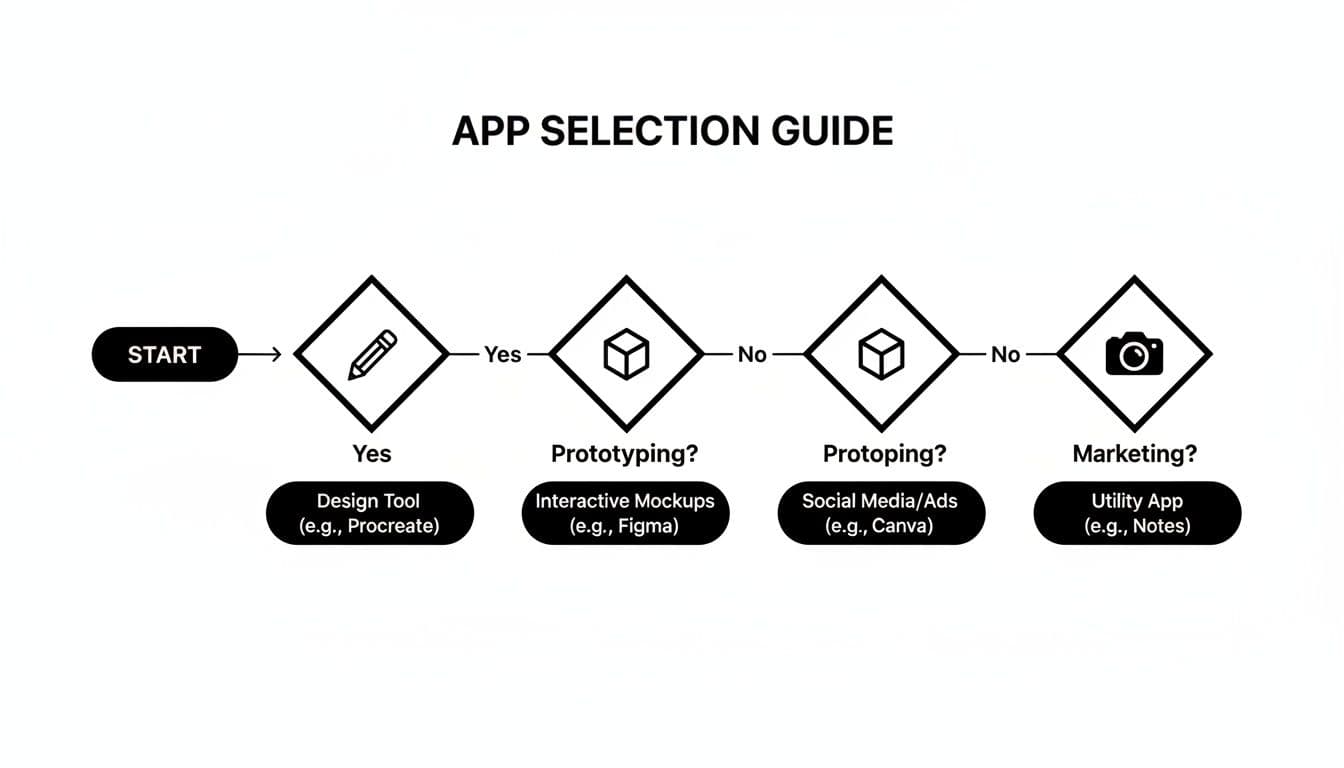
Flowchart guiding app selection for design, prototyping, social media, and utility apps.
The key takeaway here is that different goals demand specialized tools. This guides you to pick an app that solves your most immediate problem first.
Keeping Your Brand Look Consistent at Scale
One of the biggest headaches for any online brand is keeping a consistent look and feel. When you're juggling different models, photographers, and shoot locations, your product pages can start to look like a messy patchwork quilt pretty fast. This is another spot where a smart digital workflow makes all the difference.
AI visualization tools, for instance, often let you use consistent AI models across every single product shot. You can also lock in custom backgrounds, lighting, and poses to make sure every image perfectly matches your brand’s vibe. Getting this level of control with traditional photography would cost a fortune.
By standardizing your visuals, you build a polished, professional storefront that earns trust and makes your brand instantly recognizable.
Creating Inclusive Marketing Campaigns Without the Hassle
A modern workflow also gives you the power to create more diverse and inclusive marketing with very little effort. You’re no longer stuck with the models you can find and afford to book for a shoot. With AI-powered tools, you can show your designs on a huge range of body types, ethnicities, and ages with just a few clicks.
This isn't just a "nice-to-have" feature; it’s a massive business advantage. When potential customers see people who look like them in your marketing, they're far more likely to feel a connection with your brand and hit "add to cart."
By building AI visualization into your process, you can shift from a one-size-fits-all marketing approach to one that truly reflects your diverse customer base—all without adding complexity or blowing your budget.
Real-World Workflow Examples
Let's break down how this actually works for different kinds of sellers. The best workflow is always the one that fits your specific business.
For a Jewelry Brand: Getting detailed, on-model shots of small items like earrings or necklaces is notoriously tough and expensive. The workflow? Take one clean, high-res photo of the jewelry on a white background. Upload it to an AI platform and generate dozens of professional close-ups on various models to show off every little detail.
For a Vintage Reseller: Your business is built on one-of-a-kind pieces, but a full photoshoot for every single item is completely out of the question. A streamlined workflow lets you snap a quick photo of the garment on a hanger or mannequin, instantly generate a professional on-model image, and get the listing live in minutes. This dramatically shrinks the time it takes to turn your inventory into cash.
For a DTC Apparel Brand: Your game is all about speed and volume. The process kicks off with your digital tech pack. Instead of waiting weeks for a physical sample, you use that flat sketch to generate your first round of marketing visuals with AI. You can then use these images to run pre-orders or test the market before you commit to a big production run. For graphic-led drops, print-on-demand is the lowest-risk way to turn an AI design into a sellable physical product, with no minimums and no inventory sitting in a warehouse. For more ideas, check out our deep-dive into mastering e-commerce image editing.
In every one of these cases, plugging in the right app is about more than just making prettier pictures. It's about building a smarter, faster, and more profitable business from the ground up.
Your Questions Answered: Navigating Fashion Design Apps
Picking the right design app can feel overwhelming. There are so many tools, each promising to be the one you need. Whether you're a seasoned pro or just starting your brand, you probably have a few questions.
Let's cut through the noise and get you some straight answers to the questions we hear all the time.
What’s the Best App if I'm Just Starting to Design Clothes?
If you're new to this, you need a tool that's intuitive but still powerful. It's tempting to jump straight to a professional CAD program like CLO3D, but honestly, the learning curve is incredibly steep and can kill your creative momentum.
A much better place to start is with a dedicated sketching app. Something like Procreate or Adobe Fresco on a tablet feels incredibly natural for getting your initial ideas down. From there, a free-first starter stack for new fashion designers tells you which tool to add next and when.
For new store owners who aren’t designers by trade, an AI visualization platform is a game-changer. You don't need any design experience. Just upload a flat-lay photo of your garment, and the AI will generate stunning, professional on-model images ready for your store.
Can I Actually Use an iPad for Professional Clothing Design?
Absolutely. The iPad isn't just a tablet anymore; it's a portable design studio for a growing number of fashion professionals. The combination of a touch screen and a responsive stylus makes digital sketching feel incredibly fluid and organic.
Many designers now run their entire creative process from an iPad. They might start with initial sketches in Procreate, then jump over to Adobe Illustrator for iPad to create the clean, precise technical flats manufacturers need.
And when it’s time to sell, you can pull up a web-based AI platform like WearView right in your iPad's browser to generate your final product shots. It creates a seamless workflow that takes you from a rough idea to a full-blown marketing campaign, all from one device.
Modern design apps are built with tablets in mind, turning devices like the iPad into a go-anywhere studio. This flexibility means you can sketch, prototype, and even create final marketing assets from a coffee shop as easily as from your desk.
How Much Should I Budget for a Design App?
The cost can swing wildly, from completely free to hundreds of dollars a month. It really depends on what you need the software to do.
Here’s a quick breakdown of what to expect:
- Sketching Apps: These are usually the most budget-friendly. Many are free or have a small one-time purchase price.
- Professional Design Suites: Think Adobe Illustrator. These are almost always subscription-based, typically running between $20 and $50 per month.
- High-End 3D CAD Software: This is where it gets expensive. Tools in this category are a serious investment, often costing several hundred dollars every month.
- AI Visualization Platforms: These often use a tiered subscription model based on how many images you generate. This can be incredibly cost-effective, often saving brands up to 90% on their content creation costs compared to traditional photoshoots.
Do I Need to Be Good at Drawing to Use a Fashion Design App?
Not anymore. While solid drawing skills are a massive plus for sketching and ideation, many of the most powerful tools available today don't require you to draw a single line. This has blown the doors wide open for who can create compelling fashion visuals.
For example, 3D design programs often let you start with pre-made pattern blocks that you can pull, tuck, and drape digitally.
Even more accessible are the AI visualization tools. Here, zero design skill is required. You just feed the AI a photo of an existing piece of clothing, and it generates a professional, ready-to-use on-model image. This makes it a perfect solution for boutique owners, marketers, and resellers who need great visuals but aren't trained designers.
Ready to see your flat lays transformed into studio-quality photoshoots? WearView uses AI to generate stunning, on-brand model imagery in seconds, slashing your content costs and getting you to market faster. Explore how WearView can elevate your e-commerce visuals.

WearView Team
WearView Content & Research Team
WearView Team is a group of fashion technology specialists focused on AI fashion models, virtual try-on, and AI product photography for e-commerce brands. We publish in-depth guides, case studies, and practical insights to help fashion businesses improve conversion rates and scale faster using AI.