November 12, 2026•16 min read
6 best AI flat lay generators for clothing brands (2026 guide)
An AI flat lay generator turns a hanger, mannequin or worn photo into a clean, top-down product shot. We compared six of them on the photos they accept, front and back views, batch work and pricing, so you can pick the one that fits your catalog.
Picture of 6 best AI flat lay generators for clothing brands (2026 guide) article
An AI flat lay generator takes an ordinary photo of a garment, on a hanger, on a mannequin or worn by a model, and returns a clean flat lay: the piece alone, laid out straight, seen from above. You get the look of an overhead studio shot without the styling table, the pins or the retouching.
For a clothing brand, the point is consistency at volume. Styling one flat lay by hand is easy. Styling 300 of them so they match in scale, light and background is a week of work, and the results still vary with whoever arranged them.
This guide compares the 6 best AI flat lay generators in 2026: what each one needs as input, whether it gives you the back of the garment, how it handles a batch, what it costs, and how to choose.
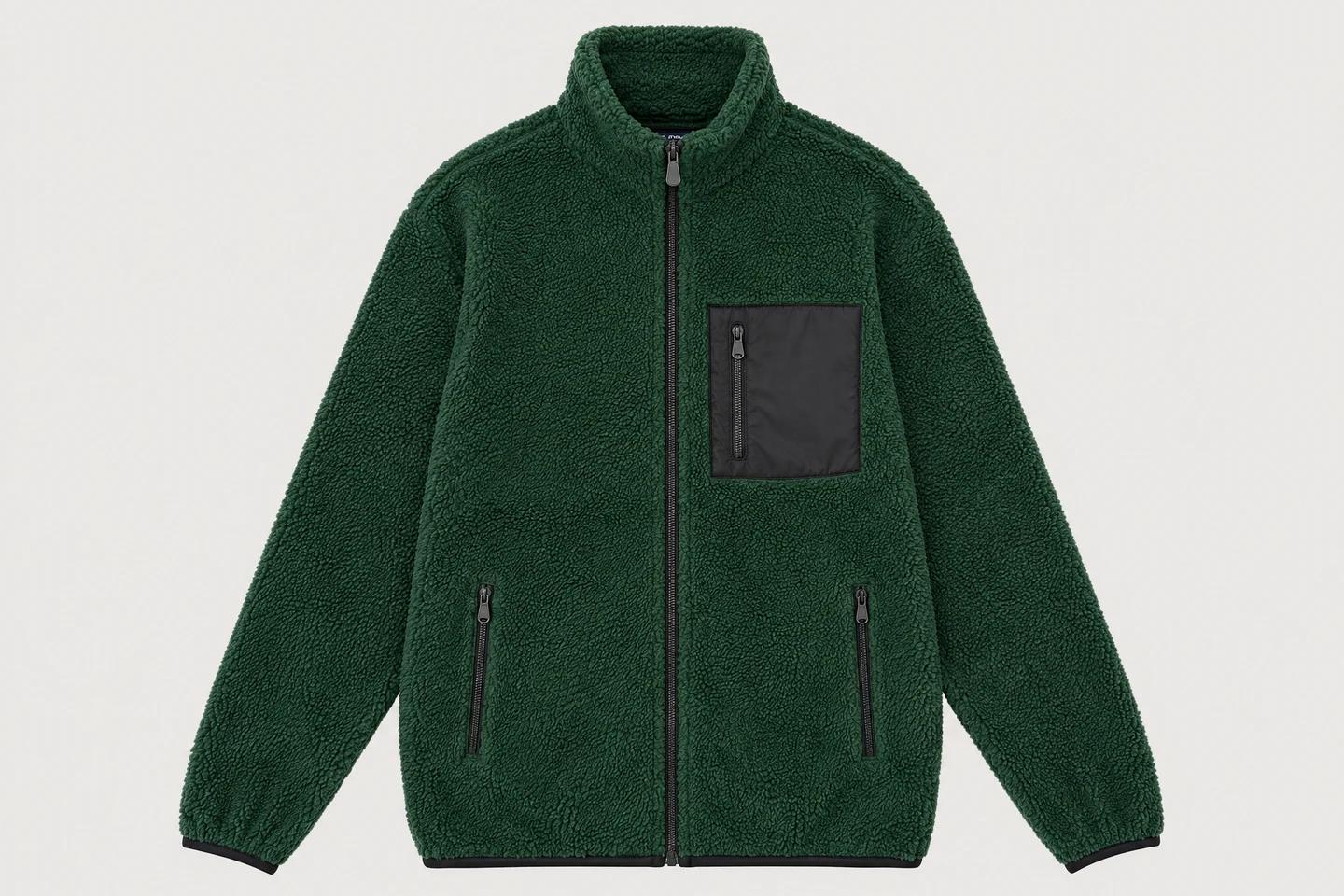
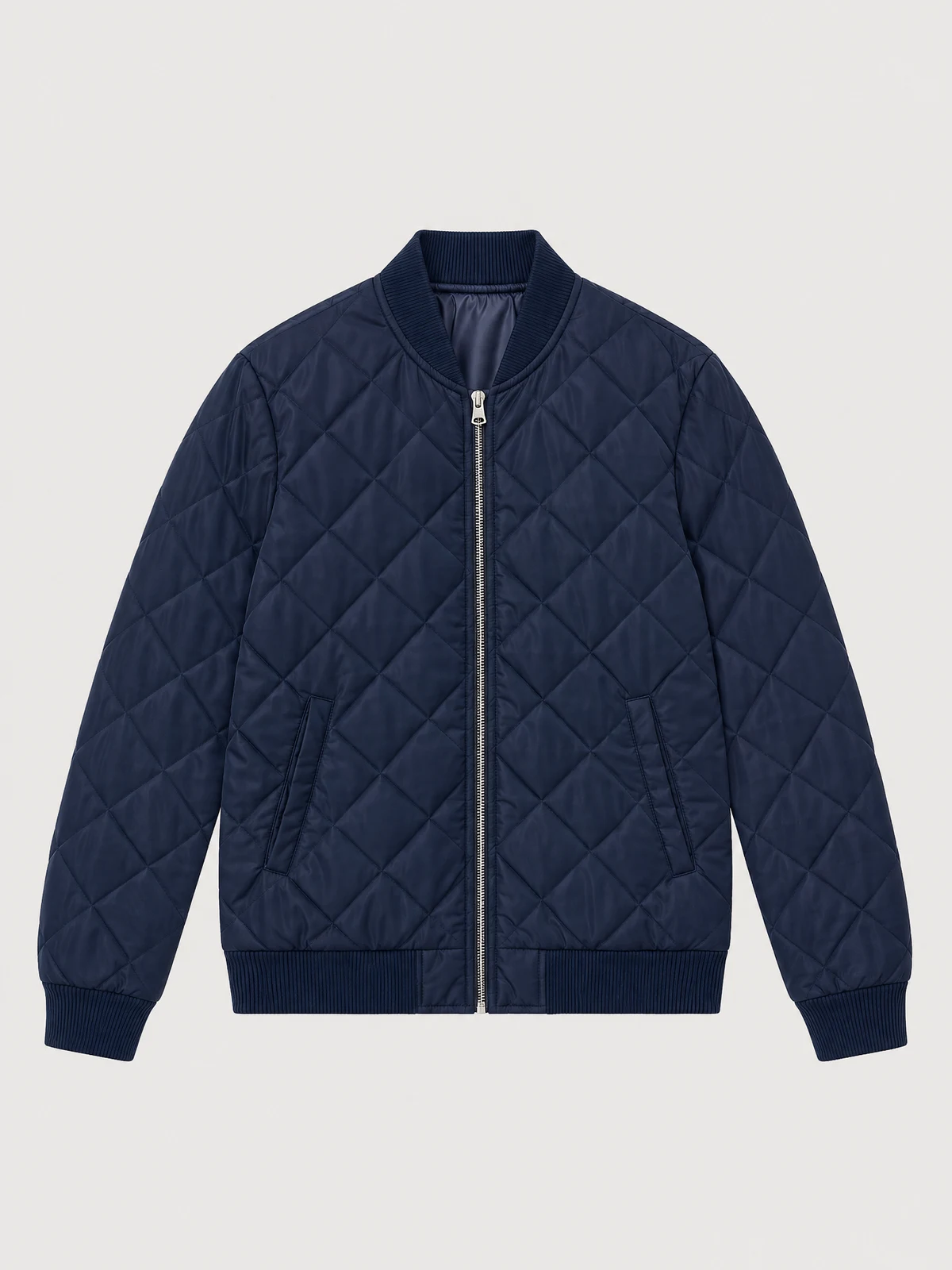
Flat lays from a hanger photo
Photograph the garment on a hanger, a mannequin or a table and get a clean flat lay, front and back, on one backdrop.
Best AI flat lay generators: a brief overview
- WearView: Best overall for clothing brands with large catalogs. Front and back flat lays from hanger, mannequin or table photos, up to 50 garments a run, all on one backdrop.
- The New Black: Best for design teams that also need an API. Flat lays from any photo, with an API, a Shopify app and bulk generation on higher plans.
- Fashion Diffusion: Best for transparent backgrounds and mobile use. White or transparent output, with iOS and Android apps.
- Koozee: Best for turning on-model photos into flat lays. Built around worn photos, with a front or back view selector.
- Mirror Mirror AI: Best for trying the idea before paying. A stated monthly allowance on the free plan, with brand label options on higher plans.
- PhotoStudio.io: Best for small catalogs on a tight budget. The lowest published paid price in this guide, with a Shopify integration.
| Tool name | Key strength | Pricing | Platforms |
|---|---|---|---|
| WearView | Front and back flat lays in one run, up to 50 garments, one backdrop | From $29/month | Web |
| The New Black | Flat lays from any photo, with bulk generation and an API | From $15/month; free credits at signup | Web, API, Shopify app |
| Fashion Diffusion | White or transparent flat lays, with bulk generation | From $15/month; free credits | Web, iOS, Android, API |
| Koozee | On-model photo to flat lay, front or back view | Free tier; paid plans listed in the app | Web |
| Mirror Mirror AI | Custom background color and brand label options | From $29/month; free plan with 150 credits a month | Web |
| PhotoStudio.io | Low entry price and a Shopify integration | From $12/month; 3 free images a month | Web, Shopify, API |
1. WearView, best overall for clothing brands with large catalogs
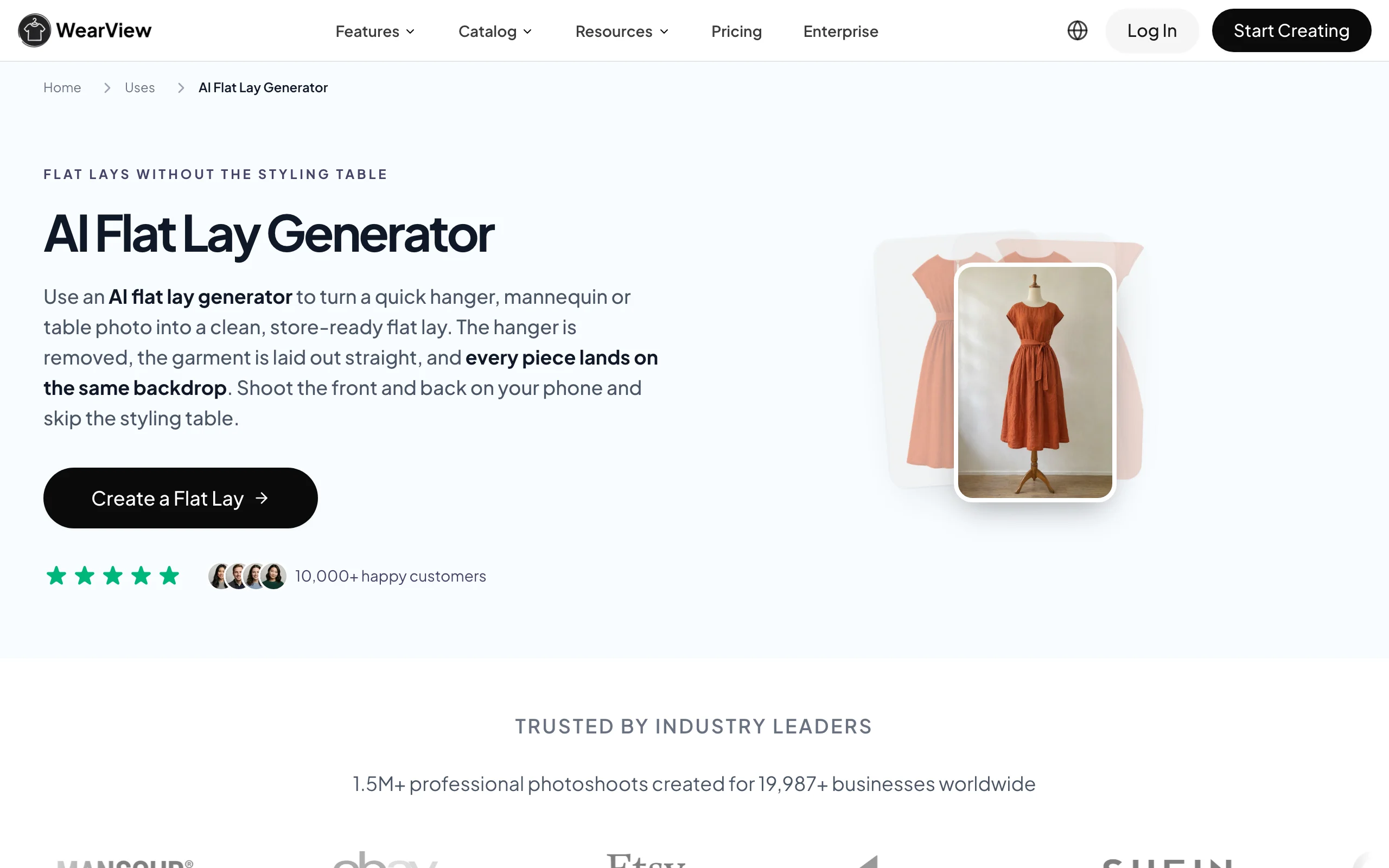
WearView is an AI fashion photography platform built for clothing brands with large catalogs, wholesale clothing brands and fashion retailers, with a dedicated flat lay studio. You photograph each garment on a hanger, a mannequin or a table, add a back photo if you want both sides, and the studio returns a clean flat lay with the hanger or form removed and the garment laid out straight. Each image takes about 35 seconds.
The studio is built for a whole collection, not one image at a time. A single run holds up to 50 garments, and every piece lands on the same backdrop, at the same scale and under the same light, so the category page looks like one shoot. The back is rendered from its own photo and matched to the finished front. You can see the workflow on the AI flat lay generator page.
The platform brings together the other images a product page needs as well: on-model photos made from the same garment shots, invisible-mannequin packshots, and lifestyle images for campaigns and lookbooks. Brands can create their own AI model, bring a house model, or choose from over 250 ready-cast WearView models.
AI Flat Lay Generator with WearView
Where WearView stands out
- High fidelity: fabric, color, prints and trims are carried over from your own photo
- Consistency: one backdrop, one scale and one light across every garment in the run
- Realism: natural folds, shading and depth, so the flat lay reads as a photograph
Key features
- Flat lays from hanger, mannequin or table photos, one garment per photo
- Front and back in the same run, with the back matched to the front
- Seven studio backdrop tones or any hex color
- 3:2, 1:1, 2:3, 16:9 and 9:16 formats, up to 4K
- Up to 50 garments per run
Best for
- Clothing brands with large catalogs that need every product shot to match
- Wholesale clothing brands preparing line sheets and B2B listings
- Fashion retailers that add new styles every week
Pricing
- Lite: $29/month
- Pro: $49/month, Advanced: $99/month
- Annual billing costs ten months' price
Pros
- A full drop comes back on one backdrop, so the product grid looks like one shoot
- Front and back flat lays from two phone photos, with no styling table
- Simple step-by-step studio, no editing skills needed
- The same garment photos also feed on-model and lifestyle images
Cons
- No free plan
- Less suited to small brands that only need a few images a month
- Works best from a hanger, mannequin or table photo, not from a photo of someone wearing the piece
2. The New Black, best for design teams that also need an API
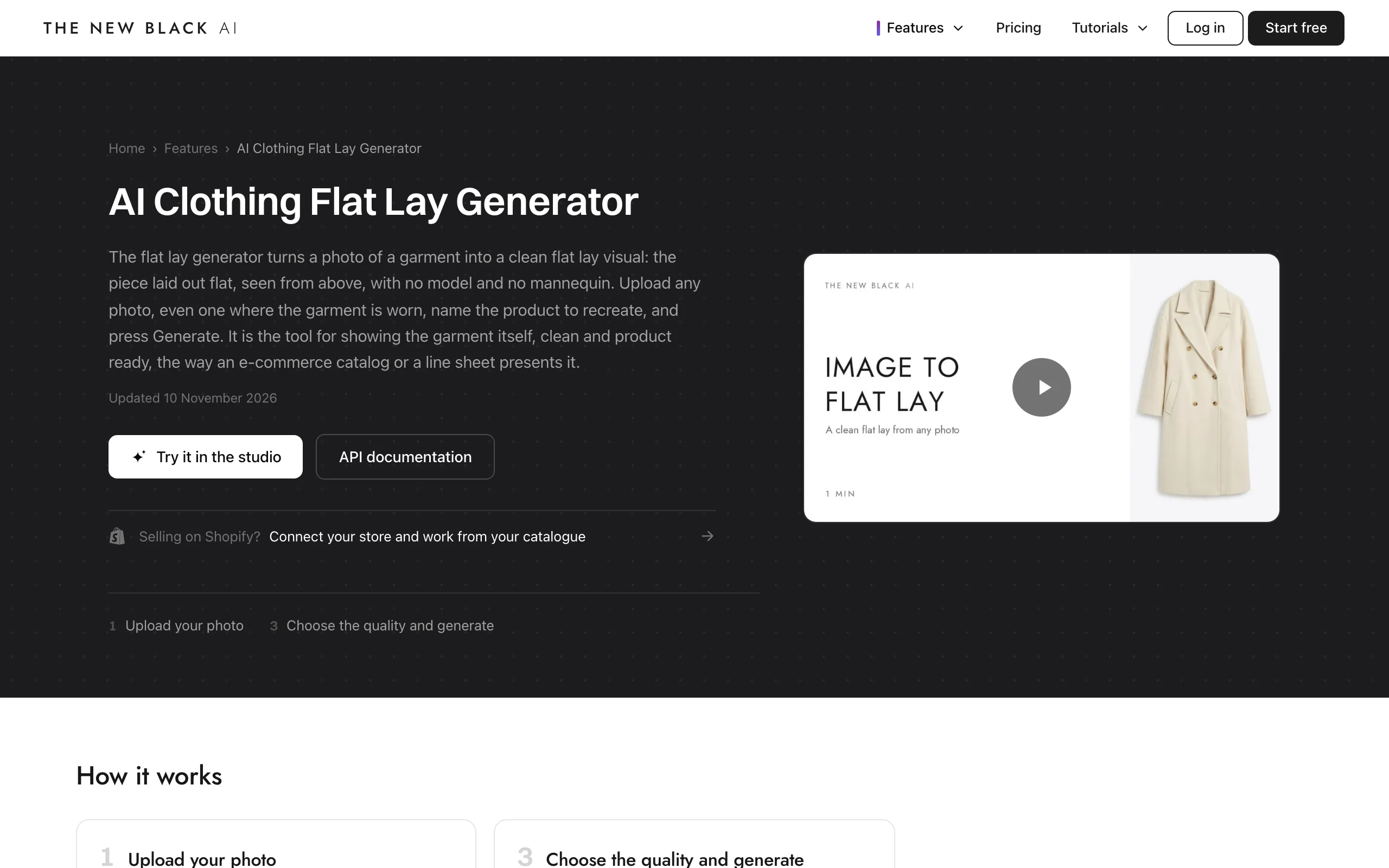
The New Black is an AI fashion design platform with a long list of tools, one of which is an AI Clothing Flat Lay Generator. You upload one photo and type the product's name, for example "the denim jacket", and the tool returns that piece alone, flat and seen from above. Its page says any photo works, including a packshot, a phone picture or a model wearing the piece.
Typing the product name is what lets it pull one item out of a full outfit. Bulk generation handles up to 30 photos per batch on the Pro plan and above, and there is a REST API and a Shopify app for teams that want to automate it.
AI Flat Lay Generator with The New Black
Key features
- Flat lay from one photo plus the product's name
- Six aspect ratios: 1:1, 9:16, 2:3, 3:4, 3:2 and 4:3
- Three quality levels, with 4K on the Ultra setting
- Bulk generation, up to 30 photos per batch (Pro and above)
- REST API and a Shopify app
Best for
- Design teams already using The New Black for sketches and concepts
- Developers who want flat lays through an API
- Stores that need one piece isolated from an outfit photo
Pricing
- Free credits at signup (the amount is not stated on the pricing page)
- Starter: $15/month for 200 credits
- Pro: $35/month for 500 credits, adds 4K and bulk generation
Pros
- Accepts worn photos and isolates the named product
- API, Shopify app and bulk generation in one place
- Commercial use allowed on every plan
Cons
- 4K and bulk generation start at the $35 Pro plan
- You name the product for each photo
- No back view option is described on the feature page
3. Fashion Diffusion, best for transparent backgrounds and mobile use
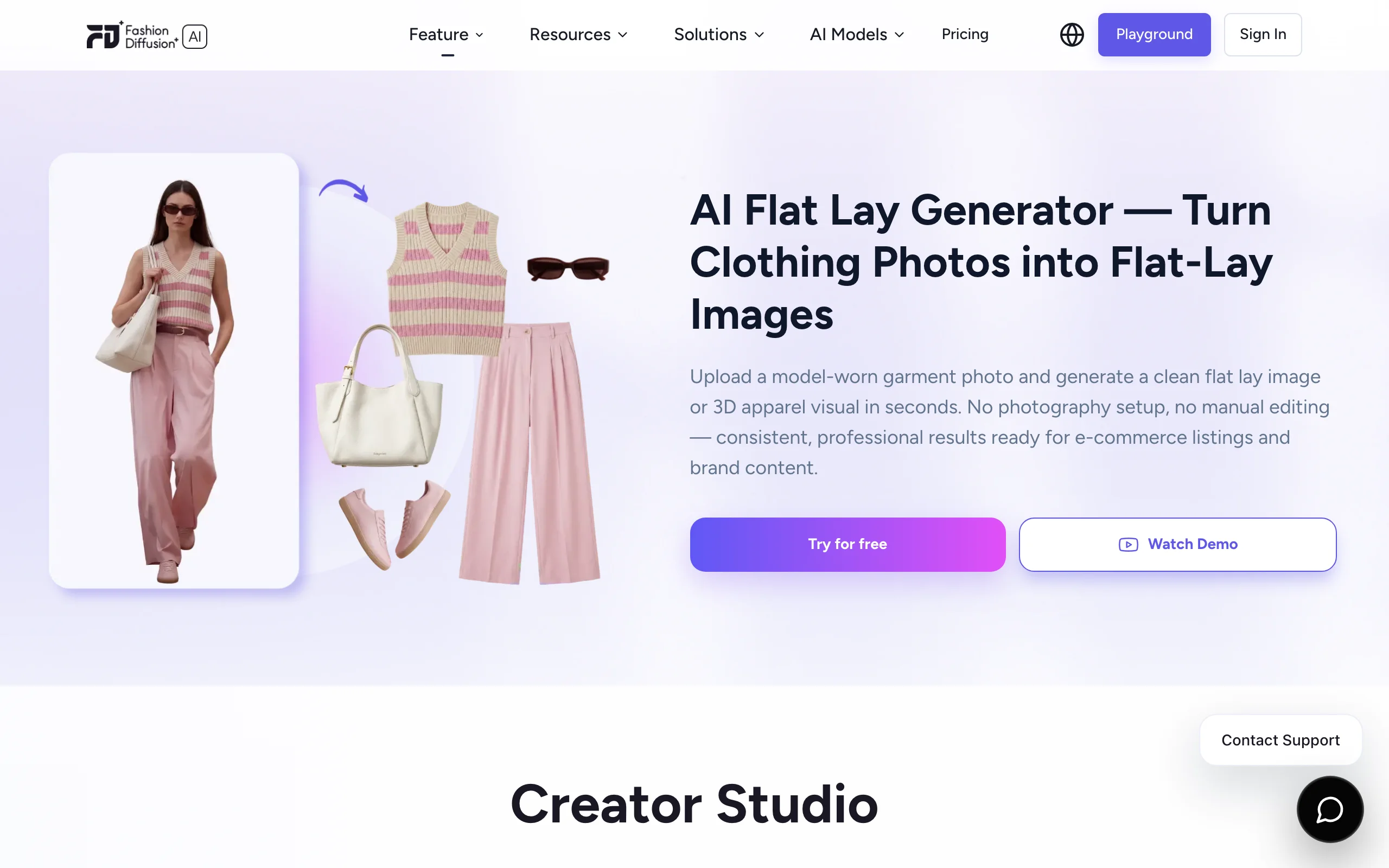
Fashion Diffusion's AI Flat Lay Generator turns a garment photo into a top-down flat lay on a white or transparent background. It accepts photos of a garment worn by a model, on a hanger or against any background, and its FAQ also lists mannequin shots and packshots. The same upload can produce a 3D apparel visual.
The transparent output is useful if your design team places garments on its own backgrounds. Bulk generation keeps backgrounds consistent across a set, and the tool is available in iOS and Android apps as well as on the web.
AI Flat Lay Generator with Fashion Diffusion
Key features
- White or transparent background output
- Accepts worn, hanger, mannequin and packshot photos
- Bulk generation with consistent backgrounds
- A 3D apparel visual from the same input
- Web, iOS and Android apps, plus a developer API
Best for
- Teams that composite garments onto their own backgrounds
- Sellers who work from a phone
- Brands that want flat lays and design tools in one subscription
Pricing
- Free credits that cover the flat lay generator, no credit card (the amount is not stated)
- Starter: $15/month for 100 credits
- Creator: $35/month for 320 credits
Pros
- Transparent background option
- Every paid plan lists 4K generation and API access
- Mobile apps for both platforms
Cons
- No back view option is described
- The full garment must be visible in the photo for good results
- Background choice is limited to white or transparent on the feature page
4. Koozee, best for turning on-model photos into flat lays
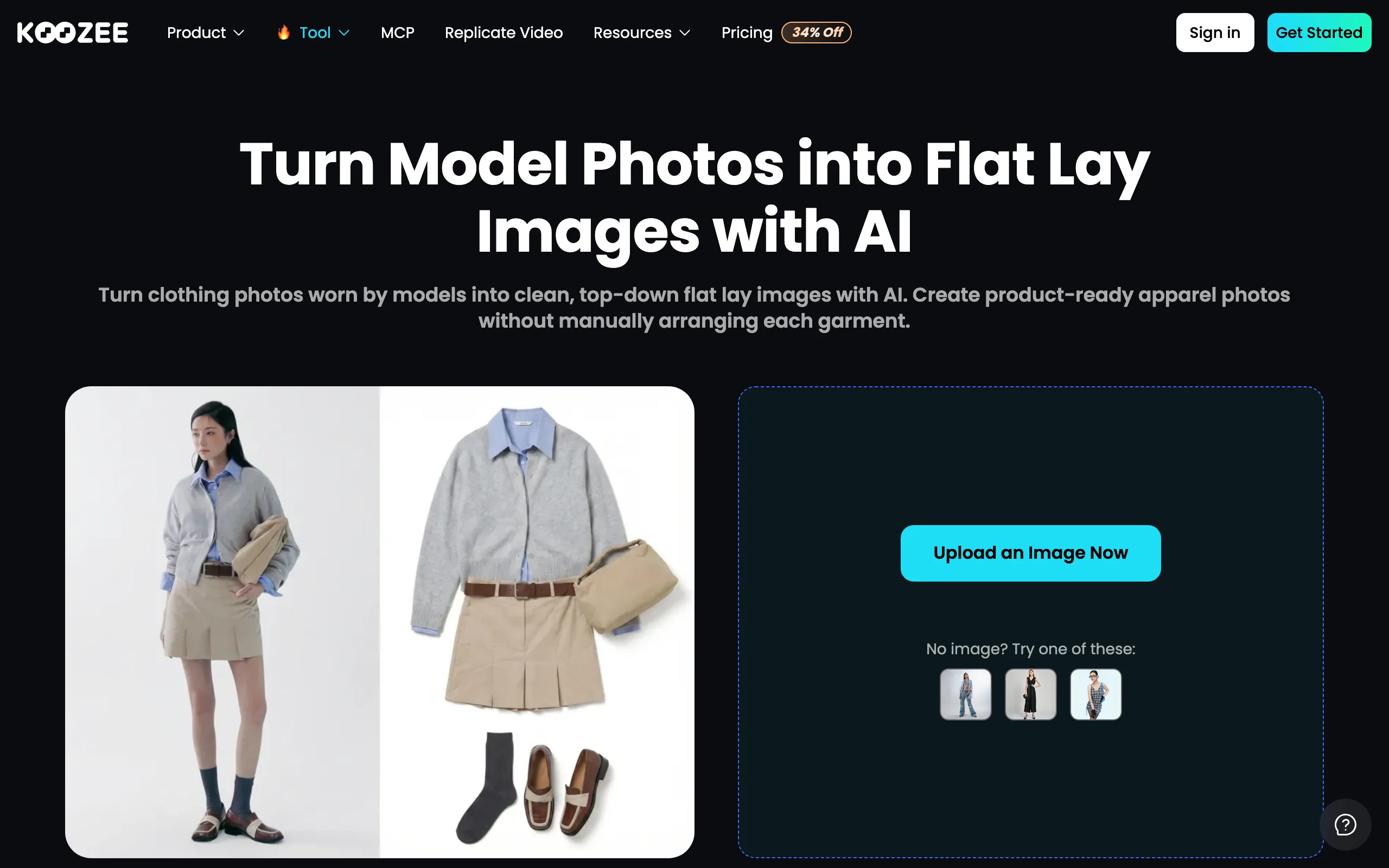
Koozee's flat lay tool is built around a specific job: taking a photo of clothing worn by a model and returning a clean, top-down flat lay on white. Hanger and mannequin photos are also supported, but the worn photo is the main case. That makes it a fit for brands that have campaign or supplier images and no product shots.
It is the only other tool here that states a selectable front or back view. A garment-type selector (tops, outerwear, dresses, pants, suits, scarves) applies a matching silhouette.
AI Flat Lay Generator with Koozee
Key features
- On-model photo to flat lay, on a white background
- Front or back view selector
- Garment-type selector for category-specific shapes
- Batch export and 4K on paid plans
- Hanger and mannequin photos also accepted
Best for
- Brands with on-model or supplier photos and no product shots
- Resellers working from existing images
- Teams that need the back view from the same tool
Pricing
- Free tier, no credit card
- Paid plans are listed inside the app; we could not confirm the prices from the public pricing page
Pros
- Designed for worn photos, the hardest input for a flat lay
- Front and back views
- Free tier to test it
Cons
- White background only, as far as the tool page states
- Batch processing and 4K sit behind paid plans
- Plan prices are not readable without opening the app
5. Mirror Mirror AI, best for trying the idea before paying
Mirror Mirror AI describes its flat lay tool as working from any photo of a garment: on a hanger, on a model or already laid flat. Output is an e-commerce ready flat lay with a background color you choose.
Its free plan states its allowance plainly: 150 credits a month, with no card. Every plan includes detail close-ups and variations. Brand label application starts on the Capsule plan, and full access to the Brand Kit, which stores your defaults, comes with Atelier.
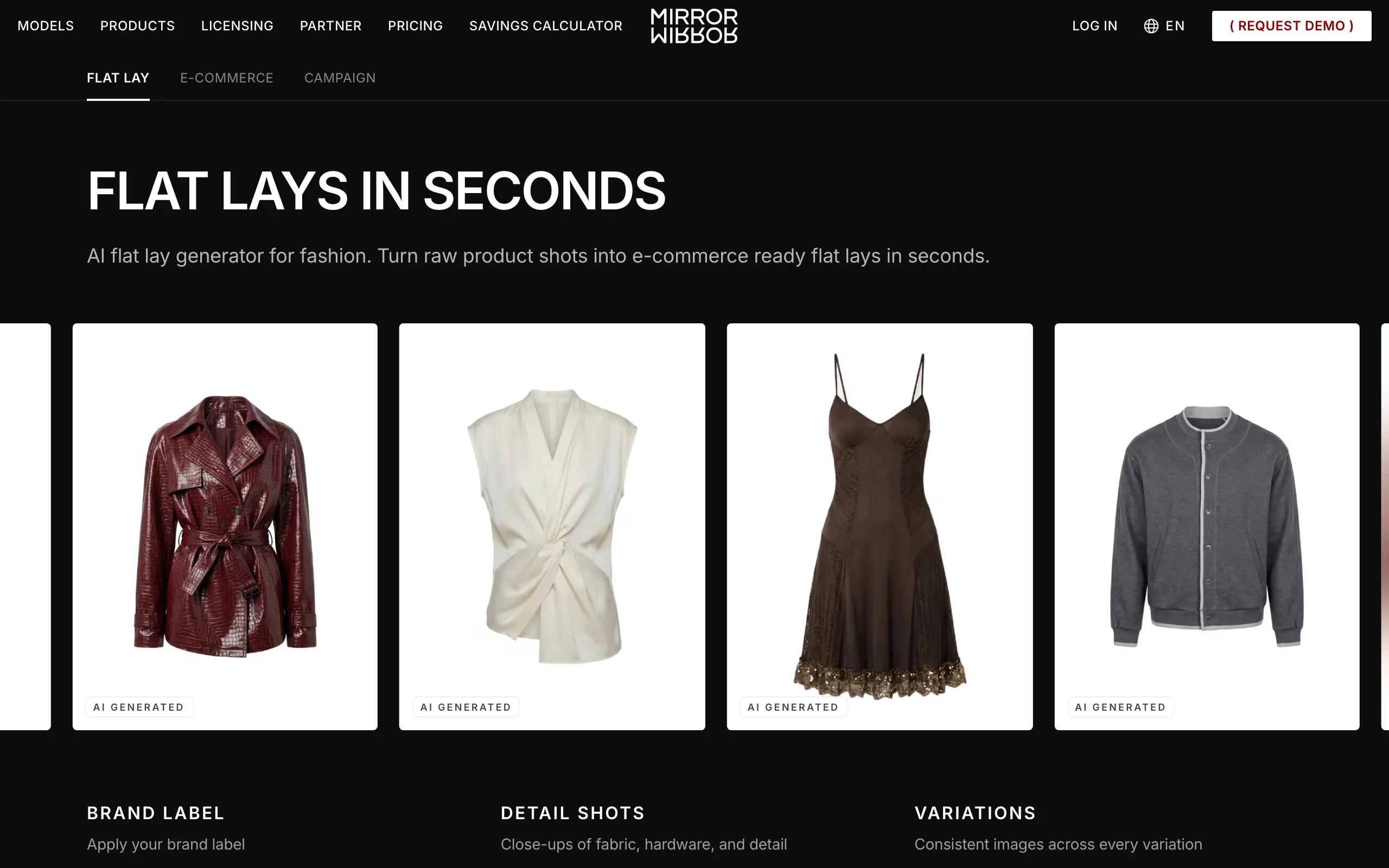
AI Flat Lay Generator with Mirror Mirror AI
Key features
- Flat lays from hanger, worn or already-flat photos
- Customizable background color
- Detail close-up shots and variations on every plan
- Brand label application on Capsule and above
- Brand Kit for saved defaults (full access on Atelier)
- Batch processing on the top plan
Best for
- Brands that want to test AI flat lays at no cost
- Labels that want their brand label shown in the shot
- Teams that need a few polished images a month
Pricing
- Free: 150 credits a month, 2K output
- Basic: $29/month for 1,120 credits
- Capsule: $69/month for 3,240 credits, adds 4K and brand label
Pros
- A monthly free allowance with no card
- Background color control
- Users keep commercial rights, per its FAQ
Cons
- Batch processing is listed only on the $199 Atelier plan
- The credit cost per image is not published
- The tool cannot reconstruct parts of a garment that are hidden in the source photo, by its own account
6. PhotoStudio.io, best for small catalogs on a tight budget
PhotoStudio.io turns a clear garment photo, such as a mannequin shot, a hanger image, a product shot or a rough flat lay, into an overhead flat lay of a single garment. Its paid plans are priced per image and start lower than the other published prices here.
It is also candid about limits. The vendor says flat lays give a limited sense of fit and volume, and that generation takes about 3 minutes per image. Batch upload, a Shopify integration and an API are available.
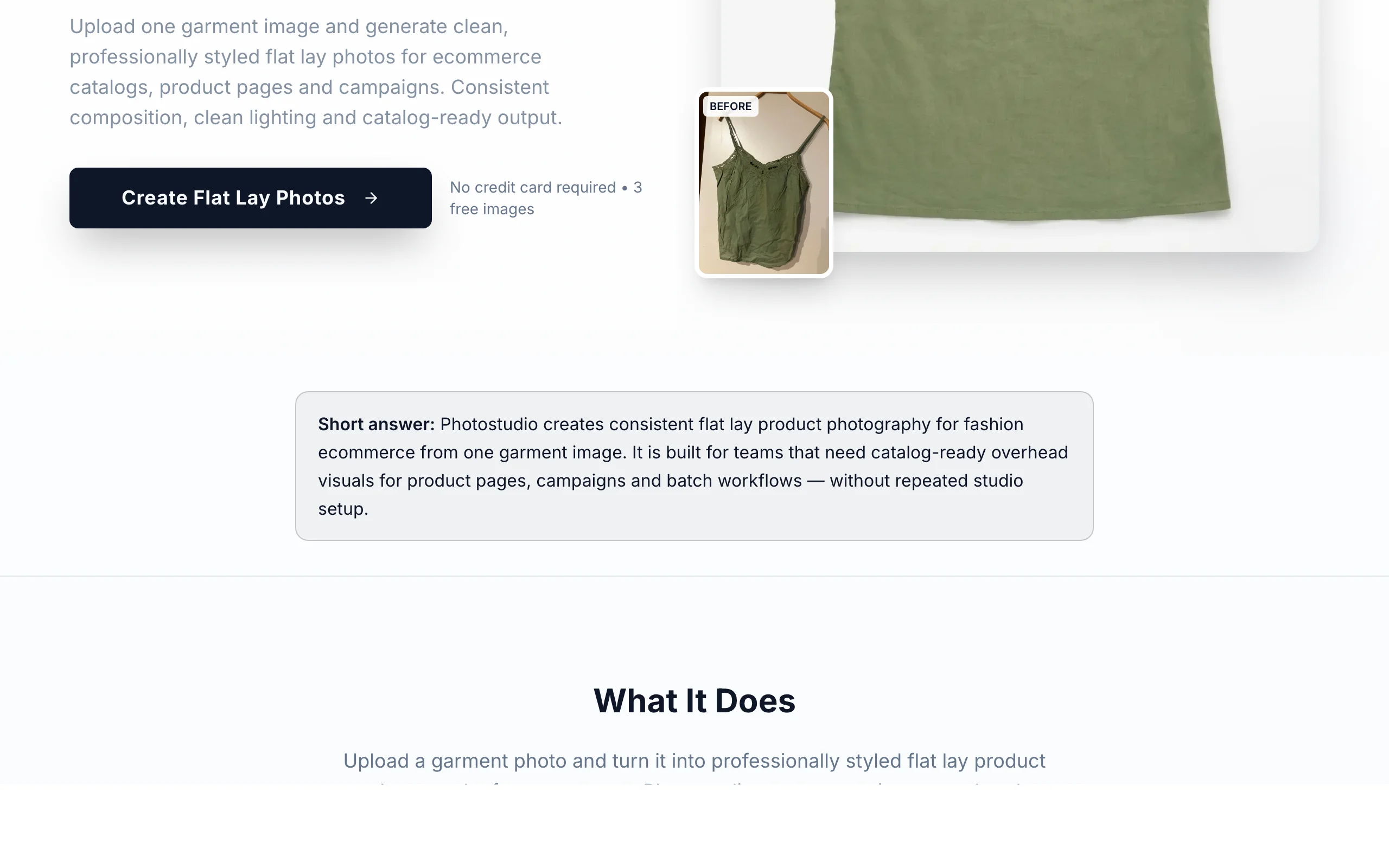
AI Flat Lay Generator with PhotoStudio.io
Key features
- Flat lay from mannequin, hanger, product or rough flat lay photos
- Batch upload
- Shopify integration, with API access on the Growth plan and above
- 4K on paid plans
- Separate ghost mannequin and on-model tools
Best for
- Small catalogs that need a few dozen images a month
- Shopify stores that want a direct integration
- Second-hand resellers
Pricing
- Free: 3 images a month, no watermark
- Starter: $12/month for 40 images
- Growth: $19/month for 65 images, adds API access
Pros
- Lowest published paid price in this guide
- Priced per image, so the math is simple
- 14-day money-back guarantee
Cons
- About 3 minutes per image
- Single garments only, not outfit flat lays
- Worn photos are not listed as an input
How to choose the best AI flat lay generator
1) Start from the photo you already have
The input decides more than any feature list.
- If you can photograph the garment on a hanger, a mannequin or a table: WearView, Fashion Diffusion, Mirror Mirror AI and PhotoStudio.io all work, and you will get the cleanest results.
- If all you have is a photo of someone wearing it: Koozee is built for that, and The New Black and Fashion Diffusion accept it too. Expect the tool to guess how the fabric hangs when no one is in it.
Whichever you pick, test five hard pieces first: a print, a knit, something sheer, something black and something with hardware.
2) Decide whether you need the back
Many product pages show front and back. Only two of these tools describe a back view: WearView renders it from your back photo and matches it to the front, and Koozee has a front or back selector. With the others, plan on front only.
If you are still shooting flat lays by hand for some pieces, WearView's guide on how to photograph clothing flat lays covers the manual setup.
3) Match the tool to your volume
- A few images a month: PhotoStudio.io's $12 plan or Mirror Mirror AI's free allowance is enough.
- A weekly drop or a full season: look at batch limits. WearView runs up to 50 garments at once and The New Black up to 30 on its Pro plan. Mirror Mirror AI keeps batch processing for its top plan.
- An automated pipeline: The New Black, Fashion Diffusion and PhotoStudio.io offer an API.
4) Think about what comes after the flat lay
A flat lay is rarely the only image on a product page. If you also need the garment worn, check whether the same subscription covers it, so you are not uploading the same photos to a second tool. WearView can turn flat lays into on-model photos with the same garment shots.
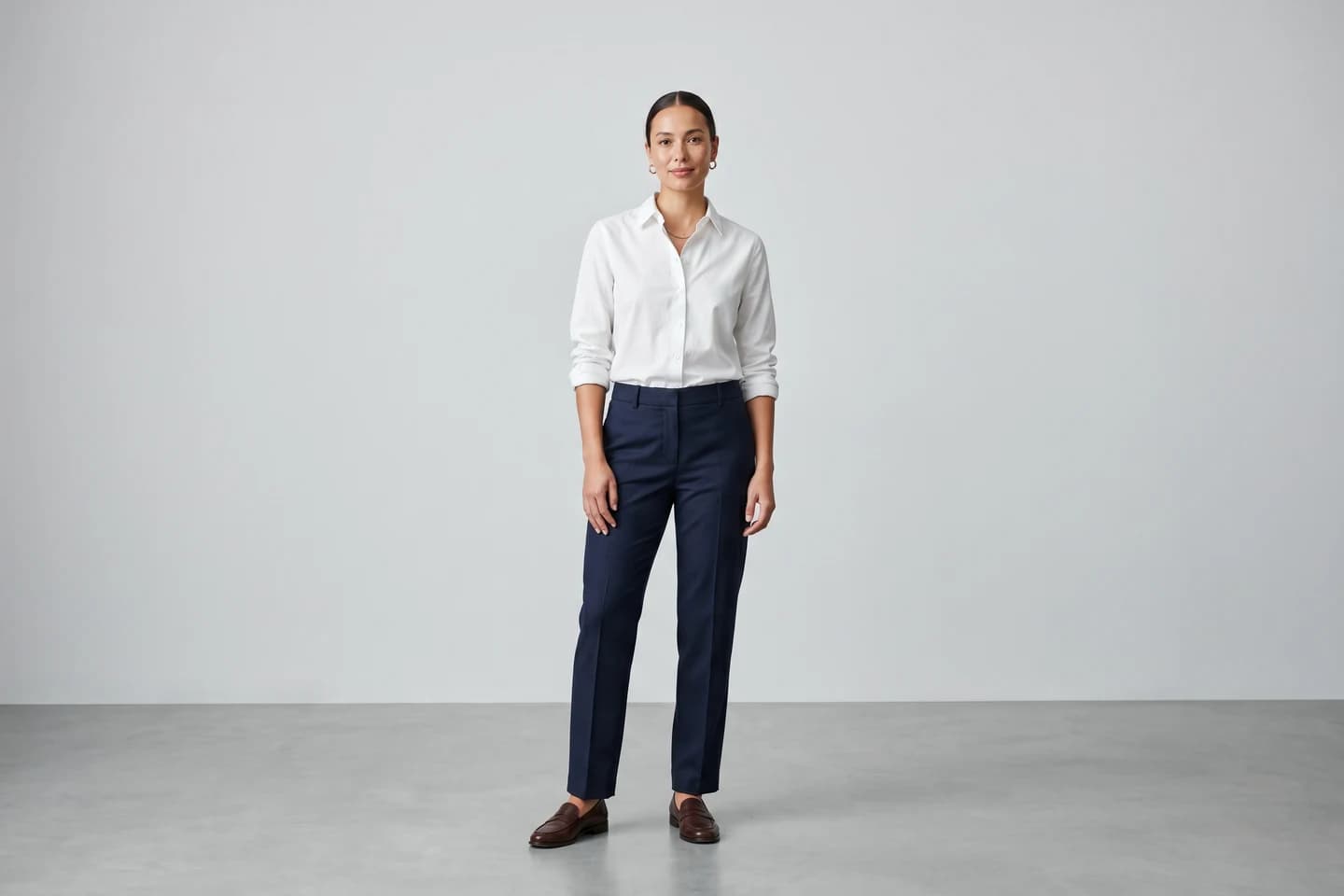
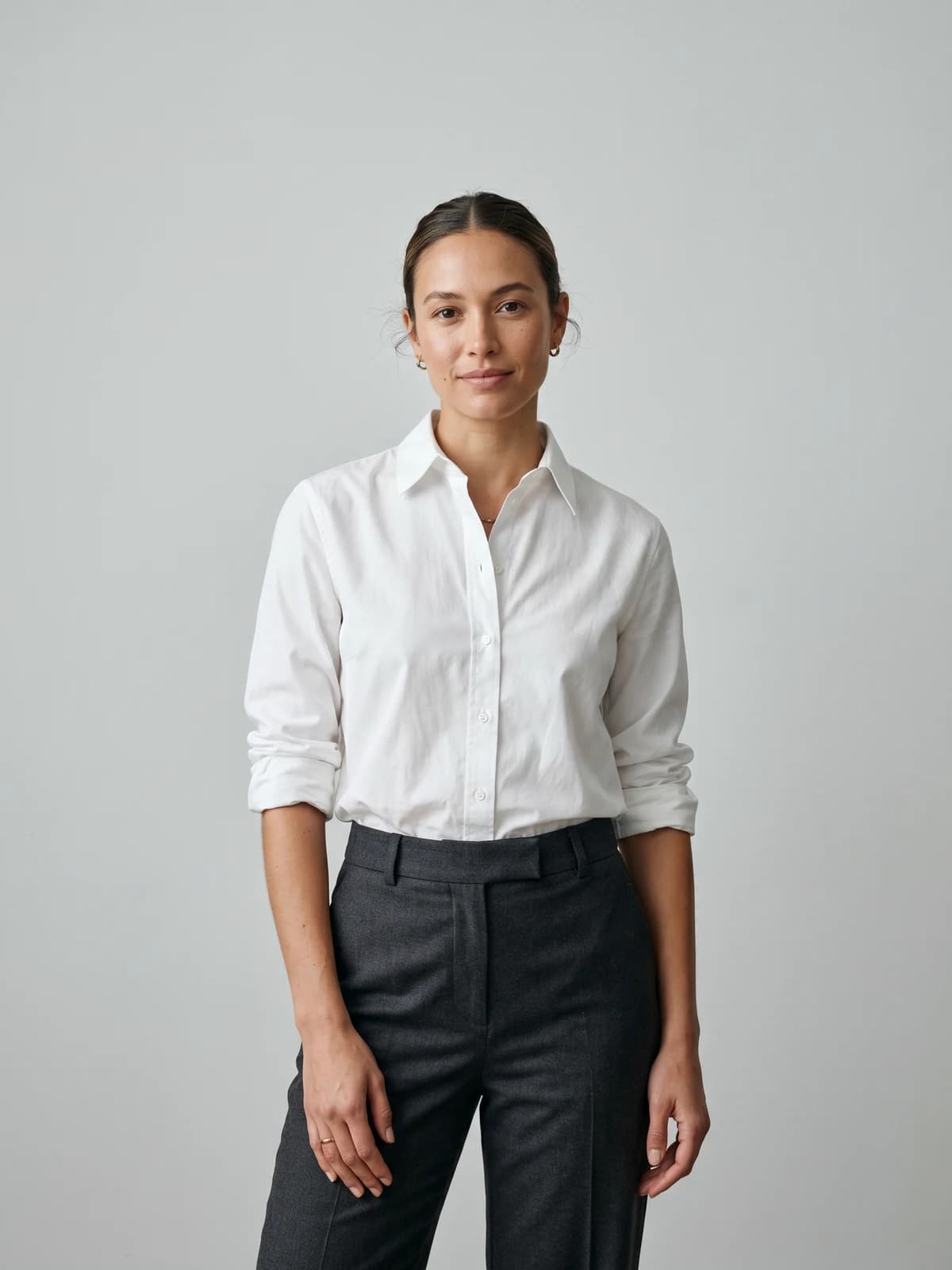
Turn flat-lays into on-model photos
Drop in a flat-lay or product shot and get professional on-model photography ready for your store.
FAQ
What is an AI flat lay generator? It is a tool that turns an ordinary garment photo into a flat lay product shot: the garment alone, laid flat, on a clean backdrop. It replaces the styling table, the overhead camera rig and most of the retouching.
What kind of photo does an AI flat lay generator need? The whole garment, straight on, in even light. A hanger, a mannequin or a table all work, with one garment per photo. Some tools also accept photos of a person wearing the piece, though the result depends more on guesswork.
Can AI make a flat lay from a photo of a model wearing the clothes? Yes, several tools do. Koozee is designed for it, and The New Black and Fashion Diffusion accept worn photos. Because the body shapes the fabric, check hems, sleeves and the back of the collar on the result.
Is there a free AI flat lay generator? Some tools have a free allowance. Mirror Mirror AI lists 150 credits a month on its free plan and PhotoStudio.io lists 3 free images a month. The New Black, Fashion Diffusion and Koozee mention free credits or a free tier without stating the amount. WearView has no free plan.
Can I get the back of the garment as a flat lay? Only with some tools. WearView renders the back from a back photo and matches it to the front, and Koozee offers a front or back view. The other tools in this guide do not describe a back view.
What is the difference between a flat lay and a ghost mannequin photo? A flat lay shows the garment lying flat, seen from above. A ghost mannequin photo shows it upright with a hollow, worn shape and no mannequin visible. Flat lays suit knitwear, tees and sets; ghost mannequin shots suit tailored and structured pieces.
Which AI flat lay generator is best for a large catalog? WearView, because one run holds up to 50 garments and every piece comes back on the same backdrop, at the same scale, with a matching back view. For brands that produce AI generated models for fashion images too, the same garment photos cover both.
Are AI flat lays good enough for marketplaces? For product pages and secondary images, yes, if the garment is reproduced accurately. Check each marketplace's rules for the main image, and compare the flat lay against the real garment for color and details before you publish.
WearView Team
WearView Content & Research Team
WearView Team is a group of fashion technology specialists focused on AI fashion models, virtual try-on, and AI product photography for e-commerce brands. We publish in-depth guides, case studies, and practical insights to help fashion businesses improve conversion rates and scale faster using AI.