
July 26, 2026•20 min read
How to Design Clothes Digitally: A Step-by-Step Workflow (2026)
The full digital fashion design workflow, from croquis to tech pack, with verified 2026 software prices, a genuinely free tool path, and an honest look at which of the industry's favourite statistics actually hold up.
Picture of How to Design Clothes Digitally article
In 2008, a factory-side pattern maker named Kathleen Fasanella wrote a line that still explains most failed clothing brands: "just because you can draw it -or photoshop it- doesn't mean you can make it." She was describing designers who handed sketches to factories that could not sew them.
Note the date. She wrote "or photoshop it" seventeen years before anyone was arguing about AI renders. The gap between a beautiful picture of a garment and a garment that can actually be cut, sewn, and sold is not new, and no software has closed it.
That gap is the thing to keep in mind when you learn how to design clothes digitally. The screen will happily show you something no factory can build.
This guide walks the real workflow, stage by stage: moodboard, croquis, flat sketch, pattern, 3D simulation, tech pack, and finally imagery you can sell with. You will get verified 2026 prices, a genuinely free tool path, and an honest account of where digital design delivers and where the industry's own benchmark data says it does not.
What "designing clothes digitally" actually means
It is not one app. It is a chain of stages, each producing a specific artifact that the next stage consumes. Most beginners collapse the chain, jump from a pretty sketch to a factory email, and then wonder why the sample comes back wrong.
| Stage | What you make | Who normally does it |
|---|---|---|
| Moodboard | Direction, references, palette | Designer |
| Croquis | Loose figure sketch, the idea | Designer |
| Flat sketch | Technical line drawing, front and back | Designer |
| Pattern | 2D pieces that become the garment | Pattern maker |
| 3D simulation | Digital drape on an avatar | 3D designer |
| Tech pack | The build instructions | Designer + technical designer |
| Sample | Physical proof | Factory or sample room |
| Imagery | Photos that sell it | Photographer or AI |
The word "digitally" only changes the tools. It does not delete a stage. This is the single most common misunderstanding, and it is why the sections below spend as much time on what software cannot do as on what it can.
Step 1: Moodboard and croquis
Start with direction, not with a garment. A moodboard collects references, colors, fabrics, and silhouettes so that every later decision has something to be measured against.
The croquis comes next. It is a quick figure drawing, the idea captured fast, with proportion roughly right and detail deliberately loose. It is a thinking tool, not a deliverable. Nobody manufactures from a croquis.
You can do both stages in almost anything: Procreate on an iPad (a one-time $12.99 on the US App Store, with no subscription), Affinity, Inkscape, or paper you photograph. If you want a wider survey of sketching tools, we compared the best apps for clothing design separately.
Step 2: The flat sketch is the real deliverable
This is where digital design starts earning its keep. A flat sketch (also called a technical flat) is a clean, proportional, front-and-back line drawing of the garment laid flat, with no figure, no styling, and no mood.
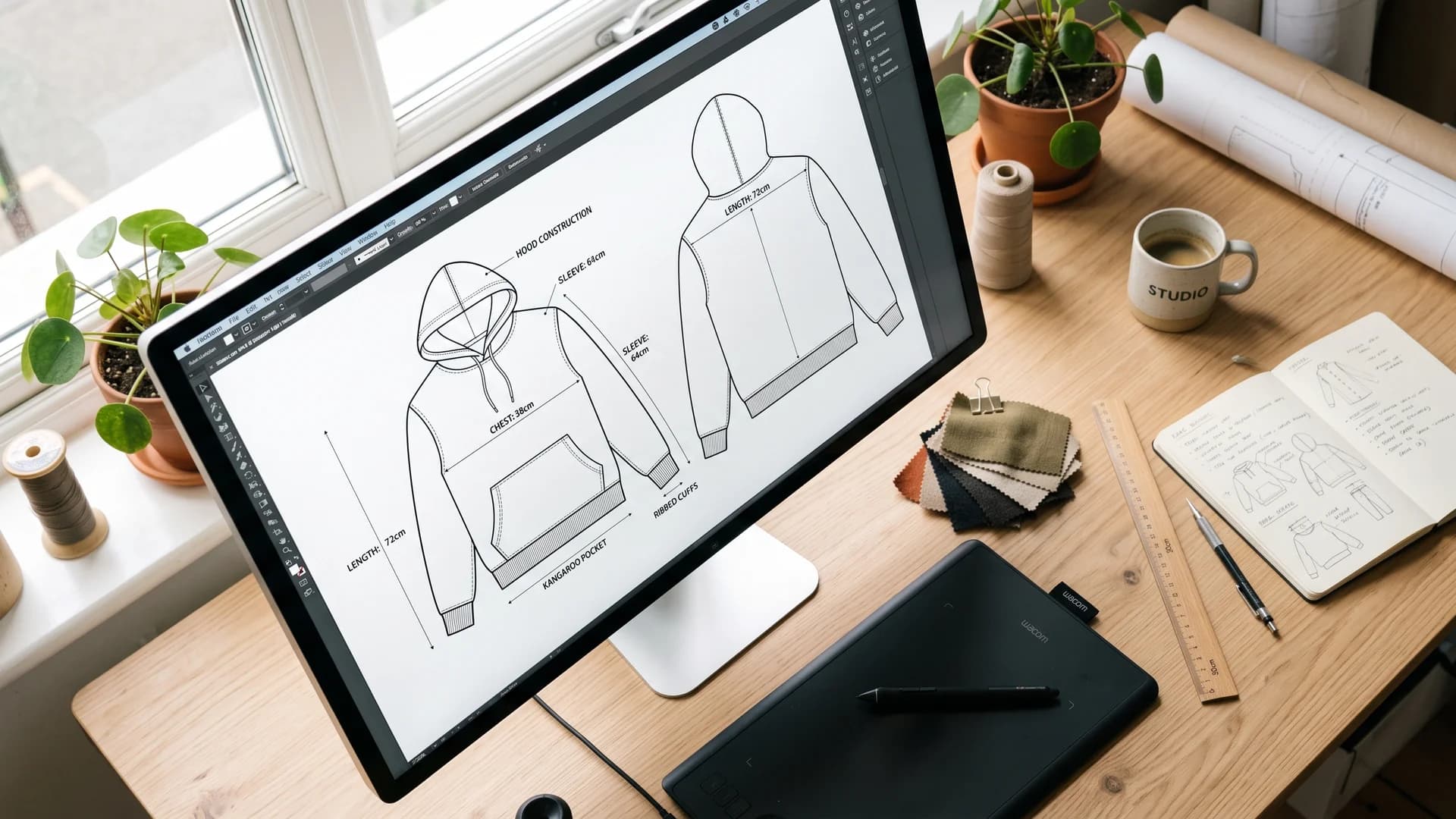
Digital flat sketch of a hoodie on a designer's monitor with measurement callouts, beside a graphics tablet and fabric swatches
It is vector work, which is exactly why it belongs on a computer: you can mirror, reuse, and adjust it infinitely without redrawing. Build a library of blocks (a basic tee, a hoodie, a trouser) and every future style starts from a base instead of a blank page.
Your flat sketch has to communicate construction:
- Every seam, dart, and panel line
- Topstitching, shown as dashed lines
- Closures, pockets, and trims
- Front and back, always, and side views where the shape needs it
Tools: Adobe Illustrator is the industry default at $22.99/month for the single app in the US. Affinity is now free (more on that below), and Inkscape is free and open source. All three do vector work well enough to produce a professional flat.
Step 3: Pattern making, and the line you should not cross
A pattern is the set of 2D shapes that, cut from cloth and sewn, become a 3D garment. This is the actual engineering of clothing.
Here is the advice almost no beginner guide gives you: this is probably not your job.
Two independent named practitioners say the same thing from opposite ends of the industry. Fasanella, on seam allowances:
"in production sewing, seam allowances vary. They are not generic and uniformly applied like in home sewing... It is the machine that determines the seam allowance. For what it's worth, a designer is not expected to know all of this and can request the pattern maker to do what is typical."
And Alison Hoenes, a freelance womenswear pattern maker, on grading: "You as the designer probably won't ever need to use a grade rule yourself."
So the classic listicle advice ("beginners forget to specify seam allowance") is backwards. The real beginner error is the opposite: imposing home-sewing conventions on a factory. Specify the seam finish you want, not the number.
What you do need to get right is knowing which document says what. Hoenes names the three that beginners blend into mush:
- Size chart: body measurements
- Spec chart: garment measurements, with tolerances
- Grade rule: how measurements move between sizes
If you do want to draft patterns yourself, Seamly2D is free, open source (GPLv3+), parametric, and actively maintained, with a release as recent as July 2026. It exports SVG, PDF, and DXF. Grading itself, turning one sample size into a full size run, is a separate craft; FIT's own library guide calls it "a separate industry from patternmaking and sample creation." Bodies do not grow uniformly, so grading is never simple scaling.
Step 4: 3D simulation, and the fabric problem
This is the stage people mean when they say "digital fashion design." You take your flat pattern pieces, stitch them together in software, and drape them on a digital avatar. You see the garment before it exists.
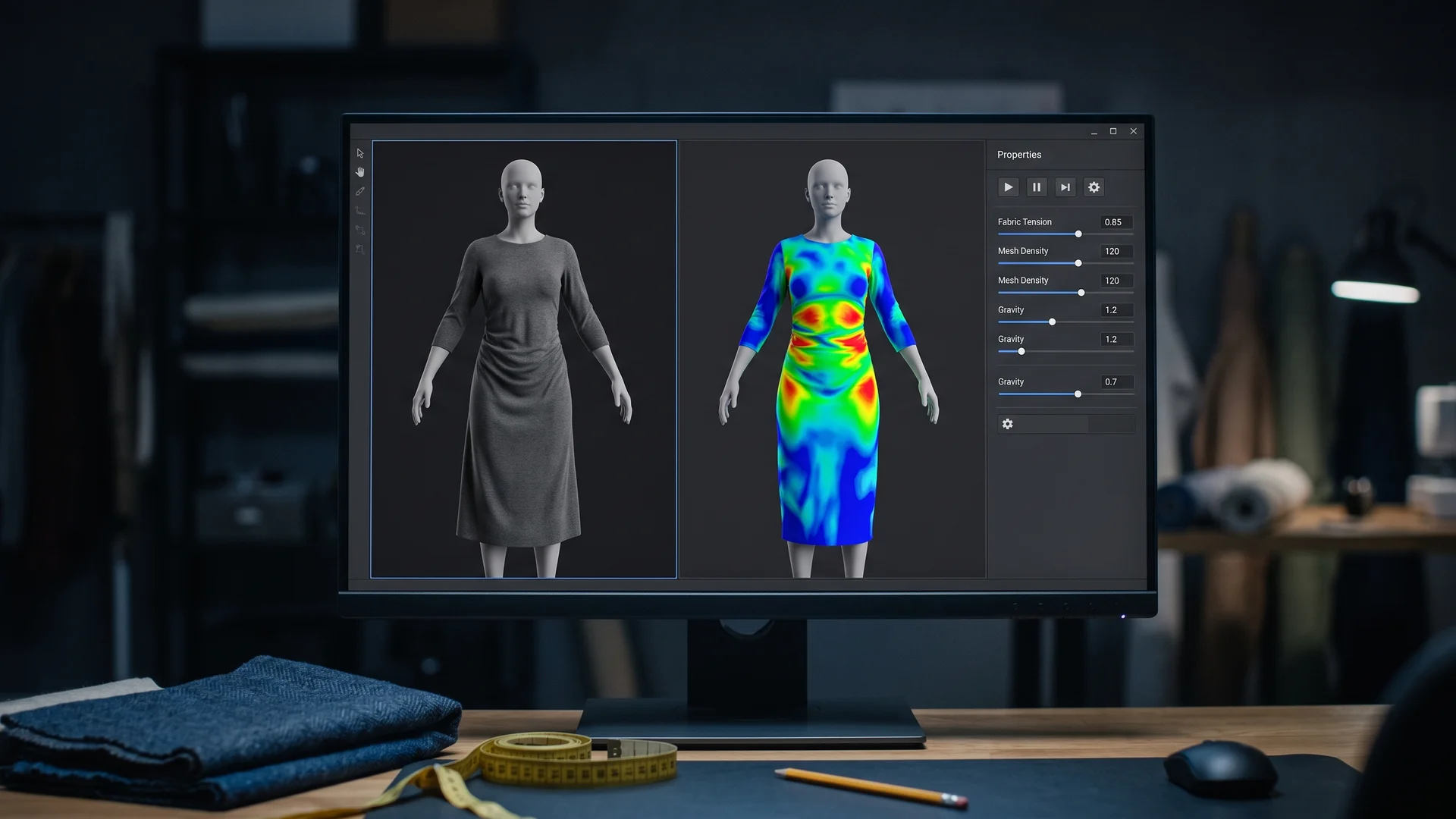
Unbranded 3D garment simulation software showing a midi dress draped on an avatar beside a colored fabric tension map
It works because the software simulates cloth physics. In CLO, each fabric's behavior is set through properties you can drive either with a simple scroll bar or with measured numeric values, and, in CLO's own words, "Each property mutually affects one another and a Garment's physical property is expressed by combination of all detailed property values." Raise shear stiffness and you get cotton and denim that crease; lower it and you drift toward silk and jersey.
The properties that actually matter are few. An IEEE Standards Association white paper on measuring fabric for virtual simulation puts the focus on "bending, shear, tensile, and friction properties because these are widely considered to be among the most important fabric properties determining fabric behavior."
Now the honest part, and it is the most important paragraph in this guide. That same IEEE paper names the field's unresolved problem: "the lack of uniformity in measurement technology, the lack of uniformity in units, and the lack of correlation between virtual samples created based on the same fabric when using different software solutions."
Read that again. The same physical fabric, measured once, simulates differently in different software. A digital fabric library is not a substitute for touching the cloth.
How close does it get? A 2025 peer-reviewed study in Polymers compared simulated garments against real prototypes and found "up to 6% average differences between simulated and real prototypes" with 8% standard deviations. Useful. Not the same as truth. The authors do not claim digital replaces physical testing.
For a tool-by-tool breakdown of this category, see our roundup of the best 3D clothing design software.
Step 5: The tech pack is a contract
A tech pack is the document your factory actually builds from. Everything before this is a proposal.
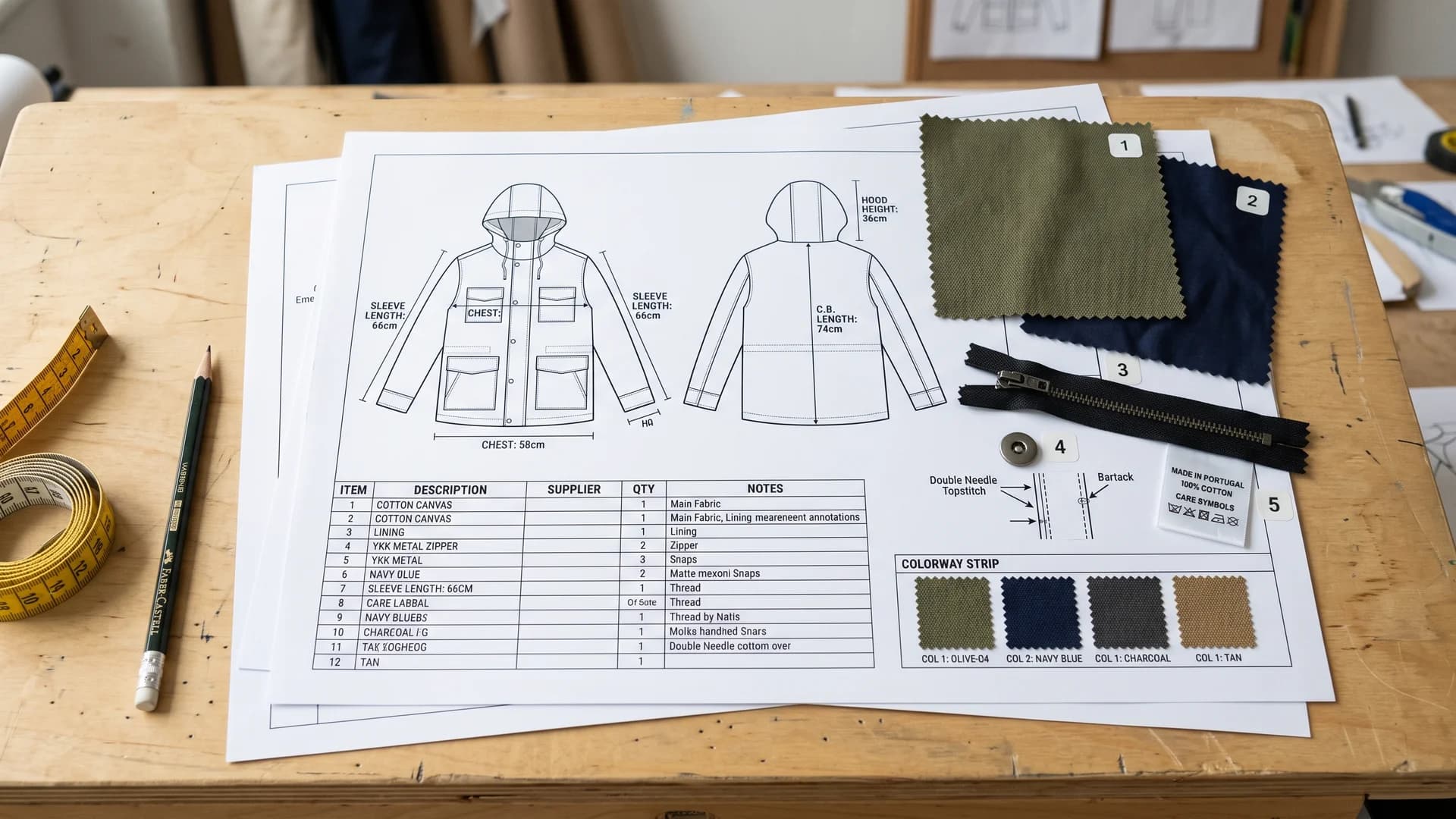
Printed apparel tech pack with technical flats, measurement callouts, a bill of materials table, colorway strip, fabric swatches, zipper and care label
Hoenes draws the distinction precisely: "While a design spec outlines what the design IS, a tech pack outlines how the design is MADE." She also calls the spec chart "an informal contract of sorts between you and the factory." That framing is the right one. Ambiguity in this document becomes a wrong garment, at your cost.
A tech pack carries, at minimum:
- Technical flats, front and back, with callouts
- A spec chart of graded measurements with tolerances
- A bill of materials: every fabric, trim, thread, label, and closure
- Construction and stitch details
- Colorways
- Labeling and packing instructions
The details beginners omit are always the small ones. In a survey of more than 40 fashion and technical designers, one put it plainly: "Interfacing, if you don't ask for it, you won't get it." Another learned about label orientation the hard way: "I always point with an arrow the direction that the text should read... I learned this the hard way when a whole bunch came from a factory with a sew on tag reading backwards."
A 3D file does not replace this. As one industry analysis of the 3D-to-factory handoff put it, "the tech pack is, by itself, not a digital product definition." Manufacturers still need specs, BOMs, and 2D patterns.
One trap worth knowing before you subscribe: Browzwear's Freelancer and FreelancerPlus tiers do not include tech pack functionality. That feature starts at the Teams tier ($3,950/year). A freelancer paying $75/month cannot produce a tech pack in it.
Step 6: Put the garment on a body
You have a design, a pattern, a simulation, and a tech pack. What you do not yet have is anything that sells the thing.
This is where the digital pipeline pays off commercially, because the same asset that proved the garment can also market it. A 3D render shows construction. What a product page needs is a garment on a person who looks real, in a setting a customer recognizes.
Traditionally that meant waiting for a sample, then booking a model, a photographer, and a studio. It is the slowest, most expensive link in the chain, and it sits at the very end, when your deadline is already gone. AI closes that gap: you can take a flat product shot and get on-model photography without booking anything, which is the entire premise behind product to model workflows.
Why bother, when you already have a 3D render? Because a render proves construction to you, not fit to a shopper. Baymard's usability research is unambiguous about this: apparel "require[s] the context of a human model in order to get the truest sense of the product," and without one shoppers "cannot accurately determine critical product attributes, such as the product's fit and length." Your CLO viewport answers your questions. It does not answer theirs.
What that actually looks like
Start with the boundary, because it is the honest part: a tool like this designs nothing. It will not draft your pattern, simulate your fabric, grade your sizes, or tell you the sleeve is two centimetres short. Every stage above still has to happen. What it replaces is the photoshoot bolted onto the end, and nothing else.
WearView is our own product, so read this as disclosure rather than a neutral recommendation. The mechanics: upload a flat-lay or packshot of the garment and get on-model photos back, up to four per generation, in roughly 90 seconds. Output comes in HD (2 credits), 2K (3 credits), or 4K (5 credits), and plans start at $29/month for 50 credits. There is no free tier.
For a collection rather than a single style, the thing that matters is consistency. Consistent AI models hold the same face and body across every style you shoot, which is what stops a 40-piece lookbook from looking like 40 unrelated shoots by 40 different studios.
One caveat worth stating plainly, because it cuts against us: Baymard's own position is that virtually rendered models should be a last resort, with real human models used wherever possible. If you can afford a proper shoot, shoot it. This exists for the far more common case, where the alternative to an AI model is not a real model, it is a flat-lay and nothing else.
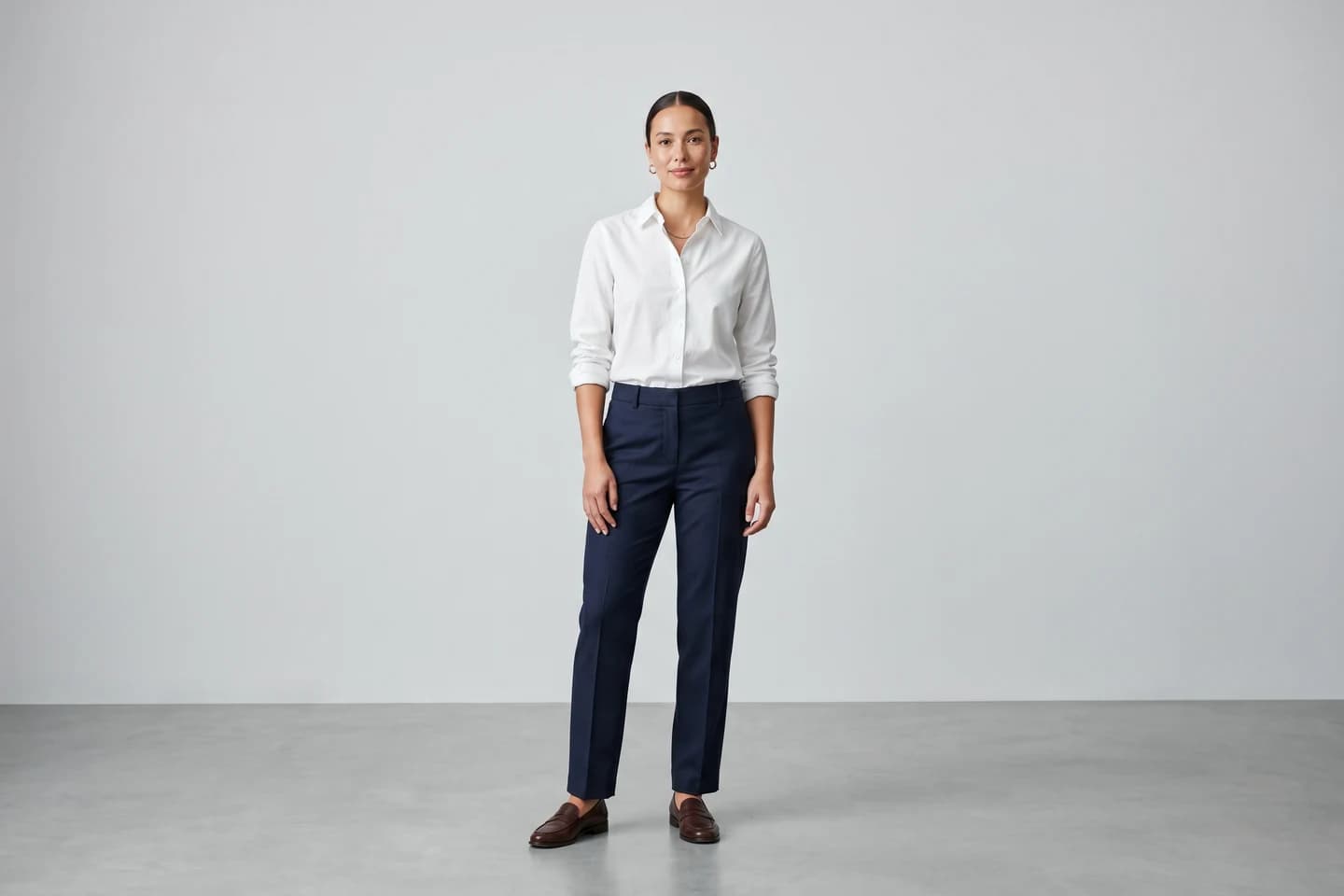
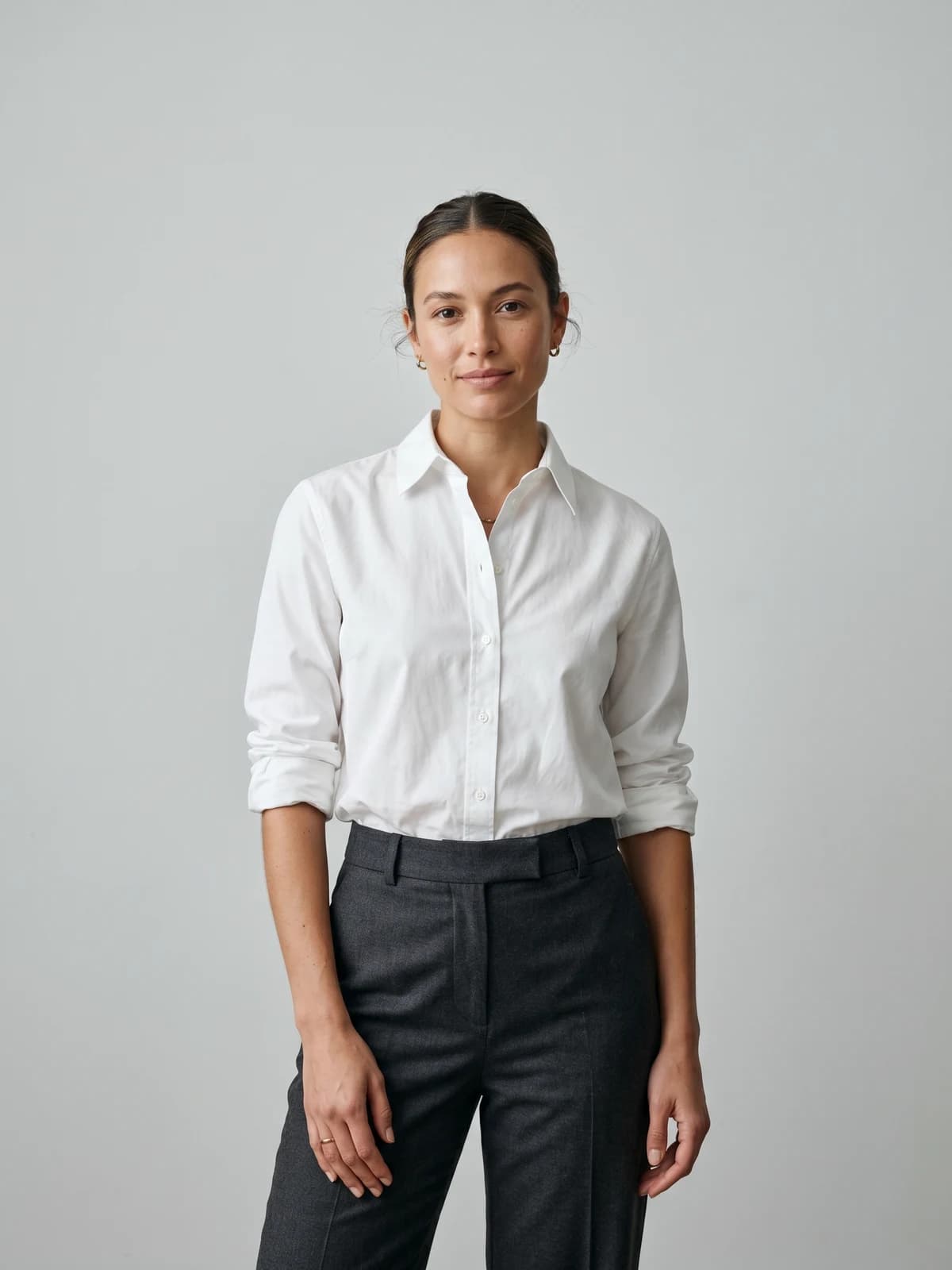
Turn flat-lays into on-model photos
Drop in a flat-lay or product shot and get professional on-model photography ready for your store.
If your design only ever existed digitally, the path from render to a product people can buy has its own set of decisions, which we covered in turning AI designs into sellable apparel.
What the software actually costs in 2026
Prices verified against vendor pricing pages on 16 July 2026. US pricing; Adobe in particular serves different prices by region.
| Tool | Stage | Price | Notes |
|---|---|---|---|
| Affinity | Sketch, flats | Free | Now one unified app |
| Inkscape | Flats | Free | Open source, SVG native |
| Seamly2D | Patterns | Free | GPLv3+, actively maintained |
| Procreate | Sketch | $12.99 once | iPad, no subscription |
| Adobe Illustrator | Flats | $22.99/mo | 7-day trial |
| Marvelous Designer | 3D drape | $39/mo or $280/yr | Two-week trial |
| CLO3D | 3D, patterns | $50/mo or $450/yr | Student: $25/mo |
| Browzwear Freelancer | 3D | $75/mo or $750/yr | No tech pack |
| Techpacker | Tech packs | $35/user/mo annually | No free tier |
| Browzwear Teams | 3D + tech pack | $3,950/yr | Up to 3 users |
| WearView | On-model imagery | From $29/mo (50 credits) | 2 credits HD, 3 for 2K, 5 for 4K |
Now notice where that list stops. Every tool in it helps you make the garment. Not one of them produces the photograph that sells it, and that cost does not disappear, it just waits for you at the end of the project when the budget is gone. That last row is ours, so discount it accordingly, but the stage it covers is real whether you fill it with a studio or with software.
Two notes that will save you money. Optitex publishes no public pricing, so ignore the per-seat numbers aggregator sites quote. And Backbone PLM is now part of Bamboo Rose and is positioned for existing customers only, so it is not a 2026 signup.
The genuinely free path
You can run this entire pipeline for $0. Not as well, but really.
| Stage | Free tool |
|---|---|
| Moodboard, croquis | Affinity |
| Flat sketches | Affinity or Inkscape |
| Pattern drafting | Seamly2D |
| 3D drape | Blender (cloth physics) |
The Affinity line matters most here. Canva made Affinity "completely free, forever" in October 2025, describing it as "the full, professional-grade Affinity experience... There's no catch, no stripped-back version, and no gotchas." It is now a single unified app rather than three, it imports PSD, AI, PDF, and SVG, and it needs a free Canva account.
The honest caveat: free tools get you a pattern and a drape. They do not get you measured fabric physics, a production-ready tech pack, or a photograph of the finished garment on a person. Blender has cloth simulation but no fashion-specific pattern, grading, or fit tooling. Seamly2D plus Blender is a real learning path, not a professional substitute.
Note the shape of that gap. The free stack covers everything up to the point where you have to sell something, and then stops. Tech packs and imagery are where the money starts, which is why Techpacker has no free tier and neither do we.
If you are a student, CLO is $25/month with verification, and Browzwear offers free six-month learner licences to students and recent graduates for non-commercial use.
Sequence your trials deliberately rather than burning them at once: Marvelous Designer gives two weeks, Illustrator and Techpacker seven days each.
Where AI genuinely fits, and where it does not
AI's most measurable win in this pipeline is unglamorous: reading fabric. In that Polymers study, an AI-based fabric digitisation approach (SEDDI Textura) matched real prototypes more closely than either lab-grade KES-FB testing or a manual fabric kit, with a mean difference of 0.40%. That is a specific, peer-reviewed result.
AI is also genuinely good at ideation and at print and pattern generation. And it is good at the stage nobody wants to pay a studio for: turning the garment you just spent six weeks engineering into photographs of a person wearing it. That is a narrow, well-defined job, which is exactly why it works. WearView does that one and nothing else in this pipeline, which is the honest reason it appears in this article at all.
Where it does not help is fit and construction, and the people furthest along are the clearest about it. Patagonia's 3D team states the goal directly: "Our goal is not pretty images, but accurate garments." They add, "Sometimes 3D is the solution, and sometimes it's the problem."
At technical outerwear brand ThruDark, moving its designers onto 3D by the end of 2026, the team notes that magnetic closures still have to be approximated in 3D, that avatars mislead because "fit models are more muscular than the average shopper," and that some requirements are "so specific and so extreme, that I don't believe you can replicate them virtually." So they still test kit at Everest Base Camp.
Notably, ThruDark refuses the time-saving pitch: "we won't do that. Instead, we'll use that time for testing and innovation."
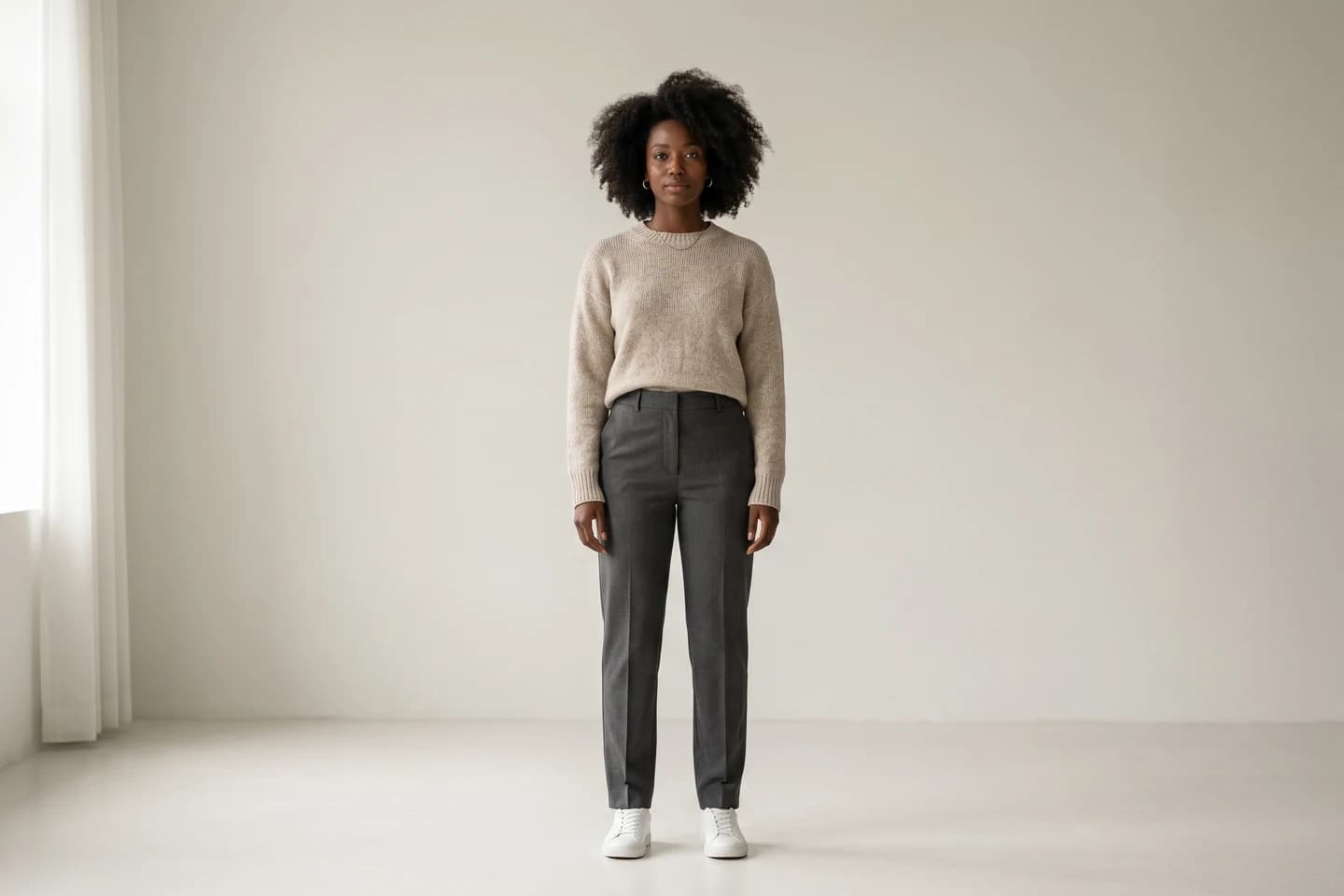
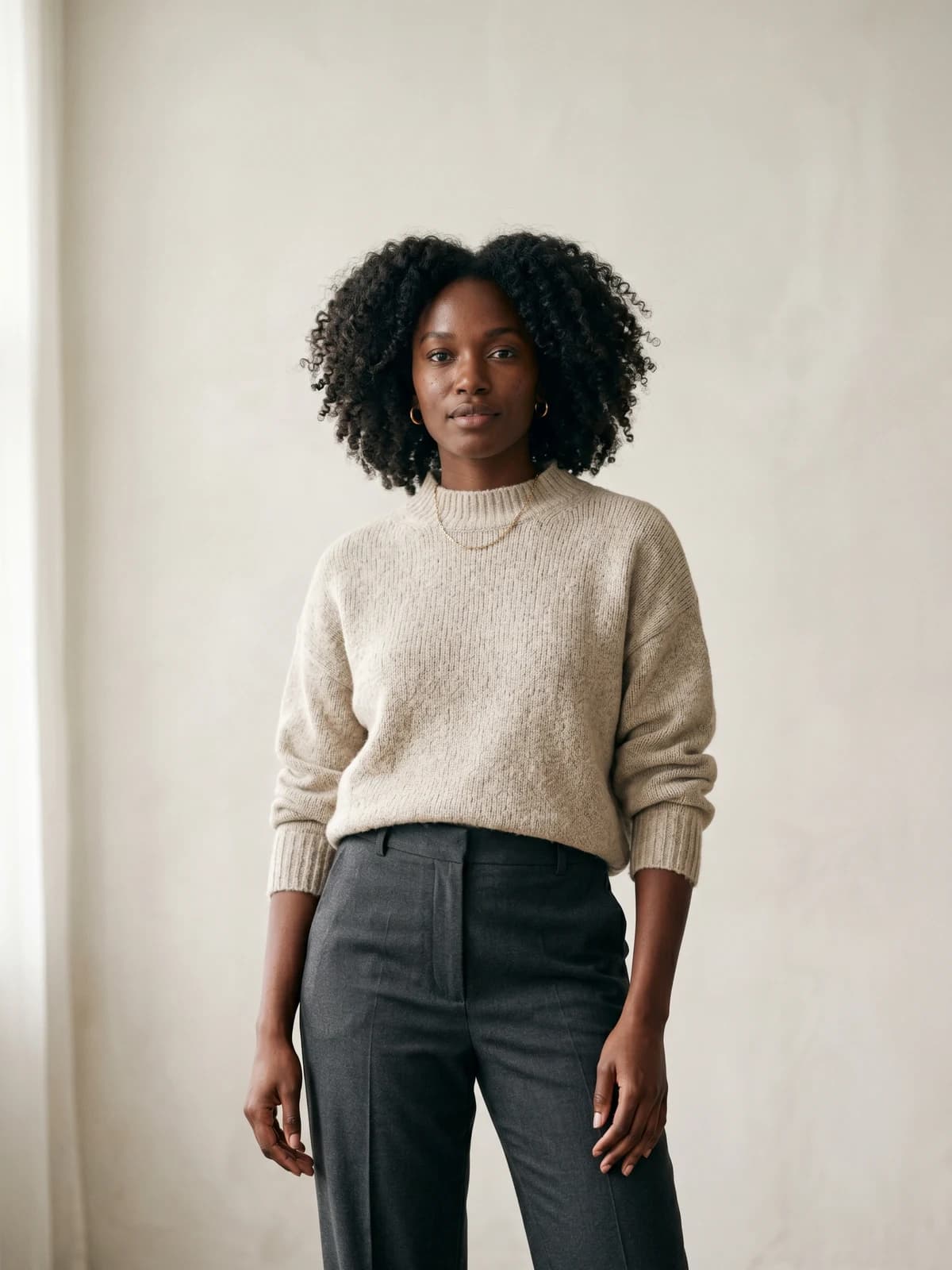
Create your own AI fashion models
Generate diverse, brand-consistent models from a simple prompt and reuse them across every campaign.
What digital design actually saves you
Most articles on this topic quote a confident statistic here. We are going to do something more useful and tell you which ones are real.
What the evidence supports. Hugo Boss reported reducing physical samples per collection by more than 30%, and said it had digitised 64% of its design workflows. Perry Ellis reported cutting salesman samples by more than 50% and shortening its apparel calendar by two months. Both numbers are real, and both come from case studies published by the software vendors selling the tools (Adobe and Browzwear respectively). Treat them as directionally useful, not independent.
The strongest independent finding is environmental. A January 2026 life-cycle study in the Journal of Cleaner Production compared physical and virtual sampling across four garments and found virtual sampling cut global warming potential, human toxicity, and primary energy demand by roughly 85 to 90%, and water use by 86 to 91%, while shortening sample preparation time by up to 73%. Read that precisely: it is the footprint of making one sample, not of a brand.
What the evidence contradicts. Here is the number nobody quotes. A 2023 benchmark of more than 100 organisations by The Interline and Kalypso found that "only 4% of companies have actually made significant changes to their calendars after building 3D capabilities," with 70% naming change management as their biggest barrier. Companies struggling to justify continued investment rose from 23% to around 40% in a single year.
So the realistic promise is fewer samples, not a faster calendar. Speed requires changing how your organisation works, and by the industry's own data, almost nobody does.
What is simply invented. Three claims circulate widely on this exact topic and are false or misattributed:
- "McKinsey says 68% of fashion companies use AI in product development" and "sampling is 15-20% of product development costs, per McKinsey." McKinsey's State of Fashion 2026 contains neither. Its only AI adoption figure is that more than 35% of executives report already using it.
- "Hugo Boss cut design time 85%." The 85% refers to a creation-to-shelf timeline against an industry-average baseline, not measured design time.
- "Adidas reduced prototypes 40% with 3D." No credible source exists. The real adidas claim is different and dates to 2013.
For calendar context, use dated primary data instead: McKinsey's 2018 survey of 54 executives found design and development takes 11 weeks at vertically integrated players versus 24 weeks at hybrid ones.
What a sample actually costs
Digital work does not end at sampling, so budget for it. These are the published 2026 rates of a working New York sample room, which is the only current, dated, real price list we could verify.
| Style | First pattern | Cut and sew |
|---|---|---|
| T-shirt or tank | $250 | $150 to $200 |
| Leggings | $350 | $150 |
| Hoodie | $450 | $250 |
| Tops and blouses | $500 | $300 to $350 |
| Dress | $850 to $1,200 | $300 to $500 |
| Jackets | $1,200 to $1,500 | $500 to $650 |
Fittings run $150/hour and pattern corrections start at $175. Two things stand out: the pattern is billed separately and usually costs more than the sample itself, and complexity spans roughly 5x from a tee to a jacket.
Expect 2 to 4 sample rounds, each taking 2 to 4 weeks including shipping. Overseas sampling is far cheaper, and some producers roll development cost into a production order, which is precisely why they impose minimums.
Then, with the sample finally in your hands, you still have nothing to put on a product page. Studio pricing is worth knowing before you get there: Squareshot lists on-model photography from $95 per image, and soona lists a full-body model at $159 per hour plus $39 per photo. Those are two companies' published list prices rather than an industry average, so treat them as a sense of scale, not a benchmark.
Set that against the other column. WearView's entry plan is $29/month for 50 credits, and an image costs 2 to 5 credits depending on resolution, so those 50 credits cover roughly 16 shots at 2K. It is not the same product as a real photographer with a real model, and the section above was clear that Baymard would send you to the studio if you can afford it. But for a first collection, the comparison is rarely "AI or a studio." It is "AI or a flat-lay on a white background," and a flat-lay does not tell anyone how the garment fits.
Key takeaways
- Learn the chain, not an app. Croquis, flat, pattern, tech pack, sample. Skipping a stage does not remove it, it just moves the failure later and makes it cost more.
- Stay in your lane on pattern work. Two named practitioners agree beginners over-reach here. Specify the seam finish you want, not the seam allowance number.
- Treat the tech pack as the contract. If it is not written down, you will not get it. Interfacing and label direction included.
- Start free, then buy one thing. Affinity plus Seamly2D costs nothing. Add CLO or Marvelous Designer only when a real project needs drape.
- Expect fewer samples, not a faster calendar. Only 4% of companies changed their calendars after adopting 3D. Sample reduction is where the return actually shows up.
- Close the last mile. A render proves construction; a customer needs a garment on a body. AI virtual try-on and product-to-model tools remove the slowest step at the end of the pipeline.
FAQ
How do I design clothes digitally as a complete beginner? Start with a moodboard, sketch a croquis to fix the idea, then redraw it as a technical flat in free vector software like Affinity or Inkscape. Learn the flat sketch properly before touching 3D. It is the drawing everyone downstream actually reads, and it costs nothing to practise.
What software do fashion designers use to design clothes digitally? Adobe Illustrator ($22.99/month) dominates flat sketching, CLO3D ($50/month) and Marvelous Designer ($39/month) dominate 3D garment simulation, and Browzwear serves larger teams. Free alternatives exist at every stage: Affinity and Inkscape for flats, Seamly2D for patterns, Blender for cloth drape.
Can you design clothes digitally for free? Yes. Affinity became completely free in October 2025, Inkscape and Seamly2D are open source, and Blender handles cloth physics. The limitation is not the drawing, it is that free tools give you no measured fabric data and no production-ready tech pack.
Do I still need physical samples if I design in 3D? Yes. Brands with mature 3D programmes report fewer samples, not zero. Simulated garments differ from real prototypes by up to 6% on average, and the same fabric simulates differently across different software, so physical validation still decides fit.
What is the difference between a croquis, a flat sketch, and a tech pack? A croquis is a loose figure sketch that captures the idea. A flat sketch is a precise technical line drawing of the garment laid flat. A tech pack is the full build document: flats, measurements, bill of materials, and construction details. As pattern maker Alison Hoenes puts it, a design spec says what the design is, a tech pack says how it is made.
Does designing clothes digitally actually speed up production? Rarely, on the evidence. A 2023 benchmark of over 100 companies found only 4% made significant calendar changes after building 3D capability, and 70% cited change management as the barrier. The reliable saving is in physical samples, where brands report 30% to 50% reductions.
How much does it cost to sample a garment? At a New York sample room in 2026, a first pattern runs $250 for a t-shirt and $1,200 to $1,500 for a jacket, with cut-and-sew billed separately on top. Budget 2 to 4 rounds at 2 to 4 weeks each. Overseas sampling costs substantially less but usually carries minimum order quantities.
How do I photograph my designs if I cannot afford a photoshoot? Generate the shots instead of booking them. Studios list on-model photography from around $95 per image, while WearView turns a flat-lay or packshot into on-model photos in about 90 seconds, from $29/month for 50 credits (2 to 5 credits per image depending on resolution). It will not match a real photographer and a real model, but it beats shipping a product page with flat-lays only.
Can I use the same model across a whole collection? Yes, and you should. A lookbook where every style is worn by a different face reads as 40 unrelated shoots rather than one brand. Consistent AI models hold the same face and body across every garment, which is the digital equivalent of booking one model for the entire drop instead of whoever was free that week.
Can AI design clothes for me? AI is strong at ideation, prints, fabric digitisation, and generating on-model imagery from a product shot. It does not do pattern engineering or fit. As Patagonia's 3D team puts it, "Our goal is not pretty images, but accurate garments." A render that cannot be sewn is worth nothing to a factory.

WearView Team
WearView Content & Research Team
WearView Team is a group of fashion technology specialists focused on AI fashion models, virtual try-on, and AI product photography for e-commerce brands. We publish in-depth guides, case studies, and practical insights to help fashion businesses improve conversion rates and scale faster using AI.


