
May 1, 2026•17 min read
7 Best AI Model Swap Tools for Fashion Brands (2026 guide)
Compare the 7 best AI model swap tools for fashion brands in 2026. Covers pricing, garment preservation, output quality, and a decision framework.

Picture of 7 best AI model swap tools for fashion brands (2026 guide) article
Fashion brands reshoot entire catalogs just to swap one model for another. The outfit, the pose, the lighting: all identical, but the face needs to change for a new campaign, a different market, or a diversity initiative. Traditional reshoots cost $500-$2,000 per session and take weeks to schedule.
AI model swap tools solve this by replacing the person in a fashion photo while keeping everything else intact: the garment, the pose, the background, the lighting. You upload an on-model photo, choose a new face or reference person, and get a pixel-perfect swap in seconds. If you are new to the concept, here is a full breakdown of how AI model swap works.
In this guide, we compare the 7 best AI model swap tools for fashion brands in 2026. We cover pricing, garment preservation quality, key features, and which tool fits different brand workflows best.
Best AI model swap tools: a brief overview
- WearView: Best overall for fashion brands that need model swapping plus a full visual toolkit. Swap faces on any fashion photo while preserving the outfit, pose, and lighting, then extend to virtual try-on, AI model creation, video, and more in one platform.
- Fotor: Best for quick, low-cost face swaps and everyday editing. A general online photo editor with a genuine AI Face Swap tool, background removal, and 30+ AI features across web, desktop, and mobile.
- Adobe Photoshop: Best for manual, full-control face swaps and professional finishing. Composite a new face onto any shot with layer editing and Generative Fill, the industry standard for when a swap has to be flawless.
- Pic Copilot: Best for Alibaba and global marketplace sellers. Dedicated AI Model Swap tool with localized model generation for different markets, backed by Alibaba's AI infrastructure.
- Nightjar: Best for Shopify stores that need catalog-wide consistency. Reference-based style locking keeps color grading, lighting, and composition identical across every product image.
- Uwear.ai: Best for high-volume catalog processing. Batch upload up to 10,000 items via CSV with multi-angle generation and a consumer-facing try-on widget.
- VModel: Best for no-commitment, pay-per-use workflows. Credits never expire, no subscription required, ideal for small sellers and one-off projects.
| Tool | Key strength | Pricing | Platforms |
|---|---|---|---|
| WearView | All-in-one fashion AI with 7 tools including model swap | From $29/mo | Web |
| Fotor | General editor with an AI face swap across devices | Free tier; Pro from ~$3.33/mo | Web, Windows, macOS, iOS, Android |
| Adobe Photoshop | Manual, full-control face swaps with Generative Fill | Photography plan from ~$10.99/mo | Desktop, iPad, Web, Mobile |
| Pic Copilot | Dedicated model swap with marketplace localization | Free tier available; paid plans vary | Web |
| Nightjar | Style-locked consistency across catalogs | From $25/mo (150 generations) | Web, Shopify app |
| Uwear.ai | Batch processing up to 10,000 items via CSV | From $0.10/credit | Web, API |
| VModel | Pay-per-use credits that never expire | $10 free credits; pay-as-you-go | Web, Chrome extension |
1. WearView, best overall AI model swap for fashion brands
WearView is a complete AI fashion photography platform that features a dedicated AI Model Swap tool. There, you upload your on-model fashion photo, choose a reference person (or upload your own reference face), and the tool swaps the model's face while keeping the pose, outfit, background, and lighting pixel-perfect identical. The swap completes in under 15 seconds.
WearView lets you build diverse product imagery from a single photoshoot. You can create multiple model variations for different markets, A/B test different faces on the same outfit, or maintain a consistent model identity across your entire catalog. Beyond model swapping, the platform includes product-to-model AI, AI pose control, ghost mannequin generation, and AI fashion video, all in one workspace.
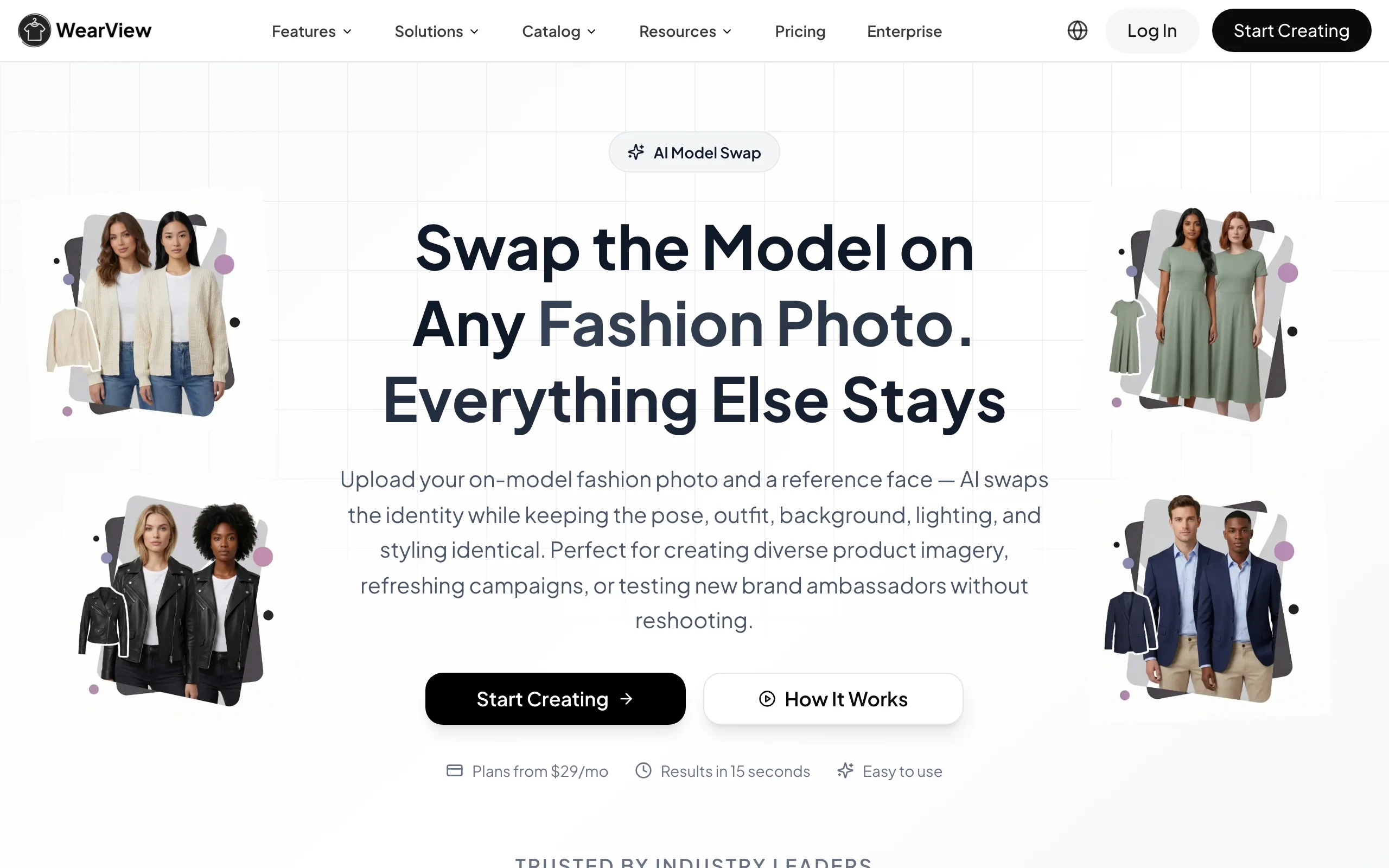
AI Model Swap with WearView
Key features
- One-click face replacement that preserves pose, outfit fabrics, textures, prints, and background
- Diverse reference face library across ethnicities, body types, and age groups
- Consistent model identity across product lines for cohesive brand campaigns
- HD, 2K, and 4K output with commercial usage rights included
- AI fashion video generation from product photos (720p and 1080p)
- 7 AI tools in one platform: model swap, virtual try-on, model creation, product-to-model, pose control, ghost mannequin, and video
Best for
- Fashion brands that need model diversity without reshooting entire catalogs
- Ecommerce teams managing full visual campaigns across multiple formats
- Agencies producing content for several fashion clients who need face variations at scale
Pricing
- Lite: $29/month (50 credits), Pro: $49/month (200 credits), Advanced: $99/month (500 credits)
- Annual billing saves up to $198/year
- Credit packs available for one-off top-ups
Pros
- Most complete feature set: 7 AI tools in one platform instead of juggling subscriptions
- Model swap preserves garment details down to prints, textures, and stitching
- Team collaboration with up to 15 members on the Advanced plan
- 4K studio-grade output quality
Cons
- Higher starting price ($29/mo) than single-purpose model swap tools
- Credit-based pricing means high-volume users may need the Advanced plan or top-ups
2. Fotor, best for quick face swaps and everyday photo editing
Fotor is a general online photo editor and design tool with a dedicated AI Face Swap feature. You upload a photo, add the face you want to use, and Fotor blends it onto the subject, with support for swapping multiple faces in a single image and controls for adjusting face alignment and blending. It is not a fashion-specific production tool, but for sellers who want a fast, low-cost way to try a different face on a shot, it is one of the most accessible options in this comparison.
Beyond face swap, Fotor bundles 30+ AI tools including background removal, photo enhancement, object and person removal, and an AI hairstyle changer, plus a collage and design maker. It runs in the browser and has full apps on Windows, macOS, iOS, and Android with cloud sync, so you can edit on your phone as easily as on desktop. It is a generalist: broad and affordable rather than tuned for on-model catalog work.
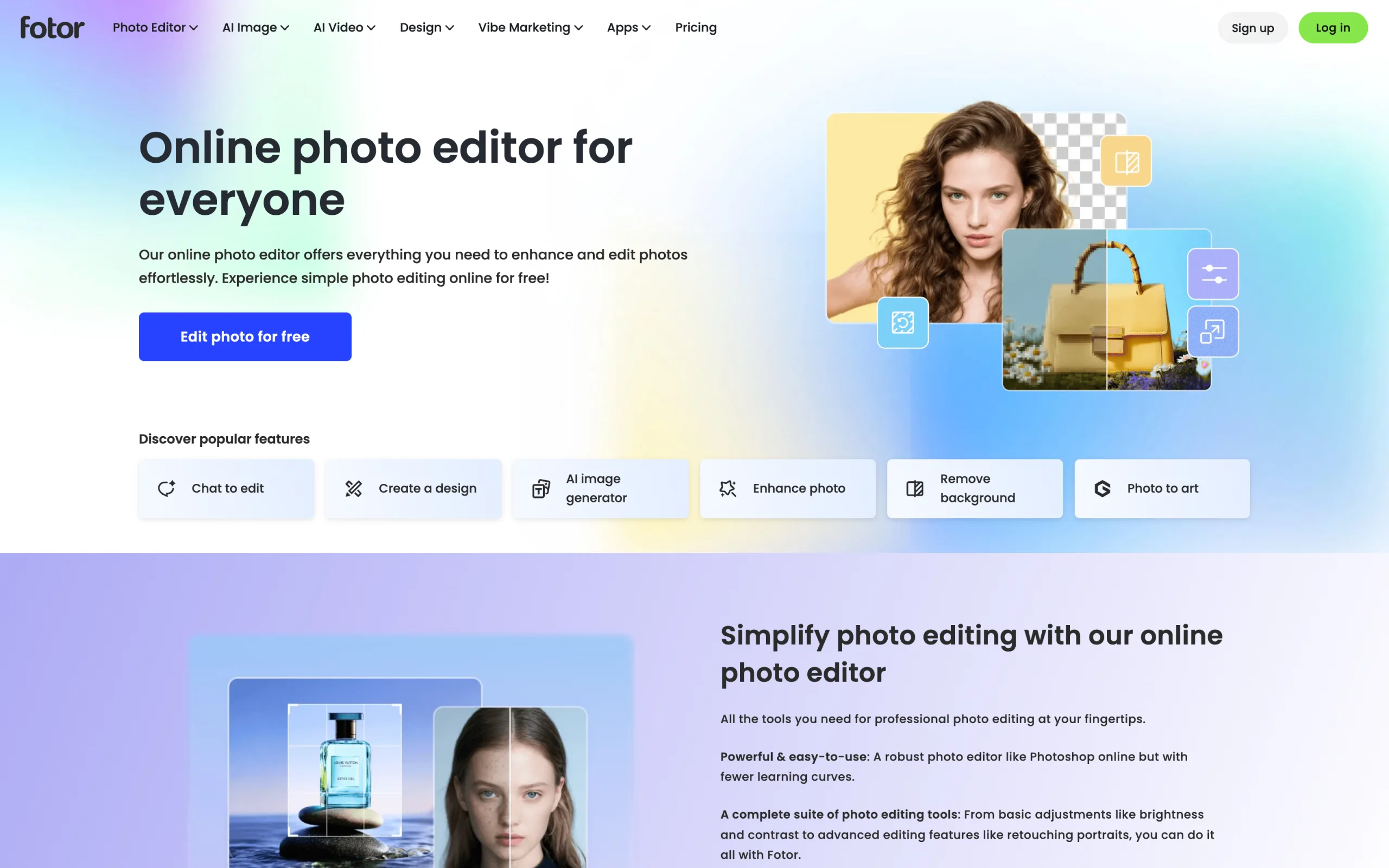
AI Model Swap with Fotor
Key features
- AI Face Swap that places a new face on a photo, including swapping multiple faces in one image
- Adjustable face alignment and blending controls
- 30+ AI editing tools: background removal, photo enhancer, object/person removal, AI hairstyle changer
- Batch editing on higher tiers plus a collage and design maker
- Cross-platform: web, Windows, macOS, iOS, and Android with one-account cloud sync
- Free plan with credits, plus low-cost Pro tiers
Best for
- Sellers who want a fast, low-cost face swap without a specialized fashion platform
- Mobile-first users who edit across phone and desktop from one account
- Casual or occasional edits where strict garment fidelity is not critical
Pricing
- Free plan available with limited credits
- Fotor Pro from ~$3.33/month billed annually (roughly $8.99/month on monthly billing)
- Pro+ from ~$7.49/month billed annually, adding more credits, batch editing, and storage
Pros
- Very low cost with a genuinely usable free tier
- Truly cross-platform with strong mobile apps
- Broad general editing toolkit well beyond face swap
- Simple, beginner-friendly interface
Cons
- A general consumer editor, not built for fashion on-model production
- No guarantee of garment preservation for detailed prints, logos, or fabric texture
- No consistent model identity or fashion model library
- Face swap quality depends heavily on the source photo
3. Adobe Photoshop, best for manual, full-control face swaps
Adobe Photoshop is the professional standard for image editing, and it doubles as a manual model-swap tool when you want pixel-level control. Using layer-based compositing you can drop a different face or head onto an existing on-model shot, a manual take on the face swap workflow, then blend it with masking, color matching, and Generative Fill, Photoshop's AI feature (now powered by Firefly Image 5 with reference-image support) that fills a selected area to match the surrounding lighting and context.
Unlike the automated tools in this list, Photoshop does not ship a library of ready-made AI fashion models or a one-click swap; you bring the face and do the work, which is exactly why retouchers and studios reach for it when a swap has to be flawless. That control comes with a learning curve and manual effort per image, so Photoshop is best as a finishing tool or for one-off hero shots rather than for swapping models across a whole catalog. It runs on Windows and Mac, on iPad, in the browser via Photoshop on the web, and on mobile.
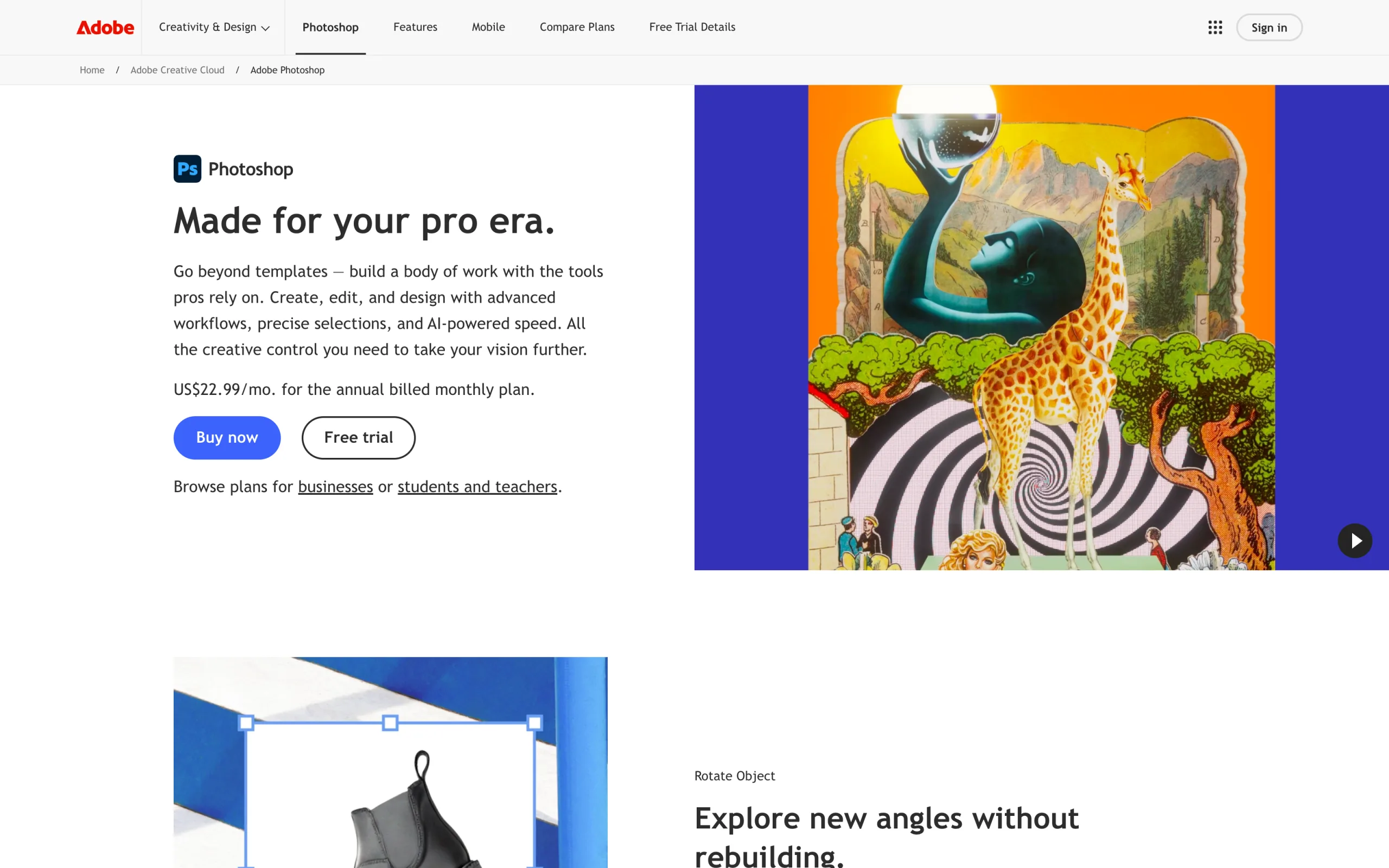
AI Model Swap with Adobe Photoshop
Key features
- Layer-based manual compositing for precise face and head swaps
- Generative Fill (Firefly Image 5) with reference-image support to blend edits seamlessly
- Choice of AI models for generative edits, including commercially safe Firefly
- Professional masking, color matching, and retouching tools
- Available on desktop, iPad, web, and mobile
- Deep, industry-standard editing toolkit for everything around the swap
Best for
- Retouchers and studios that need flawless, pixel-perfect swaps on hero images
- Users who want full manual control instead of an automated one-click swap
- Teams already in the Adobe ecosystem handling broader photo editing
Pricing
- Photography plan from ~$10.99/month (20GB) up to ~$19.99/month (1TB plus AI credits)
- Standalone Photoshop around $22.99/month
- Generative AI features draw from a monthly generative-credit allotment
Pros
- Unmatched manual control and finishing quality
- Generative Fill speeds up blending and cleanup around the swap
- Works across desktop, iPad, web, and mobile
- Part of a deep, industry-standard editing suite
Cons
- Manual, per-image workflow, not built for catalog-scale model swapping
- Steeper learning curve than one-click tools
- No ready-made AI fashion model library
- Generative features consume monthly AI credits
4. Pic Copilot, best for Alibaba and global marketplace sellers
Pic Copilot is an AI-powered product image tool backed by Alibaba's infrastructure. It features a dedicated AI Model Swap page where you upload any fashion photo and perform model replacement in seconds. The tool keeps outfits, poses, and backgrounds intact while swapping the model's face. Pic Copilot is particularly strong for marketplace sellers who need localized model imagery for different regions, generating faces that match the target market's demographics.
Beyond model swap, Pic Copilot includes AI background generation, product image optimization, and batch editing tools. Its connection to Alibaba's ecosystem makes it a natural fit for sellers on AliExpress, Tmall, and other global marketplaces.
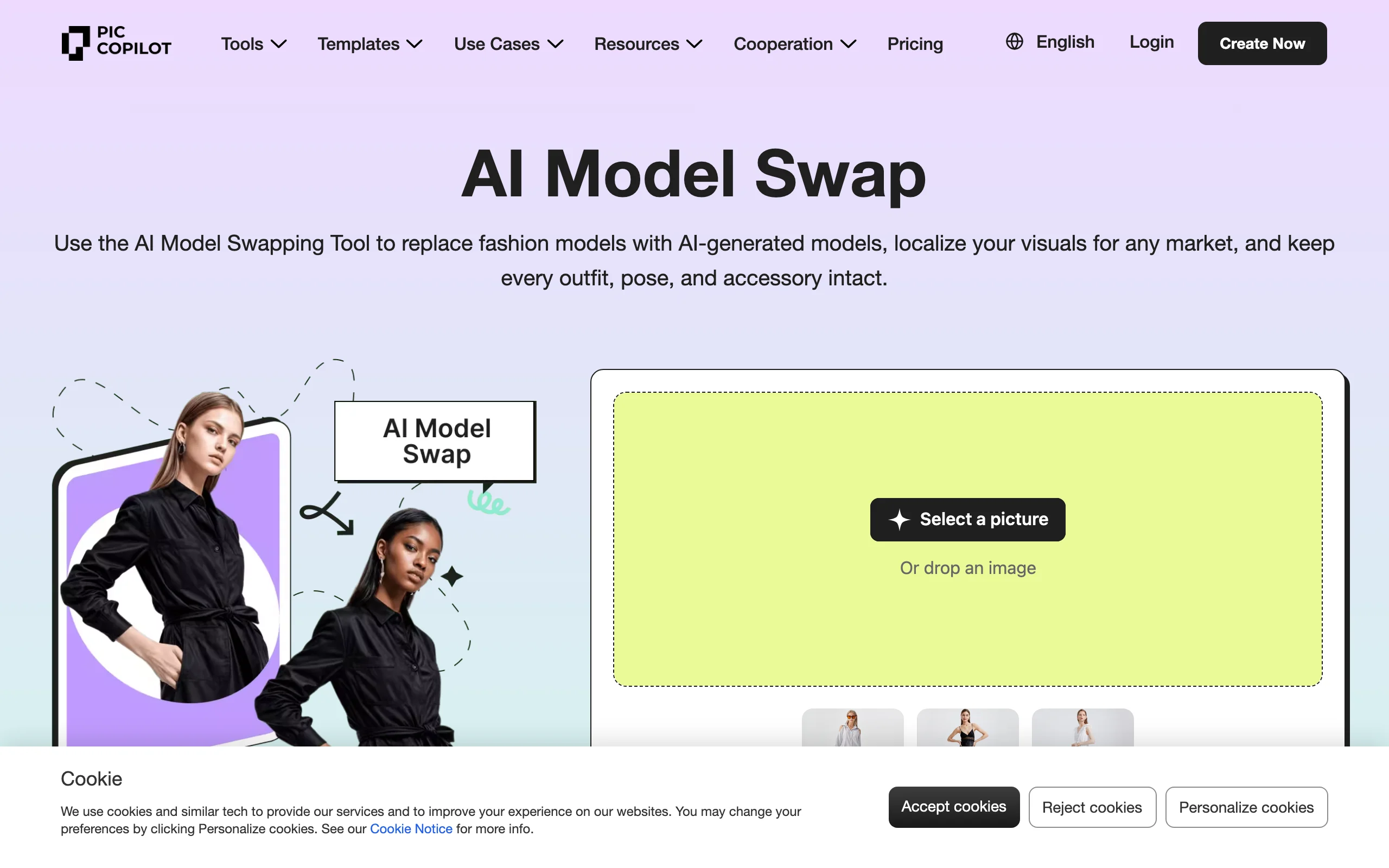
AI Model Swap with Pic Copilot
Key features
- Dedicated AI Model Swap tool with one-click face replacement
- Localized model generation for different regional markets
- AI background generation and product image optimization
- Batch editing tools for catalog-scale operations
- Built on Alibaba's AI infrastructure
Best for
- Sellers on AliExpress, Tmall, and other Alibaba-connected marketplaces
- Global brands that need region-specific model representation
- Marketplace sellers who want model swap alongside general product image tools
Pricing
- Free tier available with limited credits
- Paid plans with higher generation limits
- Pricing varies by region and marketplace integration
Pros
- Dedicated model swap workflow, not buried inside a broader tool
- Strong marketplace integrations for Alibaba ecosystem sellers
- Free tier lets you test before committing
- Localization features are useful for cross-border ecommerce
Cons
- Primarily oriented toward Alibaba ecosystem sellers; less useful outside that context
- Limited documentation in English compared to Western competitors
- Fewer advanced features (no video generation, no pose control)
5. Nightjar, best for Shopify stores that need catalog-wide consistency
Nightjar is an AI product photography platform built around one core idea: every image in your catalog should look like it came from the same photoshoot. Its reference-based "Photography Styles" feature locks color grading, lighting, depth of field, and composition across all generated images, reducing style drift to near zero. For model swapping, you can change model ethnicity and skin tone while the tool preserves product details and maintains the locked visual style.
Nightjar integrates natively with Shopify, letting you generate and push images directly to your store. It also handles background removal, lifestyle image generation, and virtual try-on within the same consistent style framework.
AI Model Swap with Nightjar
Key features
- Reference-based Photography Styles for consistent color grading, lighting, and composition
- Model ethnicity and skin tone swapping with product preservation
- Native Shopify integration for direct catalog publishing
- Background removal and lifestyle image generation
- Style extraction that reduces visual drift across large catalogs
Best for
- Shopify stores that need pixel-perfect consistency across hundreds of product images
- Brands with strict visual identity guidelines that cannot tolerate style drift
- Fashion brands refreshing model imagery while maintaining an established photoshoot aesthetic
Pricing
- Starting at $25/month for 150 generations (approximately $0.17/image)
- Higher-tier plans for larger catalogs
Pros
- Best-in-class catalog consistency with style-locking technology
- Native Shopify integration eliminates manual upload/download
- Competitive per-image cost at $0.17
- Full workflow coverage from background removal to on-model generation
Cons
- Focused on catalog consistency; less flexible for creative or editorial use cases
- Smaller model library compared to platforms with 100+ options
- No video generation or advanced pose control features
6. Uwear.ai, best for high-volume catalog processing
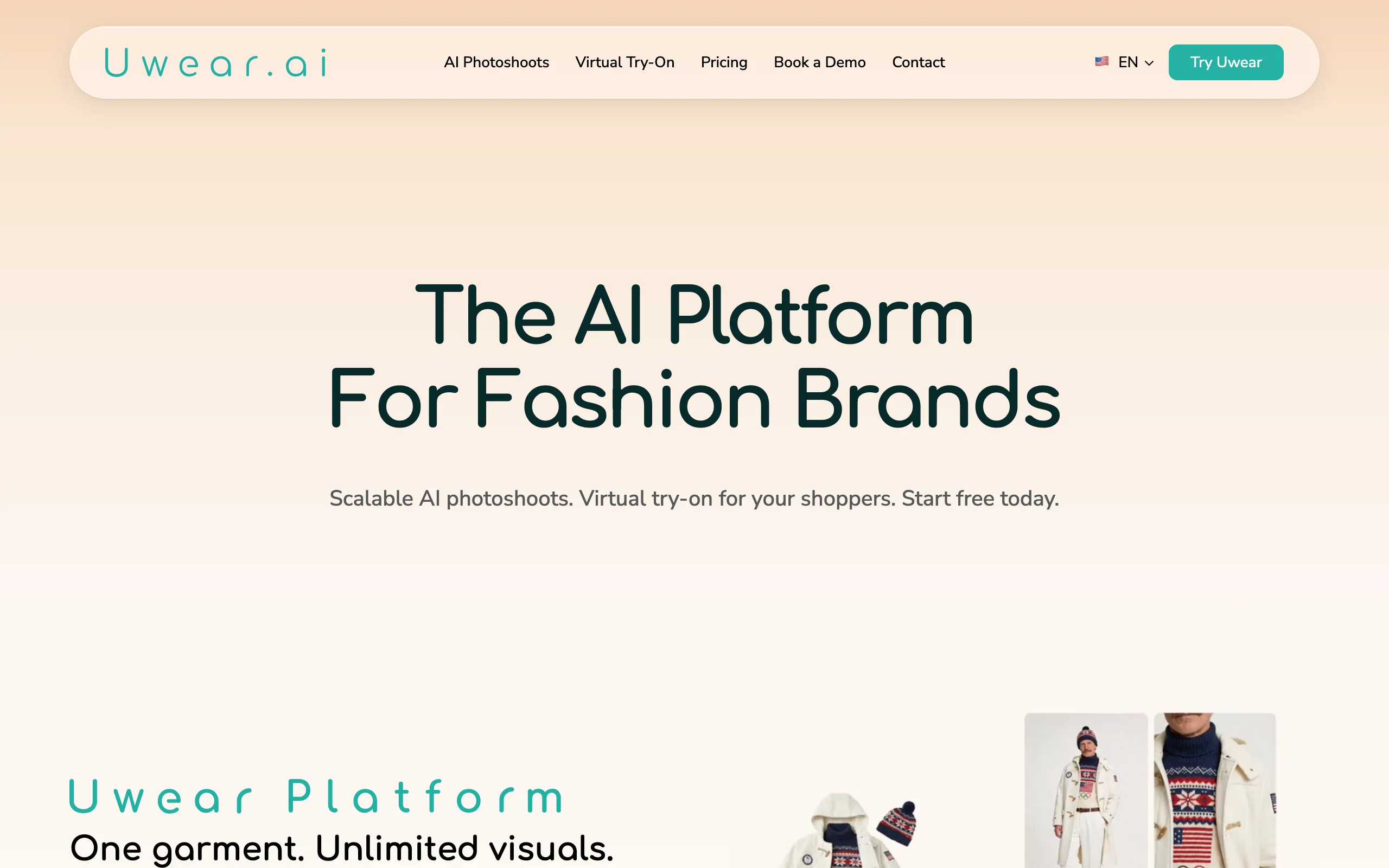
Uwear.ai is built for sellers who measure their catalog in thousands, not dozens. Its proprietary "Drape" rendering engine regenerates entire images from scratch rather than compositing, which produces coherent lighting, shadows, and fabric behavior. The platform handles batch processing up to 10,000 items via CSV upload, and generates multi-angle views (front, side, back) from a single input image.
Uwear also offers a consumer-facing "Try On You" widget that brands can embed on their product pages, letting shoppers see how garments look on their own photos. This dual-use (B2B production plus B2C engagement) is unique in this comparison.
AI Model Swap with Uwear.ai
Key features
- Proprietary "Drape" garment rendering engine for coherent lighting and shadows
- Batch processing up to 10,000 items via CSV upload
- Multi-angle generation: front, side, and back views from one image
- Consumer-facing "Try On You" widget for product pages
- 5-second video clip generation from product photos
- Model customization by body type, skin tone, age, and ethnicity
Best for
- High-volume sellers with catalogs of 500+ SKUs that need consistent model imagery
- Brands that want both production tools (B2B) and a customer try-on widget (B2C)
- Marketplace sellers who need multi-angle model shots for listing requirements
Pricing
- Pay-per-credit at $0.10/credit with no subscription required
- Basic: $57/month (150 credits), Plus: $97/month (300 credits), Premium: $297/month (1,000 credits)
Pros
- Unmatched batch processing capacity (10,000 items per upload)
- Multi-angle generation saves time on front/side/back product shots
- Consumer try-on widget adds value beyond production photography
- Proprietary rendering engine produces consistent, coherent results
Cons
- Higher subscription costs than most competitors ($57-$297/month)
- No style extraction or composition standardization across catalogs
- Credits-per-image can vary depending on output complexity
7. VModel, best for no-commitment, pay-per-use workflows
VModel takes a different approach to pricing: no subscription, no monthly commitment. You buy credits when you need them, and they never expire. The platform handles mannequin-to-model and flat-lay-to-model conversion with face swapping, model customization by age, ethnicity, and gender, and basic image upscaling. A Chrome extension lets you generate model images directly from product listing pages.
VModel is the simplest tool in this comparison, which is either a strength or a limitation depending on your volume. For sellers who need occasional model swaps without carrying a monthly subscription, it fills a gap.
AI Model Swap with VModel
Key features
- Mannequin-to-model and flat-lay-to-model conversion with face swapping
- Model customization by age, ethnicity, and gender
- AI hairstyle generation and image upscaling
- Pay-per-use credits that never expire
- Chrome extension for generating images from product listing pages
Best for
- Small sellers and individual merchants who need occasional model swaps
- Sellers who want to test AI model photography without a subscription commitment
- Users who prefer Chrome-based workflows over dedicated platforms
Pricing
- $10 in free credits to start
- Pay-as-you-go credits (no subscription required)
- Credits never expire
Pros
- No subscription lock-in: buy credits only when you need them
- Credits never expire, so no pressure to use them within a billing cycle
- Low barrier to entry with $10 in free credits
- Chrome extension is convenient for quick, one-off swaps
Cons
- Limited model library (approximately 30 models) compared to competitors with 100+
- No batch processing: each image processed individually
- No video generation or advanced features like pose control
- Less sophisticated garment rendering than fashion-specialized tools
How to choose the best AI model swap tool for your brand
1) Do you need model swap only, or a full visual toolkit?
If your only goal is swapping faces on existing product photos, a focused tool like Pic Copilot or VModel will do the job at a lower cost. But most fashion brands find they need more than just model swap: they also need flatlay-to-model conversion, AI model creation, video, and pose control. If you also need the inverse workflow, where the model stays the same but the outfit changes, compare the best AI clothing swap tools to see which option fits your product imagery workflow. If that describes your workflow, WearView covers the broadest set of tools in one platform, eliminating the need to manage multiple subscriptions.
2) How important is garment preservation quality?
Garment preservation varies widely. The fashion-specific tools like WearView and Uwear.ai lead in preserving prints, textures, and fabric behavior, while general editors like Fotor or Photoshop leave that fidelity in your hands. If you sell products with detailed logos, complex patterns, or text on garments, prioritize the specialized tools and test 5-10 of your hardest SKUs before committing to a plan.
3) What volume are you processing?
Volume changes the math significantly. For fewer than 50 images per month, VModel's pay-per-use model or Pic Copilot's free tier make sense. For 200-500 images monthly, WearView's Pro or Advanced plans offer better unit economics. For 1,000+ images, Uwear.ai's batch processing (up to 10,000 items via CSV) or Pic Copilot's catalog-scale batch editing are built for that scale.
4) Do you sell on Shopify?
If your store runs on Shopify, Nightjar's native integration eliminates the manual upload/download cycle and locks your visual style across the entire catalog. You can generate model images directly from your Shopify admin. For sellers on other platforms (Amazon, WooCommerce, Etsy), API-friendly tools like Uwear.ai or Pic Copilot offer more flexibility. For a deeper look at AI fashion photography tools, see our comparison guide.
FAQ
What is AI model swap in fashion photography? AI model swap replaces the person in a fashion photo while keeping everything else identical: the garment, pose, background, and lighting. You upload an on-model image, select or upload a new reference face, and the AI generates the same photo with a different model. It eliminates the need to reshoot for different demographics or campaigns.
How accurate is garment preservation during a model swap? The best tools preserve garment details down to fabric texture, print placement, logos, and stitching. Accuracy depends on the tool and the complexity of the garment. Products with bold prints, text, or intricate patterns are the hardest to preserve. Always test with your most detailed SKUs before committing to a platform.
Can I use AI model swap for my entire product catalog? Yes. Tools like Uwear.ai support batch processing of up to 10,000 items via CSV upload. WearView and Pic Copilot also handle catalog-scale operations. The main constraint is credits: calculate your per-image cost at volume and compare it against your current photoshoot spending.
Is there a free AI model swap tool? Pic Copilot offers a free tier with limited credits, and VModel provides $10 in free credits to start. Fotor also has a free plan with limited credits for basic face swaps. These free options work well for testing, but production use at scale requires a paid plan.
What inputs produce the best model swap results? Start with high-resolution, well-lit on-model photos. Clear, front-facing reference face images produce the most accurate swaps. Avoid heavily cropped or low-resolution source photos, and make sure the garment is clearly visible without obstructions like accessories covering key details.
Can I maintain a consistent model identity across my catalog after swapping? Yes. WearView offers consistent model identity as a core feature, letting you use the same reference face across all product photos for brand cohesion. Nightjar's style-locking similarly keeps your model imagery consistent across a catalog. This is important for brands that want a recognizable "face" across their entire catalog.
Is AI model swap safe to use for commercial product listings? All paid plans on the tools in this guide include commercial usage rights. The generated images are yours to use on product listings, social media, ads, and marketing materials. Always verify the terms of service for the specific tool and plan tier you're using, as free tiers may have different licensing terms.
What is the difference between model swap and virtual try-on? Model swap replaces the person in an existing on-model photo while keeping the garment fixed. Virtual try-on does the opposite: it keeps the person fixed and changes the garment. Model swap is for brands that want to diversify their model representation. Virtual try-on is for visualizing how different clothes look on the same model or customer.

WearView Team
WearView Content & Research Team
WearView Team is a group of fashion technology specialists focused on AI fashion models, virtual try-on, and AI product photography for e-commerce brands. We publish in-depth guides, case studies, and practical insights to help fashion businesses improve conversion rates and scale faster using AI.


