
May 23, 2026•21 min read
7 best AI tools for footwear design in 2026
AI has moved from concept toy to the core of the footwear design workflow, with sketch-to-render apps, real-time rendering, generative concept tools, and AI model visualization. Here are the seven best AI tools for footwear design in 2026, with pricing and clear use-case framing.
Picture of 7 best AI tools for footwear design in 2026 article
Footwear design used to be a pencil-and-tracing-paper craft, then a Rhino-and-Illustrator craft, then a Photoshop-on-top-of-photographs craft. In 2026 it's an AI-augmented craft: sketch-to-render apps that turn a five-minute marker drawing into a photoreal concept, real-time generative tools that re-color and re-texture a sneaker as you slide a parameter, concept generators that produce a hundred silhouette directions overnight, and visualization tools that put a finished design on a virtual model for the lookbook or campaign deck.
This guide covers the seven best AI tools for footwear design in 2026, ranging from the sketch-to-render apps that Nike, Adidas, and New Balance designers reach for first to one specialist visualization tool you can use after the design is locked. We cover pricing, key strengths, the workflow each tool fits, and a decision framework so you can match the tool to your project stage and team.
Best AI tools for footwear design: a brief overview
- Vizcom: Best overall for sketch-to-render: the industry-standard AI tool for product and footwear designers, with real-time rendering, 4K exports, and Live Render for ideation in seconds.
- WearView: Best for visualizing finished footwear on AI models (specialist visualization, not a design tool): place a designed shoe on AI-generated models for lookbooks, campaign mockups, and ecommerce imagery.
- Midjourney: Best for concept ideation and mood boards: the strongest text-to-image generator for early silhouette exploration and aesthetic direction.
- PromeAI: Best for fast sketch-to-render and structured workflows: control-rich AI rendering with sketch input, style references, and product-focused presets.
- Krea AI: Best for real-time AI rendering and live ideation: real-time generative canvas with image, video, and 3D models in one workspace.
- Adobe Photoshop with Firefly: Best for refining AI concepts in the traditional design stack: Generative Fill, Generative Expand, and Remove Tool inside the canvas footwear designers already use.
- Leonardo AI: Best for high-fidelity product renders and texture exploration: AI image generation with fine-tuned models and a strong ecosystem for product designers.
| Tool | Key strength | Pricing | Platforms |
|---|---|---|---|
| Vizcom | Industry-standard AI sketch-to-render for product designers | Free (2,250 monthly credits); Pro from $49/user/month | Web |
| WearView | Specialist visualization tool: place finished footwear on AI models | From $29/month | Web |
| Midjourney | Strongest text-to-image generator for concept ideation | From ~$10/month (Basic); higher tiers up to ~$120/month | Web, Discord |
| PromeAI | Control-rich sketch-to-render with style references | Free tier; Plus from ~$9.90/month; Pro from ~$23/month | Web |
| Krea AI | Real-time AI rendering across image, video, and 3D | Free (100/day units); Basic $9/mo; Pro $35/mo; Max $70/mo | Web |
| Adobe Photoshop (Firefly) | Generative AI inside the design tool footwear designers already use | Photography plan from ~$9.99/month; Photoshop from ~$22.99/month | Desktop (Win/Mac), Web |
| Leonardo AI | Fine-tuned models and ecosystem for high-fidelity product renders | Free tier; Apprentice from ~$12/month; higher tiers up to ~$60/month | Web |
1. Vizcom, best overall for footwear sketch-to-render
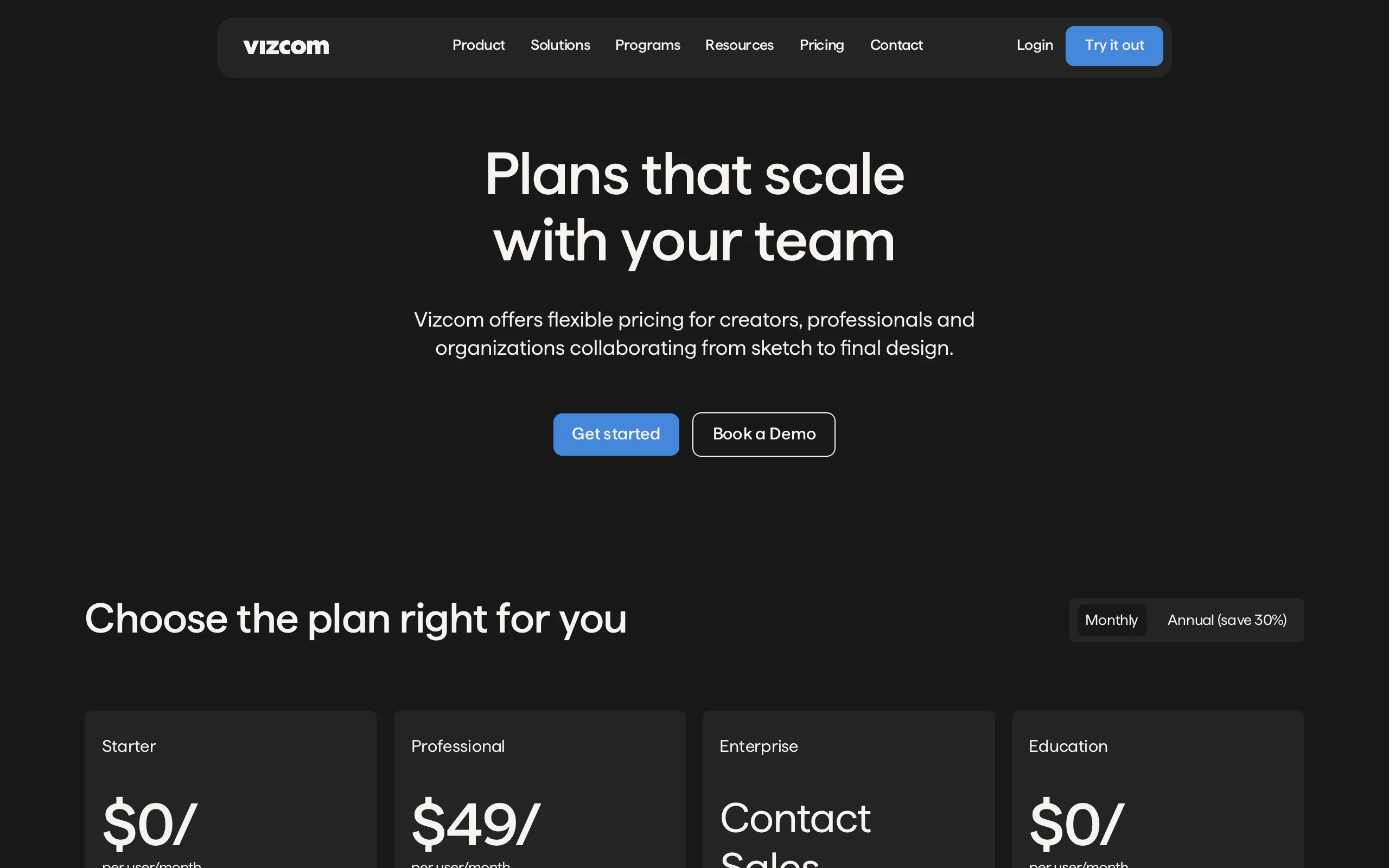
Vizcom is the default AI tool for product and footwear designers in 2026. Nike, Adidas, Puma, New Balance, On Running, and most of the consumer-electronics design world use it because it solved the one problem every footwear designer faces: turning a quick marker sketch into a photoreal concept render in under a minute, without leaving the design workflow.
You sketch directly in the Vizcom canvas (or upload an existing sketch), choose a render style or upload a reference, and the AI renders the result while you keep iterating. Live Render lets you see the AI output update in real time as you draw. The output is high enough fidelity to share with marketing, manufacturing, or leadership without an extra Photoshop pass.
AI Footwear Design with Vizcom
Key features
- Real-time sketch-to-render AI optimized for product design
- Live Render: AI output updates as you draw on the canvas
- Style references: upload a reference image to lock the visual direction
- Multi-image generation for variant exploration
- 4K export on Professional tier
- Full design privacy on paid tiers
- Custom AI models on Enterprise
Best for
- Footwear designers running fast sketch-to-render workflows
- In-house design teams at sportswear and lifestyle footwear brands
- Industrial designers crossing into footwear, accessories, and apparel
- Design students learning AI-augmented workflows
Pricing
- Starter (Free): $0/user/month — 2,250 monthly credits, basic AI tools, standard render speeds
- Professional: $49/user/month — 20,000 monthly credits, priority render queue, multi-image generation, 4K exports, Live Render, full design privacy
- Enterprise: custom pricing — unlimited usage and seats, fastest renders, custom AI models, SSO, audit logs
- Education: $0/user/month for qualified educators and students — 15,000 monthly credits, priority render queue
Pros
- Industry-standard tool with the broadest adoption among product designers
- Live Render is genuinely faster than any sketch-to-render alternative
- Full design privacy on paid tiers, important for unreleased product work
- Education tier makes it accessible to design students and instructors
Cons
- Professional tier at $49/user/month is the highest entry price on this list
- Credit-based pricing means heavy users may need add-ons
- Steeper learning curve than general-purpose AI image tools
2. WearView, best for visualizing finished footwear on AI models (specialist)
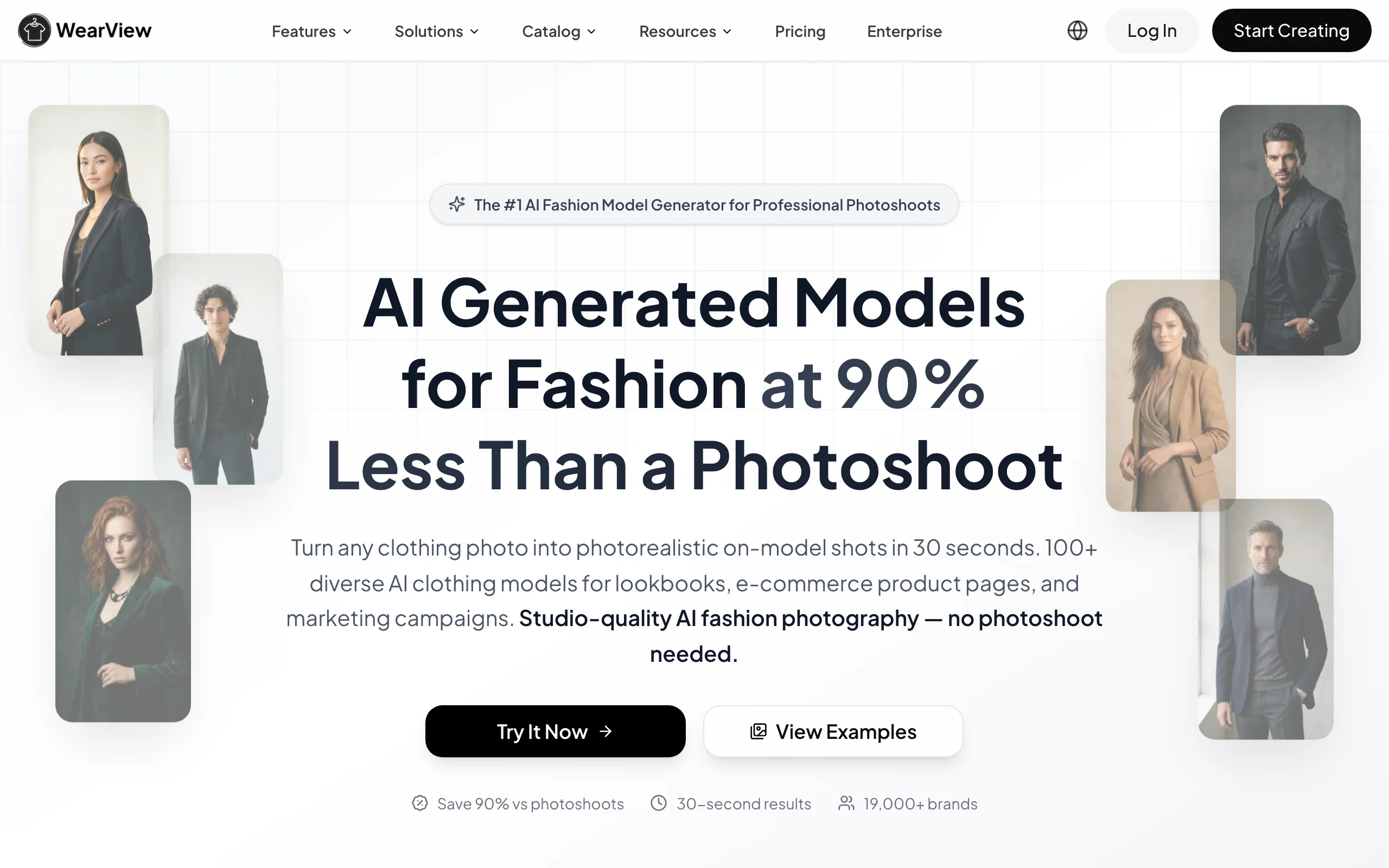
WearView is the odd one out on this list: it's not a footwear design tool. It doesn't generate shoe concepts from prompts, render sketches, or help you iterate on silhouettes. What it does do is the step right after design, the one most footwear teams under-resource: taking the finished shoe (rendered, photographed, or sampled) and placing it on a virtual model for lookbooks, campaign decks, ecommerce imagery, and social posts.
Why include it in a footwear design listicle? Because design doesn't end when the render is approved. Once the shoe exists as a 3D render or sample, designers and design managers still need to show the shoe in context: worn by a model, paired with an outfit, in an environment that signals positioning. Traditionally that meant a photoshoot. With WearView, you upload the shoe image, choose an AI model and outfit, and generate the on-model visualization in under 15 seconds.
WearView's product to model tool turns a product image (rendered or photographed shoe) into a new on-model photo, with the AI model wearing the shoe in a chosen pose and setting. You can describe the look you want via text or pick from a model library covering different ethnicities, body types, and ages. For brands that also need to visualize how shoes look on a real person before sampling, AI virtual try-on and the AI fashion model generator cover those adjacent workflows.
AI Footwear Design with WearView
Key features
- Product-to-model visualization: turn a shoe render or photo into on-model imagery in under 15 seconds
- AI model library with control over ethnicity, body type, age, and pose
- Pose control via reference images for varied lookbook angles
- Outfit pairing: pair the shoe with full looks in the same generation
- HD, 2K, and 4K output with full commercial usage rights
- Consistent model identity across a campaign or season
Best for
- Footwear designers presenting concepts to leadership or marketing in context, not on a white background
- Design managers building seasonal lookbook mockups before sampling
- Indie footwear brands skipping the photoshoot for early ecommerce and social imagery
- Wholesale and B2B teams needing campaign visuals fast
Pricing
- Lite: $29/month (50 credits) — standard AI engine, virtual try-on, product-to-model
- Pro: $49/month (200 credits) — premium AI engine, AI Fashion Video at 720p, up to 4 team members, priority support
- Advanced: $99/month (500 credits) — credit rollover, AI Fashion Video at 1080p, up to 15 team members, VIP support
- Enterprise: custom pricing with dedicated success manager
- Annual billing saves up to 2 months free
Pros
- Closes the gap between a finished shoe design and a campaign-ready visual without a photoshoot
- Fashion-tuned AI that handles outfit context, not just the shoe in isolation
- 4K output with full commercial usage rights on paid plans
- Team collaboration up to 15 members on the Advanced plan
Cons
- Not a design tool: it doesn't generate shoe concepts or render sketches
- Fashion-focused; pairs best with sneakers, heels, boots, sandals worn by AI models, less suited to technical product shots of components
- Credit-based pricing means heavy visualization runs may need top-ups
3. Midjourney, best for concept ideation and mood boards
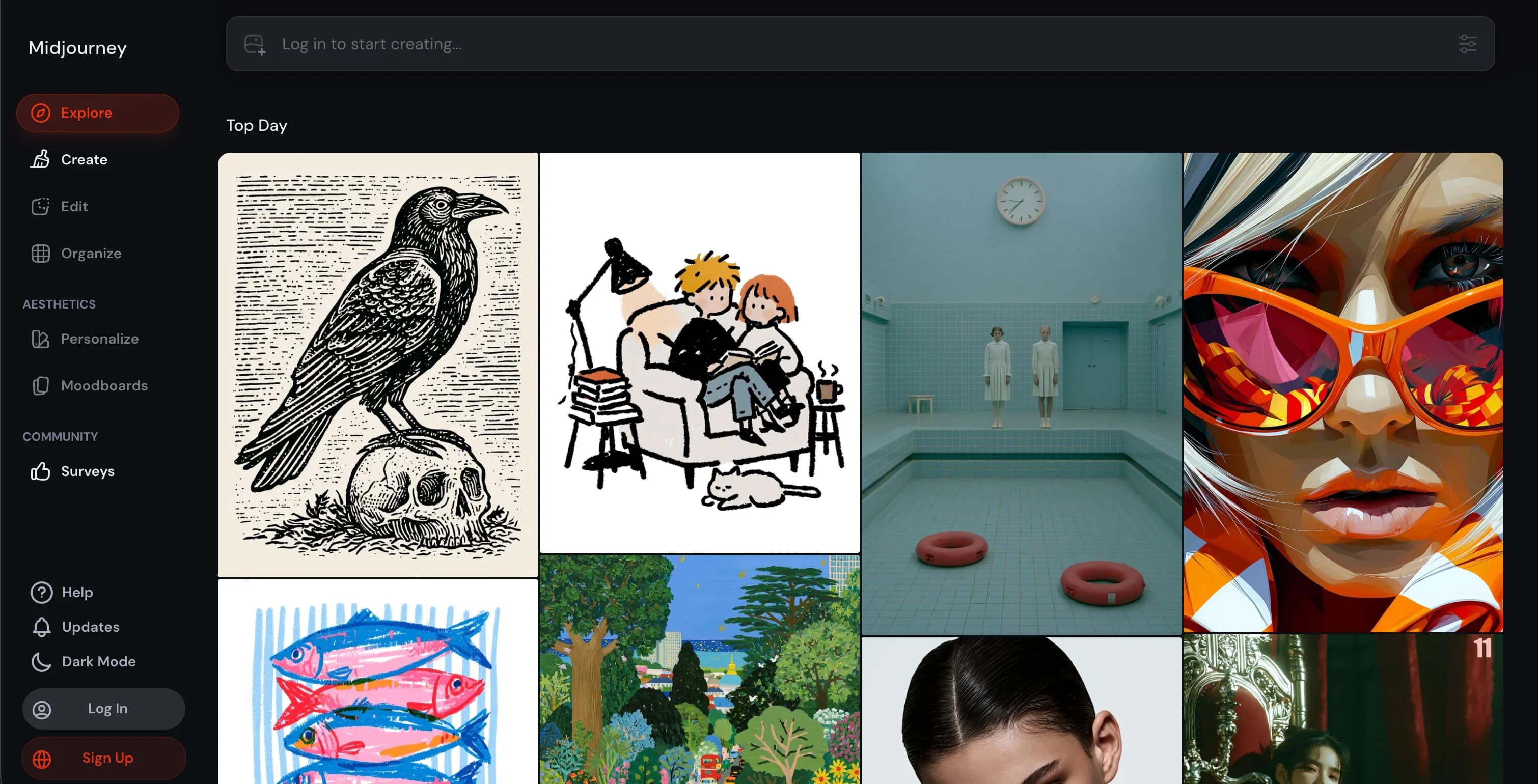
Midjourney remains the strongest text-to-image generator for early-stage concept exploration. Footwear designers reach for it when they need a hundred silhouette directions overnight, a mood board for a seasonal pitch, or visual inspiration before a single sketch hits the page. The aesthetic quality and prompt-following accuracy are still the benchmark the rest of the industry chases.
The trade-off is control: Midjourney is great at imagination and aesthetic, less great at "render this exact sketch." For sketch-to-render workflows, Vizcom or PromeAI are better picks. For "what if a chunky-soled hiking boot met a 1990s basketball silhouette?" Midjourney is unmatched.
AI Footwear Design with Midjourney
Key features
- Text-to-image generation with industry-leading aesthetic quality
- Image references (--cref, --sref) for style and character locking
- Inpainting and outpainting for targeted edits
- Style tuning and personalization to lock a designer's visual signature
- Discord and web app interfaces
Best for
- Footwear designers running early-stage concept exploration
- Designers building seasonal mood boards and aesthetic direction decks
- Creative directors generating presentation imagery for stakeholders
- Solo designers and small studios without a sketch-to-render budget
Pricing
- Basic: ~$10/month — limited fast GPU hours, suitable for occasional concept work
- Standard: ~$30/month — more fast GPU hours, unlimited relaxed generations
- Pro: ~$60/month — heavy use, stealth mode for private generations
- Mega: ~$120/month — maximum fast hours, stealth mode, fastest queue priority
- Annual billing typically saves around 20%
Pros
- Highest aesthetic quality among general text-to-image models
- Strong reference-image controls for style and character consistency
- Stealth mode on Pro+ keeps unreleased concept work private
- No design background required: prompt and iterate
Cons
- Not built for sketch-to-render or precise design control
- Discord-centric workflow can feel clunky for design teams
- Commercial use requires the right tier and terms (verify for each project)
4. PromeAI, best for fast sketch-to-render and structured workflows
PromeAI is the most capable Vizcom alternative for footwear sketch-to-render, with a control-rich workflow that suits designers who want more steering than a text prompt offers. Upload a sketch, pick a style preset (Realistic, Anime, Architecture, Fashion, Product), add a style reference if you want to lock the visual direction, and generate.
The tool covers a wider range of design categories than Vizcom (architecture, interiors, fashion, products, characters), which makes it useful for designers crossing between footwear, soft goods, accessories, and apparel. The free tier and lower paid tiers make it a credible budget alternative for design students and small studios.
AI Footwear Design with PromeAI
Key features
- Sketch-to-render across product, fashion, footwear, architecture, and interior categories
- Style presets and style references for visual direction control
- Image upscaling, background removal, and AI image expansion
- Multi-category support for designers working across product lines
- Free tier with usable AI tools
Best for
- Designers wanting a Vizcom alternative at a lower price point
- Design students and educators on a tight budget
- Multi-category designers crossing between footwear, fashion, and accessories
- Small studios that don't need Vizcom's full enterprise feature set
Pricing
- Free tier with limited daily generations
- Plus: from around $9.90/month — increased daily generations, more presets
- Pro: from around $23/month — high-volume generation, advanced features
- Higher tiers and annual plans available
- Pricing has shifted over time; verify current figures on the PromeAI pricing page
Pros
- Cheaper entry than Vizcom Professional with comparable sketch-to-render quality
- Wide category coverage helps multi-discipline designers
- Free tier supports real testing before paying
Cons
- Less specialized for footwear than Vizcom's product-design focus
- Smaller ecosystem and fewer integrations than the leading tools
- Pricing structure has changed multiple times; recheck before committing
5. Krea AI, best for real-time AI rendering and live ideation
Krea AI is the real-time generative canvas designers reach for when speed of iteration matters more than absolute output fidelity. The defining feature is the Real-Time canvas: as you draw, paint, or move objects, the AI re-renders the scene in real time, so ideation feels closer to a conversation than a render queue. For footwear designers running rapid color, texture, and material exploration, this is the fastest interface available.
Krea has also expanded well beyond image generation: video, 3D models, lip-sync, and workflow automation via Nodes are all in the same workspace. For a small footwear studio that needs image, video, and 3D from a single subscription, Krea covers more ground than most.
AI Footwear Design with Krea AI
Key features
- Real-Time canvas: AI re-renders as you draw or move objects
- Image, video, and 3D model generation in one workspace
- LoRA training for brand-style locking (50 images on Basic, 2,000 on Max)
- Upscaling to 4K (Basic), 8K (Pro), 22K (Max)
- Workflow automation via Nodes (Pro tier and above)
- Unlimited Krea 2 (in-house model) across paid tiers
Best for
- Designers running rapid color, texture, and material exploration
- Small studios needing image, video, and 3D in one subscription
- Brand teams training LoRAs to lock a visual signature
- Designers who want a "draw and see" workflow over text prompting
Pricing
- Free: $0 — 100 compute units/day, real-time models, basic upscaling to 2K
- Basic: $9/month — 5,000 compute units/month, commercial license, LoRA training (50 images), 4K upscaling
- Pro: $35/month — 20,000 units, all video models, workflow automation, 8K upscaling
- Max: $70/month — 60,000 units, unlimited LoRA training (2,000 files), unlimited concurrent generations, 22K upscaling
- Business: $200/month — up to 50 included seats, custom roles, LoRA training (20,000 images)
- Enterprise: custom — dedicated support, Analytics API, audit logs
- Yearly billing offers 40% discount
Pros
- Real-time canvas is the fastest ideation interface available
- Multi-modal (image, video, 3D) in one subscription
- Commercial license on all paid tiers
- LoRA training is accessible from the Basic tier
Cons
- Compute-unit pricing requires planning for heavy generation runs
- Less polished for sketch-to-render than Vizcom or PromeAI
- Learning curve for Nodes-based workflow automation on Pro+
6. Adobe Photoshop with Firefly, best for refining AI concepts in the design stack
Photoshop is still where most footwear concepts live their final form: layer-by-layer adjustments, precise color work, packaging mockups, and presentation boards. With Adobe Firefly integrated as Generative Fill, Generative Expand, and the Remove Tool, the canvas now does generative AI without leaving the tool footwear designers already use.
The use case in footwear design is less about generating concepts from scratch (Midjourney, Vizcom, and Krea handle that better) and more about taking an AI-generated render or photographed sample and refining it: removing background distractions, expanding a render to fit a wider deck format, swapping a sole color, or compositing the shoe into a brand-styled scene.
AI Footwear Design with Adobe Photoshop
Key features
- Generative Fill: replace or add objects via text prompts
- Generative Expand: extend the canvas with AI-generated content matching the original
- Remove Tool: one-stroke object removal with content-aware fill
- Adobe Firefly powered, with commercial-safe licensing on Adobe-trained models
- Full Photoshop layer, mask, and color toolset
- Plays well with Illustrator and Lightroom for the full design stack
Best for
- Footwear designers refining AI-generated concepts before presentation
- Design teams already on Creative Cloud
- Designers who need pixel-level control alongside generative edits
- Concept and packaging work where layer precision matters
Pricing
- Photography plan: from around $9.99/month (Photoshop + Lightroom + 20 GB storage)
- Photoshop single app: from around $22.99/month
- Creative Cloud All Apps: from around $59.99/month
- 7-day free trial typically available
- Pricing varies by region and promotional cycle
Pros
- Industry standard, with the broadest plugin and tutorial ecosystem
- Generative Fill outputs are commercial-safe under Adobe terms
- Non-destructive layer workflow that AI-only tools can't match
- Integrates cleanly with Illustrator and the rest of Creative Cloud
Cons
- Steepest learning curve on this list
- Not designed for sketch-to-render or rapid concept ideation
- Generative AI credits are metered on lower tiers; overage charges above the monthly limit
7. Leonardo AI, best for high-fidelity product renders and texture exploration
Leonardo AI is the generative image platform with the strongest ecosystem of fine-tuned models for product, character, and concept work. For footwear designers, the appeal is twofold: a wide library of community-trained models that excel at product rendering, and a Canvas Editor that supports inpainting, outpainting, and image-to-image refinement.
Leonardo sits between Midjourney's pure aesthetic strength and Vizcom's design-tool focus. It's not a sketch-to-render tool in the Vizcom sense, but image-to-image and ControlNet-style guidance let you steer toward a specific shoe direction, then iterate on texture, color, and lighting. The free tier (with daily token allocations) makes it easy to test.
AI Footwear Design with Leonardo AI
Key features
- Image generation with fine-tuned models for product, character, and concept
- Canvas Editor with inpainting and outpainting
- Image-to-image generation for sketch-guided rendering
- Real-time canvas mode for faster iteration
- Motion (image-to-video) for short concept clips
- Prompt history and saved generation library
Best for
- Footwear designers exploring texture and material variants
- Designers wanting more control than Midjourney offers without the price of Vizcom
- Creative teams needing both image and motion (short concept video)
- Hobbyists and students testing AI workflows on a free tier
Pricing
- Free: limited daily tokens
- Apprentice: from around $12/month — more tokens, faster generations
- Artisan: from around $30/month — higher token caps, advanced features
- Maestro: from around $60/month — top-tier tokens, all features
- Enterprise tiers available
- Annual billing typically offers a discount
Pros
- Wide ecosystem of fine-tuned models for product and concept work
- Image-to-image and ControlNet-style controls for guided rendering
- Free tier with daily tokens to test before paying
- Motion feature adds short-clip generation alongside images
Cons
- Not specialized for footwear in the way Vizcom is
- Subscription overage can climb fast if you don't watch token usage
- UI evolves quickly; older tutorials can fall out of date
How to choose the best AI tool for footwear design
1) Where in the design process are you?
If you're at the concept stage (mood boards, silhouette exploration, "what if we crossed a hiking boot with a basketball shoe"), Midjourney and Leonardo AI are the strongest picks for raw imagination quality. If you're at the sketch-to-render stage (turning a marker sketch or 3D blockout into a photoreal concept), Vizcom is the industry standard, with PromeAI as a lower-cost alternative. For real-time iteration on color, texture, and material, Krea AI's real-time canvas is the fastest interface available. For refining a final render or compositing for a deck, Adobe Photoshop with Firefly is still the deepest tool.
If you're at the post-design stage (visualizing the finished shoe on a model for lookbooks, campaign mockups, or ecommerce imagery), WearView is the specialist for that step. For more on AI-augmented fashion design workflows generally, see our guide to AI fashion design.
2) Solo designer, small studio, or in-house team?
Solo designers and students benefit most from the free and lower-paid tiers: Krea AI Basic ($9/month), PromeAI Plus ($9.90/month), Midjourney Basic ($10/month), and Adobe Photography plan ($9.99/month) are all entry points under $15/month. Small studios should plan on Vizcom Professional ($49/user/month) plus one or two of the generative tools (Midjourney, Krea, Leonardo) for $80-100/month total. In-house teams at brands typically run Vizcom Enterprise plus Adobe Creative Cloud, with generative tools layered for specific workflows.
3) How important is design privacy?
For unreleased product work, privacy matters: a sketch leaking before a launch can derail a season. Vizcom Professional and above include full design privacy. Midjourney Pro and Mega include stealth mode for private generations. Krea AI's higher tiers and team plans offer enterprise-grade controls. Free and lower-paid tiers on most platforms include the right for the platform to use generations for model training; check the terms for any concept work tied to a confidential brief.
4) Sketch-to-render quality or pure aesthetic strength?
If you draw and want the AI to render what you drew, Vizcom and PromeAI are the right picks. If you want the AI to imagine something better than you could draw, Midjourney and Leonardo AI are the right picks. Most footwear designers use both: a sketch-to-render tool for the disciplined design work, and a text-to-image generator for the wide-net exploration phase.
FAQ
What is AI footwear design? AI footwear design uses generative AI to assist or accelerate the shoe design process: turning sketches into photoreal renders, generating concept variations from a text prompt, exploring color and material variants in real time, or visualizing a finished shoe on an AI model for lookbooks. The category covers everything from idea generation to render to presentation, and most designers use multiple AI tools across the workflow.
Which AI tool is best for footwear sketch-to-render? Vizcom is the industry-standard AI tool for sketch-to-render in footwear and product design, used by major sportswear brands and design studios. PromeAI is the strongest lower-cost alternative. For real-time rendering as you draw, Krea AI's real-time canvas is the fastest interface.
Can AI replace footwear designers? No, but it changes what the job looks like. AI handles the speed-of-iteration step (render variations, color exploration, concept ideation, presentation imagery) much faster than manual workflows. Designers still own the direction, the brand context, the technical constraints (last shape, pattern engineering, manufacturing), and the final approval. AI tools augment designers; they don't replace the judgment and craft.
Which AI tool is best for shoe concept ideation? Midjourney is still the strongest text-to-image generator for early-stage concept exploration, with the highest aesthetic quality and the best prompt-following accuracy. Leonardo AI is a strong alternative with more control via image-to-image and fine-tuned models. For real-time concept exploration with a draw-and-iterate workflow, Krea AI is the fastest interface.
Can I use AI footwear design tools commercially? Yes, on paid tiers in most cases. Vizcom paid tiers include commercial use. Midjourney requires the right tier and terms. Krea AI grants commercial licenses on all paid tiers. Adobe Firefly outputs are commercial-safe on Creative Cloud subscriptions. WearView grants full commercial usage rights on paid plans. Always verify the terms for the specific tier and the specific output before using it in a launch campaign.
Is there a free AI tool for footwear design? Yes. Vizcom Starter offers 2,250 monthly credits free. PromeAI has a free tier. Krea AI free includes 100 compute units per day with real-time models. Leonardo AI free includes daily tokens. Midjourney does not offer a permanent free tier. WearView does not have a free tier; paid plans start at $29/month.
How long does AI rendering take in footwear design? Vizcom Live Render and Krea AI's real-time canvas update as you draw. Midjourney and Leonardo standard generations run in 30-90 seconds. Vizcom Professional render queue is typically a few seconds. PromeAI runs a few seconds to under a minute. WearView's product-to-model generates an on-model image in under 15 seconds. Compared to a traditional rendering pipeline (often hours per render), every AI tool here is dramatically faster.
Do I need a 3D background to use these tools? No. Most of the tools on this list work from 2D sketches or text prompts; you don't need a 3D model. Vizcom can take a 3D blockout if you have one (it improves render accuracy), but 2D sketches work too. For visualization on a model, WearView accepts a flat product image of the shoe.
Which AI tool is best for footwear marketing visuals after design is finished? WearView is the specialist for this step. Once the shoe is designed (rendered or sampled), WearView places it on an AI model in a chosen pose, outfit, and setting in under 15 seconds, producing lookbook, campaign, and ecommerce imagery without a photoshoot. For the full set of options, see our 7 best AI footwear product photography tools. General AI image tools can produce similar imagery, but WearView's product-to-model workflow is purpose-built for putting a real product on a real-looking model with garment and footwear fidelity.

WearView Team
WearView Content & Research Team
WearView Team is a group of fashion technology specialists focused on AI fashion models, virtual try-on, and AI product photography for e-commerce brands. We publish in-depth guides, case studies, and practical insights to help fashion businesses improve conversion rates and scale faster using AI.


