
July 21, 2026•19 min read
How to Create an AI Video of a Person Wearing a Specific Outfit From a Photo (2026)
Got a photo of a person and a photo of a garment? Here is the two-stage try-on to video workflow, why your logo dies before the video model even runs, and why the usual advice about negative prompts makes things worse.
Picture of How to Create an AI Video of a Person Wearing a Specific Outfit From a Photo article
You have two pictures: a person, and a jacket. You want a video of that person wearing that jacket. Not a similar jacket. That one, with its exact collar, its exact olive, its exact chest logo.
This is a harder problem than it looks, and it is not the same problem as making a photo move. Animating a photo is one job. Putting a specific garment on a specific person and then keeping it intact for 240 frames is two jobs, and the second one is where nearly everyone's output falls apart.
Most guides on this topic will tell you to write negative prompts and describe the garment in detail. On the two most common 2026 pipelines, both of those instructions are documented by the vendors as useless or actively harmful. We will get to that.
This guide covers the real workflow: how to transfer the outfit, why your logo is often destroyed before the video model even runs, which tools exist in July 2026 (one very popular answer no longer does), what actually keeps a garment stable, and the disclosure rules that changed this year.
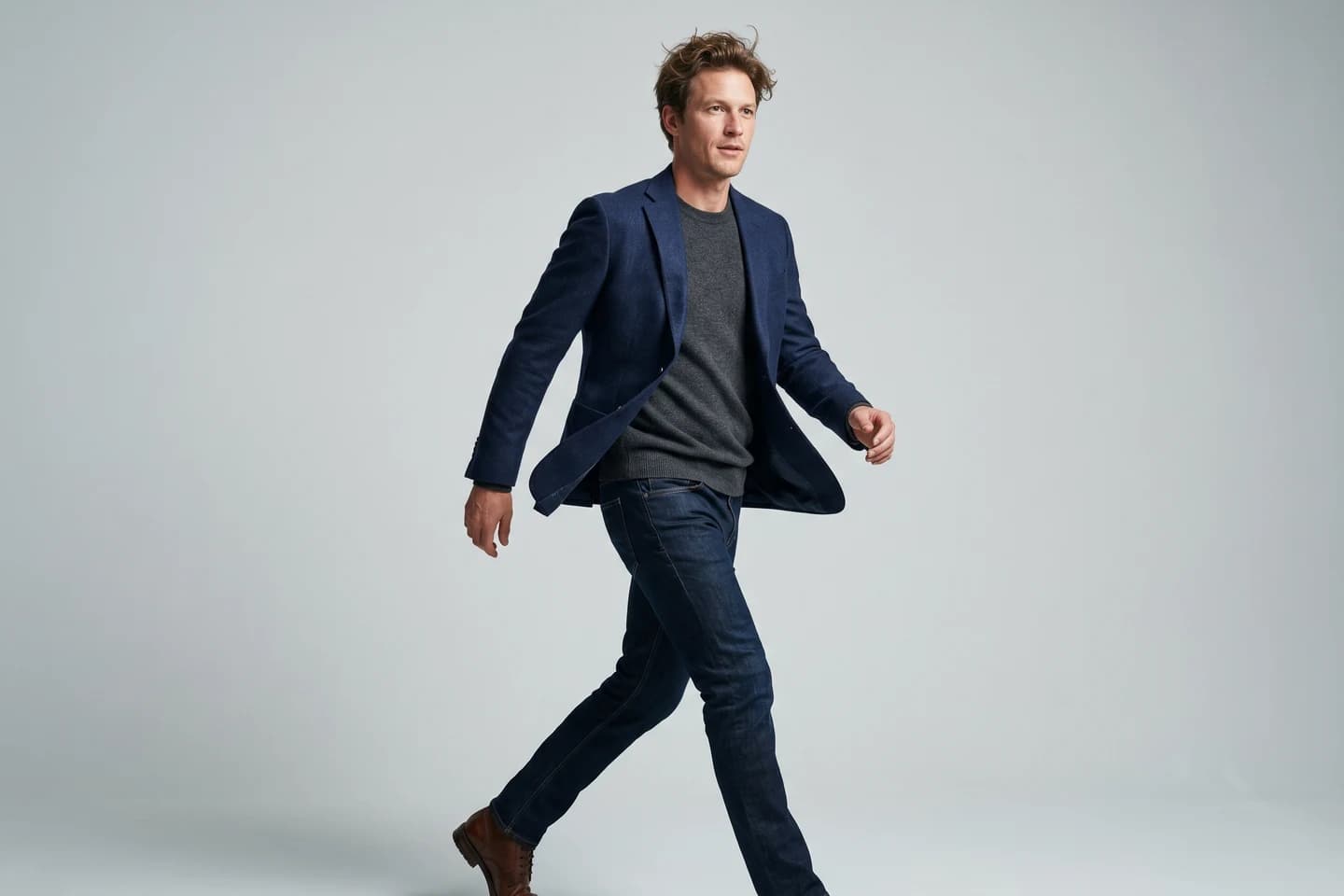
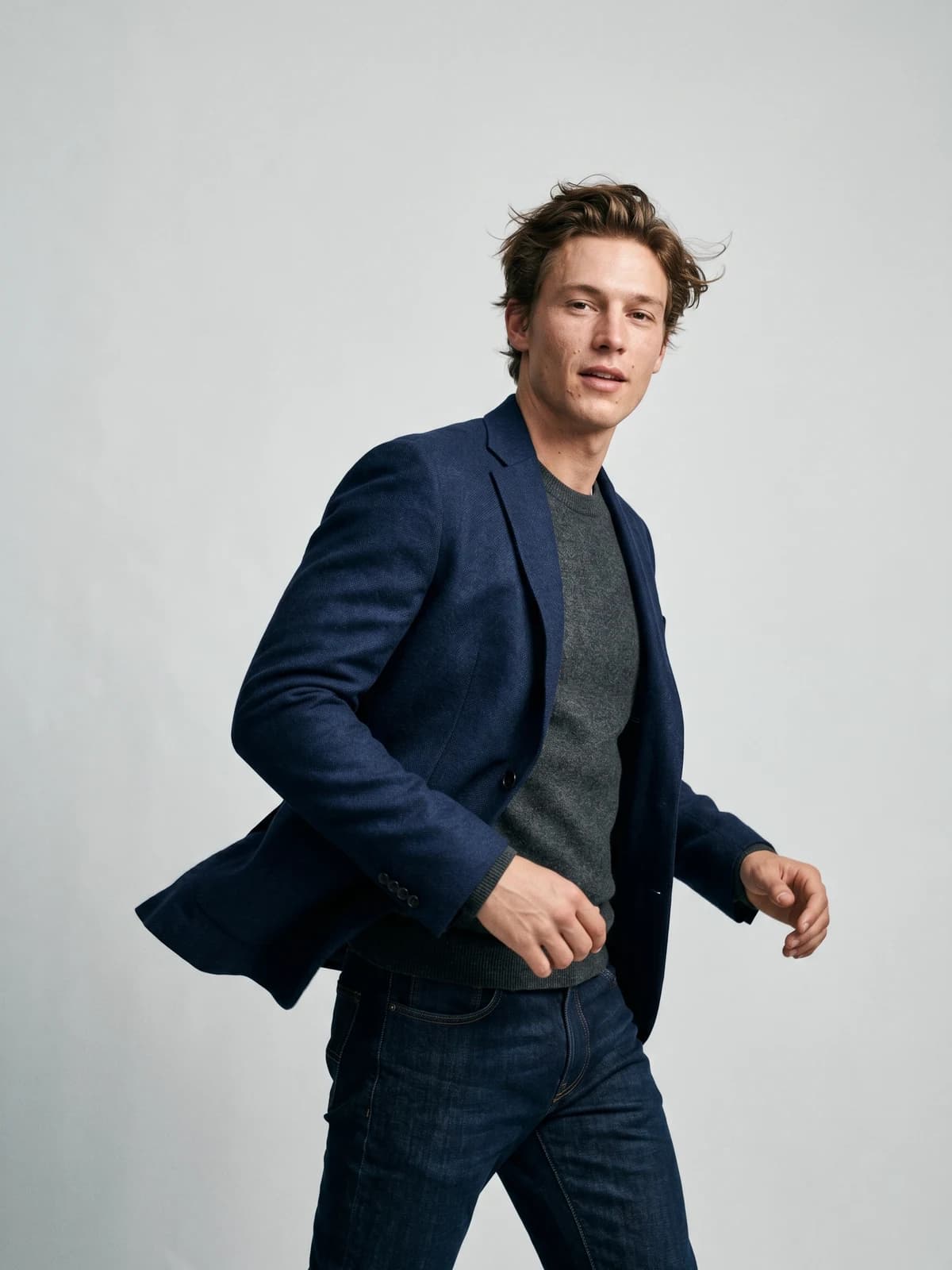
Bring your products to life on video
Turn a single image into a scroll-stopping fashion video for social feeds and product pages.
What you are actually building
This is a two-stage pipeline, and understanding that is most of the battle.
- Garment transfer. Combine the person photo and the garment photo into one still: the person, wearing that outfit.
- Image-to-video. Feed that still to a video model as a first frame and generate motion.
The stages are not independent, which is the thing to internalise. Stage 2 does not fix stage 1. It amplifies it. Whatever the try-on got slightly wrong becomes the seed for every frame that follows, and the error compounds.
That coupling is also an argument against assembling this from two unrelated tools. If your try-on lives in one product and your video in another, the handoff is a file export, and you only discover the garment broke after you have paid for the clip. Doing both stages in one place (WearView is built this way, and it is our product, so weigh that accordingly) means the still you approve is the still that gets animated.
If your source photo already shows the person in the outfit and you only want them to move, you can skip stage 1 entirely. That is a different guide: we covered making a walking video from a single photo separately, including gait and camera work.
Stage 1: Put the specific outfit on the person
Modern virtual try-on is a diffusion problem framed as inpainting. The software masks out the region of the person's body where the garment goes, then regenerates that region conditioned on your garment image.
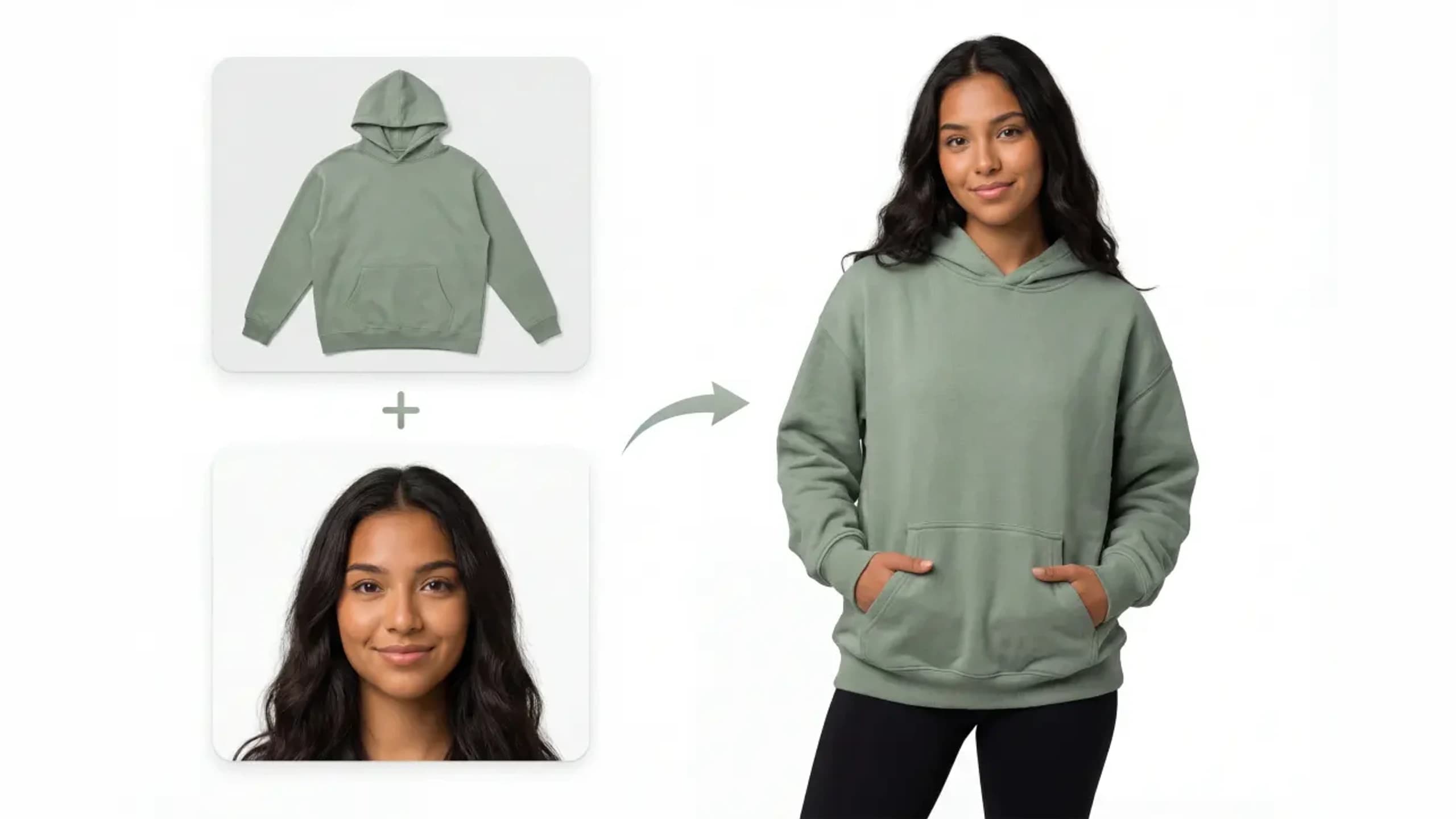
Garment transfer for an AI outfit video: a sage green hoodie flat-lay plus a photo of a person, combined into a full-body on-model result
The interesting part is how the garment's detail gets carried across, and the research has swung hard over three years:
| Method | Year | The idea |
|---|---|---|
| TryOnDiffusion | 2023 | Parallel-UNet; warps the garment implicitly through cross-attention rather than as a separate step |
| StableVITON | 2023 | Learns correspondence in latent space, with no cross-attention blocks |
| OOTDiffusion | 2024 | Drops warping entirely, fusing the outfit in self-attention |
| IDM-VTON | 2024 | Dual encoder: semantics via cross-attention, fine detail via self-attention |
| CatVTON | 2024 | Spatially concatenates person and garment; only 49.57M trainable parameters |
| FitDiT | 2024 | Adds a frequency-domain loss specifically to protect high-frequency detail |
Read down that table and you can see the field's conclusion: explicit geometric warping got replaced by attention, and then by nothing at all. The detail transfer happens because the model attends to the garment image while regenerating the masked region.
Which tells you what to optimise. Since detail survives via attention to your garment reference, the reference has to be worth attending to: shot flat, evenly lit, in focus, with the logo and weave actually legible at full zoom. A soft phone snap of a crumpled jacket gives the model nothing to copy, and it will invent the difference. The same logic underpins flatlay to model conversions, and it is why fashion-specific tools like WearView ask for a clean packshot rather than a styled photo.
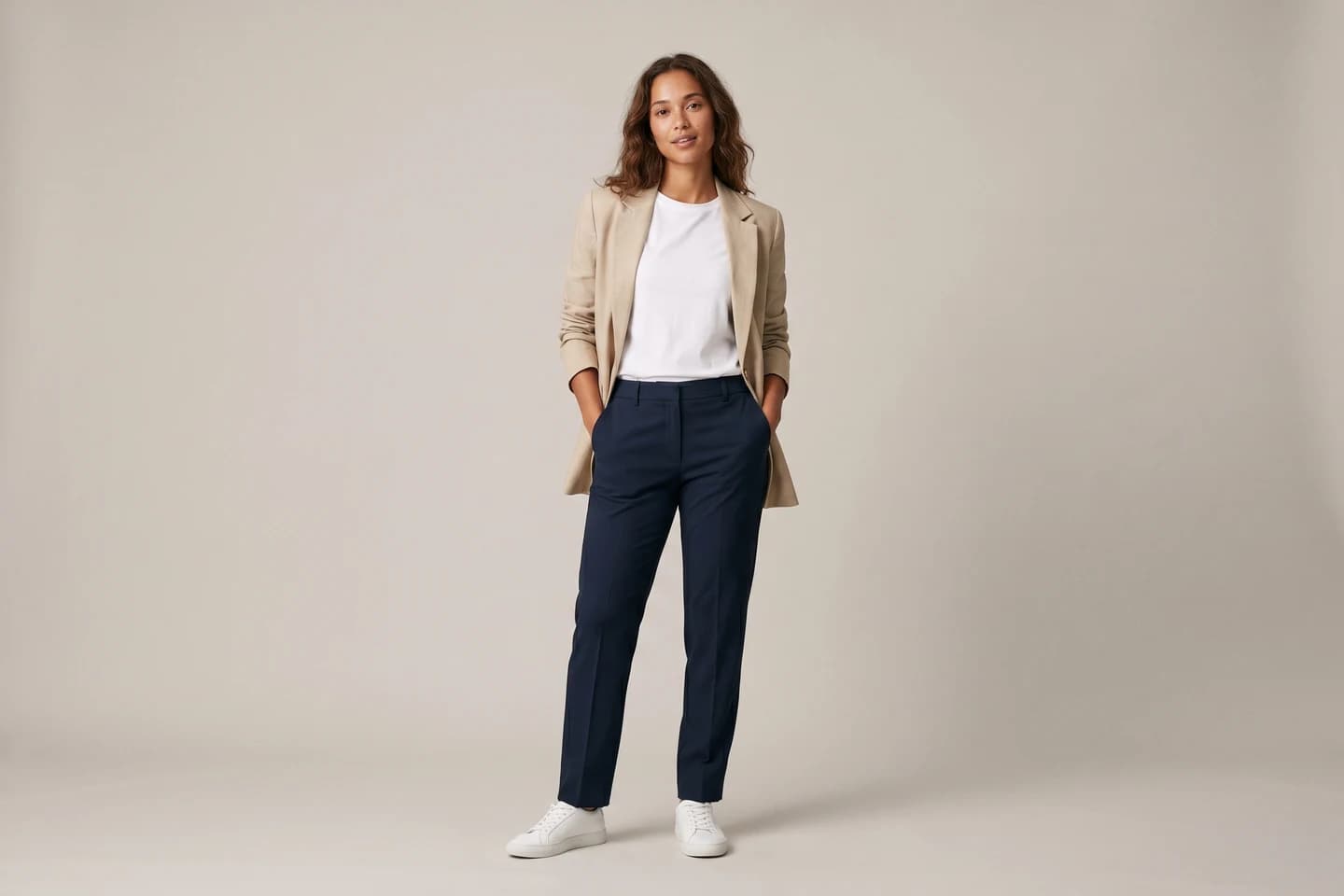
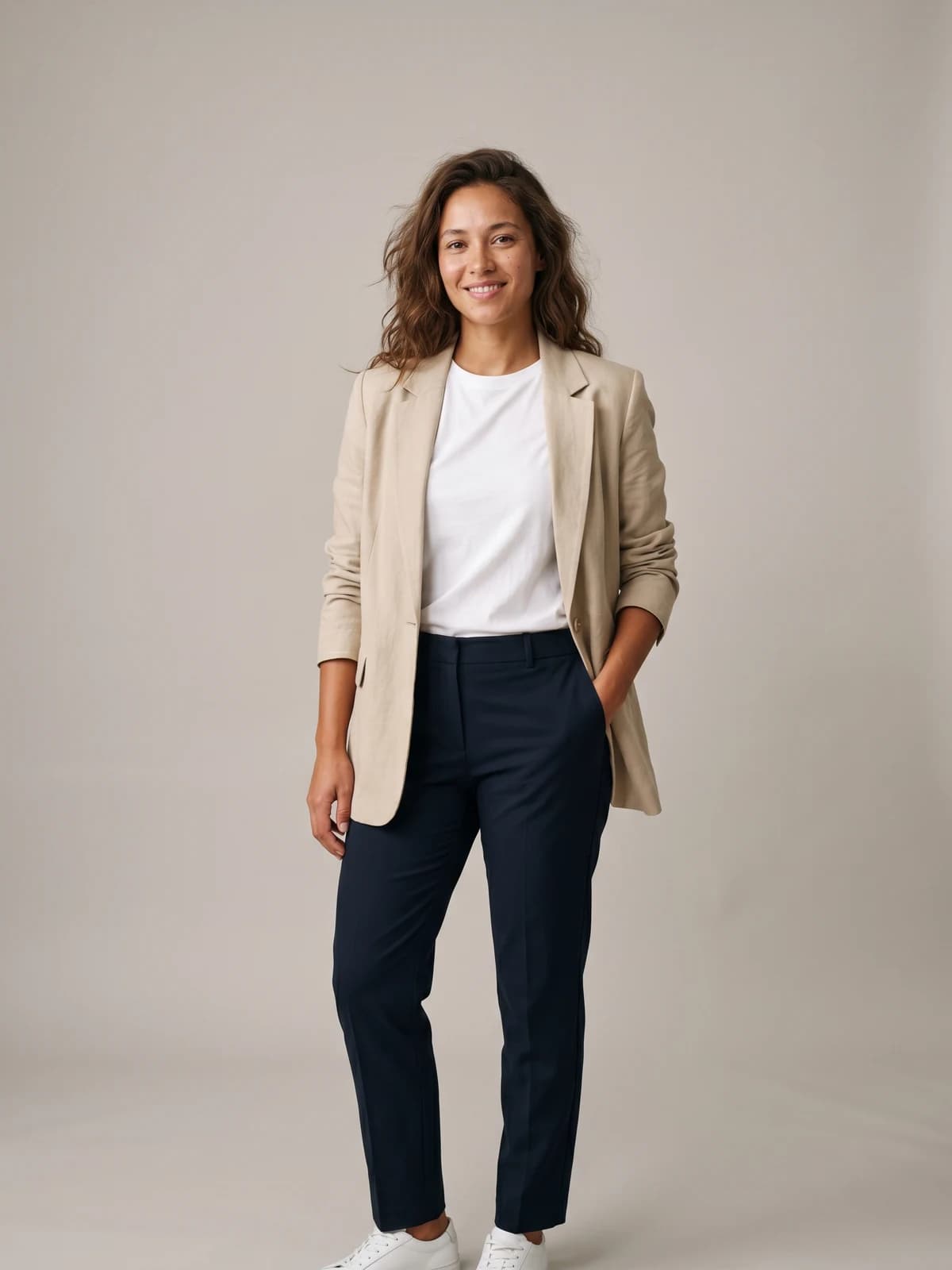
See any outfit on a real-looking model
Upload one garment photo and preview it on lifelike AI models in seconds. No studio, no samples to ship.
Why your logo dies before the video model even runs
Here is the mechanism nobody explains, and it reframes the whole problem.
Diffusion models do not work on pixels. They work in a compressed latent space, and an autoencoder does the compressing. That compression is lossy, and it is lossiest on exactly the thing you care about.
Meta's Emu paper states it plainly: the commonly used 4-channel autoencoder "often results in a loss of details in the reconstructed images due to its high compression rate," and this is "especially noticeable in small objects."
A chest logo is a small object. So is a knit texture, a button stamp, a care label, and fine pinstripe. They are all high-frequency detail, and they are the first casualties of compression.
How much does this matter? Stability AI's SD3 paper measured reconstruction quality against the number of latent channels. Going from 4 channels to 16 lifts PSNR from 25.12 to 28.62 and SSIM from 0.75 to 0.86. That gap is your logo.
The implication is blunt: the detail can be gone before denoising even begins. No amount of clever prompting recovers information the autoencoder already threw away. This is why newer models moved to 16-channel latents, and why FitDiT needed a dedicated frequency-domain loss.
It also explains the single most common false hope in this workflow, which we will come back to: 4K output does not bring the logo back.
Stage 2: Animate the still
Now you feed your try-on result to a video model as the first frame.
AI fashion video generated from a single on-model still image
The research literature is unusually candid about how badly this goes. The ViViD paper puts the dilemma in one sentence: applying image-based try-on to video frame by frame "will cause temporal-inconsistent outcomes," while video-native try-on methods "can only generate low visual quality and blurring results."
Per-frame gives you flicker. Video-native gives you blur. Both destroy the garment. That is the whole problem in one citation.
Four mechanisms explain why:
- Video models are image models with temporal layers added on. Stable Video Diffusion describes image models "turned into generative video models by inserting temporal layers." Garment detail lives in the spatial layers; consistency is enforced by a separate mechanism bolted alongside. They were not co-designed.
- Time gets compressed too. CogVideoX uses a 3D causal VAE compressing at 8x8x4. Spatial compression attacks the logo; temporal compression smears what is left across frames.
- Flicker is a high-frequency failure. The FRAG paper (ICML 2024) identifies a "high-frequency leak," where the model "fails to accurately synthesize high-frequency components during denoising," producing blurring and flickering. Your logo is high-frequency. (FRAG studies video editing, but it dovetails exactly with the autoencoder problem above.)
- Drift is exposure bias. The Self Forcing paper notes models "trained on ground-truth context must generate sequences conditioned on their own imperfect outputs during inference." Frame 60 inherits frame 59's already-wrong logo and degrades it further. This is precisely why long clips and extensions fall apart.
Tellingly, the workarounds confirm the diagnosis. Tunnel Try-on physically zooms into the garment region to preserve detail. Virtual Fitting Room requires an external 360 degree anchor video to stop drift. Researchers bolt on scaffolding because the base models cannot hold a garment on their own.
Two more honest limits. Hands wreck try-on: the VTON-HandFit authors note hand occlusion causes "notable degradation of the try-on performance." And fabric does not obey physics: the VideoPhy benchmark found its best-performing model satisfied both the caption and physical laws in only 39.6% of cases.
Which tools can actually do this in July 2026
There are two routes, and picking the wrong one is why most people's first attempt looks broken.
Either you drive a general-purpose video model yourself and own every prompting decision, or you use a fashion tool where those decisions are already made. Given that the last two sections were mostly a list of ways prompting quietly betrays you, that choice is less obvious than it sounds.
Route one: a fashion template
The hard part here is not generating motion. It is not wrecking the garment while you do it. A fashion-specific tool addresses that by not asking you to prompt at all.
WearView is our own product, so read this as disclosure rather than a neutral verdict. The mechanics are worth showing anyway, because they encode exactly what the research above recommends. Its video generator ships 7 pre-built fashion templates, each in a male and a female variant: Catwalk, 360 Showcase, Walk-Through, Back Turn, Side Reveal, Zoom In, and Hair Fix. Each one carries a first-frame prompt and a separate motion prompt written for fashion, and all 12 variants pin the same instruction: "Keep exactly the same model and outfit as the reference image."
Three details map directly onto the failure modes above:
- The motion prompt describes only motion. Which is precisely what Runway's documentation tells you to do, and what almost everyone gets wrong by re-describing the jacket.
- Clips run 6 to 8 seconds. Inside the safe zone, before exposure-bias drift starts compounding.
- The Back Turn template generates its last frame first, using the interpolation trick that stops a 180 degree turn from inventing a different garment halfway round.
Practically: 720p costs 10 credits and 1080p costs 20, output comes in 1:1, 3:4, 4:3, 9:16, or 16:9, and plans start at $29/month. Because try-on and video sit in the same workspace, stage 1 and stage 2 are not two tools you glue together and hope.
The trade is control. A template gives you seven motions. A raw model gives you any motion you can describe, plus the entire burden of describing it correctly.
Route two: the general-purpose models
Start with the correction, because most articles ranking for this topic are now wrong.
Sora is gone. Not deprecated, discontinued. OpenAI shut the Sora app and website down on 26 April 2026, and the API follows on 24 September 2026. Nothing replaced it; OpenAI redirected compute elsewhere and exited consumer video generation. If a guide still ranks Sora first, it has not been touched in months.
Here is what actually exists, verified against vendor documentation on 16 July 2026:
| Tool | Clip length | Resolution | First frame input | Price |
|---|---|---|---|---|
| WearView | 6 or 8s, set by template | 720p / 1080p | Generated for you from your still | 10 credits (720p), 20 (1080p) |
| Veo 3.1 | 8s (4 or 6 optional) | 720p; 1080p and 4K at 8s only | Yes, plus lastFrame | $0.40/s (720p, 1080p) |
| Veo 3.1 Fast | 8s | 720p to 4K | Yes | $0.10/s (720p) |
| Gemini Omni Flash | Not published | 720p documented | Yes (text, image, video in) | $0.10/s at 720p |
| Runway Gen-4.5 | 2 to 10s | 720p default | Yes | 12 credits/s (about $0.12/s) |
| Kling 3.0 | Up to 15s | Not confirmed for video | Yes, start and end frames | Not verifiable |
| Wan 2.7 | 2 to 15s | 720p / 1080p | Yes, plus reference-to-video | Not published |
| Hailuo 2.3 | 6s or 10s | 768p; 1080p at 6s | Not stated in docs | Published per-clip |
The first row belongs to a different category from the rest, and that is the point. WearView is not a foundation model, it is a fashion layer built on top of one, which is why the prompting columns do not apply to it: the template supplies the prompt. Everything below it is a raw model you drive yourself. Pick that route when you need a motion no template covers, and pay for it in prompt iterations.
Four things worth knowing before you pick:
- Google now points at Omni Flash by default. Google's own docs recommend it as the default for video, reserving Veo 3.1 "for specific capabilities like scene extension, last-frame control, or integration with legacy pipelines."
- Veo's 4K is upscaled, not native. Google's wording is "state-of-the-art upscaling." Upscaling invents plausible pixels; it cannot recover a logo the autoencoder discarded. Do not buy 4K expecting your print back.
- You cannot animate a photo of a minor. Veo's
personGenerationsetting for image-to-video acceptsallow_adultonly, across every variant and region. This is structural, not a policy you can appeal. - Price per second is not the cost. The real cost is regenerations. A $0.10/s clip you run eight times because the prompt kept fighting you is more expensive, and far slower, than one that lands on the first attempt. Budget for iteration, or remove the iteration.
Nobody can honestly rank these on garment fidelity. No vendor publishes garment-fidelity metrics and no independent benchmark tests it. Any post that ranks tools on how well they preserve your logo is guessing. For a broader tool survey, see our roundup of the best AI fashion video generators.
The prompt advice that makes your video worse
This is the part where the internet is confidently wrong, and the vendors say so in their own documentation.
Negative prompts mostly do not work here
The standard advice is to write "no warping, no morphing, no distorted logo." Check what that actually does on each path:
| Path | Negative prompts | What the vendor says |
|---|---|---|
| Runway Gen-4 / 4.5 | Harmful | "Negative phrasing is not supported and may produce unpredictable or even opposite results" |
| Gemini Omni Flash | Ignored | "System instructions, temperature, top_p, stop sequences, and negative prompts are not supported" |
| Veo 3.1 | Supported, with a catch | Use descriptive exclusions, not "no" statements |
So the most-repeated tip in this niche does nothing on Omni Flash and may invert on Runway. Runway's own fix is to rewrite the instruction positively: not "No camera movement" but "The camera doesn't move."
Describing the garment in detail also backfires
The other instinct is to protect the jacket by describing it thoroughly in the video prompt. Runway's documentation says the opposite, explicitly: because the image already carries "subjects, composition, colors, lighting, and style," your prompt "should be almost entirely focused on describing the desired motion." It goes further: "Reiterating elements that exist within the image in high detail can lead to reduced motion or unexpected results."
The still already contains the garment. Re-describing the logo costs you motion and buys you nothing.
For Veo, Google's suggested structure is: cinematography, subject, action, context, then style and ambiance.
What actually keeps the garment stable
- Keep it short. Every model caps natively between 5 and 15 seconds, and that is not an accident. Extension is exactly where exposure-bias drift compounds, and Veo's extension drops you back to 720p.
- Lock the camera with positive phrasing. "The camera is locked off" beats "no camera movement," on Runway's own instruction.
- Do not shoot as wide as you think. Identity research (IPRO) finds face preservation fails hardest when the face "occupies merely a small fraction of the image," and with large movement. The full-body fashion wide is the worst case for face drift. If you need the full look and the face, consider two clips.
- Fix stage 1 before you animate. Judge the try-on still at 100% zoom, not thumbnail size. Logo failure is high-frequency, so it is invisible small and fatal large. This still is the highest-leverage artifact in the pipeline.
- Use first and last frame conditioning where it exists. Veo supports
lastFrame, Kling supports start and end frames, Pika has Pikaframes. Omni Flash does not support interpolation. Kling's own guidance is to "choose two similar images with the same theme," since large differences trigger a shot switch. (That this specifically stabilises garments is reasonable inference, not a published finding.) - Reuse the same person. If you are producing a set rather than one clip, locking model identity across shots is its own discipline, which is what consistent AI models are for.
Read that list again and notice what it is: six defaults. Short clip, still camera, sensible framing, motion-only prompt, last-frame conditioning where it helps, same model throughout. None of it is creative. It is configuration, and it is identical for almost every fashion clip anyone ships. That is exactly the argument for a template: WearView's ship with these choices already made, so the only decision left is which of the seven motions you want. If you would rather keep the control, the raw models give you every one of these knobs and the responsibility for setting them correctly each time.
An emerging shortcut worth watching: reference-to-video may eventually collapse both stages into one. Wan 2.7 ships a reference-to-video model, Kling 3.0 takes reference images, and Veo accepts up to three. Whether it holds a garment better than the two-stage route is untested.
Consent and disclosure: the rules changed this year
If the person in your photo is real, this section matters more than the rest of the guide. This is general information, not legal advice.
- EU AI Act, Article 50(4). From 2 August 2026, deployers who generate or manipulate image or video content constituting a deepfake must disclose that it is artificially generated. Penalties under Article 99 reach 15 million euro or 3% of worldwide annual turnover, whichever is higher (for SMEs, whichever is lower).
- New York's synthetic performer law. In force since 9 June 2026, it requires conspicuous disclosure when an advertisement uses an AI-generated synthetic performer, and it applies regardless of where the advertiser is based. Note the scope: this can bite on ads using AI models even when no real person is depicted.
- New York Fashion Workers Act. Models must give separate, explicit written consent for a digital replica, covering scope, purpose, pay, and duration. Critically, as of 19 June 2025, any prior power-of-attorney agreement that included digital replica use is no longer valid. Old paperwork does not carry forward.
- TikTok is strictest on this exact workflow. Using the likeness of private figures without consent is flatly not allowed, and "private figure" covers non-celebrity adults. That is your friend, your customer, and your fit model.
- Veo will often refuse at source. Its celebrity filter rejects requests to generate a photorealistic representation of a prominent person unless allowlisted.
One technical point that matters practically: platforms cannot detect AI video from the pixels. YouTube's auto-labeling reads C2PA Content Credentials, which is metadata travelling with the file. Veo output carries C2PA. But screenshot it or re-encode it and that metadata is gone, and detection silently fails. Which is exactly why the legal duty sits with you, not the tooling.
Does any of this actually sell more clothes?
You will see a lot of confident numbers here. Most of them do not survive a check, so here is the honest version.
The strongest evidence is not about video at all, it is about models. Baymard's usability research finds apparel "require[s] the context of a human model in order to get the truest sense of the product," and that without one users "cannot accurately determine" fit and length. In Baymard's 2026 benchmark, 23% of sites still lack a human-model image. That is the real gap, and it is what stage 1 fixes.
On video specifically, Baymard is more restrained, and their restraint is why they are worth citing: 41% of users watched product videos and 59% did not, making video "a supplement, and not a replacement" for a good spread of images.
For production economics, Zalando told Reuters in May 2025 that generative AI cut its imagery production from six to eight weeks down to three or four days and "reduces costs by 90%," with roughly 70% of its Q4 2024 editorial campaign images AI-generated. That is self-reported by Zalando, so treat it as directional.
What you should not repeat is the widely-quoted claim that product video lifts conversion "up to 80%." We traced it: it originates in a 2010 white paper by a video vendor measuring its own clients, where the actual sentence was "in some cases the boost in conversion was over 80%," and the cases were a forex landing page and a tutoring site. Not ecommerce, not fashion, no sample size, no control. An outlier about a forex page is not a fashion benchmark.
Key takeaways
- Treat it as two stages, and win stage 1. The try-on still is the highest-leverage artifact you produce. Stage 2 amplifies its errors rather than fixing them, so keep both stages close together rather than exporting between two unrelated tools.
- Decide whether you are buying control or buying defaults. A fashion template (WearView ships seven) has the short clip, still camera, and motion-only prompt already set. A raw model gives you any motion you can describe, plus every decision to get wrong.
- Give the model a garment worth copying. Detail transfers through attention to your reference, so shoot it flat, lit, and sharp enough that the logo is legible at full zoom.
- Stop writing negative prompts. They are unsupported on Omni Flash, potentially inverted on Runway, and need descriptive phrasing on Veo. Describe motion, not the jacket.
- Do not buy 4K to save a logo. Veo's 4K is upscaled, and the detail was lost at the autoencoder long before.
- Keep clips short and the camera still. Drift compounds with length because each frame inherits the last one's mistakes.
- Check consent before you check the render. From 2 August 2026 the EU disclosure duty lands on you, New York's rules are already live, and old model releases may not cover digital replicas at all.
FAQ
How do I make an AI video of a person wearing a specific outfit from a photo? Do it in two stages. First use a virtual try-on tool to put the garment onto the person's photo, producing a single still. Then feed that still into an image-to-video model like Veo 3.1 or Runway Gen-4.5 as the first frame, and prompt only for motion. Keep the clip under about eight seconds.
Why does the logo on the garment change or disappear in the video? Because it was probably compressed away before the video model ran. Diffusion models work in a lossy latent space, and 4-channel autoencoders are documented to lose detail on small objects. Once that information is gone, no prompt recovers it, and each subsequent frame inherits and worsens the error.
Will generating in 4K fix the garment detail? No. Veo's 1080p and 4K outputs are upscaled rather than natively generated. Upscaling invents plausible pixels; it does not restore your specific print. Fix the detail in the try-on still instead, since that is where it is lost.
Can I still use Sora for this? No, not for long. OpenAI shut the Sora app and website on 26 April 2026 and the API closes on 24 September 2026. Nothing replaced it. Any guide still recommending Sora is out of date.
Should I use negative prompts to stop the outfit warping? No. Runway states that negative phrasing "is not supported and may produce unpredictable or even opposite results," and Gemini Omni Flash does not support negative prompts at all. Veo supports them but wants descriptive exclusions. Describe the motion you want instead.
Do I need permission to use someone's photo? If they are a real person, yes, and the bar rose recently. New York now requires separate explicit written consent for digital replicas, and voided prior power-of-attorney agreements covering them as of 19 June 2025. TikTok flatly prohibits using a private figure's likeness without consent. From 2 August 2026, the EU AI Act requires deployers to disclose deepfake content.
How long can the video be? Shorter than you want. Veo 3.1 generates 8 seconds, Runway Gen-4.5 does 2 to 10, Kling 3.0 and Wan 2.7 reach 15. Extending is possible but it is exactly where drift compounds, and Veo's extension forces you back down to 720p.
Which AI video tool is best at preserving garment detail? Nobody can answer that honestly. No vendor publishes garment-fidelity metrics and no independent benchmark measures it. Test with your own garment, at full zoom, before committing a campaign to any tool.
Can one tool do both the try-on and the video? Yes, and it removes the export step between them, which is where most garment errors slip through unnoticed. WearView runs both stages in one workspace: put the garment on the model, approve the still, then animate it with one of seven fashion templates (catwalk, 360, walk-through, back turn, side reveal, zoom in, hair fix), or write a custom prompt if you need a motion the templates do not cover. Plans start at $29/month.
Do I have to write prompts for this? Only if you want to. The trade is control against iteration. A template ships the first-frame prompt, the motion prompt, and the clip length already set for fashion, so there is nothing to tune. Driving a raw model like Veo or Runway gives you any motion you can describe, but you own every prompting decision, including the counterintuitive ones covered above.

WearView Team
WearView Content & Research Team
WearView Team is a group of fashion technology specialists focused on AI fashion models, virtual try-on, and AI product photography for e-commerce brands. We publish in-depth guides, case studies, and practical insights to help fashion businesses improve conversion rates and scale faster using AI.


