
May 23, 2026•22 min read
8 best AI photo editors for ecommerce in 2026
AI photo editors now range from general tools like Photoshop, Canva, and Photoroom to specialized platforms for fashion product photography. Here are the eight best AI photo editors for ecommerce brands in 2026, with verified pricing and clear use-case framing.

Picture of 8 best AI photo editors for ecommerce in 2026 article
AI photo editors used to mean a background remover bolted onto a Photoshop-style canvas. In 2026, the category covers everything from generative fill and object removal to mobile product staging, one-click marketing asset creation, and specialized platforms built for fashion product photography. The right tool depends less on "which AI is best" and more on the specific job: retouching a hero shot, removing a background on mobile, finishing a campaign in social-ready formats, or generating on-model imagery from a flat-lay.
This guide leads with the specialist built for fashion product photography (WearView), then covers seven general-purpose AI photo editors (Adobe Photoshop, Canva, DeeVid AI, Pixlr, Fotor, Pixelcut, Luminar Neo). We compare pricing, key strengths, the type of editing each tool handles best, and a decision framework so you can match the tool to your catalog and team workflow.
Best AI photo editors: a brief overview
- WearView: Best overall for on-model fashion editing: on-model generation, virtual try-on, ghost mannequin, pose control, and AI fashion video purpose-built for clothing brands.
- Adobe Photoshop with Firefly: Best general-purpose editor for pros: industry-standard editor with Generative Fill, Generative Expand, and Remove Tool inside the same canvas pros already use.
- Canva (Magic Studio): Best for non-designers and marketing assets: Magic Edit, Magic Eraser, Magic Expand, and Dream Lab inside a design platform built for social, ad, and email creative.
- DeeVid AI: Best multi-model AI image editor for ecommerce creatives: generate from text or product images, edit with prompts, and turn finished visuals into video in the same workspace.
- Pixlr: Best free browser-based AI photo editor: Photoshop-style canvas with AI generative tools and a permanent free tier for light editing.
- Fotor: Best all-in-one AI editor for quick edits: one-tap enhance, AI background remover, magic object removal, and AI upscaling across web, desktop, and mobile.
- Pixelcut: Best for marketplace sellers and quick AI edits: mobile-first AI editor with background removal, magic eraser, generative fill, and access to multiple generative models.
- Luminar Neo: Best for photographer-grade enhancement: AI-driven sky replacement, relight, and generative editing for hero shots and lifestyle imagery.
| Tool | Key strength | Pricing | Platforms |
|---|---|---|---|
| WearView | Specialist for fashion product photography (on-model, ghost mannequin) | From $29/month | Web |
| Adobe Photoshop (Firefly) | Industry-standard editor with Generative Fill and Generative Expand | Photography plan from ~$9.99/month; Photoshop from ~$22.99/month | Desktop (Win/Mac), Web |
| Canva (Magic Studio) | AI editing inside the most-used design platform | Free; Pro from $15/month | Web, iOS, Android |
| DeeVid AI | Multi-model image generation and prompt-based editing with image-to-video | Free trial; Lite from $10/month billed annually | Web, iOS, Android |
| Pixlr | Browser-based Photoshop-style editor with AI tools and permanent free tier | Free; Plus from €2.49/month; Premium from €9.99/month | Web, iOS, Android |
| Fotor | All-in-one AI photo editor with one-tap enhance and background remover | Free (watermarked exports); Pro from ~$8.99/month; Pro+ from ~$19.99/month | Web, Win/Mac, iOS, Android |
| Pixelcut | Mobile AI editor with access to multiple generative models | Free; Pro from $10/month; Business $30/month | Web, iOS, Android |
| Luminar Neo | Photographer-grade AI enhancement and creative editing | Perpetual licenses from €99 one-time (no monthly subscription) | Desktop (Win/Mac), Mobile |
1. WearView, best overall for on-model fashion editing
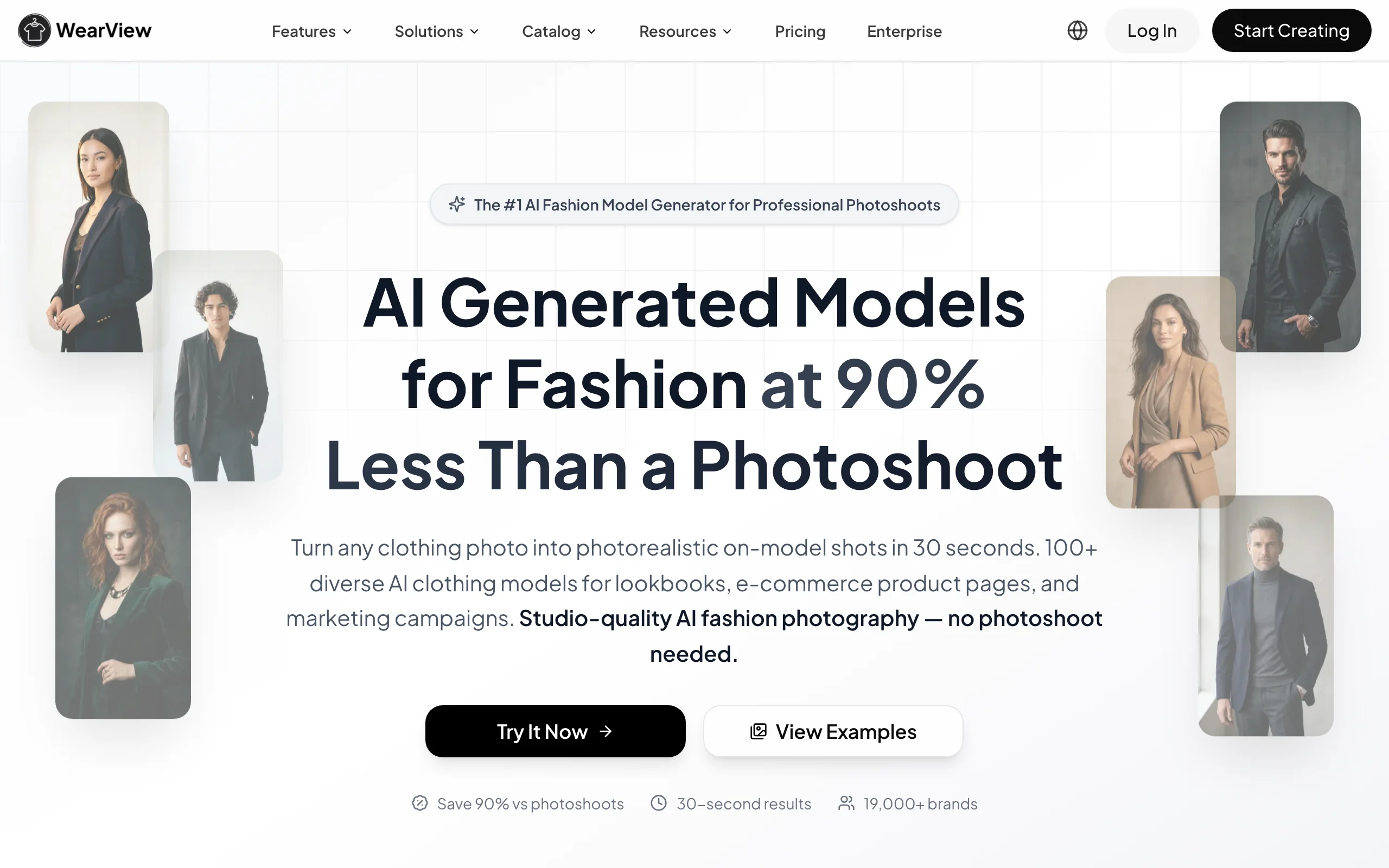
WearView takes the top spot on this list because it solves the single most expensive and time-consuming edit in ecommerce fashion. It's not a general-purpose photo editor, it's a specialized AI platform built for one job, fashion product photography, and it does that job in ways a Photoshop or a general editor can't match out of the box. For any brand whose catalog is clothing, this is the edit that matters most.
Why it's our number one pick. The most valuable "edit" in ecommerce fashion isn't a background swap or a hero retouch. It's turning a flat-lay or packshot into a believable on-model photo, in a chosen pose and setting, that preserves the garment's prints, textures, and fabric drape. General AI photo editors can't do that step. Specialized tools like WearView can, and once that on-model image exists, you can finish it in Canva or Photoshop like any other photo.
WearView is built around product imagery as the core output. The dedicated product to model tool turns a flat-lay, ghost mannequin, packshot, hanged garment, or existing on-model image into a new on-model photo in under 15 seconds. You upload the source, choose an AI model from a library covering different ethnicities, body types, and age groups, and describe the background or setting you want.
WearView also lets you build full fashion campaigns from studio shots to lifestyle imagery. Each model can be customized with specific poses through reference images via the AI pose changer, and you can describe any pose and background via text. Beyond product-to-model, the platform includes AI virtual try-on, AI fashion model generator from text prompts, consistent model identity for brand campaigns, ghost mannequin generation, and AI fashion video that animates products into short clips for ads and social, all in one workspace.
AI Photo Editor with WearView
Key features
- Product to Model: turn flat-lays, mannequin shots, or packshots into on-model photos in under 15 seconds
- Virtual Try-On: visualize garments on AI models from a single reference image
- AI Model Creation from text prompts with consistent identity across campaigns
- AI Pose Control via reference images for multiple angles per SKU
- Ghost Mannequin generation from flat product shots
- AI Fashion Video at 720p (Pro) and 1080p (Advanced) from product photos
- HD, 2K, and 4K output with full commercial usage rights
Best for
- Fashion brands replacing studio on-model shoots with AI-generated images from existing flat-lays
- Ecommerce teams managing full apparel catalogs across PDP, hero, lifestyle, and video formats
- Agencies producing on-model content for several fashion clients simultaneously
Pricing
- Lite: $29/month (50 credits) — standard AI engine, virtual try-on, product-to-model
- Pro: $49/month (200 credits) — premium AI engine, AI Fashion Video at 720p, ghost mannequin, up to 4 team members, priority support
- Advanced: $99/month (500 credits) — credit rollover, AI Fashion Video at 1080p, up to 15 team members, VIP support
- Enterprise: custom pricing with dedicated success manager
- Annual billing saves up to 2 months free
Pros
- Purpose-built for fashion: preserves prints, textures, and fabric drape across the catalog
- Seven AI tools in one workspace (product-to-model, virtual try-on, model creation, pose control, ghost mannequin, model swap, fashion video)
- 4K output with full commercial usage rights on paid plans
- Team collaboration with up to 15 members on the Advanced plan
Cons
- Specialist for fashion and apparel; not a general AI photo editor for electronics, home goods, food, or hero retouching
- Credit-based pricing means very high-volume catalogs may need top-ups
- No native Shopify app or public API yet for fully automated catalog workflows
2. Adobe Photoshop with Firefly, best general-purpose editor for pros
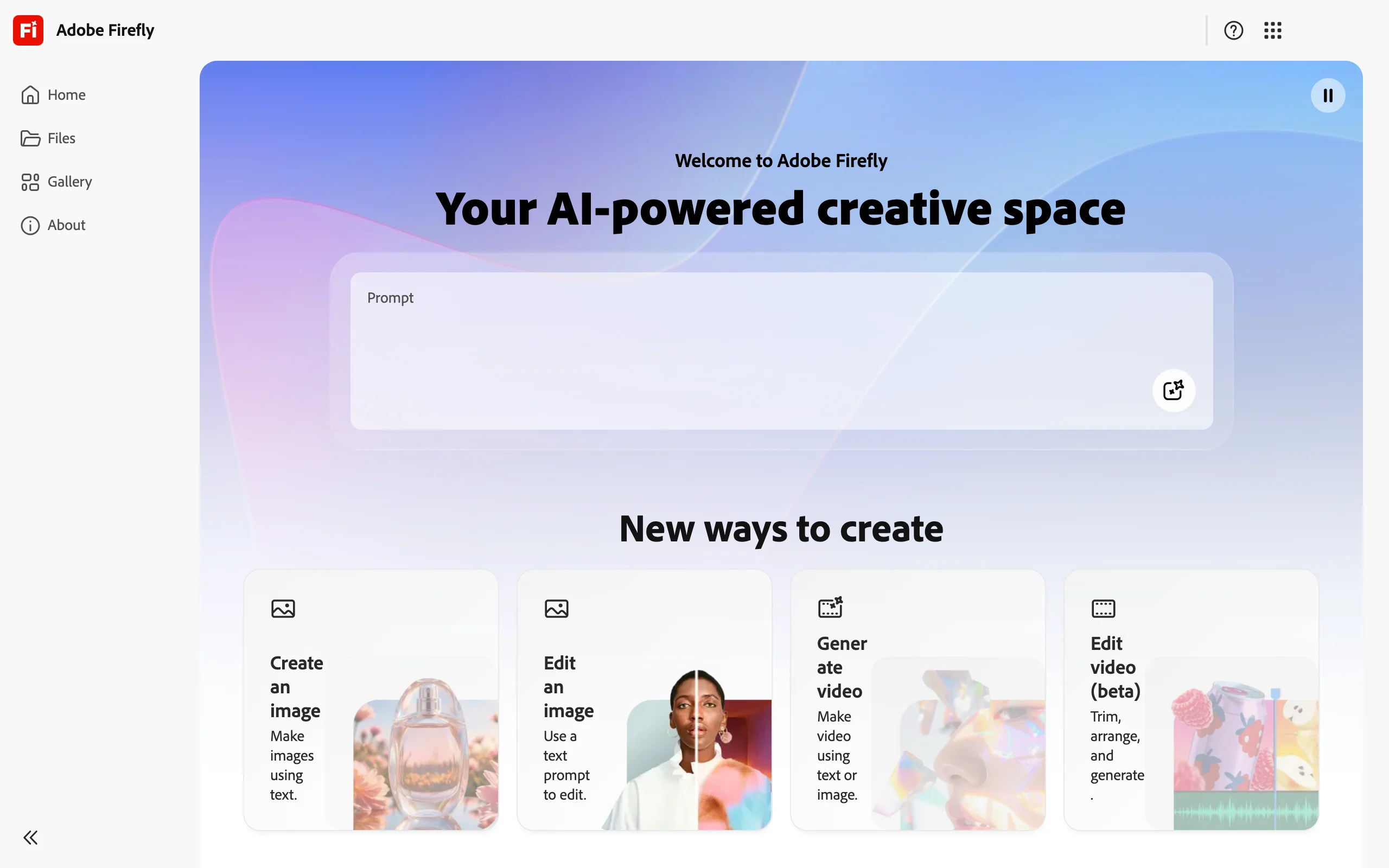
Adobe Photoshop is still the default destination for professional photo editing, and the integration of Adobe Firefly generative AI inside the canvas changed what "AI photo editor" actually means. Generative Fill and Generative Expand let you paint over a region with a text prompt and replace or extend that area in seconds. The Remove Tool handles object removal with one stroke, and Generative Workspace runs longer-form AI experiments outside the main canvas.
For ecommerce teams, the practical use is hero-shot retouching and cleanup: removing distractions from a product photo, expanding a crop to fit a wider ad placement, or replacing a background while keeping the original lighting. Photoshop also remains the safest choice when an asset will be reused across multiple campaign formats and needs pixel-level control.
AI Photo Editor with Adobe Photoshop
Key features
- Generative Fill: replace or add objects via text prompts
- Generative Expand: extend the canvas with AI-generated content matching the original
- Remove Tool: one-stroke object removal with content-aware fill
- Adobe Firefly powered, with commercial-safe licensing on Adobe-trained models
- Full Photoshop layer, mask, and color toolset
- Plays well with Lightroom for non-destructive raw editing
Best for
- In-house design teams already on Creative Cloud
- Pros retouching hero shots, lookbook covers, and campaign visuals
- Brands that need pixel-level control alongside generative AI edits
Pricing
- Photography plan: from around $9.99/month (Photoshop + Lightroom + 20 GB storage)
- Photoshop single app: from around $22.99/month
- Creative Cloud All Apps: from around $59.99/month
- 7-day free trial typically available
- Pricing varies by region and promotional cycle
Pros
- Industry-standard tool with the broadest plugin and tutorial ecosystem
- Generative Fill is fast, controllable, and ships commercial-safe outputs
- Non-destructive workflow with layers, masks, and adjustment layers
Cons
- Steepest learning curve among the general editors on this list
- Not designed for one-click batch product photography
- Generative AI credits are metered on lower tiers, with overage charges above the monthly limit
3. Canva (Magic Studio), best for non-designers and marketing assets
Canva is the design tool most ecommerce and DTC brands already use for everything that follows a product photo: Instagram posts, Pinterest pins, Facebook ads, email banners, lookbook PDFs. For product images specifically, a design platform and a dedicated photo generator serve very different jobs: Canva is where you finish, brand, and resize an image, not where you generate the product shot itself. The Magic Studio AI suite (Magic Edit, Magic Eraser, Magic Expand, Dream Lab image generation, Magic Write) brings AI photo editing into the same canvas, so you can edit and finish an image in one tool without exporting to Photoshop or a separate editor.
For ecommerce teams, the typical workflow is to generate or capture the product image in a specialized tool (or in studio), then bring it into Canva to add typography, brand kit elements, and platform-specific resizing. The Magic Edit and Background Remover features handle light edits to the underlying photo without leaving the canvas.
AI Photo Editor with Canva
Key features
- Magic Edit: replace a selected area with a text prompt
- Magic Eraser: one-click object removal
- Magic Expand: extend the canvas with AI-generated content
- Dream Lab: text-to-image generation inside Canva
- Magic Write for caption and copy generation
- Brand Kit for consistent fonts, colors, and logos across assets
- Real-time team collaboration on Pro and Teams plans
Best for
- Marketing teams turning product photos into finished social and ad assets
- Small brands without a dedicated designer
- DTC teams who need design and AI image editing in one tool
Pricing
- Free: limited templates, basic editing
- Pro: $15/month or $120/year — 500 monthly AI credits across Magic Studio, Brand Kit, 1 TB storage, premium templates
- Teams: $10/user/month annual or $20/user/month monthly — 3-seat minimum, multiple Brand Kits, admin controls
- Enterprise: custom pricing
- Pricing varies by region
Pros
- Lowest learning curve among full-feature editors on this list
- Magic Studio AI is included on Pro, not a separate subscription
- Brand Kit keeps every asset on-brand without manual styling
- Free tier is genuinely usable for testing
Cons
- Not built for product photography generation: Magic Studio is general-purpose
- 500 AI credits/month on Pro caps heavy AI users
- For dedicated fashion product photography, you still need a specialized tool upstream
4. DeeVid AI, best multi-model AI image editor for ecommerce creatives
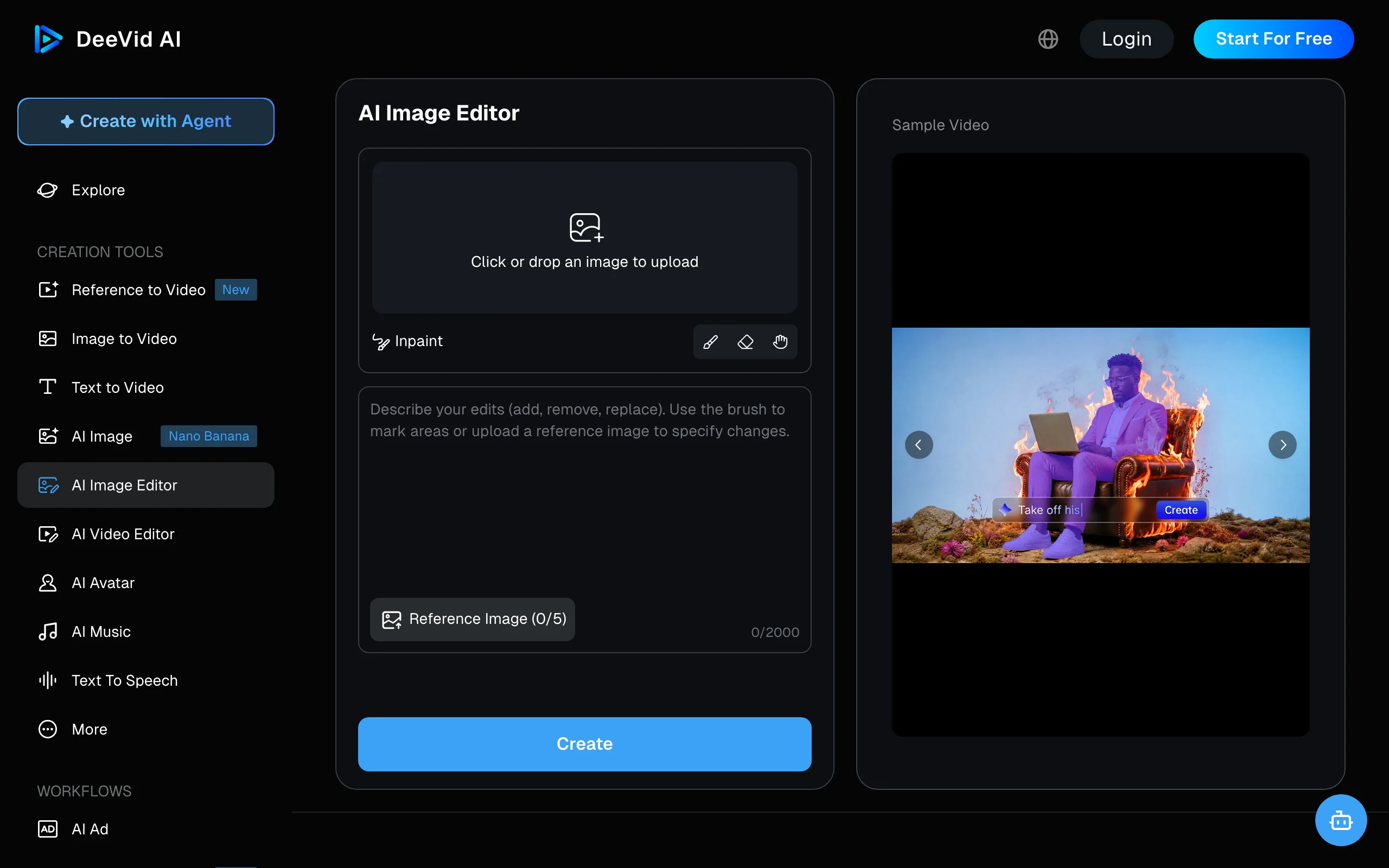
DeeVid AI sits somewhere between a traditional AI photo editor and a multi-model generative workspace. Instead of centering the workflow on layers and manual retouching, it lets you start from a text prompt or an existing product image, generate a new visual, then refine it with prompt-based editing in the same workspace. For ecommerce teams producing a high volume of campaign variations, that generation-first workflow can be faster than starting every asset in a conventional editor.
The AI image editor supports text-to-image, image-to-image, and reference-guided generation, with access to multiple models including Seedream and Nano Banana. Reference images keep a product, composition, pose, or visual direction consistent across generations, while the built-in editing tools cover common jobs like background removal, object removal or replacement, canvas expansion, and upscaling. And because DeeVid's wider toolkit includes video, the same product asset can move from a static campaign visual into a social or ad clip without switching platforms.
AI Photo Editor with DeeVid AI
Key features
- Text-to-image and image-to-image editing
- Reference-guided generation with up to five reference images
- Multiple AI image models, including Seedream and Nano Banana
- Prompt-based object removal and replacement
- Background removal and replacement
- Canvas expansion for new compositions and aspect ratios
- AI image upscaling and enhancement
- Integrated image-to-video and broader AI video workflow
Best for
- Ecommerce teams generating product lifestyle images and ad creative from existing assets
- Marketers who want several AI image models in one workspace
- Brands producing both static product imagery and short-form video campaigns
- Sellers who prefer prompt-based generation and editing over a Photoshop-style workflow
Pricing
- Free trial: 20 one-time credits for new accounts
- Lite: $10/month billed annually — 200 credits/month, advertised as up to 100 images
- Pro: $25/month billed annually — 600 credits/month, advertised as up to 300 images
- Premium: $119/month billed annually — 3,000 credits/month, advertised as up to 1,500 images
- Credit usage varies by model and generation settings, so the "up to" image counts are estimates
- Paid plans include private creation, watermark-free output, and commercial use
Pros
- Multi-model approach gives more generation options without switching platforms
- Combines image generation, reference-based editing, and image-to-video in one workflow
- Useful prompt-based tools for backgrounds, unwanted objects, expansion, and upscaling
- Low paid entry price compared with many full generative suites
Cons
- Generation-first rather than Photoshop-style, so it lacks the same manual layer and mask control
- Credit consumption varies between models, making the exact cost per image less predictable
- Teams that only need basic background removal or retouching may not need the broader video and generative feature set
5. Pixlr, best free browser-based AI photo editor
Pixlr is the closest thing to "Photoshop in a browser" on this list, with a Photoshop-style canvas and layer system available without any download. The AI suite has grown into a complete set of generative tools: AI Generative Fill, AI Generative Expand, AI Eraser, AI Background Remover, AI Image Generator, and a permanent free tier that makes it the easiest no-commitment AI photo editor to try.
For ecommerce sellers who want quick edits without learning Photoshop or installing a desktop app, Pixlr's browser canvas covers most day-to-day work: cleaning up product photos, removing backgrounds, expanding a crop, or generating quick variations.
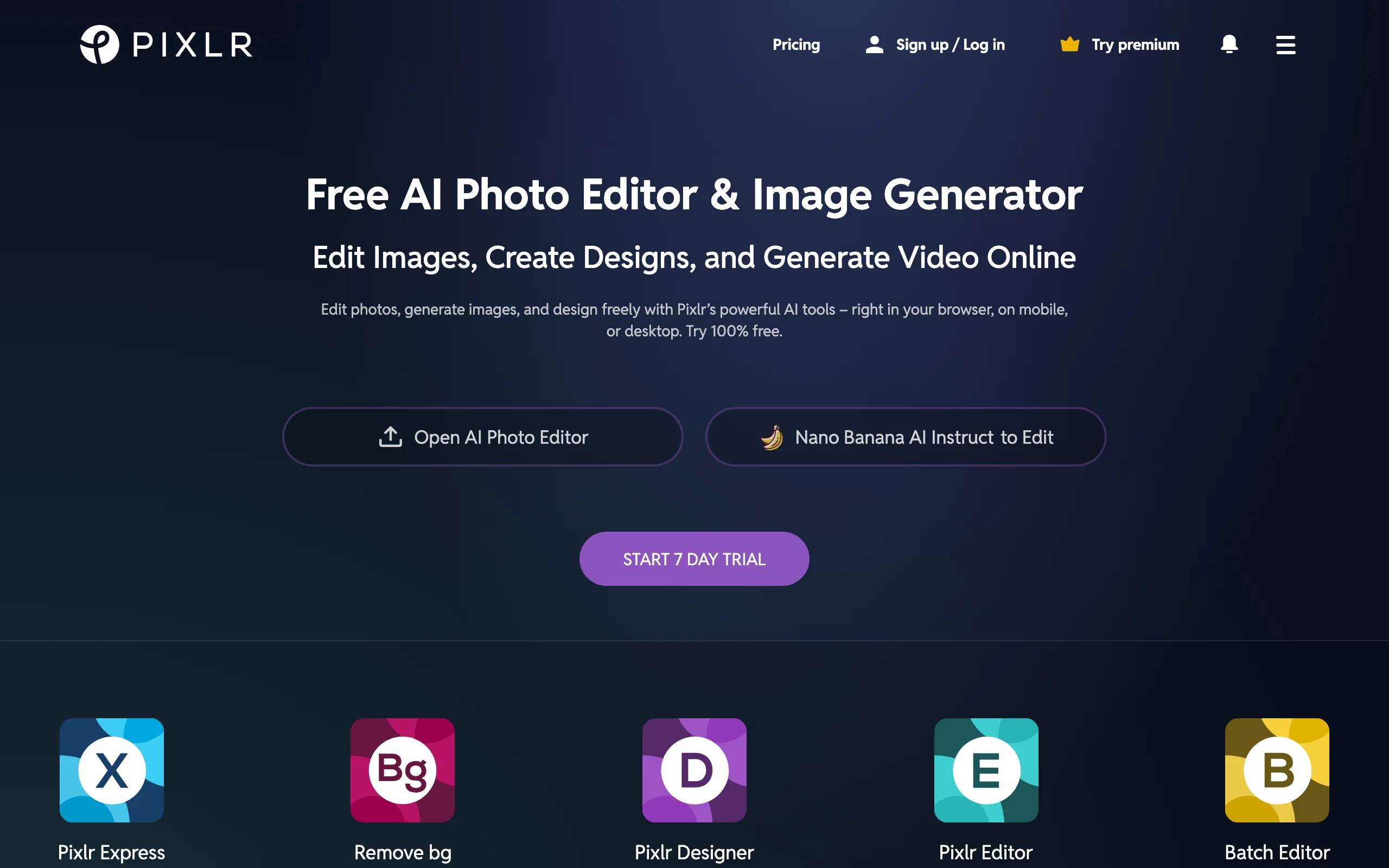
AI Photo Editor with Pixlr
Key features
- Browser-based Photoshop-style canvas with layers and masks
- AI Generative Fill, AI Generative Expand, AI Eraser, AI Background Remover
- AI Image Generator for text-to-image creation
- Large template library for social and marketing assets
- AI Credit Packs available as one-off add-ons
- Education plan available free to students and institutions
Best for
- Small ecommerce sellers who want a free starting point for AI photo editing
- Designers who prefer browser-based workflows over desktop installs
- Casual users editing product imagery without a paid subscription
Pricing
- Free: $0/month — basic editor with ads and limited AI credits
- Plus: from €2.49/month — 80 monthly AI credits, ad-free, unlimited saves
- Premium: from €9.99/month — 1,000 monthly AI credits, private mode for AI generations, full template library
- Creative Pack: €29.99/month — heavier generative quotas
- Team: €16.99/month — multi-seat plan
- AI Credit Packs available as one-off top-ups
- Prices shown in EUR; USD pricing may apply by region
Pros
- Permanent free tier with usable AI tools
- Lowest paid entry on this list (Plus from €2.49/month)
- Browser-based, no install required, works on Mac, Windows, ChromeOS
- Education plan supports students and institutions
Cons
- Pricing displayed in EUR, with regional USD equivalents varying
- Less powerful than full Photoshop for advanced retouching
- Free tier shows ads and limits AI credits
6. Fotor, best all-in-one AI editor for quick edits
Fotor is one of the most widely used consumer AI photo editors, and it earns its spot here by bundling one-click enhancements, retouching, and generative tools into a single cross-platform app. The feature set has grown well beyond a background remover: One-Tap Enhance, AI Magic Remove for object and person cleanup, AI Retouch for skin, AI Enlarger for upscaling, an AI Image Generator, and a batch editor for processing many photos at once. In 2025 Fotor added Sisi, an AI agent that takes plain-language editing commands.
For ecommerce brands that want a single tool covering general product editing (cleaning up marketplace listings, enhancing hero shots, batch-processing a catalog), Fotor is a credible all-in-one with web, desktop, and mobile apps on the same account. It also carries a large template and design library, so light social and marketing assets can be finished in the same place.
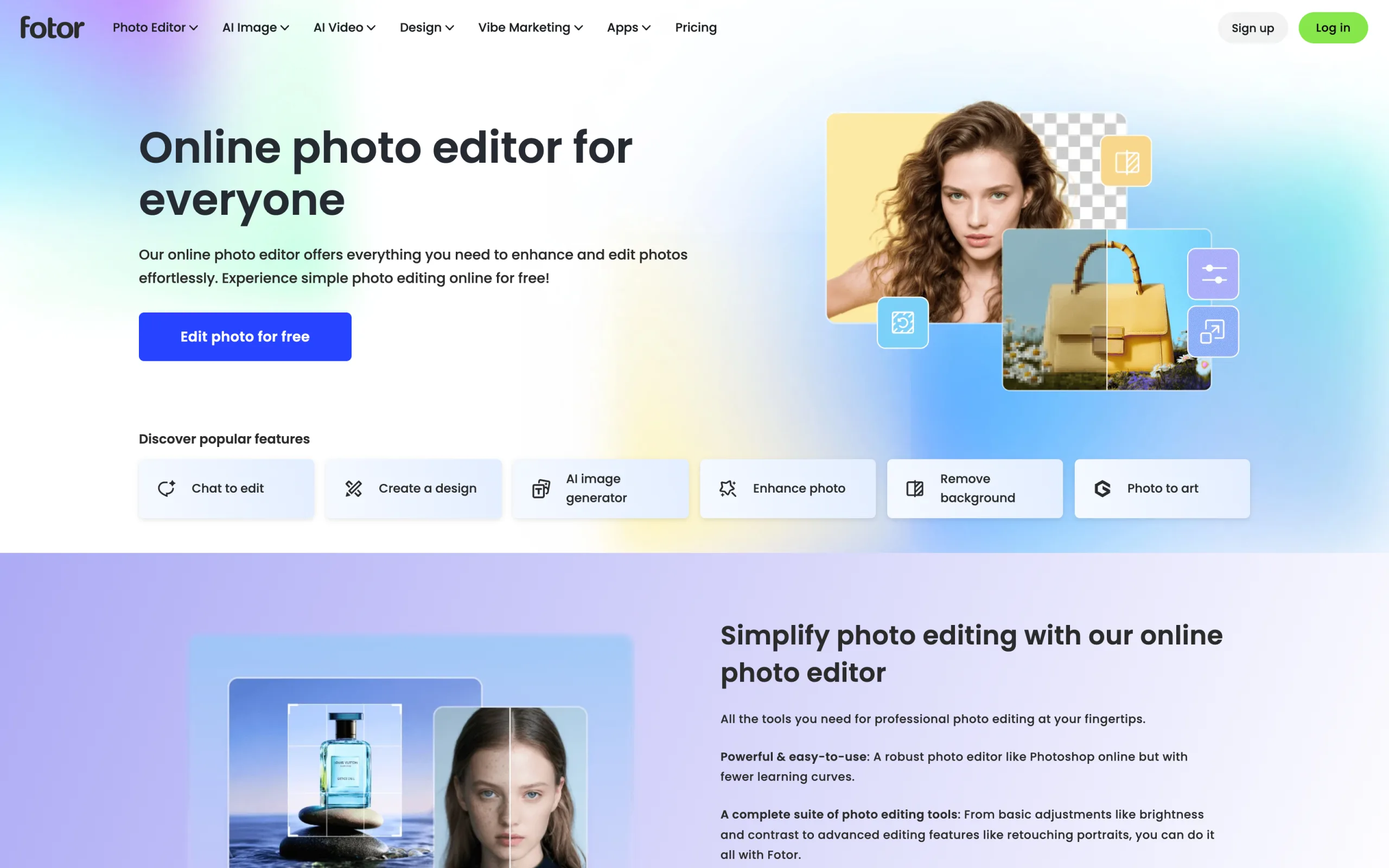
AI Photo Editor with Fotor
Key features
- One-Tap Enhance for fast automatic corrections
- AI Background Remover for transparent-background cutouts
- AI Magic Remove for object and person removal
- AI Retouch for skin smoothing and blemish cleanup
- AI Enlarger for upscaling low-resolution images
- AI Image Generator for text-to-image creation
- Batch editor for processing multiple photos at once
- Sisi AI agent for natural-language edits (added 2025)
Best for
- Sellers who want fast one-click edits without learning Photoshop
- Small ecommerce brands that need mobile, desktop, and web editing in one tool
- Creators who want photo editing plus templates and collages in one place
Pricing
- Free: $0/month — basic editor and AI tools with limited credits and watermarked non-HD exports
- Pro: from ~$8.99/month billed annually (around $12.99 billed monthly) — HD and transparent-PNG watermark-free exports, full AI tools, 2 GB cloud storage
- Pro+: from ~$19.99/month — more monthly credits, faster AI processing, larger cloud storage, ad-free
- Available on web, Windows, Mac, iOS, and Android
- Pricing varies by region and promotional cycle
Pros
- Genuinely all-in-one: editing, AI tools, templates, and collages in one app
- Cross-platform across web, desktop, and mobile on the same account
- One-tap AI tools make quick edits fast for non-designers
Cons
- Free tier watermarks non-HD exports and limits AI credits
- General-purpose AI, not trained for fashion garment fidelity or on-model generation
- Heavy generative use is metered by monthly credits
7. Pixelcut, best for marketplace sellers and quick AI edits
Pixelcut targets a similar marketplace and small-business audience but leans more on a generative-model aggregator approach: the editor gives you access to multiple AI models (Flux, Imagen, Recraft, Ideogram, and others) for image and video generation, alongside the usual background removal, magic eraser, image upscaling, and generative fill.
For ecommerce sellers who want a single mobile-friendly tool to edit, stage, and generate product imagery, Pixelcut covers the common workflows at a competitive entry price. The Pro tier at $10/month is one of the cheapest credible paid plans on this list. If you're weighing it specifically for fashion product shots, see our WearView vs Pixelcut comparison.

AI Photo Editor with Pixelcut
Key features
- Background removal and magic eraser
- Image upscaling
- Generative fill and image expansion
- AI background generation
- Pro eraser tool for fine-grained object removal
- Access to multiple AI image and video models (Flux, Imagen, Recraft, Ideogram)
- 600 AI credits/month on Pro, 3,600 on Business
Best for
- Marketplace sellers (Amazon, Etsy, eBay) editing on mobile
- Small ecommerce brands testing AI editing without a big budget
- Teams who want access to multiple generative models in one app
Pricing
- Free: $0/month — limited background removal and upscale
- Pro: $10/month — unlimited core features, 600 monthly AI credits
- Business: $30/month — 3,600 monthly AI credits, more advanced workflows
- 20% discount on yearly subscriptions
- Available on web, iOS, and Android
Pros
- Lowest paid tier among full AI editors on this list at $10/month
- Multi-model access in one subscription saves switching between separate AI tools
- Works seamlessly on mobile, which fits how most marketplace sellers actually edit
Cons
- Less specialized than fashion-only tools for garment fidelity
- Credit caps tighten quickly for heavy generative use
- Smaller template library than Canva or Fotor
8. Luminar Neo, best for photographer-grade enhancement
Luminar Neo by Skylum is the AI photo editor most photographers reach for when Adobe feels like overkill. Where Photoshop and Pixlr focus on retouching and generative edits, Luminar Neo focuses on creative enhancement: AI sky replacement, AI relight, AI structure, AI portrait tools, plus the newer generative tools (GenErase, GenSwap, GenExpand) that handle object removal and replacement.
For ecommerce brands, Luminar Neo is the right pick when hero imagery, lifestyle shots, or campaign photography need the kind of mood and lighting work that retail-focused tools don't handle as well. It's especially useful for brands with in-house photographers who want a complementary AI tool alongside their existing capture workflow.
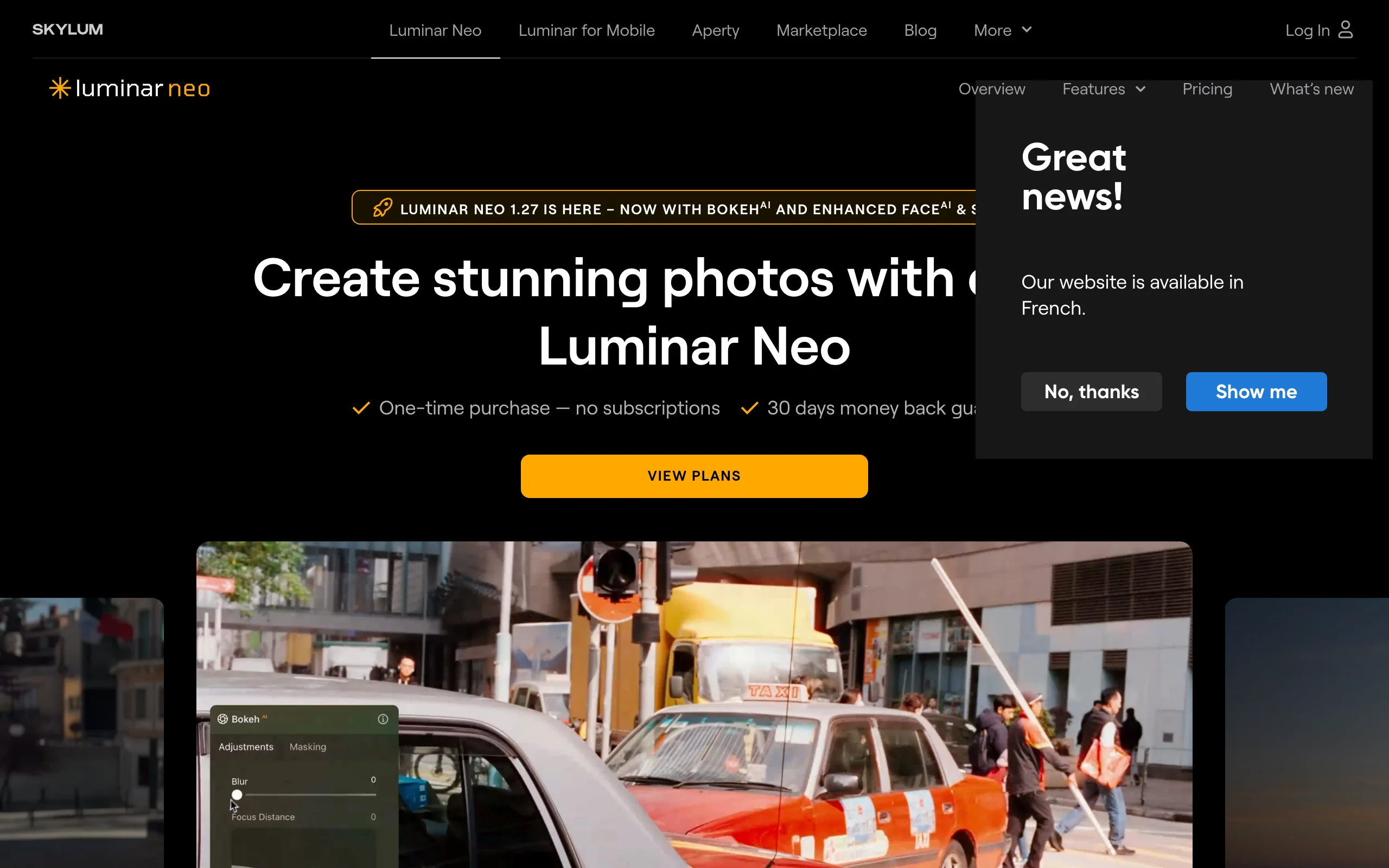
AI Photo Editor with Luminar Neo
Key features
- AI Sky Replacement
- AI Relight for re-lighting scenes after capture
- AI Structure and AI Portrait tools
- GenErase, GenSwap, GenExpand generative tools
- Layers and masking for non-destructive editing
- Mobile companion app on iOS, Android, and ChromeOS (cross-device license)
- Creative Library with 1,000+ assets on Max license
Best for
- In-house photographers handling brand and lifestyle imagery
- Brands that need creative photo enhancement, not just background removal
- Teams that prefer one-time license purchases over monthly subscriptions
Pricing
- Desktop License: €99 one-time — Desktop access (Windows/macOS), 1-year generative AI tools access
- Cross-Device License: €139 one-time — Desktop + mobile (iOS/Android/ChromeOS), 1-year generative AI tools access
- Max License: €149 one-time — Desktop + mobile + Creative Library with 1,000+ assets
- Luminar X Membership: €39/year — creative assets only, not the app
- Generative tools renewal after first year: €39-€69 annually
- No monthly subscription; perpetual lifetime licenses with one-time payments
Pros
- One-time license pricing is rare among modern AI photo editors
- Strong creative editing toolset (sky, relight, portrait) not found in marketplace tools
- Mobile companion app extends the workflow off-desk
Cons
- Pricing in EUR on the official page; regional USD equivalents vary
- Generative AI access requires annual renewal after the first year
- Not built for batch ecommerce workflows or on-model fashion generation
How to choose the best AI photo editor for your needs
1) What kind of editing do you actually do?
If you're doing general AI photo editing (background removal, generative fill, object removal, retouching, marketing-asset finishing), the seven general-purpose tools on this list are the right starting point. Adobe Photoshop with Firefly is the most capable; Canva is the easiest to use without design training; DeeVid AI is the generation-first pick when campaign variations start from prompts and product images; Pixlr and Pixelcut are the cheapest paid options; Fotor is the best all-in-one editor across web and mobile; Luminar Neo is the photographer's pick.
If you're doing fashion product photography (on-model imagery, virtual try-on, ghost mannequin) the general tools struggle: their generative AI is trained for broad scenes, not garments. WearView is the specialist option for this use case. For a deeper look at fashion AI tools specifically, see our guide to the best AI fashion photography tools.
2) Mobile, browser, or desktop?
If your team edits on mobile (common for marketplace sellers), Fotor and Pixelcut are the strongest picks, both available on iOS and Android with the same account that works on web. If you prefer browser-based workflows without an install, Pixlr is the cleanest option with a permanent free tier. For desktop pros, Adobe Photoshop and Luminar Neo are still the deepest editing tools.
3) Free, subscription, or one-time license?
Pixlr's free tier is the easiest no-commitment way to start, with AI tools available without paying. Fotor's free tier is another no-cost way to test its AI tools, though non-HD exports carry a watermark. Pixelcut Pro at $10/month is the cheapest paid AI editor with full feature access. Luminar Neo is the only tool on this list with a perpetual license, useful for teams that want to avoid recurring subscriptions. For fashion-specific AI photography, WearView Lite at $29/month is the entry tier.
4) What volume and team size are you running?
For solo sellers and small brands, Pixelcut, Fotor, and Pixlr are well-priced for low-to-mid volume. For mid-sized teams managing full marketing pipelines, Canva Teams plus Adobe Creative Cloud is the most common combination. For fashion catalogs specifically, WearView Pro ($49/month, 200 credits) or Advanced ($99/month, 500 credits) covers on-model imagery alongside your general editing stack.
FAQ
What is an AI photo editor? An AI photo editor uses generative or computer-vision AI to handle tasks that traditionally required manual editing in a tool like Photoshop: background removal, object removal, image expansion, generative fill, sky replacement, and (in fashion) on-model image generation. Modern AI photo editors combine those AI tools with a traditional canvas and layer system so you can edit interactively.
Which AI photo editor is best overall? For fashion and apparel brands, WearView is the best overall pick: it's purpose-built for the edits that matter most on a clothing catalog, on-model imagery, virtual try-on, ghost mannequin, and pose control, and no general editor matches it on garment fidelity. For general-purpose editing across any product category, Adobe Photoshop with Firefly is the most capable: it's the industry standard, supports Generative Fill and Generative Expand, and integrates with Lightroom and the rest of Creative Cloud. For non-designers, Canva (Magic Studio) is easier to learn and includes AI editing alongside design tools.
Which AI tool is best for fashion product photography? For fashion product photography specifically (on-model imagery, virtual try-on, ghost mannequin), general AI photo editors aren't built for the job. WearView is the specialist option, with product-to-model, AI model creation, ghost mannequin, pose control, and AI fashion video built around clothing fidelity. General editors like Photoshop, Canva, and Fotor remain useful for finishing the on-model image into ad creative and marketing assets.
Is there a free AI photo editor? Yes. Pixlr offers a permanent free tier with AI generative tools, and Pixelcut, Canva, and Fotor all have free tiers with limited AI access (Fotor's free exports are watermarked). DeeVid AI gives new accounts a one-time 20-credit free trial. Adobe Photoshop and Luminar Neo do not have permanent free tiers, though Adobe typically offers a 7-day free trial. WearView does not have a free tier; paid plans start at $29/month.
Can AI photo editors replace Photoshop? For most ecommerce and marketing workflows, yes. Pixlr offers a browser-based Photoshop alternative with AI tools, Canva Magic Studio handles design plus light photo editing in one tool, and Fotor and Pixelcut handle most product photography use cases without a Photoshop license. For pixel-level retouching, magazine-grade compositing, and complex layer work, Photoshop is still the most capable.
Which AI photo editor is best for Shopify? None of the general editors on this list has a fully native Shopify app at the time of writing. Canva, Fotor, Pixelcut, and Adobe Photoshop all work with Shopify catalogs through manual upload, and Pixelcut's mobile apps make quick listing edits easy on the go. For fashion-specific on-model imagery on Shopify catalogs, WearView works through manual or batch upload.
Are AI-generated photo edits safe to use commercially? On paid plans, yes, in most cases. WearView grants full commercial usage rights on paid plans. Canva Pro+ unlocks commercial licensing. Adobe Firefly outputs are commercial-safe on Creative Cloud subscriptions. Always check the specific licensing terms on your plan, especially for AI-generated backgrounds or models, before using outputs in paid ads or print.
What's the difference between a general AI photo editor and a specialist like WearView? A general AI photo editor handles broad image tasks (background removal, object removal, generative fill, retouching) across any product category. A specialist like WearView focuses on one workflow (fashion product photography) and is purpose-trained for garment fidelity, on-model generation, and brand-consistent imagery. Most fashion teams use both: a specialist for the on-model image, then a general editor for downstream finishing.
How long does AI photo editing take? Most AI tasks on this list run in 5-30 seconds: background removal in 1-3 seconds, generative fill in 10-30 seconds, on-model generation (WearView) in under 15 seconds. Heavier tasks like batch processing across hundreds of images can take several minutes depending on the tier and queue. Compared to manual editing in Photoshop (typically 5-30 minutes per image), every AI tool here is dramatically faster.

WearView Team
WearView Content & Research Team
WearView Team is a group of fashion technology specialists focused on AI fashion models, virtual try-on, and AI product photography for e-commerce brands. We publish in-depth guides, case studies, and practical insights to help fashion businesses improve conversion rates and scale faster using AI.


