May 8, 2026•24 min read
8 best AI face swap tools for fashion photos in 2026
Compare the 8 best AI face swap tools for fashion photos in 2026. Verified pricing, features, and ratings for fashion brands and ecommerce teams.
Picture of 7 best AI face swap tools for fashion photos in 2026 article
Refreshing a clothing catalog usually means reshooting models, booking studios, and waiting weeks for retouched files. AI face swap tools collapse that workflow: take an existing on-model photo, drop in a reference face, and the AI replaces only the face while preserving the outfit, pose, lighting, and background. The result is a different model wearing the exact same garment, in seconds.
In this guide, we compare the 8 best AI face swap tools for fashion photos in 2026. We cover pricing, key strengths, ideal user profiles, fact-checked review scores, and a practical decision framework so you can pick the right tool for your catalog and brand.
Best AI face swap tools for fashion photos: a brief overview
- WearView: Best overall for fashion brands: dedicated AI Model Swap that preserves outfit, pose, and lighting on fashion photos, plus the rest of a complete fashion AI platform.
- Akool: Best for face swap with marketing video: enterprise-ready face swap across photo, video, and live camera with strong G2 ratings.
- ImagineArt: Best for fast, unlimited general-purpose face swap: browser-based photo face swap with watermark-free output, celebrity/meme and campaign-preview use cases, and 100 free credits at signup.
- DeepSwap: Best for general-purpose face swap on a budget: dedicated face swap tool for photos, video, and GIFs with the lowest entry price on this list.
- Vmake AI: Best for face swap inside a broader video AI platform: face swap as one feature among many AI video tools (caption, enhancer, watermark removal).
- Fotor: Best for face swap in an all-in-one photo editor: single, multi-person, and video face swap inside a general web and mobile photo editor with design tools.
- VModel.ai: Best for API-first developer face swap: pay-as-you-go API with multiple face swap models for custom pipelines.
- Remaker.ai: Best for budget batch face swap: pay-once credit packs with multi-face support for up to 50 images at a time.
| Tool | Key strength | Pricing | Platforms |
|---|---|---|---|
| WearView | Fashion-tuned AI Model Swap with full platform | From $29/month | Web |
| Akool | Enterprise face swap across photo, video, and live | Free plan; Pro from $30/month | Web |
| ImagineArt | Fast, unlimited, watermark-free browser face swap | 100 free credits at signup; paid from $13/month | Web, iOS, Android |
| DeepSwap | Dedicated face swap for photo, video, and GIFs | Standard from $9.99/month | Web |
| Vmake AI | Face swap inside a broader AI video platform | Free credits + 20 daily; Plus from $9.99/month | Web |
| Fotor | All-in-one photo editor with single, multi, and video swap | Free tier (watermarked); Pro from $8.99/month | Web, iOS, Android, desktop |
| VModel.ai | API-first face swap models, pay-as-you-go | $10 free credits; pay-per-use | Web, API |
| Remaker.ai | Pay-once credit packs with multi-face support | Credit packs from $5.99 | Web |
1. WearView, best overall for fashion face swap
WearView is a complete AI fashion photography platform with a dedicated AI Model Swap tool built for face replacement on fashion photos. You upload a source on-model image (the outfit and pose you want to keep) and a reference photo of the face you want to swap in. The AI detects the model in the source photo, extracts the reference face, and generates a new image where only the face has changed. Pose, body position, outfit textures and prints, lighting, background, and environment all stay intact.
WearView delivers swapped images in 15 seconds at HD, 2K, or 4K, with full commercial usage rights on every paid plan. Beyond face swap, the platform includes Product to Model for converting flat-lays into on-model imagery, AI virtual try-on, AI fashion model creation from text prompts, ghost mannequin generation, and AI fashion video, all in one workspace.
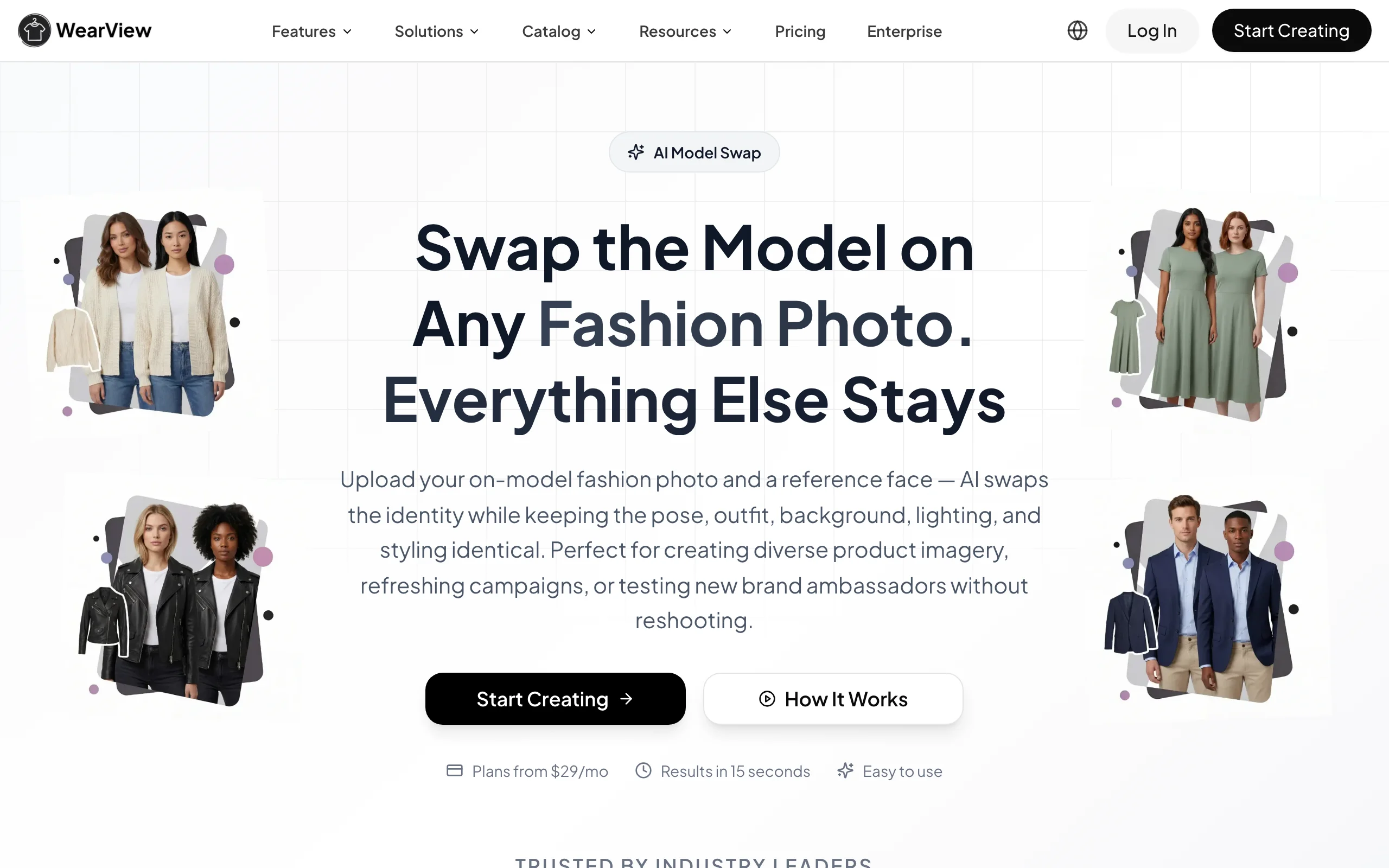
Face Swap with WearView
Key features
- AI Model Swap that replaces only the face on fashion photos, preserving outfit, pose, lighting, and background
- Output in 15 seconds at HD, 2K, or 4K resolution
- Full commercial usage rights on every paid plan
- Same workspace also includes product-to-model, virtual try-on, ghost mannequin, AI model creation, and fashion video
- Team collaboration with up to 15 members on the Advanced plan
Best for
- Fashion brands refreshing existing model photography across new face demographics without reshooting
- Ecommerce teams testing brand ambassadors or model identities in existing campaign imagery
- Agencies producing model variations from a single base photoshoot for multiple clients
Pricing
- Lite: $29/month (50 credits)
- Pro: $49/month (200 credits)
- Advanced: $99/month (500 credits)
- Annual billing saves 2 months free (up to $198/year on Advanced)
- Enterprise: custom pricing with API and dedicated success manager
Reviews and ratings
- Trustpilot: 4.5 out of 5 ("Excellent"), 80+ reviews
- Common praise points: catalog refresh speed, garment fidelity preserved during swap, 4K output, responsive customer support
- Common critique points: occasional artifact on low-resolution input photos, no Shopify app yet
Pros
- Built for fashion (most face-swap tools are general-purpose), so the AI preserves garment details properly
- Full platform around the swap (product-to-model, ghost mannequin, video) means one subscription covers most catalog work
- 4K output and commercial rights make it ad-ready and print-ready
Cons
- Credit-based pricing means very high-volume face swap users may need the Advanced plan or top-ups
- No native Shopify app or public API yet for fully automated catalog workflows
2. Akool, best for face swap with marketing video
Akool is an AI marketing platform with face swap as one of its headline tools. It supports photo face swap, video face swap (up to 4K on Pro, 8K on Pro Max, and 16K on Business), and live camera face swap for streaming and webinars. For fashion brands that produce both static and video content, Akool covers both formats in one subscription. The platform also includes lip sync, AI avatars, and translation features that go beyond what a fashion-only tool offers.
The face swap output quality is consistently praised in reviews, with multiple sources calling it best-in-class for blending and preserving facial structure. The trade-off is pricing: credits burn fast on 4K and longer outputs, which is the most common complaint in user reviews.

Face Swap with Akool
Key features
- Photo and video face swap up to 4K, 8K, or 16K depending on tier
- Multi-face support in a single frame
- Live camera face swap for streaming
- Lip sync and AI avatar features
- Removed watermark on Pro and above
Best for
- Brands producing both photo and video content from face swap
- Marketing teams building campaign assets across formats
- Enterprise teams that need 8K or batch face swap at scale
Pricing
- Free Basic plan: 50 credits at signup, 720p, 5-min video cap, watermark, 1 concurrent generation
- Pro: $30/month — 600 credits, up to 4K, 30-min video, watermark removed, 4 concurrent generations
- Pro Max: from $59/month (1,200 credits), scaling to $119/month (2,400 credits), up to 8K, 45-min video, faster processing, 8 concurrent generations
- Business: from $249/month (6,000 credits), scaling to $500/month (12,000 credits), up to 16K, 60-min video, Studio Avatar, 1TB storage, 10 concurrent generations
- Enterprise: custom pricing
- Annual billing saves approximately 30%
- 7-day Pro Max free trial; each additional seat is billed at the full plan price
Reviews and ratings
- G2: 4.8 out of 5 (450+ reviews)
- Trustpilot: 4.0 out of 5 (194 reviews) — 71% 5-star, 12% 1-star; the company replies to 95% of negative reviews
- Common praise points: face swap and lip sync quality, enterprise-ready scalability, real-time live camera tools, responsive support
- Common critique points: credits burn quickly on 4K and longer outputs, occasional unexpected trial-period charges reported in negative reviews
Pros
- Best-in-class face swap quality across photo and video
- Single platform covers static fashion photos and marketing video
- Enterprise-grade resolutions (up to 16K)
Cons
- Credit costs add up fast on 4K and video work
- Not fashion-tuned, so garment fidelity is not optimized the way it is on fashion-specific tools
- Trial cancellation and billing issues reported in independent reviews
3. ImagineArt, best for fast unlimited general-purpose face swap
ImagineArt is a broad AI creative suite whose dedicated AI Face Swap tool runs entirely in the browser with no install. You upload a target image (the photo where the swapped face should appear) and a second image with the face you want to bring in; the AI detects facial features and blends the two while preserving expression, skin tone, and lighting. Output is watermark-free, and unlimited swaps are available on paid access, which makes it a good fit for teams that want to generate many variations quickly.
While it isn't fashion-tuned the way a catalog-specific tool is, ImagineArt sits inside a larger workspace (AI image generation, upscaling, background removal, character swap, and more), so face swap is one of many tools on a single account. Fashion sellers use it mainly for quick model/ambassador previews and high-volume test creative rather than final garment-critical catalog shots.
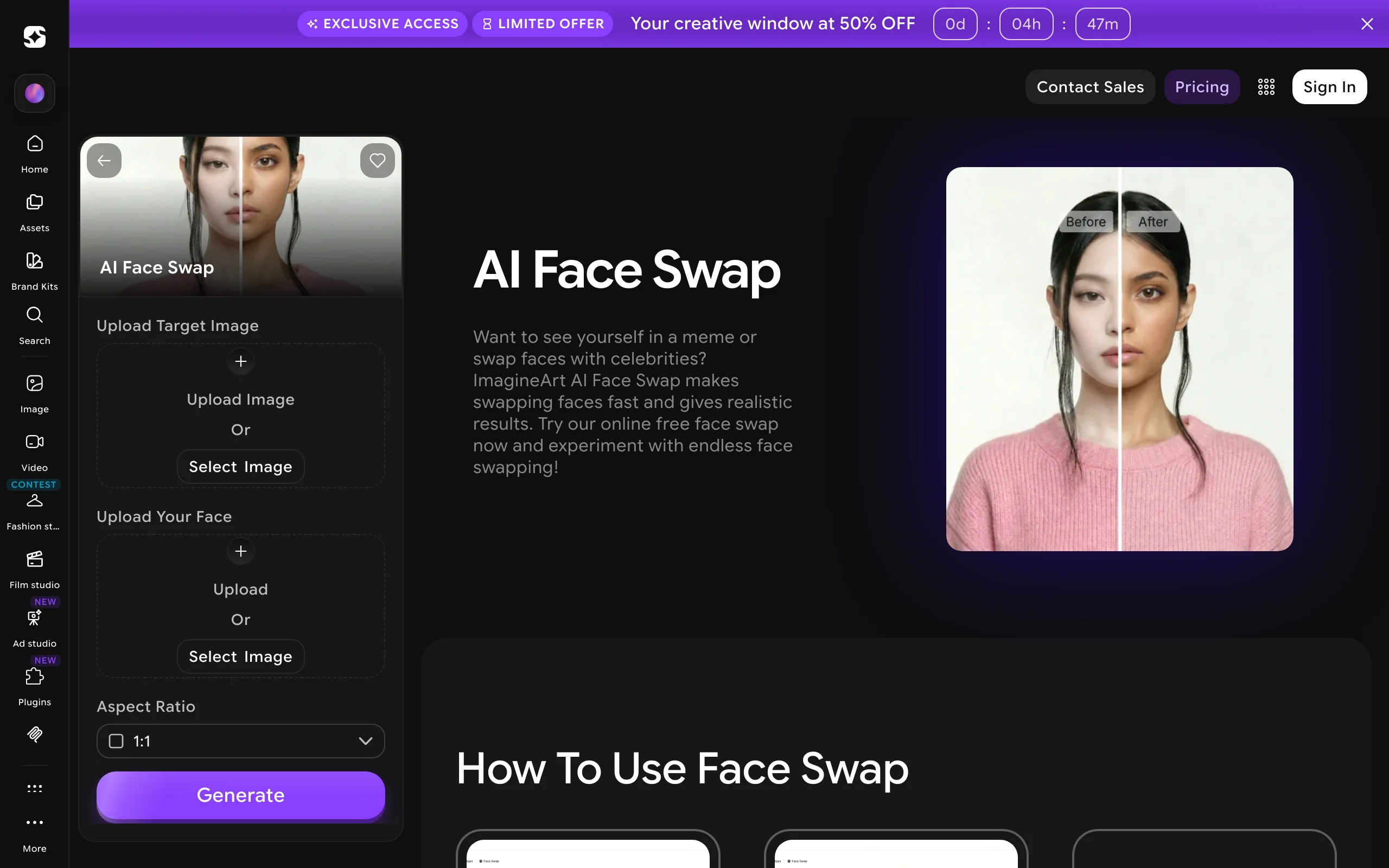
Face Swap with ImagineArt
Key features
- Browser-based photo face swap with no software install, results in seconds
- Watermark-free output
- Automatic facial detection with skin-tone, shadow, and highlight matching
- Unlimited face swaps on paid access
- Part of a wider suite (AI image generator, upscaler, background remover, character swap)
Best for
- Creators and marketers producing high-volume face swap variations quickly
- Sellers wanting fast, free model/ambassador previews before a final shoot
- Users who want face swap bundled with a broader AI image toolkit
Pricing
- Free: 100 credits at signup, watermark-free
- Paid: from $13/month for unlimited face swaps plus access to other apps (about $9/month effective on yearly billing)
Reviews and ratings
- G2: 4.5 out of 5, AI Verified, High Performer badge
- Trustpilot: 4.0 out of 5 ("Great")
- Common praise points: realistic blending on angles and lighting, speed, no watermark, useful for campaign visual testing
- Common critique points: not fashion-tuned, so garment fidelity isn't a specialty; accuracy drops on blurry, dark, or extremely angled inputs
Pros
- Fast, watermark-free, and unlimited on paid access
- Sits in a full creative suite, so one account covers image generation, upscaling, and editing
- Generous free credits to test before paying
Cons
- Not fashion-tuned, so garment-critical commercial catalog work isn't its specialty
- Best results need clean, front-facing, well-lit input
4. DeepSwap, best for general-purpose face swap on a budget
DeepSwap is a dedicated face swap tool for photos, videos, and GIFs. It's not fashion-specific, but it's one of the most popular consumer face swap platforms and the lowest paid entry point on this list. Standard plan is $9.99/month for 100 credits with HD export, and Pro is $19.99/month for 300 credits with priority rendering.
For fashion sellers, DeepSwap works well as a quick, low-cost option to test face swap on existing model photos before committing to a fashion-specialized tool. Quality is solid on high-quality input photos but drops on lower-quality footage and fast motion in video.

Face Swap with DeepSwap
Key features
- Photo, video, and GIF face swap
- Multi-face projects in a single frame
- HD export on Standard, priority rendering on Pro
- VR face swap and video generation features
- Credit-based usage: photo face swap costs 0.1 credit, video costs 1 credit per 15 seconds
Best for
- Sellers and small brands wanting low-cost face swap for occasional use
- Marketers testing face swap output before committing to a fashion-specific platform
- Creators producing varied content beyond fashion
Pricing
- Standard: $9.99/month (100 credits, HD export)
- Pro: $19.99/month (300 credits, priority rendering)
- Annual billing typically discounted from monthly
- Credit consumption: photo 0.1 credit, video 1 credit per 15s, GIF 1 credit
Reviews and ratings
- Trustpilot: 1.9 out of 5 ("Poor"), 356+ reviews — most complaints involve subscription cancellation difficulty and unclear billing
- G2 and Capterra listings exist with mixed feedback skewing more favorable than Trustpilot
- Common praise points: low entry price, easy-to-use interface, multi-face support
- Common critique points: subscription cancellation hard to complete, hard-to-cancel billing, quality drops on low-resolution or fast-motion video
Pros
- Lowest paid entry point on this list ($9.99/month)
- Strong photo face swap quality on high-quality inputs
- Supports photo, video, and GIF in one tool
Cons
- Not fashion-tuned: garment details may shift slightly on the swap
- Subscription cancellation is a recurring complaint
- Quality drops noticeably on low-quality input footage
5. Vmake AI, best for face swap inside a broader video platform
Vmake AI is an AI video platform that includes face swap among many other tools (auto captions, video enhancer, watermark and text remover, background remover). For fashion teams that produce video content alongside static photos, Vmake handles both in one subscription. The free tier is unusually generous: 350 credits on first login plus 20 daily credits, with watermarked exports.
The face swap feature isn't the platform's headline product, but it's competent and benefits from the credit economics of the broader Vmake ecosystem. Plus and Pro tiers unlock 1080p, 2K, and 4K exports with commercial use.
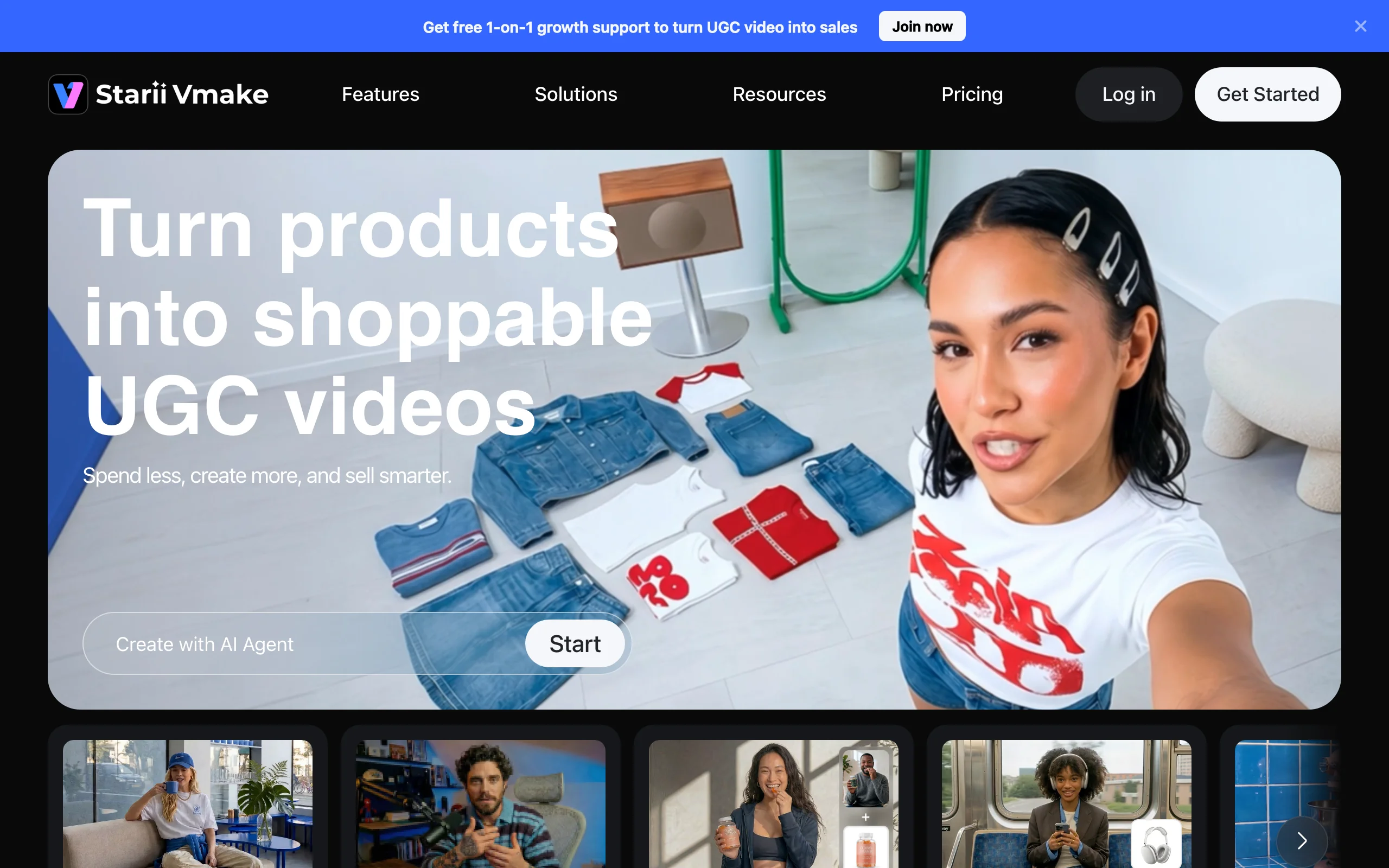
Face Swap with Vmake AI
Key features
- Face swap in photo and video
- Auto Captions, Video Enhancer, Watermark Remover, Background Remover
- Access to multiple AI models (Seedance, Sora 2, Veo 3.1, etc.) on paid tiers
- Free tier: 350 credits + 20 daily credits, watermarked
- Commercial use included on paid tiers
Best for
- Brands and agencies producing both photo and video content with multiple AI features
- Teams that want a generous free tier to test before paying
- Sellers who need watermark or text removal alongside face swap
Pricing
- Free: 350 credits at signup + 20 daily credits, watermark on exports
- Plus: $9.99/month — 1,000 credits/month, exports up to 1080p, 10 daily core tool uses, commercial use included
- Pro: 4,500 credits/month, exports up to 2K and 4K, 50 daily core tool uses (monthly price not transparently displayed on the public pricing page; sign-in required for the exact figure)
- Monthly and yearly billing options
- "No commitment, cancel anytime"
Reviews and ratings
- Trustpilot: 4.1 out of 5
- G2 listing exists with positive sentiment on ease of use and customer support
- Common praise points: ease of use, generous free tier, broad feature set
- Common critique points: credit-based pricing can be confusing, credits don't roll over month-to-month, specific Pro pricing hidden on the page
Pros
- Generous free tier (350 + 20 daily credits)
- Broad feature set means face swap is just one of many tools you get
- Strong Trustpilot rating relative to the rest of this category
Cons
- Not fashion-tuned: garment fidelity isn't a specialty
- Credits don't roll over, so unused capacity disappears
- Specific paid pricing isn't transparently displayed on the pricing page
6. Fotor, best for face swap in an all-in-one photo editor
Fotor is a general-purpose online photo editor and design platform with a dedicated AI Face Swap tool. It isn't fashion-specific, but it covers single-person, multi-person, and video face swap inside the same workspace as its background remover, retouching, collage, and AI design tools. For sellers who want a familiar, low-cost editor that also handles the occasional face swap rather than a dedicated swap engine, Fotor works across the web, iOS, Android, and Mac/Windows on one subscription.
The face swap is credit-based: a single photo swap costs 2 credits, and multi-person swaps add 1 credit for each additional face. The free tier includes limited credits but watermarks every export, so removing the watermark and unlocking HD output means moving to a paid plan. Annual billing brings Pro to an effective $3.33/month.
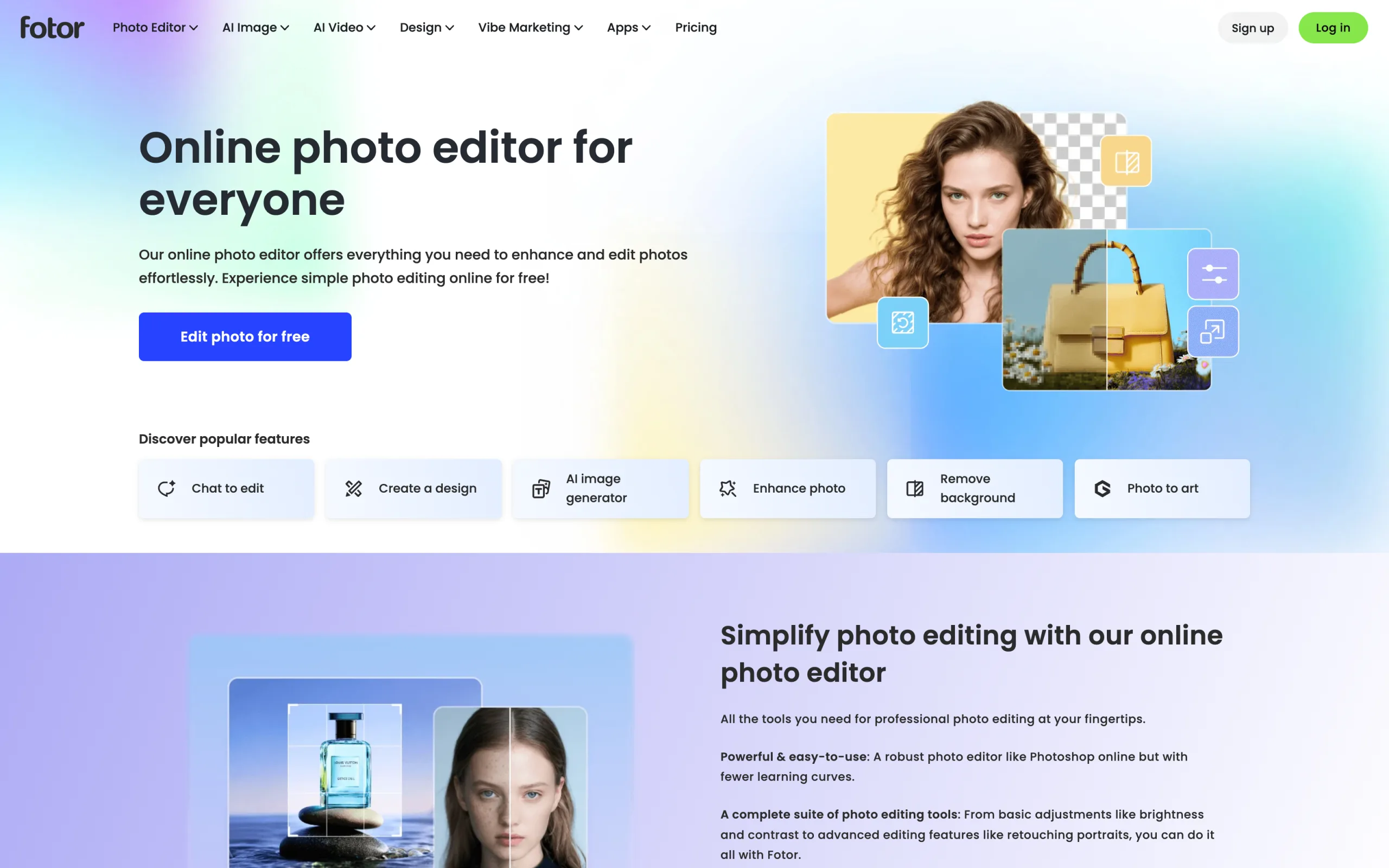
Face Swap with Fotor
Key features
- Single-person, multi-person, and video face swap
- Credit-based usage: 2 credits per photo swap, +1 credit per additional face
- Background remover, retouching, collage, and AI design tools in the same editor
- Web, iOS, Android, and Mac/Windows apps sharing one subscription
- Watermark-free HD and transparent-PNG exports on paid tiers
Best for
- Sellers who want a familiar all-in-one editor that also handles face swap
- Casual users needing single or multi-face swaps without a dedicated tool
- Creators who retouch, design, and swap faces in one workspace
Pricing
- Basic (Free): limited credits, watermarked exports, 512MB storage, 1 concurrent generation
- Pro: $8.99/month monthly or $3.33/month annual — watermark-free, HD exports, 2GB storage, 10 concurrent generations
- Pro+: $19.99/month — 100GB storage, 30 concurrent generations, larger credit allowance
- Extra credits available as add-ons on paid plans
Reviews and ratings
- Capterra: 4.5 out of 5 (1,000+ reviews)
- G2: 4.2 out of 5
- Trustpilot: 1.1 out of 5 (440+ reviews) — most complaints relate to subscription billing and cancellation, not core product quality
- Common praise points: broad all-in-one toolkit, ease of use, cross-platform apps, affordable annual pricing
- Common critique points: free tier watermarks every export, credit-based AI tools add up, face swap not tuned for fashion garment detail
Pros
- All-in-one editor: face swap plus background removal, retouching, and design in one subscription
- Single, multi-person, and video face swap in a single tool
- Cross-platform (web, iOS, Android, Mac/Windows) with affordable annual pricing
Cons
- Not fashion-tuned: garment prints and textures aren't specifically preserved
- Free tier watermarks every export
- Credit-based AI usage adds up on heavier face swap volume
7. VModel.ai, best for API-first developer face swap
VModel.ai is a unified AI model API platform that hosts multiple face swap models (and many other AI tools: image upscaling, style transfer, fashion model generation). The pricing model is pay-as-you-go credits with no monthly subscriptions, which fits developer teams building custom face swap pipelines, agencies running variable-volume projects, and brands that don't generate enough volume to justify a SaaS subscription.
For face swap specifically, individual models are priced per use (e.g., Photo Face Swap Pro at $0.02 per use, Standard at $0.04 per use, Video Face Swap Pro at $0.03 per second). $10 free credits cover hundreds of photo swaps or several minutes of video.
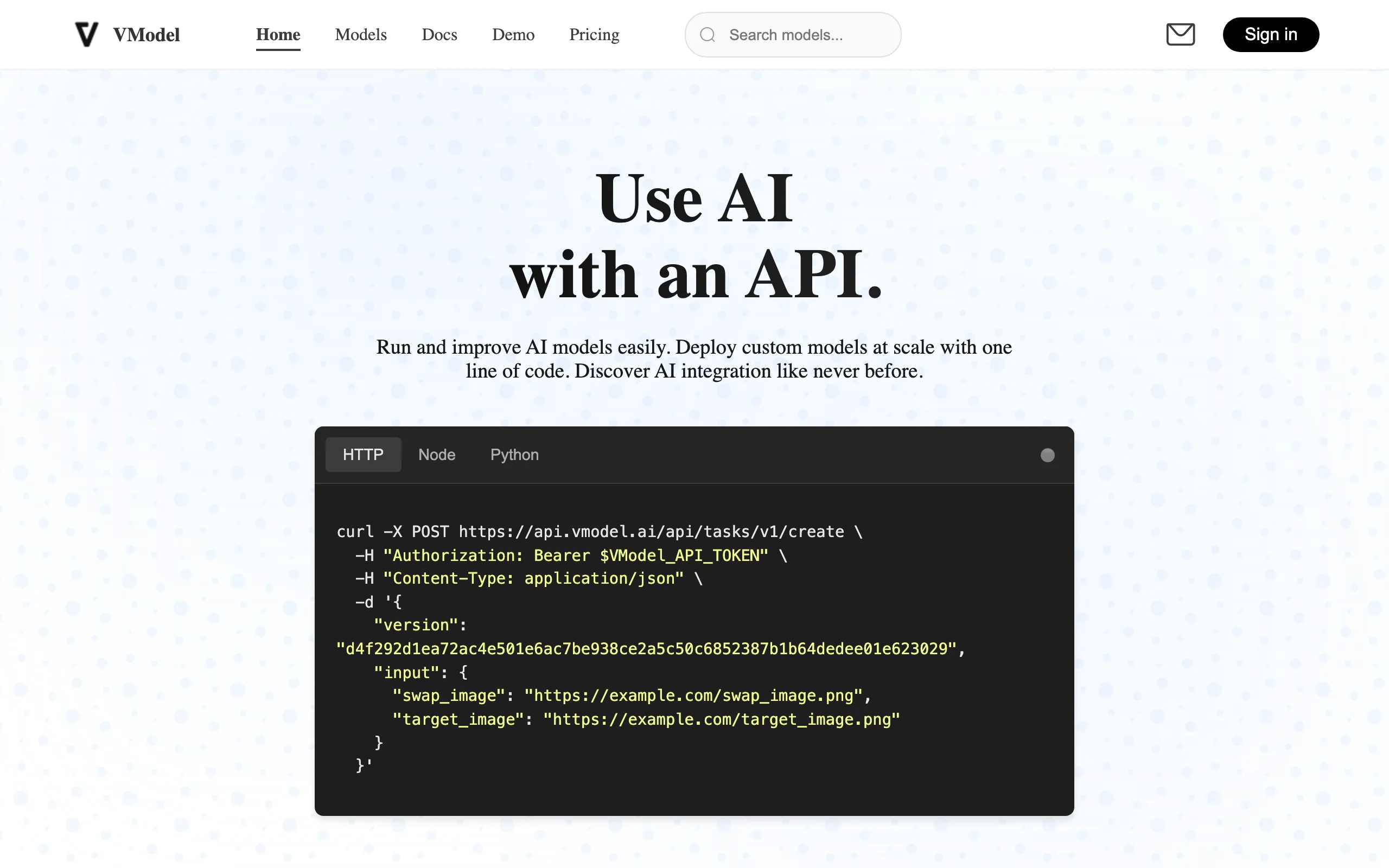
Face Swap with VModel.ai
Key features
- Unified REST API for many AI models including multiple face swap variants
- Pay-as-you-go credit model with no subscription requirement
- Credits don't expire
- Each model priced individually (per use or per second)
- Web interface for non-technical team members
Best for
- Developers building custom face swap pipelines
- Agencies running one-off face swap projects with variable volume
- Brands that want face swap without monthly subscription overhead
Pricing
- $10 free credits to start (hundreds of photo swaps or several minutes of video)
- Photo Face Swap Pro: $0.02 per use
- Photo Face Swap Standard: $0.04 per use
- Video Face Swap Pro: $0.03 per second
- Video Face Swap Standard: $0.04 per second
- Universal credits across the entire model library
- No monthly subscription
Reviews and ratings
- Chrome Web Store (VModel browser extension): 4.8 out of 5
- No public Trustpilot, G2, or Capterra aggregate score for the main platform
- Common praise points: API documentation, fast integration, predictable per-image cost
- Common critique points: less polished web interface than subscription competitors, output quality varies by underlying model
Pros
- No subscription lock-in: pay only for what you use
- Strong API documentation for developer integration
- Universal credits work across face swap models and the rest of the platform
Cons
- Less polished web interface than dedicated subscription tools
- Output quality varies by underlying model
- Limited brand consistency features
8. Remaker.ai, best for budget batch face swap
Remaker.ai is a general AI face swap tool focused on batch processing. The standout feature is multi-image face swap: upload up to 50 images at once and the tool processes them in a single batch. Pricing uses one-time credit packs (no subscription), which makes it useful for occasional projects or cost-controlled use.
The Trustpilot rating is the lowest in this list, mainly due to billing complaints and concerns about the Terms of Service. For fashion brands, Remaker is best treated as a low-cost batch tool for one-off projects, not a long-term core platform.
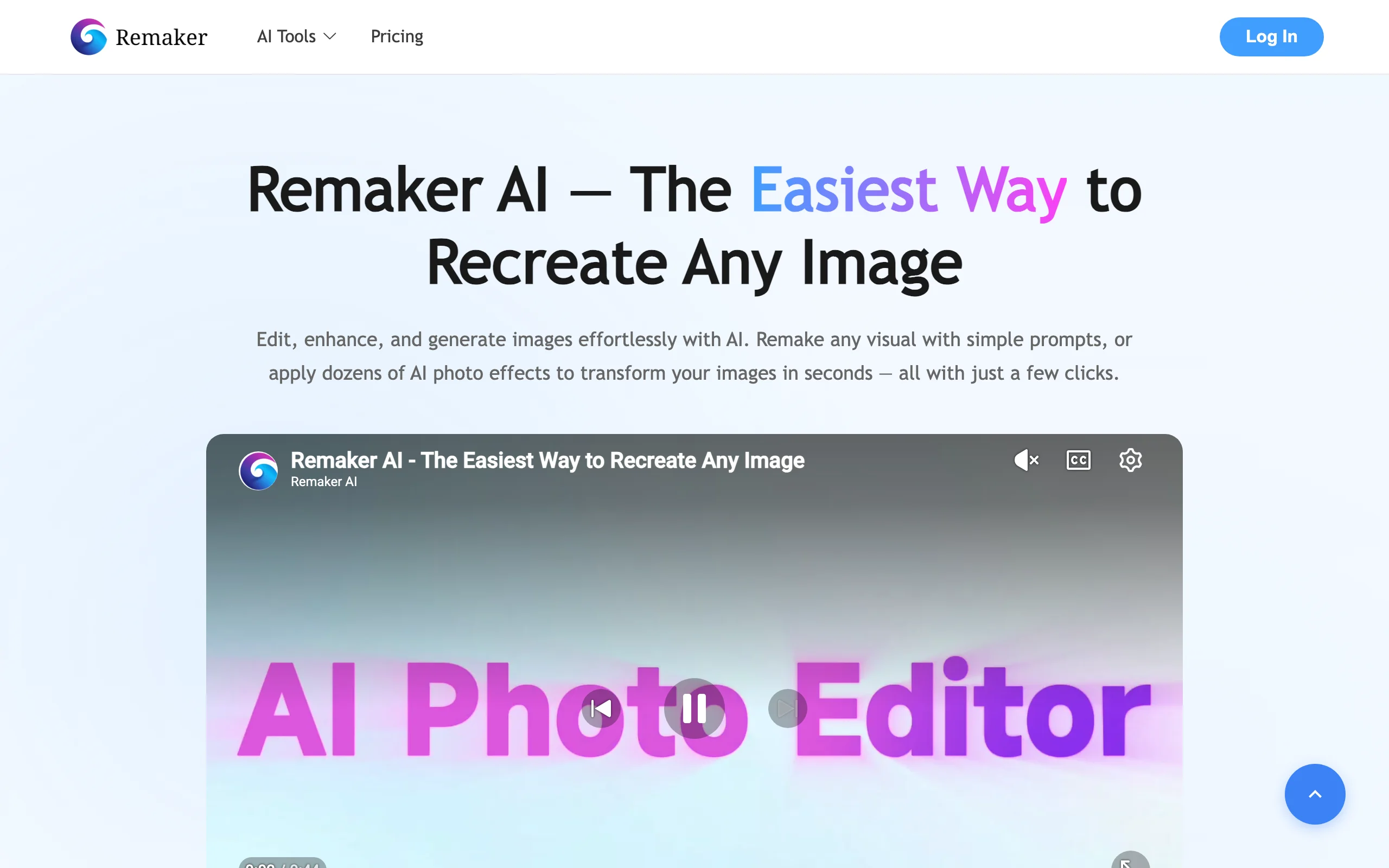
Face Swap with Remaker.ai
Key features
- Photo face swap with multi-image batch (up to 50 at once)
- Pay-once credit packs, no recurring subscription
- 48-hour upload deletion for privacy
- Stripe payment processing
Best for
- Sellers running occasional face swap projects without subscription commitment
- Teams needing batch processing across many images at once
- Budget-conscious users wanting a one-time purchase model
Pricing
- 200 credits: $5.99 (one-time)
- 530 credits: $9.99 (one-time)
- 1,100 credits: $19.99 (one-time)
- 3,000 credits: $49.99 (one-time)
- Larger packs scale up to 20,000 credits for $299 (one-time)
- Purchased credits never expire
- A single video face swap can cost 10-20 credits
- No refunds on credit purchases
Reviews and ratings
- Trustpilot: 2.5 out of 5
- Common praise points: low cost per swap on photo, batch capability, no subscription lock-in
- Common critique points: billing language in Terms of Service contradicts marketing, privacy policy references vague third-party analytics, customer support concerns
Pros
- One-time pricing means no recurring charges
- Multi-face batch (up to 50 images) saves time on large jobs
- Photo face swap quality is reasonable for the price
Cons
- Lowest review confidence on this list (Trustpilot 2.5/5)
- Privacy and billing concerns reported by users
- Not fashion-tuned: garment details aren't optimized
How to choose the best AI face swap tool for fashion
1) Do you need photo, video, or both?
If your work is purely static catalog imagery, WearView, ImagineArt, Fotor, Remaker.ai, and DeepSwap (photo) all handle photo face swap well. WearView is the strongest fashion-specific choice because the AI is tuned to preserve garment details.
If you need video face swap (for ads, social, or campaign reels), Akool is the strongest pick on this list, with up to 8K and 16K depending on tier. DeepSwap, Vmake AI, and Fotor also support video. VModel.ai's API offers per-second video face swap pricing for custom workflows.
For a deeper look at full model swap (not just face), see our guide to the best AI model swap tools.
2) How fashion-specific does the tool need to be?
If your priority is preserving garment details (prints, textures, fit, fabric drape) during the swap, WearView is the only fashion-tuned tool on this list, built specifically to keep prints, textures, and drape intact during the face swap.
If your priority is the face swap quality itself (and you're less concerned about garment fidelity), Akool, ImagineArt, DeepSwap, and Vmake AI deliver strong face swap output but aren't fashion-tuned, so garment details may shift slightly.
3) What's your volume and pricing profile?
For occasional projects (under 30 swaps a month), Remaker.ai's one-time credit packs ($5.99-$49.99), DeepSwap's $9.99/month Standard plan, and ImagineArt's 100 free signup credits are the cheapest options. WearView's Lite ($29/month, 50 credits) and Fotor's annual Pro ($3.33/month effective) are also accessible.
For 50-200 swaps a month, WearView Pro ($49/month) and Akool Pro ($30/month, 600 credits) are well-priced for the output quality. Vmake AI's Plus tier offers 1,000 monthly credits for broader video AI work alongside face swap.
For high-volume teams, WearView Advanced ($99/month, 500 credits), Akool Pro Max ($59-119/month), Vmake AI Pro (4,500 credits/month), or VModel.ai bulk credit usage all scale up.
4) What platform do you sell on?
None of these tools has a native Shopify listing integration, so you'll export swapped images and upload them to your product pages manually or in batches — the workflow is the same across Shopify, WooCommerce, BigCommerce, and standalone stores. WearView, Akool, ImagineArt, DeepSwap, Vmake AI, Fotor, and Remaker.ai all fit this manual or batch upload approach. For developer-built stacks, VModel.ai's API is the most flexible option for automating uploads into a custom pipeline.
FAQ
What is an AI face swap tool for fashion photos? An AI face swap tool replaces the face of a model in an existing photo with a different face, while keeping the outfit, pose, lighting, and background untouched. Fashion brands use this to refresh catalog imagery without reshooting, test brand ambassadors in existing campaigns, or generate model variations across demographics from a single base photo.
Is AI face swap legal for commercial use? Yes, on paid plans for most tools on this list. WearView, Akool, ImagineArt, DeepSwap, Vmake AI (paid tiers), Fotor (paid tiers), VModel.ai, and Remaker.ai all grant commercial usage rights on paid plans. Always check the licensing terms on your specific plan, and only use reference faces you have permission to use (your own face, AI-generated faces, licensed talent images, or models who have signed releases).
Can AI face swap preserve garment details properly? The best results come from fashion-tuned tools like WearView, which is built to preserve prints, textures, fit, and fabric drape during the swap. General-purpose tools (Akool, ImagineArt, DeepSwap, Vmake AI, Fotor, Remaker.ai) deliver strong face swap output but may shift garment details slightly because they're not specifically optimized for fashion.
What input produces the best AI face swap? A high-resolution source photo (the on-model fashion image you want to keep) and a clean reference face photo (front-facing, well-lit, no extreme angles) deliver the best results. Avoid blurry, low-resolution inputs, extreme angles, partial faces, or heavy filters on either image.
Is there a free AI face swap tool? Akool offers a free plan with 50 credits (720p, 5-min video, watermark). ImagineArt gives 100 free credits at signup with watermark-free output, so you can create realistic face swaps at no cost before upgrading to a paid plan for unlimited swaps. Vmake AI gives 350 credits at signup plus 20 daily credits. Fotor's free tier includes limited credits but watermarks every export. VModel.ai includes $10 in free credits. Remaker.ai uses one-time credit packs starting at $5.99. WearView does not have a free plan but starts at $29/month.
Can I use AI face swap photos for Meta and Google ads? Yes, on paid plans. AI face swap is particularly useful for ad creative because you can A/B test different faces on the same garment without reshooting. Some tools (like Akool's free tier) include watermarks that need a paid upgrade to remove.
Which AI face swap tool is best for Shopify? None of the tools on this list has a native Shopify listing integration, so you'll upload swapped images to your product pages manually or in batches. WearView produces the highest-quality fashion output for Shopify catalogs; for developer-built stores, VModel.ai's API can automate uploads into a custom pipeline.
How long does AI face swap take? WearView's AI Model Swap completes in under 15 seconds. Most photo face swap tools (Akool, DeepSwap, Vmake AI) deliver results in 10-30 seconds, and ImagineArt runs entirely in the browser and returns face swap results in seconds with no software to install. Video face swap takes longer depending on length and resolution: a 30-second 1080p clip might take 1-3 minutes, while 4K or longer outputs can take 5-10+ minutes. Compared to a real reshoot (1-3 weeks), every option here is dramatically faster.
How should I read Trustpilot vs G2 ratings for these tools? Trustpilot scores for SaaS products often skew low because most reviews come from frustrated customers (billing disputes, cancellation issues, refund requests). G2 and Capterra reviews are typically left by active users invited by the vendor, which skews scores higher. When ratings disagree dramatically (as with DeepSwap: Trustpilot 1.9/5 with billing complaints vs more favorable G2 sentiment, or Fotor: Trustpilot 1.1/5 vs Capterra 4.5/5), read sample reviews on both platforms before deciding. Ratings cited above are accurate as of mid-2026 and can change.

WearView Team
WearView Content & Research Team
WearView Team is a group of fashion technology specialists focused on AI fashion models, virtual try-on, and AI product photography for e-commerce brands. We publish in-depth guides, case studies, and practical insights to help fashion businesses improve conversion rates and scale faster using AI.