
May 13, 2026•17 min read
7 best flatlay to model AI tools for ecommerce (2026 guide)
Compare the 7 best flatlay to model AI tools for ecommerce in 2026. Covers pricing, key strengths, output quality, and a decision framework to help you choose.
Picture of 7 best flatlay to model AI tools for ecommerce (2026) article
Flatlay and ghost mannequin photos are cheap to produce, but they don't sell like on-model shots do. Studies consistently show that model photography lifts conversion rates by 30-50% compared to flat product images. The problem: hiring models, photographers, and studios runs $5,000-$15,000 per shoot.
Flatlay-to-model AI tools solve this by converting your existing product photos into realistic on-model images in seconds. You upload a flat lay, packshot, or mannequin photo, pick an AI model, and get a professional lifestyle shot back, typically for under $1 per image.
In this guide, we compare the 7 best flatlay-to-model AI tools available in 2026. We cover pricing, output quality, key features, and which tool fits different ecommerce workflows best.
Best flatlay to model AI tools: a brief overview
- WearView: Best overall for fashion brands that need more than flatlay-to-model. Combines Flat Lay to Model, virtual try-on, AI model creation, video, and pose control in one platform.
- Canva: Best for quick edits and marketing creatives. A general-purpose design tool with one-click background removal, Magic Studio AI editing, and polished mobile apps for prepping product photos and building listings around your on-model shots.
- Cloudinary: Best for developers processing images at scale. A media API that automates background removal, optimization, and delivery across large product catalogs so your generated on-model images ship fast everywhere.
- SellerPic: Best for sellers who need photo and video. Converts flatlay shots into on-model images and short-form product videos from a single upload.
- Vmake (X-Design): Best for budget-conscious sellers. Low per-image cost with a pay-as-you-go model and API access for automation.
- OnModel: Best for Shopify store owners who want bulk conversion. Upload your entire catalog and get on-model images generated automatically.
- VModel: Best for API-first workflows. Pay-per-use pricing with no subscription required, ideal for developers building custom pipelines.
| Tool | Key strength | Pricing | Best for |
|---|---|---|---|
| WearView | All-in-one fashion AI platform with 7 tools | From $29/mo | Fashion brands needing a complete visual toolkit |
| Canva | Design and editing with one-click background removal | Free tier; Pro from ~$12-15/mo | Editing product photos and marketing creatives |
| Cloudinary | Image API for batch processing and delivery | Free tier (25 credits/mo); paid from $89/mo | Developers automating catalog images |
| SellerPic | Photo-to-model plus video generation | From $29/mo; 20 free credits/mo | Sellers needing both photos and videos |
| Vmake (X-Design) | API-first with low per-image cost | From $9.99 (530 credits); 5 free credits | Developers and budget sellers |
| OnModel | Bulk upload with demographic-matched models | From $9/mo; free plan (25 swaps) | Shopify stores with large catalogs |
| VModel | Pay-per-use with no subscription lock-in | $10 free credits; pay-as-you-go | API integrations and one-off projects |
1. WearView, best overall flatlay to model platform
WearView is a complete AI fashion photography platform that features a dedicated Flat Lay to Model tool. There, you upload your flat-lay, ghost mannequin, or packshot image (or multiple ones), choose from a diverse range of AI models across different ethnicities, body types, and age groups, and describe the background or setting you want. The tool generates professional on-model photos in under 15 seconds.
WearView lets you create full fashion campaigns from studio shots to lifestyle images. You can style complete outfits by manually pairing garments with models or by describing the look in a prompt. Each model can be customized with specific poses using reference images through the AI pose changer, but you can also describe any pose and background via text. Beyond flatlay-to-model, the platform includes Virtual Try On, AI model creation from text prompts, consistent model identity for brand campaigns, ghost mannequin generation, and AI fashion video, all in one workspace.
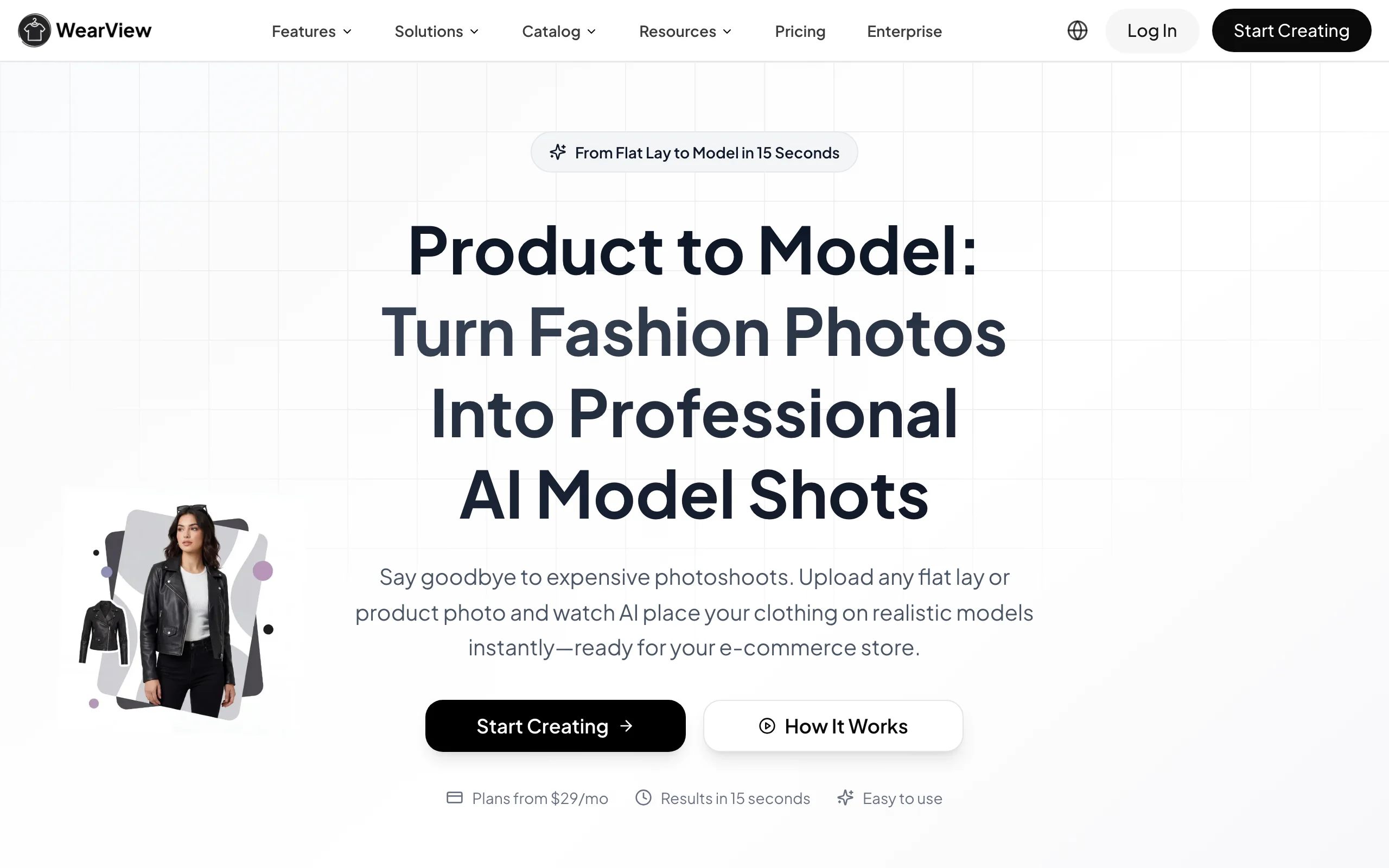
WearView product-to-model interface
Key features
- Flatlay, mannequin, and packshot to on-model conversion in under 15 seconds
- Diverse AI model library with control over ethnicity, body type, age, and pose
- Consistent model identity across product lines for cohesive brand campaigns
- AI fashion video generation from product photos (720p and 1080p)
- HD, 2K, and 4K output with commercial rights included
- Ghost mannequin, virtual try-on, and text-to-model creation in one platform
Best for
- Fashion brands that need multiple AI photography tools in one platform
- Ecommerce teams managing full catalogs across multiple visual formats
- Agencies producing content for several fashion clients simultaneously
Pricing
- Lite: $29/month (50 credits), Pro: $49/month (200 credits), Advanced: $99/month (500 credits)
- Annual billing saves up to $198/year
- Credit packs available for one-off top-ups
Pros
- Most complete feature set: 7 AI tools in one platform instead of juggling multiple subscriptions
- Consistent model identity across product lines for cohesive brand campaigns
- Team collaboration with up to 15 members on the Advanced plan
- 4K output at studio-grade quality
Cons
- Higher starting price ($29/mo) than single-purpose flatlay-to-model tools
- Credit-based pricing means high-volume users may need the Advanced plan or top-ups
2. Canva, best for quick edits and marketing creatives
Canva is a general-purpose design and photo-editing platform, not an on-model generator, but a genuinely useful companion in the flatlay-to-model workflow. Its Magic Studio AI suite handles one-click background removal, Magic Eraser, and Magic Expand, so you can clean up flat-lay and packshot photos before running them through a generator, then design product listings, ads, and social posts around the on-model images you get back. The interface is intuitive, and the mobile apps mirror most desktop features, making it easy to edit on the go.
Where Canva shines is accessibility and breadth: a huge template library, brand kits for consistent styling, and an editor that non-designers can pick up in minutes. It won't place your garment on an AI model, so pair it with a dedicated flatlay-to-model tool for the generation step, then use Canva to polish and package the results for your storefront and campaigns. For a broader breakdown of how creative tools stack up for fashion work, see our AI fashion photography tools comparison.
Flatlay to model workflow with Canva
Key features
- One-click background removal and Magic Eraser via Magic Studio
- Magic Expand and Magic Grab for retouching and reframing product photos
- Thousands of templates for product listings, ads, and social posts
- Brand kits for consistent fonts, colors, and logos across creatives
- Dream Lab text-to-image and Magic Media for graphics (not on-model generation)
- Mobile apps (iOS and Android) with near-full feature parity
Best for
- Sellers who want to clean up flat-lay photos before generating on-model images
- Small brands designing product listings, ads, and social content in one place
- Non-designers who need a fast, intuitive editor on desktop or mobile
Pricing
- Free tier with core editing and templates
- Pro: from around $12-15/month (or roughly $120-144/year) — unlocks the full Magic Studio AI suite
- Business: per-seat pricing for teams that need brand controls and collaboration
Pros
- One of the easiest editors to learn, on desktop and mobile
- Background removal plus a full design toolkit in a single subscription
- Free tier is genuinely usable for testing and light work
Cons
- Does not generate on-model images from flat-lays; you still need a dedicated tool for that step
- The best AI editing tools are locked behind the Pro plan
- Not built for fashion-specific product fidelity or catalog-scale automation
3. Cloudinary, best for developers automating image processing at scale
Cloudinary is a developer-first media platform, an image and video API rather than an on-model generator. In a flatlay-to-model pipeline, it handles everything around the generation step: programmatic background removal, cropping, format conversion, optimization, and CDN delivery for entire catalogs. You upload once and transform on the fly with URL parameters, so the same product image can be resized, cleaned up, and served in the right format to every device.
Where Cloudinary pulls ahead is automation and scale. Its SDKs (for Node, Python, PHP, and more), generative editing add-ons (generative fill, replace, and remove), and credit-based usage model let engineering teams process thousands of images without manual work. It won't place garments on AI models, so it's best paired with a dedicated flatlay-to-model tool that generates the shots, with Cloudinary managing and delivering them at catalog scale.
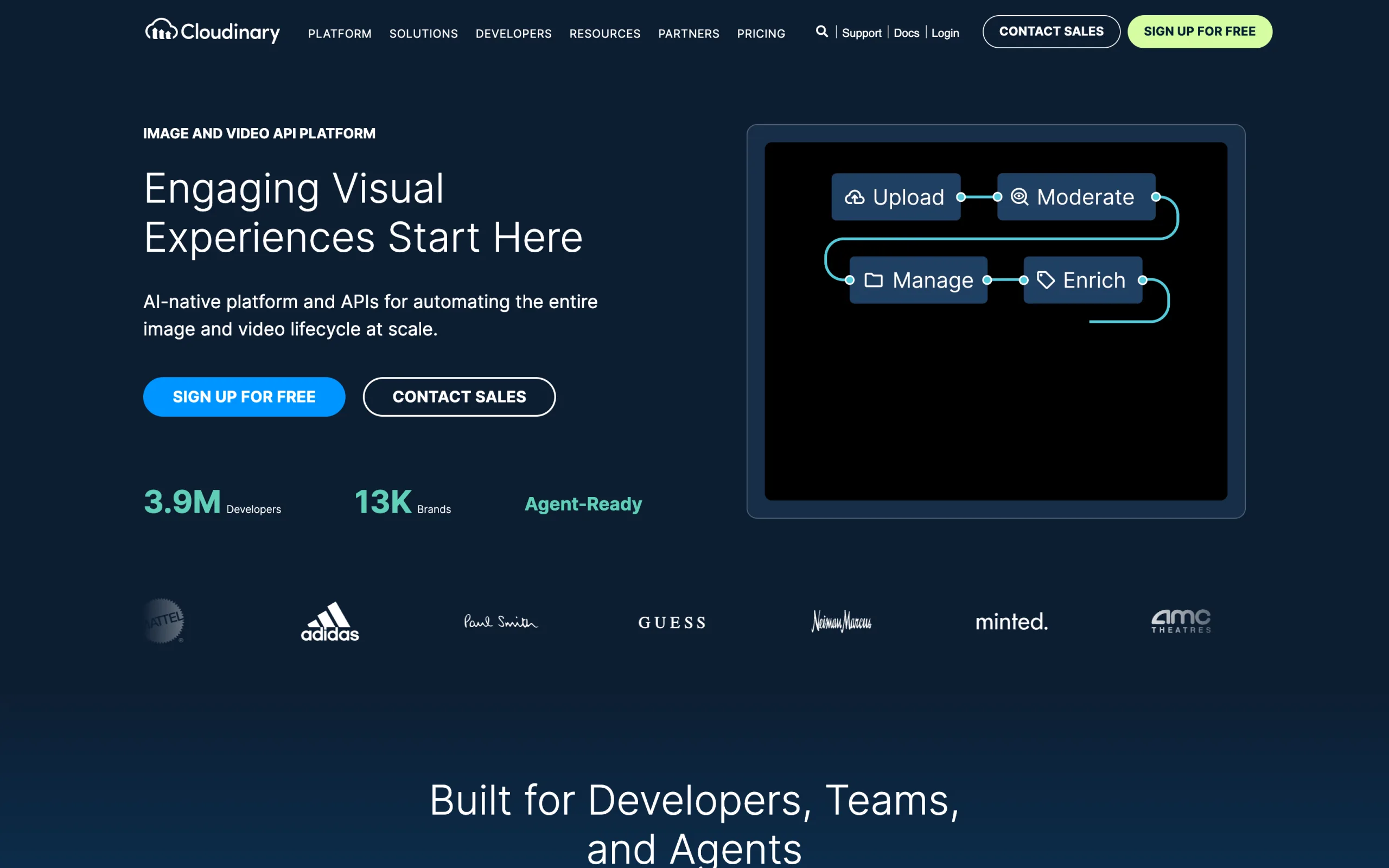
Flatlay to model image pipeline with Cloudinary
Key features
- Image and video API with on-the-fly, URL-based transformations
- AI background removal and generative fill, replace, and remove add-ons
- Automatic optimization, format conversion, and responsive CDN delivery
- SDKs for Node, Python, PHP, Ruby, and other stacks
- Batch upload and processing through the API for catalog-scale work
- Digital asset management with AI-assisted tagging and search
Best for
- Developers building automated product-image pipelines
- Ecommerce teams delivering large catalogs across web and mobile
- Brands that need programmatic background removal and optimization at scale
Pricing
- Free plan: 25 monthly credits, 3 users, API and free add-on access
- Plus: from $89/month billed annually (225 credits)
- Advanced: from $224/month billed annually (600 credits); Enterprise custom
Pros
- Best-in-class automation for processing and delivering images at scale
- Free tier is generous enough to prototype a full pipeline
- Transformations, optimization, and delivery handled by one API
Cons
- Does not generate on-model images; it processes and delivers, it doesn't create
- Developer-oriented: requires code to get value, not a point-and-click app
- Premium AI add-ons consume credits quickly at high volume
4. SellerPic, best for sellers who need photo and video
SellerPic is an AI-powered studio that turns flat-lay and ghost mannequin shots into on-model product photos and short-form videos from a single upload. The platform offers a diverse library of AI fashion models representing different body types, ethnicities, and age groups, so you can match your target audience. What makes SellerPic stand out is the built-in video creation: turn static product images into engaging clips without switching tools.
The Shopify app integration lets you push generated images and videos directly to your product listings. SellerPic also includes background editing and model swap features, making it a practical all-in-one for sellers who want both photo and video content from the same workflow.

SellerPic AI fashion model studio
Key features
- Flatlay and ghost mannequin to on-model conversion with diverse AI models
- Built-in video generation from product photos (10-second clips)
- Smart background removal and replacement in one click
- Shopify app integration for direct publishing
- Lipsync video feature on Growth plan for social media content
Best for
- Ecommerce sellers who need both product photos and short-form video from the same tool
- Shopify store owners who want to publish AI model images and product videos side by side
- Social media sellers on TikTok Shop or Instagram who need video content at scale
Pricing
- Free plan with 20 credits/month (1 credit per image, 10 credits per video)
- Starter: $29/month (200 credits, commercial use, no watermark)
- Growth: $79/month (600 credits, Lipsync Video access)
- Advanced: $99/month (3,000 credits); annual billing is 50% off across paid plans
Pros
- Combined photo and video generation eliminates the need for a separate video tool
- Generous free tier (20 credits/month) lets you test before committing
- 1 credit per image is among the simplest pricing structures in this category
Cons
- Video quality at 10-second clips can feel limited for longer product showcases
- Model customization options are less granular than WearView or VModel
- Newer platform with a smaller user community and fewer third-party reviews
5. Vmake (X-Design), best for budget-conscious sellers
Vmake (now rebranding to X-Design) offers flatlay-to-model conversion at one of the lowest per-image costs in the market. The credit-based pay-as-you-go model starts at $9.99 for 530 credits (2 credits per image, so roughly $0.04 per generation). For sellers processing moderate volumes who don't want a monthly subscription, this pricing structure is hard to beat.
The platform supports flatlay, mannequin, and ghost mannequin inputs. You can describe the model and background via text prompts or select from presets. Vmake also offers an API for developers who want to automate their product photography pipeline.
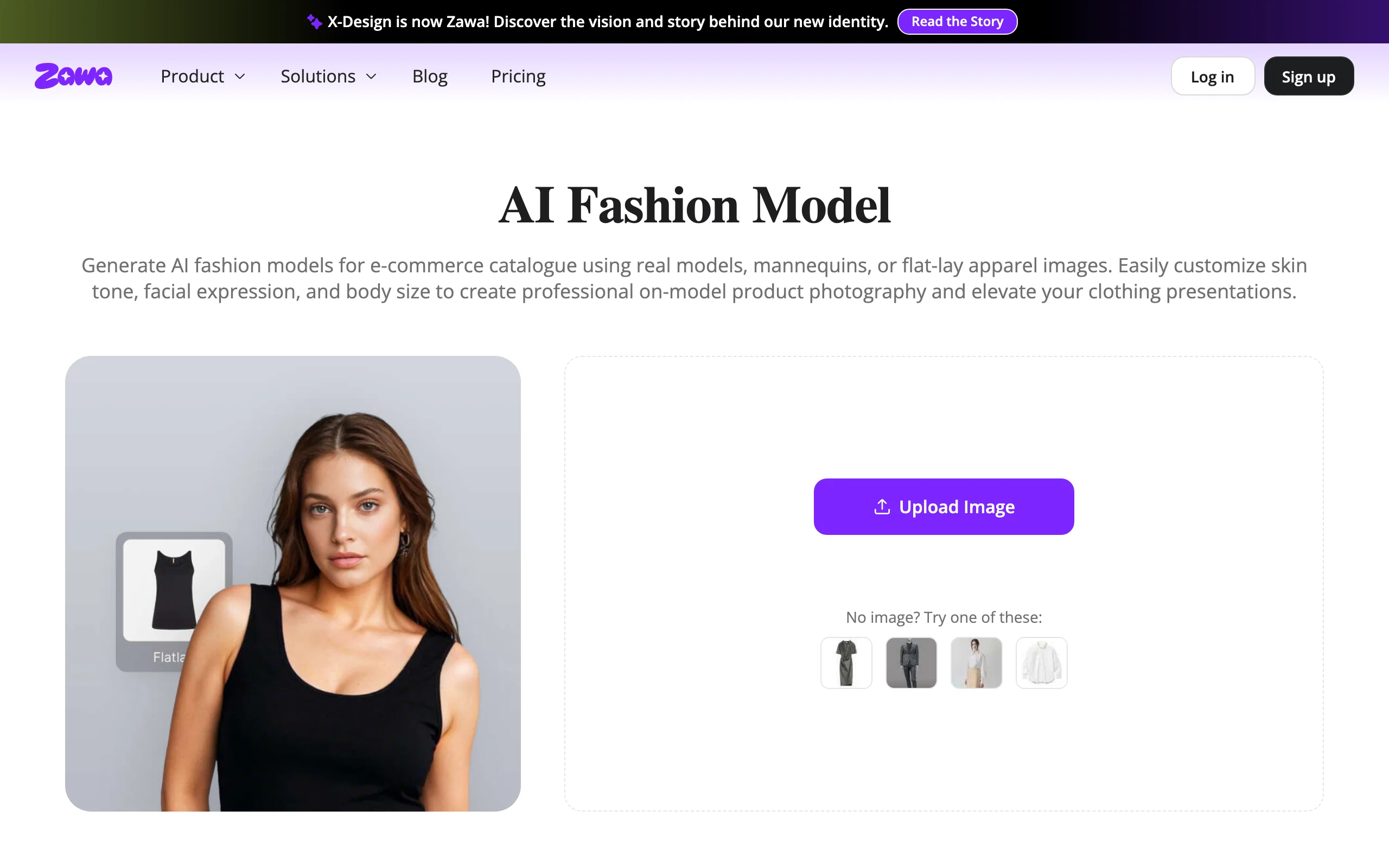
Vmake AI fashion model flatlay interface
Key features
- Flatlay, mannequin, and ghost mannequin to on-model conversion
- Text prompts for model and background customization
- API access for automated batch processing
- Pay-per-use pricing with no monthly commitment
- Multiple pose and setting generation per request (up to 4 images)
Best for
- Sellers who want the lowest per-image cost without a subscription
- Developers building automated product photography pipelines via API
- Seasonal sellers who only need model images during peak periods
Pricing
- 5 free credits on signup (free previews in SD)
- 530 credits for $9.99, 1,100 credits for $19.99, 3,000 credits for $49.99
- Each image costs 2 credits (~$0.04 per generation at the starter tier)
Pros
- Lowest per-image cost of any tool in this comparison
- No subscription lock-in: buy credits when you need them
- API-first design makes automation straightforward
Cons
- Confusing brand history: Vmake's tools were folded into X-Design, which has since been renamed Zawa
- Output quality is noticeably below WearView at comparable resolutions
- Limited model diversity options compared to fashion-focused platforms
6. OnModel, best for bulk Shopify catalog conversion
OnModel (by Trendage) is built for one thing: converting your existing product photos to on-model images at scale. You bulk-upload flat-lay, ghost mannequin, hangar, or mannequin shots, and OnModel generates on-model images with optional retouching and styling. The unique angle is demographic matching: the tool can align AI model demographics with your customer base for a more relevant shopping experience.
The Shopify integration is seamless, letting you push generated images directly to your store. For large catalogs, the bulk processing capability saves significant manual effort.
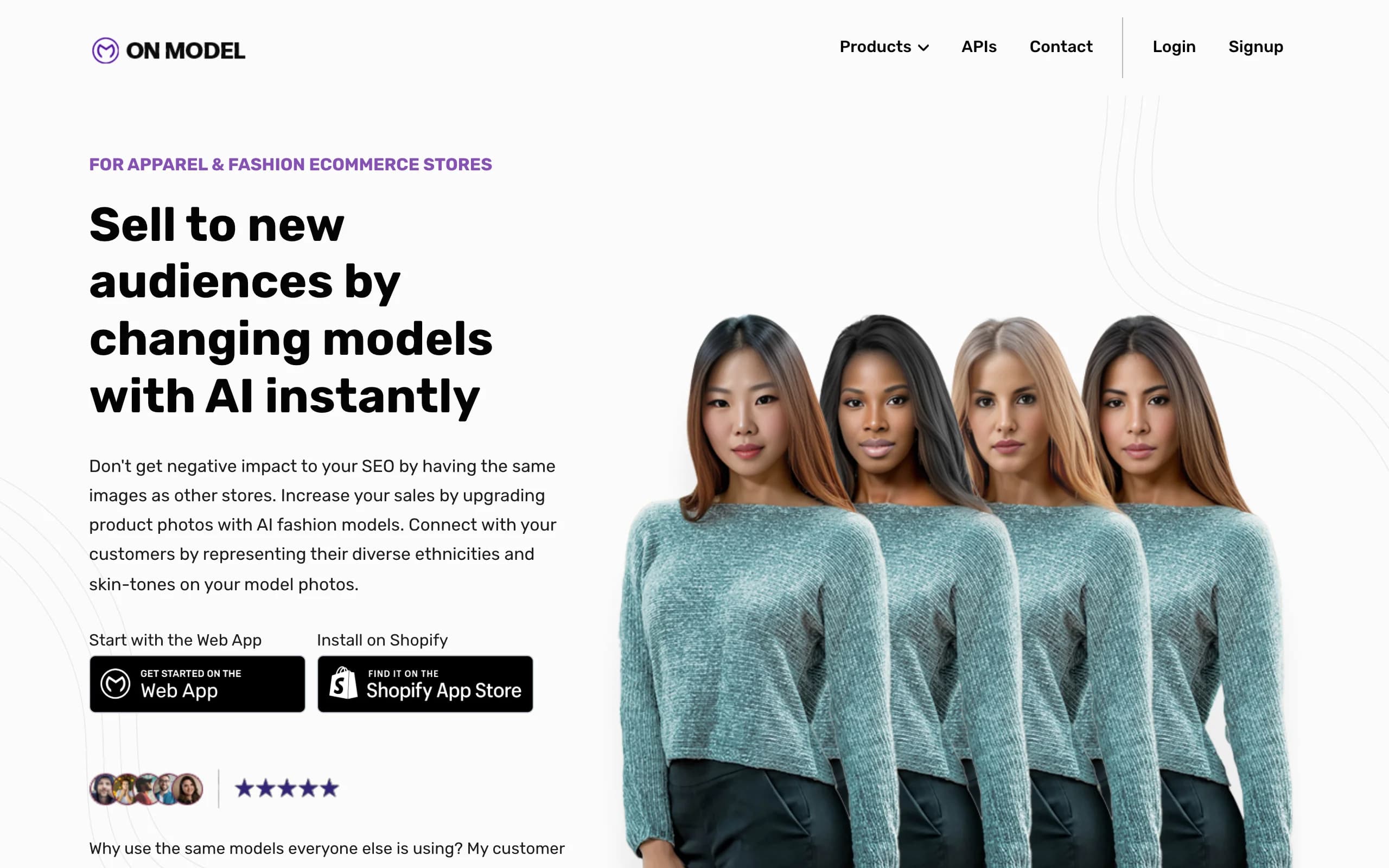
OnModel AI bulk conversion interface
Key features
- Bulk upload of flatlay, mannequin, hangar, and ghost mannequin photos
- Demographic-based model matching (age, gender, ethnicity)
- Automatic retouching and styling options
- Direct Shopify integration for publishing
- Background customization and standardization across product lines
Best for
- Shopify store owners with 100+ SKUs needing on-model images
- Brands that want AI model demographics to reflect their target customer base
- Teams converting entire legacy catalogs from flatlay to on-model format
Pricing
- Free plan with 25 model swaps
- Basic: $9/month (300 swaps), Growth: $19/month (1,000 swaps), Advanced: $49/month (5,000 swaps)
- Significant cost savings vs. traditional model photography
Pros
- Best bulk processing workflow for large catalog conversions
- Demographic matching creates more relevant product imagery for target audiences
- Shopify integration eliminates manual image upload steps
Cons
- Custom pricing with no public price list makes comparison difficult
- Limited to on-model conversion (no try-on, video, or model creation features)
- Less control over individual image customization than creative-focused tools
7. VModel, best for API-first pay-per-use workflows
VModel is a no-subscription AI fashion model generator that runs on pure pay-per-use pricing. You get $10 in free credits on signup (enough for 200-500 generations depending on settings), and then pay only for what you use. The platform handles flatlay-to-model conversion alongside virtual try-on and outfit generation, all accessible via web interface or HTTP API.
For developers and small teams that need occasional model shots without committing to a monthly plan, VModel's pricing model makes financial sense. The API supports image uploads and text prompts, making it easy to integrate into existing workflows.
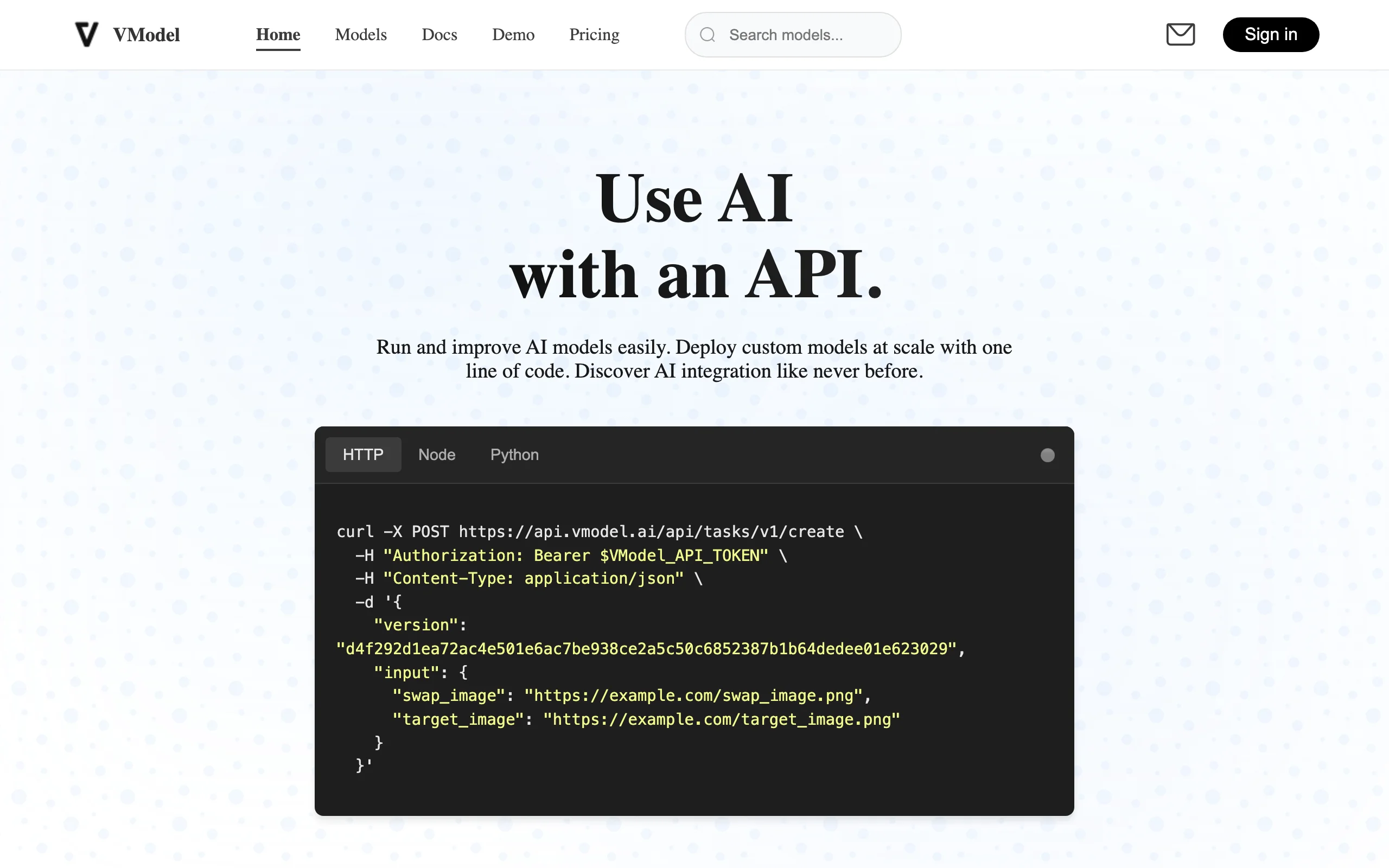
VModel AI fashion model generator
Key features
- Pay-per-use pricing with no subscription required
- $10 free credits on signup (200-500 image generations)
- Web interface and HTTP API for flexible integration
- Model customization by age, ethnicity, gender, and pose
- Text prompt-based background and scene generation
Best for
- Developers who need API access for custom fashion photography workflows
- Small sellers with irregular volume who don't want a monthly subscription
- Agencies running one-off campaigns that need quick model imagery
Pricing
- $10 free credits on signup
- Pay-per-use with transparent per-generation rates
- No monthly minimums or subscription lock-in
Pros
- Most flexible pricing for irregular or project-based usage
- Generous free credits let you fully evaluate before paying
- API access included at all levels (no enterprise gate)
Cons
- Output quality inconsistent across different garment types
- Smaller model library compared to SellerPic or WearView
- No batch processing or catalog management features
How to choose the best flatlay to model AI tool
1) Do you need just flatlay-to-model, or a full fashion AI toolkit?
If flatlay-to-model conversion is your only need, single-purpose tools like VModel or OnModel get the job done at lower cost. But if you also need virtual try-on, AI model creation, video generation, or pose control, a platform like WearView covers more ground without juggling multiple subscriptions. For a broader look at AI photography options, see our AI fashion photography tools comparison.
- If flatlay-to-model only: VModel, OnModel, or Vmake
- If you need a complete toolkit: WearView
2) How many images do you generate per month?
Volume directly impacts which pricing model makes sense. At under 50 images/month, pay-per-use tools (VModel, Vmake) keep costs under $10. At 50-200 images/month, subscription plans from WearView ($29-79/mo) or SellerPic ($29-79/mo) offer better per-image economics. Above 200 images/month, look at bulk processing capabilities (OnModel) and team plans (WearView Advanced at $99/mo for 500 credits with 15 team seats). For engineering teams, an image API like Cloudinary can automate processing and delivery around whichever generator you pick.
- Under 50 images/month: VModel or Vmake (pay-per-use)
- 50-200 images/month: WearView Lite/Pro or SellerPic
- 200+ images/month: WearView Advanced or OnModel Growth/Advanced
3) Do you need both photos and videos?
If your workflow requires both on-model product photos and short-form video content (for TikTok Shop, Instagram Reels, or product pages), SellerPic and WearView both handle photo-to-video in one platform. SellerPic is more affordable for basic video needs, while WearView offers higher resolution video (up to 1080p) and more advanced AI features alongside it.
- Basic photo + video: SellerPic ($29/mo)
- Advanced photo + video with full AI toolkit: WearView Pro ($49/mo)
- Photo only: Vmake, VModel, or OnModel
4) What output quality do you need?
For social media and mobile-first listings, 1K-2K output is usually sufficient. For desktop product pages and print materials, you'll want 4K. WearView offers 4K output on its higher plans, and OnModel produces retouched, print-ready images. Vmake and VModel generally max out at lower resolutions.
- Social media and mobile: Vmake or VModel (1K-2K)
- Desktop product pages: WearView (up to 4K)
- Print materials and campaigns: WearView Advanced or OnModel
FAQ
What is flatlay to model AI? Flatlay-to-model AI converts flat product photos (laid out on a surface or displayed on a mannequin) into realistic on-model images using artificial intelligence. You upload a product photo, select an AI model, and the tool generates a photorealistic image of that model wearing your garment, typically in under 30 seconds.
How much does flatlay to model AI cost? Costs range from free trials to $99/month for premium plans. Pay-per-use tools like VModel and Vmake start at roughly $0.02-0.04 per image. Subscription plans from WearView ($29-99/mo) and SellerPic ($29-99/mo) offer better economics at higher volumes. All are dramatically cheaper than traditional model photography at $25-50 per image.
Can I use flatlay to model AI for any type of clothing? Most tools handle standard garments well: t-shirts, dresses, pants, jackets, and similar items. Complex garments with intricate draping, sheer fabrics, or heavy embellishments may produce less accurate results. WearView also supports accessories, jewelry, and footwear beyond standard clothing.
Do AI-generated model photos look realistic enough for product listings? The best tools in 2026 produce images that are nearly indistinguishable from traditional photography at standard web resolutions. At 4K, tools like WearView deliver studio-grade quality suitable for product pages. Lower-cost tools may show artifacts on close inspection, so always preview at your target display size before publishing.
Is it legal to use AI-generated model images for commercial purposes? Yes, tools like WearView, SellerPic, and OnModel include commercial usage rights on their paid plans. You own the generated images and can use them on your website, social media, ads, and print materials. Always check the specific terms of service for each tool, as some free tiers restrict commercial use.
What input formats work best for flatlay to model AI? Clean, well-lit flat-lay photos on white or neutral backgrounds produce the best results. Ghost mannequin shots also work well because they already show the garment's 3D shape. Wrinkled, shadowy, or cluttered flat-lay photos will produce lower quality outputs. Most tools accept JPEG, PNG, and WebP formats.
Can I keep the same AI model across my entire product catalog? Some tools offer consistent model identity features. WearView's consistent AI models feature lets you generate multiple images with the same model identity, which is useful for cohesive brand campaigns and lookbooks. Most other tools generate a new model face for each image.
Which flatlay to model tool is best for small ecommerce stores? For small stores processing under 50 products, SellerPic's 20 free monthly credits or Vmake's low-cost credits let you test without commitment. For stores that also need virtual try-on or video content, WearView's Lite plan at $29/month covers all features with 50 monthly credits. If budget is the top priority, VModel's pay-per-use model lets you pay only for what you generate.

WearView Team
WearView Content & Research Team
WearView Team is a group of fashion technology specialists focused on AI fashion models, virtual try-on, and AI product photography for e-commerce brands. We publish in-depth guides, case studies, and practical insights to help fashion businesses improve conversion rates and scale faster using AI.


