
March 31, 2026•19 min read
7 best AI lifestyle photo generators for product shots (2026)
Compare the 7 best AI lifestyle photo generators for product and model shots in 2026. Covers pricing, key features, and how to choose the right tool.
Picture of 7 best AI lifestyle photo generators for product shots (2026) article
White backgrounds convert, but lifestyle photos sell. Showing a product in context (on a model walking down a street, on a kitchen counter with morning light, styled on a bed with throw pillows) builds the emotional connection that drives purchase decisions. The problem is that lifestyle shoots are expensive, logistically complex, and nearly impossible to scale across hundreds of SKUs.
AI lifestyle photo generators solve this by turning a single product image into contextual, real-world scenes in seconds. Some place products in styled environments, others put garments on AI models in lifestyle settings, and a few do both. In this guide, we compare the 7 best AI lifestyle photo generators for product and model shots, covering pricing, strengths, and which tool fits your workflow.
Best AI lifestyle photo generators: a brief overview
If you need lifestyle photos with models wearing your products:
- Start with WearView for the most complete lifestyle fashion pipeline: on-model generation, virtual try-on, pose control, and video from a single product image
If you need lifestyle product staging (product-in-scene):
- Use Adobe Firefly if you sell across multiple product categories and need generative backgrounds and scenes for any product type, with enterprise API access
- Use Canva for fast lifestyle backgrounds and templates across all product types, especially on mobile
- Use Flair.ai for precise creative control over lifestyle compositions with a drag-and-drop canvas
- Use Pebblely for budget-friendly lifestyle backgrounds with themed presets
If you need lifestyle content for a specific platform:
- Use CreatorKit for Shopify-native lifestyle photo and video generation
- Use Mokker for instant AI product staging with minimal input
| Tool name | Key strength | Pricing | Platforms |
|---|---|---|---|
| WearView | Complete lifestyle fashion suite: on-model, try-on, pose control, and video | From $29/month | Web |
| Adobe Firefly | Generative backgrounds and scenes for any product category, with API | Free tier (25 credits/mo); from $9.99/month | Web, iOS, Android + API |
| Canva | Mobile-first design and editing with AI backgrounds and templates | Free tier; Pro from $15/month | Web, iOS, Android |
| Flair.ai | Drag-and-drop canvas for styled lifestyle compositions | From $8/month; 5 free images | Web |
| Pebblely | 90+ themed lifestyle presets with generous free tier | From $15/month; 40 free images/month | Web + Shopify app |
| CreatorKit | Unlimited lifestyle generation with deep Shopify integration | From $39/month; 5 free downloads | Web + Shopify app |
| Mokker | One-click lifestyle staging from a single product photo | From $19/month; Free tier available | Web |
1. WearView, best overall for lifestyle fashion photography
Lifestyle fashion photography is more than placing a garment on a white background. It means putting a real-looking model in a real-looking scene (a street, a cafe, a park, a studio with natural light) wearing your product. The traditional approach costs thousands per shoot, requires coordinating photographers, models, and studios, and still delivers inconsistent results when different teams shoot different seasons. WearView replaces that entire process.
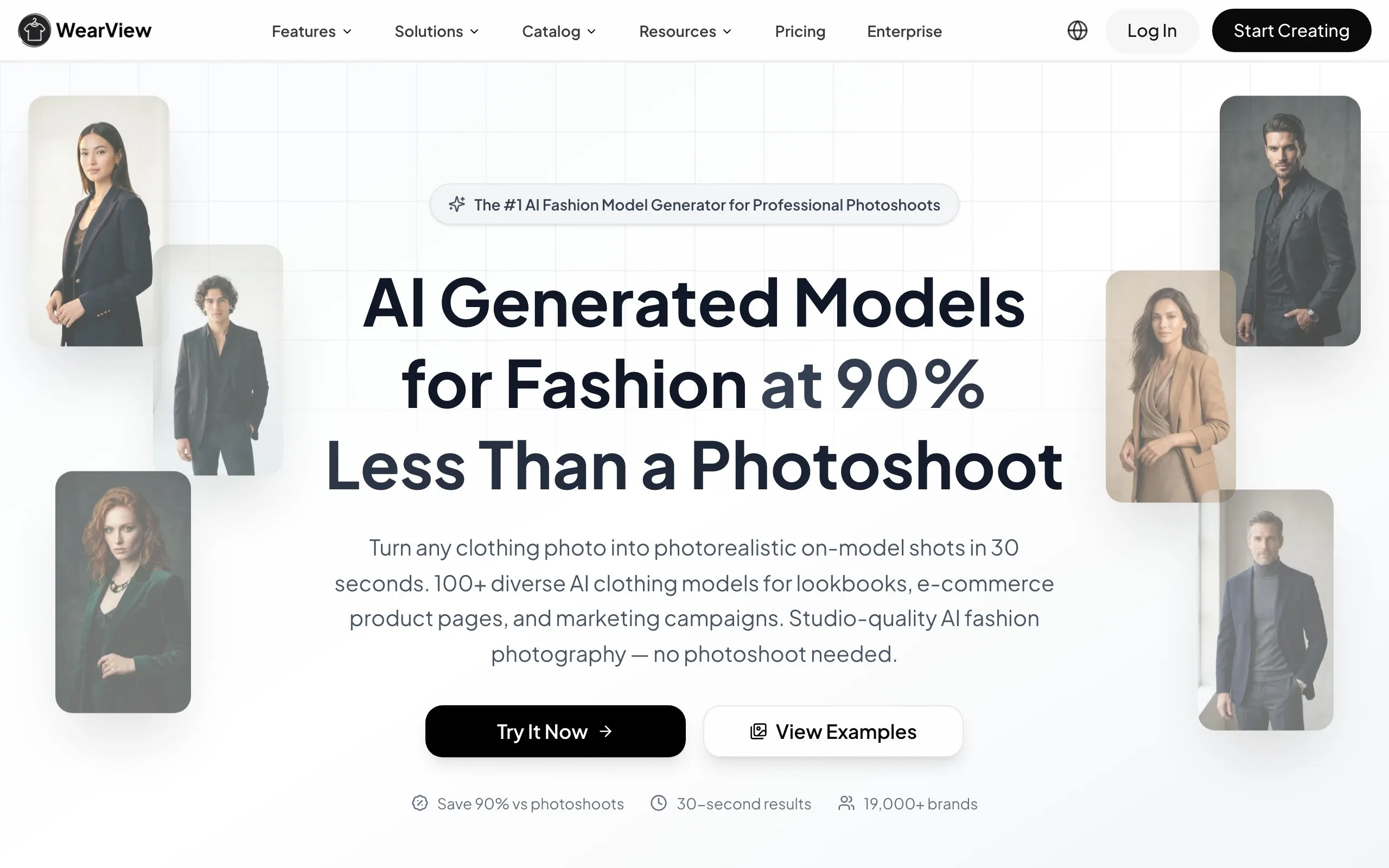
The core feature here is Product to Model. Upload a flat-lay, ghost mannequin, or packshot image, choose from a range of diverse AI models or generate your own, and describe the lifestyle setting you want. The tool generates professional on-model lifestyle photos in under 15 seconds. You can specify anything from "walking through a sunlit European market" to "seated in a minimalist apartment" through text prompts, turning a simple product photo into a full lifestyle shot. Brands like Mansour, a premium menswear label, used Product to Model to replace €12,000 studio shoots entirely — production costs dropped 90% and time-to-market went from weeks to hours. Every model image on their live store is now AI-generated from flat-lay inputs.
The consistency angle is what keeps brands using it. Same lighting, same posing style, same skin tones across every product in a collection. Traditional shoots break down here because you're booking different photographers and models each season, and the look shifts. With Product to Model, you lock in a model and scene style once and reuse it across hundreds of SKUs. Mansour generates roughly 200 lifestyle images per month this way, all at 4K resolution, going straight to their website and ad campaigns.
AI Lifestyle Photo Generator with WearView
Key features
- Product to Model: turn flat-lays, mannequin shots, or packshots into on-model lifestyle photos with custom scene descriptions
- Diverse AI model library with the option to generate custom models across ethnicities, body types, and age groups
- Text-prompt scene control: describe any setting (street, studio, cafe, outdoor) and the AI generates it
- Consistent model identity across entire collections — lock in a look and reuse it across hundreds of SKUs
- 4K output resolution with full commercial usage rights
- AI fashion video generation at 720p and 1080p for lifestyle content
Best for
- Fashion brands replacing traditional photoshoots with AI-generated lifestyle model shots from existing product photos
- E-commerce teams that already have flat-lays and need on-model lifestyle imagery without reshooting
- Brands launching frequent drops or seasonal collections that need consistent visuals at scale
Pricing
- Lite: $29/month (50 credits)
- Pro: $49/month (200 credits)
- Advanced: $99/month (500 credits)
- Add-on credit packs: $10 for 25 credits (never expire)
Pros
- Product to Model turns existing flat-lays into lifestyle shots — no reshooting needed
- Text-prompt scene control gives full creative direction over backgrounds and settings
- Consistent model identity across collections eliminates the visual drift from switching photographers
- Output up to 4K resolution with full commercial usage rights
- Real cost impact: brands report up to 90% reduction in photography spend and 5x faster time-to-market
Cons
- Fashion-focused, less suited for non-apparel product categories like electronics or food
- No native Shopify app or public API for automated workflows
- No batch processing for generating lifestyle photos across hundreds of SKUs at once
2. Adobe Firefly, best for generative lifestyle scenes across all product categories
Adobe Firefly is Adobe's generative AI engine, and it's one of the most versatile ways to create lifestyle backgrounds and scenes for any product category: fashion accessories, beauty, electronics, food, home goods, and more. Using Generative Fill and text-to-image, you can drop a product onto a described setting (kitchen counter, outdoor cafe table, bathroom shelf) and Firefly generates contextual imagery around it. Because Firefly is trained on licensed Adobe Stock content, its output is cleared for commercial use.
What sets Firefly apart for lifestyle work is the surrounding Adobe ecosystem. Generative Fill replaces backgrounds and Generative Expand (Adobe's outpainting) extends a product shot into a full lifestyle composition, and the same tools live inside Photoshop and Adobe Express for deeper editing. For teams with developer resources, Adobe's Firefly Services API supports automated, batch lifestyle generation across large catalogs. Firefly is a general creative tool, though — it does not do fashion virtual try-on or place garments on AI models the way a fashion-specialized tool does.
AI Lifestyle Photo Generator with Adobe Firefly
Key features
- Generative Fill: replace or generate lifestyle backgrounds around any product
- Text-to-image scene generation across all product categories
- Generative Expand (outpainting) to extend product shots into full lifestyle compositions
- Commercially safe output trained on licensed Adobe Stock content
- Integrated across Photoshop and Adobe Express for deeper editing
- Firefly Services API for automated, batch lifestyle generation
Best for
- Multi-category ecommerce brands selling beauty, home goods, electronics, and accessories
- Teams already in the Adobe ecosystem (Photoshop, Express) who want AI scenes in the same workflow
- Developers who want API-driven lifestyle background automation at scale
Pricing
- Free tier: 25 generative credits/month
- Firefly Standard: from $9.99/month
- Firefly Pro: $19.99/month; Premium plan for higher volume
- Firefly Services API pricing for enterprise automation
Pros
- Backed by Adobe with commercially safe, licensed training data
- Works across every product category, not limited to fashion
- Generative Fill and Generative Expand integrate directly into Photoshop and Express
- Enterprise Firefly Services API enables automated lifestyle workflows at scale
Cons
- No fashion on-model generation or virtual try-on for garments
- General-purpose creative tool, not a dedicated one-click product-staging pipeline
- API access is enterprise-oriented with a high entry commitment
3. Canva, best for mobile design and lifestyle editing
Canva is the most widely used design tool for small sellers, and its Magic Studio AI features make it a practical option for lifestyle content. You can remove a product's background in one click, drop it onto a template or a generated backdrop, and use Magic Media to create scene imagery from a text prompt. Magic Expand extends a cropped product shot into a wider lifestyle frame, and the enormous template library gives you pre-designed layouts for product pages, ads, and social posts.
The mobile experience is where Canva shines for on-the-go sellers. The iOS and Android apps have near-complete feature parity with the web version, so you can shoot a product photo on your phone, cut it out, and build a lifestyle graphic in the same session. One-click resizing reformats a single design for Instagram, Pinterest, Shopify, and more. Canva is a general design tool rather than a dedicated product-staging engine — it won't auto-composite realistic shadows and reflections the way a specialized stager does — but for fast, flexible lifestyle graphics it's hard to beat.
AI Lifestyle Photo Generator with Canva
Key features
- Magic Studio AI: background remover, Magic Media (text-to-image), Magic Edit, and Magic Expand
- One-click background removal to isolate products for lifestyle layouts
- Huge template library for product pages, ads, and social lifestyle content
- One-click resizing for Instagram, Pinterest, Shopify, and more
- Full mobile apps (iOS and Android) with near-complete feature parity
- Brand Kit for consistent colors, fonts, and logos across designs
Best for
- Mobile-first sellers who shoot and design product content on their phone
- Small teams that want a single tool for editing, backgrounds, templates, and resizing
- Sellers who want design flexibility over fully automated product staging
Pricing
- Free tier with core editing and limited AI uses
- Canva Pro: from $15/month (billed monthly)
- Canva Business: from $20/user/month for teams
Pros
- Best-in-class mobile apps for on-the-go lifestyle graphic creation
- Functional free tier and affordable Pro plan
- Massive template library reduces the learning curve for lifestyle layouts
- Magic Studio adds AI backgrounds and editing inside a familiar design tool
Cons
- No dedicated product-staging AI: won't auto-generate realistic shadows and reflections around a product
- No on-model generation: works for design and backgrounds, not garments on models
- AI image and background features are gated behind paid plans with monthly usage limits
4. Flair.ai, best for branded lifestyle compositions
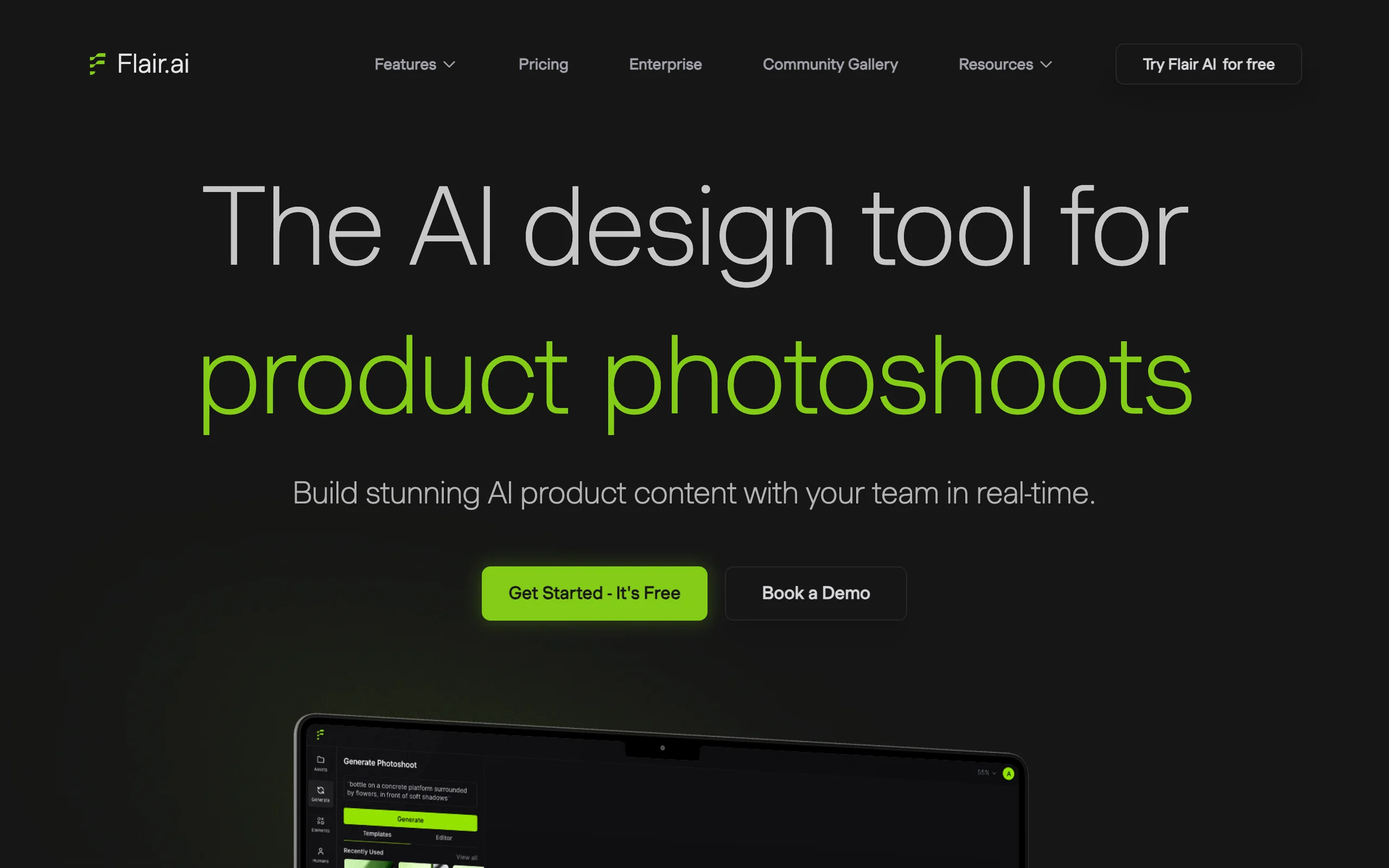
Flair.ai takes a different approach to lifestyle photos. Instead of describing a scene in text, you design it on a canvas. Drag your product onto the workspace, position it where you want, add AI-generated props and surfaces, and Flair generates a styled lifestyle composition around your arrangement.
This canvas-based workflow gives creative teams more control over composition than prompt-only tools. You decide exactly where the product sits, what props surround it, and how the scene is framed. Brand kit support ensures colors, textures, and styling match your brand guidelines across every lifestyle image. Flair works particularly well for product categories where composition matters (beauty, CPG, food, accessories) rather than fashion on-model shots.
AI Lifestyle Photo Generator with Flair.ai
Key features
- Drag-and-drop canvas for precise lifestyle composition control
- AI-generated props, surfaces, and lifestyle elements
- Brand kit support for consistent visual identity across lifestyle images
- Multiple angle and composition options per scene
- High-resolution output for print and web
- Template gallery with curated lifestyle presets
Best for
- Brand marketing teams producing styled lifestyle content with specific composition requirements
- Beauty, CPG, and home goods brands where product arrangement drives visual appeal
- Creative agencies managing lifestyle photography for multiple clients with distinct brand guidelines
Pricing
- Free tier: 5 lifestyle images
- Pro: from $8/month
- Business plans for teams and agencies
Pros
- Canvas interface gives precise control over product placement, something prompt-only tools lack
- Brand kit ensures every lifestyle image stays on-brand without manual color matching
- Excellent for styled flat-lay and editorial-style lifestyle compositions
- Affordable entry price for the creative control offered
Cons
- No on-model generation: designed for product-in-scene compositions, not fashion model shots
- Canvas workflow takes more time than one-click generators for simple lifestyle backgrounds
- Limited API and integration options for automated workflows
5. Pebblely, best for quick lifestyle backgrounds on a budget
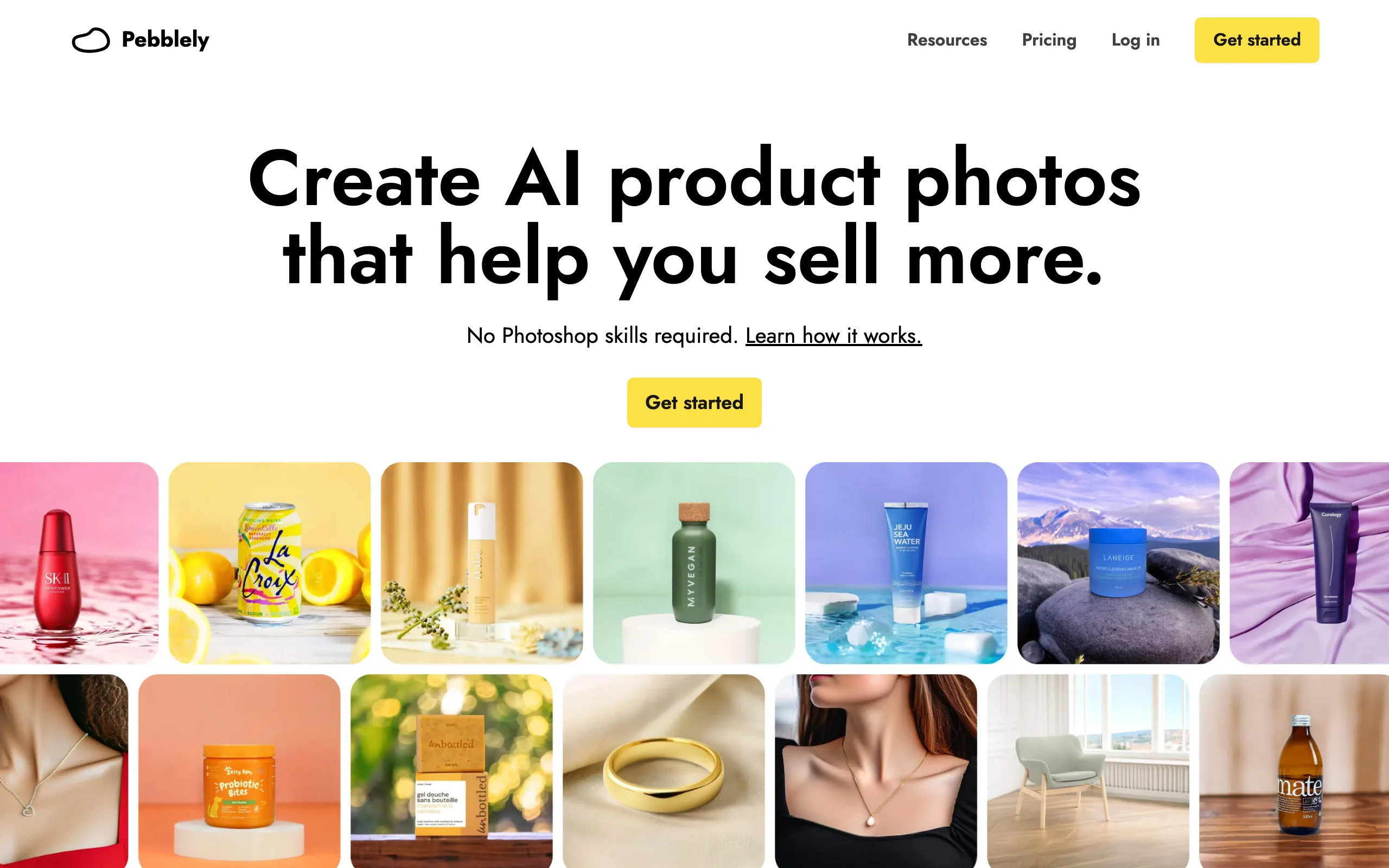
Pebblely focuses on one thing and does it well: turning a product photo into a lifestyle scene with minimal effort. Upload your product image, pick from 90+ themed presets (Christmas, summer, minimalist, rustic, outdoor cafe), and Pebblely generates lifestyle backgrounds in seconds. You can also describe custom scenes via text prompts.
The generous free tier (40 images/month) makes Pebblely the most accessible entry point for sellers who want lifestyle product photos without committing to a paid plan. The quality is solid for standard product categories, though it works best with clean, well-lit product images as input.
AI Lifestyle Photo Generator with Pebblely
Key features
- 90+ themed lifestyle presets (seasonal, minimalist, outdoor, kitchen, studio)
- Custom scene generation via text prompts
- Built-in background removal before scene generation
- Multiple variations per generation for A/B testing
- Bulk generation for processing multiple products at once
- Shopify app for direct catalog integration
Best for
- Small ecommerce sellers and side hustlers who need lifestyle photos without a budget for paid tools
- Etsy, Poshmark, and Depop resellers who want lifestyle backgrounds for listing photos
- Sellers testing lifestyle imagery for the first time before committing to a more advanced tool
Pricing
- Free tier: 40 images/month
- Pro: from $15/month (100 images)
- Premium: from $39/month (500 images)
Pros
- Most generous free tier for lifestyle photo generation (40 images/month, no watermark)
- Themed presets make lifestyle scene selection fast and intuitive
- Simple interface with virtually no learning curve
- Shopify app provides direct catalog integration
Cons
- No on-model generation or fashion model capabilities
- Output quality drops with complex products or cluttered input images
- Limited customization compared to canvas-based tools like Flair.ai
- Lifestyle scenes can feel repetitive across the preset library
6. CreatorKit, best for Shopify lifestyle content
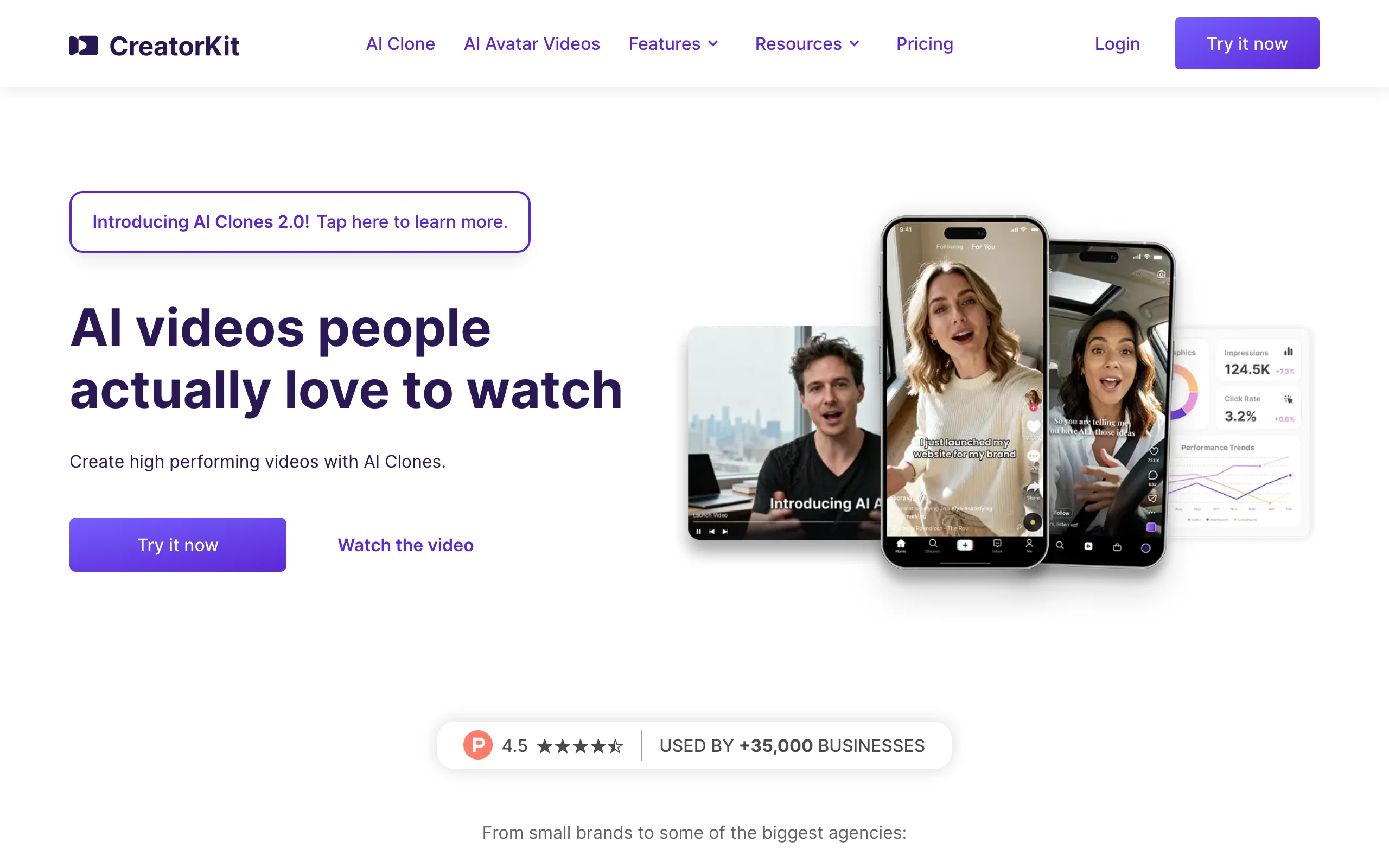
CreatorKit is built specifically for Shopify sellers. It pulls product data directly from your Shopify admin (images, titles, descriptions) and generates lifestyle photos and videos without leaving the Shopify ecosystem. The lifestyle background generator creates contextual scenes from your existing product photos, and the AI video tool turns those lifestyle images into short product videos for ads and social.
The pricing model is unique: you pay per download rather than per generation, which means you can generate and preview unlimited lifestyle variations before committing to a download. This try-before-you-pay approach works well for sellers who want to test different lifestyle scenes before choosing the best ones for their listings.
AI Lifestyle Photo Generator with CreatorKit
Key features
- Direct Shopify integration: pulls product data for seamless lifestyle generation
- AI lifestyle background generation from existing product photos
- AI video creation from lifestyle images for ads and social content
- Pay-per-download model: generate unlimited previews, pay only for final downloads
- Batch generation across entire Shopify catalogs
- Platform-specific sizing for Instagram, Facebook, TikTok ads
Best for
- Shopify-native sellers who want lifestyle content without leaving their admin dashboard
- Ecommerce teams running paid social ads who need lifestyle product videos at volume
- Sellers who want to preview multiple lifestyle scenes before paying for downloads
Pricing
- 5 free downloads to start
- Starter: from $39/month
- Growth and business plans for higher download volumes
- Unlimited generations (pay only for downloads)
Pros
- Deepest Shopify integration of any lifestyle photo tool on this list
- Unlimited generation previews let you experiment before committing spend
- Combined photo and video output for multi-channel lifestyle content
- Pulls product data automatically, reducing manual input
Cons
- Shopify-only: no support for WooCommerce, BigCommerce, or standalone stores
- No on-model generation for fashion products
- Lifestyle scene quality depends heavily on input product photo quality
- Higher starting price than general-purpose alternatives
7. Mokker, best for instant AI product staging
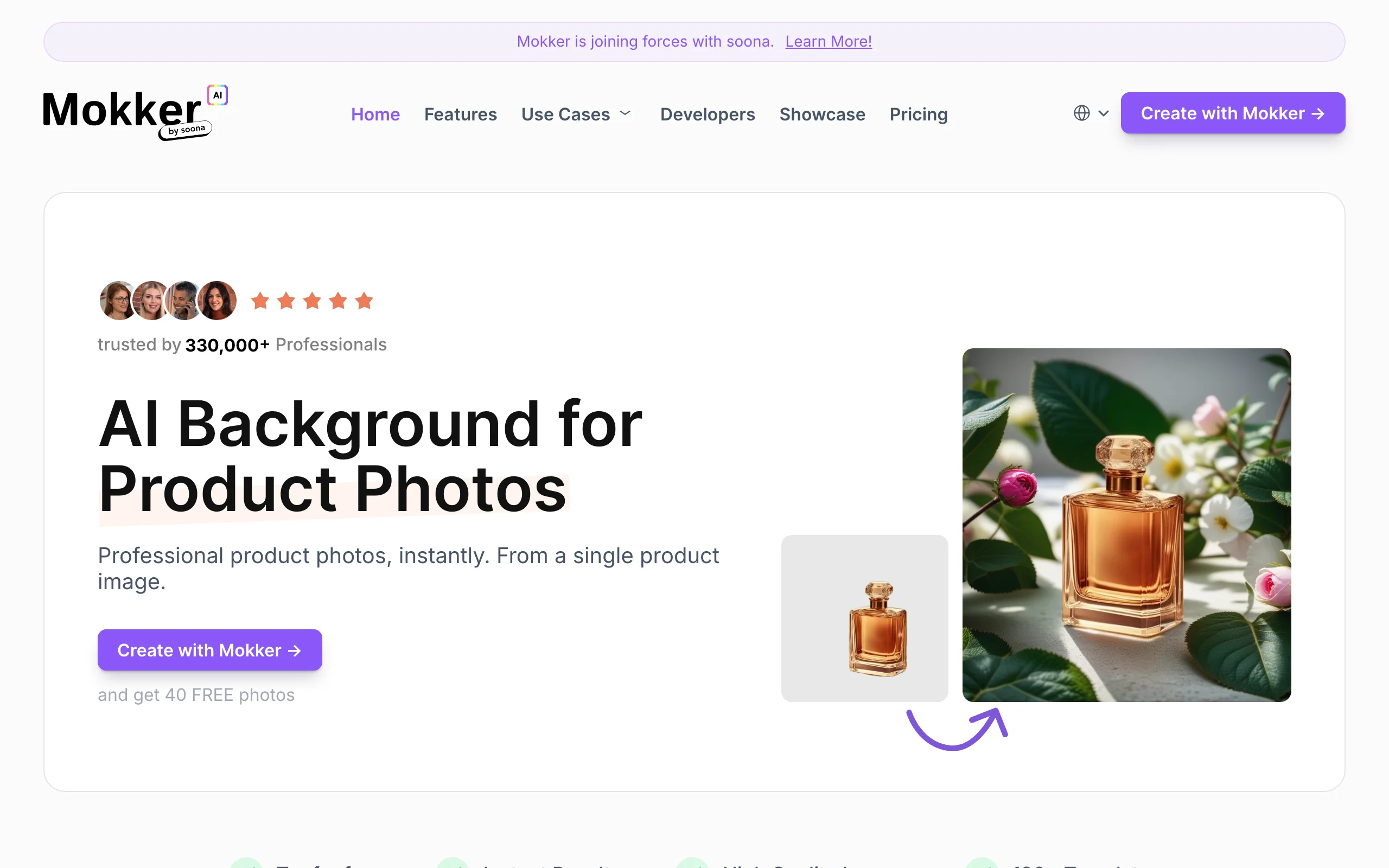
Mokker strips lifestyle photo generation down to its simplest form. Upload a product photo and Mokker automatically removes the background and generates a lifestyle scene around it. No prompts, no canvas, no presets to browse. The AI picks a contextual setting based on the product category and generates multiple lifestyle variations you can choose from.
This zero-configuration approach works well for sellers who want lifestyle photos fast and don't need granular control over the scene. Mokker generates 10-20 lifestyle variations per product, letting you pick the best ones for different channels (product pages, social ads, email campaigns).
AI Lifestyle Photo Generator with Mokker
Key features
- Zero-prompt lifestyle generation: AI auto-selects contextual scenes
- Multiple lifestyle variations per product (10-20 options)
- Automatic background removal before scene generation
- Category-aware scene selection (food, beauty, fashion accessories, electronics)
- High-resolution output for print and web
- Simple one-step workflow
Best for
- Sellers who want lifestyle photos without learning prompt engineering or design tools
- High-volume dropshipping and print-on-demand stores that need lifestyle images fast
- Sellers testing lifestyle imagery who want speed over creative control
Pricing
- Free tier: limited images/month
- Starter: from $19/month
- Pro and business plans for higher volume
Pros
- Fastest path from product photo to lifestyle image: no prompts or design work needed
- Multiple variations per product give options without extra effort
- Automatic category detection produces contextually relevant scenes
- Clean, simple interface with no learning curve
Cons
- No creative control: you can't describe or design the lifestyle scene you want
- No on-model generation for fashion products
- Scene variety is limited compared to prompt-driven tools
- Quality inconsistency with niche or unusual product types
How to choose the best AI lifestyle photo generator
1) Do you need products on models, or products in scenes?
This is the most important split. If you sell fashion or apparel and need garments shown on models in lifestyle settings (walking on a street, sitting in a cafe, posing in a studio), choose a tool with on-model generation. WearView covers this with the most complete feature set.
If you sell beauty, home goods, electronics, or accessories and need products placed in styled environments (kitchen counter, desk, outdoor table), tools like Adobe Firefly, Canva, Flair.ai, Pebblely, and Mokker handle this well without on-model capabilities.
2) How much creative control do you need?
Some teams want pixel-level control over lifestyle compositions. If that's you, Flair.ai's canvas lets you drag products, place props, and design the exact scene. WearView's text prompts and pose references give detailed control over on-model lifestyle shots.
If you just want fast lifestyle images without design decisions, Mokker's zero-prompt approach or Pebblely's themed presets get you there with minimal input. Canva sits in the middle: templates for speed, plus Magic Media prompts and Magic Expand for customization.
3) What does your budget and volume look like?
For testing lifestyle imagery with no upfront cost, Pebblely's 40 free images/month is the strongest free tier, while Adobe Firefly's 25 free credits/month and Canva's free plan let you trial their AI features. Flair.ai and CreatorKit offer limited free downloads to trial the quality.
For production volume, run the credit math. WearView's $49/month Pro plan gives 200 credits. Pebblely's $15/month plan gives 100 images. Canva Pro starts at $15/month for design and editing across unlimited projects. CreatorKit's unlimited-generation model works well if your preview-to-download ratio is high.
For high-volume automation, Adobe's Firefly Services API supports programmatic lifestyle generation at scale.
4) What platforms do you sell on?
If your store runs on Shopify, CreatorKit's native integration pulls product data directly into lifestyle generation. Pebblely also has a Shopify app. For Amazon, Etsy, and multi-platform sellers, Canva's one-click resizing formats lifestyle images for each marketplace's requirements. For teams building custom workflows, Adobe's Firefly Services API supports automated lifestyle photo pipelines. For a deeper look at AI fashion photography tools, see our full comparison guide.
FAQ
What is an AI lifestyle photo generator? An AI lifestyle photo generator takes a product image and places it in a realistic, contextual setting: on a kitchen counter, in someone's hands, worn by a model on a street. The goal is creating the kind of aspirational lifestyle imagery that used to require professional photoshoots, props, locations, and models.
Can AI lifestyle photo generators put clothes on models? Some can. WearView offers on-model generation where you upload a garment image and get back a photo of an AI model wearing it in a lifestyle setting. Most other tools (Adobe Firefly, Canva, Flair.ai, Pebblely, Mokker) focus on placing products in styled environments without models.
Are AI-generated lifestyle photos good enough for product pages? Yes, for most use cases. Output quality has improved significantly, with tools like WearView producing up to 4K resolution. The key is testing with your specific products: run 5-10 of your hardest SKUs (complex prints, unusual shapes, reflective materials) through a tool before committing to a plan.
What input works best for AI lifestyle photo generation? Clean product photos on a solid background produce the best results. For fashion, flat-lay, ghost mannequin, or hanger shots work well. For general products, a well-lit photo on white or neutral background gives the AI the cleanest starting point. Avoid cluttered backgrounds or low-resolution inputs.
Is there a free AI lifestyle photo generator? Pebblely offers 40 free lifestyle images per month without a watermark, which is the most generous free tier. Adobe Firefly includes 25 free generative credits per month, and Canva has a free plan with limited AI uses. Flair.ai and CreatorKit offer a handful of free generations to test quality. WearView does not offer a free tier.
Which AI lifestyle photo generator is best for Shopify? CreatorKit has the deepest Shopify integration, pulling product data directly from your admin. Pebblely also offers a Shopify app. For fashion-specific Shopify stores, WearView produces higher quality on-model lifestyle shots, though it requires manual upload rather than direct Shopify connection.
Can I use AI-generated lifestyle photos for paid ads? Yes. All tools on this list grant commercial usage rights on paid plans. AI-generated lifestyle photos work well for Meta, Google Shopping, and TikTok ad creative. The variety of scenes you can generate quickly makes them particularly useful for A/B testing different lifestyle contexts in ad campaigns.
How many lifestyle photos should I create per product? For product pages, 2-3 lifestyle shots alongside your standard catalog images is the common approach. For paid ads, generate 5-10 lifestyle variations per product to test which scenes drive the highest click-through and conversion rates. Tools like Mokker that generate multiple variations per upload make this testing process fast.

WearView Team
WearView Content & Research Team
WearView Team is a group of fashion technology specialists focused on AI fashion models, virtual try-on, and AI product photography for e-commerce brands. We publish in-depth guides, case studies, and practical insights to help fashion businesses improve conversion rates and scale faster using AI.


