
February 27, 2026•18 min read
Mastering The Fashion Model Pose For E-Commerce
Learn how to master the perfect fashion model pose. Get expert tips, real-world examples, and AI-powered techniques to elevate your e-commerce photos.
Mastering The Fashion Model Pose For E-Commerce
A great fashion model pose does more than just show off clothing—it tells a story. It creates an almost instant connection with your customer, turning a simple product listing into an aspirational image that helps them imagine how an item will actually fit and feel.
Think of it as your silent sales pitch.
Why The Right Pose Sells More Than Just Clothes
Getting the pose right is non-negotiable in e-commerce. A well-chosen stance isn’t just about looking good; it directly impacts your bottom line by boosting conversions and, just as importantly, cutting down on returns. It’s that final, crucial detail that bridges the gap between someone browsing and someone confidently hitting "add to cart."
This is where your visuals shift from passively showing a product to actively selling it. You're communicating confidence, comfort, or elegance all within a single frame. Take the classic S-shaped pose, for example. It's dominated fashion for over a century for a very good reason.
The S-curve was so effective it appeared in 90% of Vogue spreads back in 1911. Even today, studies have shown it can increase a garment's perceived appeal by up to 35%. Learn more about the history of fashion photography.
In today's massive $1.7 trillion global fashion market, that single pose is still a powerhouse. But consistently nailing it, along with countless other variations, used to mean expensive, time-consuming photoshoots.
The New Era Of Visual Merchandising
Thankfully, that’s all changing. New AI tools like WearView are opening up possibilities for brands of all sizes, giving them the ability to create dynamic, professional visuals that used to be reserved for the biggest names in the industry.
This is a huge shift. Now, brands can:
- Generate tons of poses instantly: Instead of being stuck with a few shots, you can create a whole library of engaging visuals for every single product.
- Keep your brand look consistent: By using custom AI models and set poses, you can maintain a cohesive aesthetic across your website, social media, and ads.
- Slash production time and costs: You can go from a flat product photo to a fully modeled image in seconds, not days.
This guide will walk you through how to choose and apply the perfect fashion model poses to make sure your e-commerce imagery grabs attention and drives sales.
Your Visual Guide To Essential E-Commerce Poses
A great fashion model pose does more than just show off a garment; it tells a story. Is this outfit for a powerful boardroom presentation or a relaxed weekend brunch? The right stance answers that question in a heartbeat, creating a visual shortcut that helps customers see themselves in the product.
Let's break down some of the essential poses every e-commerce brand needs in its back pocket. These aren't just random stances. They're strategic tools, each one designed to highlight specific features and spark a certain feeling. Once you understand their purpose, you can build a much more compelling product page.
A single pose can directly connect visual appeal to real business outcomes, influencing everything from sales to how a customer perceives the fit and story of an item.
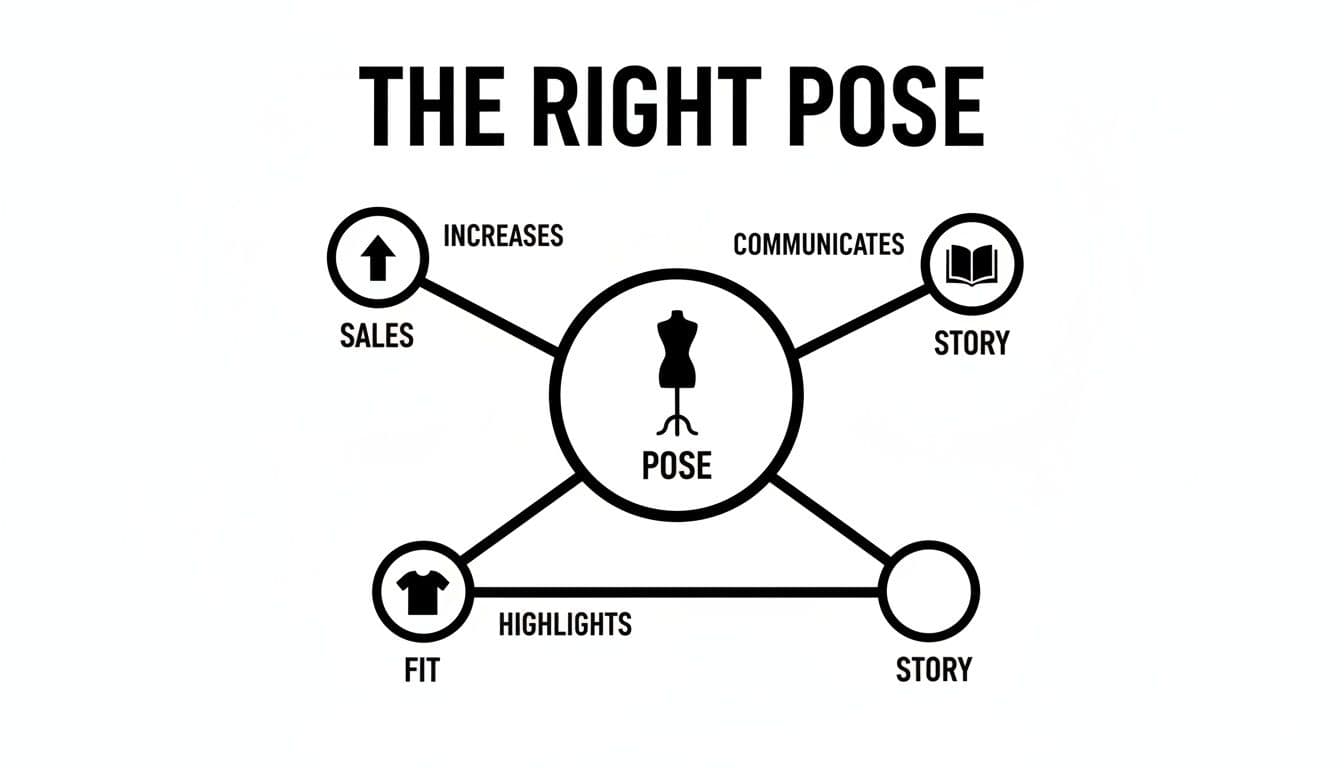
Diagram illustrating how fashion model poses increase sales, highlight fit, and communicate a story effectively.
This connection between the visual and the commercial is what makes strategic posing so powerful.
The Confident Contrapposto
The Contrapposto is a classic pulled straight from art history, and for good reason. It’s all about shifting the body's weight onto one foot, which causes the shoulders and arms to angle off-axis from the hips and legs. This creates a natural, flattering S-curve that brings dimension and a sense of ease to the shot.
This pose is incredibly versatile, making it a reliable go-to for almost any type of apparel.
- Best for: It’s a game-changer for A-line dresses, flowy skirts, and tailored trousers because it shows exactly how the fabric drapes and moves with the body.
- Why it works: The asymmetry breaks up any stiffness, making both the model and the clothing feel more dynamic and approachable. It's a subtle way to inject a little bit of effortless sophistication.
The Purposeful Stride
Want to add a jolt of energy? Try a walking or striding pose. Capturing the model mid-step—whether they're moving toward, away from, or across the frame—is perfect for showing how a garment performs in action. It gives shoppers a feel for its real-world flow and function.
This pose has become a modern classic. An analysis of 10 million fashion pins on Pinterest found that a relaxed leg extension, a subtle version of the stride, popped up in 70% of images. Why? It optically lengthens the legs by about 15%.
The history of fashion photography shows a fascinating evolution, from the stiff, formal stances of the 1840s to the fluid movement we see today. The 1990s even gave us quirky "Dopey Poses," with pigeon-toed stances appearing in 60% of some catalogs. Now, as the US e-commerce market races toward $350 billion by 2025, AI tools are changing the game again. Platforms like WearView can generate photorealistic poses that have been shown to boost conversion by up to 20%.
The Detail-Oriented Pose
Sometimes, the magic is in the little things—a unique button, intricate embroidery, or the delicate clasp on a necklace. A detail-oriented pose is all about bringing the camera’s focus to those special features. This might involve the model touching a lapel, adjusting a cuff, or placing a hand near a pocket to naturally draw the viewer’s eye.
For smaller items like jewelry, mastering these close-ups is absolutely essential. To really make your pieces shine and show off their elegance, check out these Top Jewelry Photography Tips.
These interactive, close-up shots are crucial for building customer confidence. They offer visual proof of quality and craftsmanship, answering questions a shopper might have before they even think to ask. By bridging the gap between online browsing and an in-person experience, you reduce hesitation and make it that much easier for them to click "buy."
How To Build A Shot List That Delivers Results
A great fashion pose doesn't just happen. It’s born from meticulous planning, and that planning lives in your shot list. Think of the shot list as the blueprint for your photoshoot, whether it's happening in a studio or virtually with AI. It’s the single most critical tool for guaranteeing you get every single visual asset you need.
Without one, you’re just winging it. You might get some beautiful photos, but they probably won't be the right photos for your product pages, ads, or social media. The whole process starts by asking: what is this image for? A hero shot for a product page needs a different vibe than a dynamic clip for an Instagram Reel or a lifestyle image for your email newsletter. The goal dictates the shot.
Defining Your Core Visuals
Before you start dreaming up creative poses, you have to nail the fundamentals. A solid shot list is built on a foundation of images that guide the customer through their decision-making process.
For every single product, you need a non-negotiable set of standard views. These are the table stakes.
- The Full-Body Hero Shot: This is your big first impression, showing the entire garment on the model.
- The Detail Shot: Get in close. Show off the texture of the fabric, a unique button, or intricate embroidery. These are the things that justify the price.
- The Back View: So many brands forget this! Shoppers need to see how a garment fits from behind, check out the closures, and see any design elements on the back.
- The ¾ Angle: This shot adds dimension and shows how the piece drapes from a more organic, real-world perspective.
Your shot list isn’t just a to-do list; it's a strategic insurance policy against expensive reshoots. By mapping everything out beforehand, you ensure you walk away with a versatile library of images that actually work.
Building Your Shot List Template
Once you've got the essential shots locked down, it's time to add the layers of creativity that make your brand stand out. A detailed shot list turns a simple product photo into something compelling by spelling out every last detail. This is especially true when using a product to model tool, where a well-defined list acts as the perfect prompt for generating on-brand, consistent AI visuals right from the get-go.
Here’s a simple, effective structure I’ve used for years:
| Column | Description | Example |
|---|---|---|
| Shot Number | A unique ID to keep everything organized. | 001 |
| Pose Name | A clear, descriptive name for the pose. | Confident Contrapposto |
| Shot Type | The camera framing and angle. | Full-Body, Centered |
| Garment | The exact product in the shot. | Navy Linen Blazer |
| Key Feature | The specific detail the pose must highlight. | Showcase pocket detail |
| Intended Mood | The emotional tone you're aiming for. | Effortless, Professional |
This kind of structured approach is your secret to maintaining consistency, whether you're working with 10 products or 1,000. It gives your team—or your AI prompts—clear, direct instructions. The result is a cohesive brand presentation that does its job: turning browsers into buyers.
Bringing Your Poses to Life With AI
This is where all that planning pays off. You've got your shot list and a clear vision for your poses, so now it's time to bring them to life—without the cost and complexity of a traditional photoshoot. Using an AI tool like WearView lets you direct a virtual model with startling precision, turning simple text prompts into polished, professional e-commerce shots.
It really all comes down to the prompt. The more detail you can pack into your instructions, the better your results will be. A vague request gets you a generic image, but a specific, descriptive prompt creates a fashion model pose that tells a story and highlights your garment perfectly. Think of yourself as a photographer on set, giving clear directions.
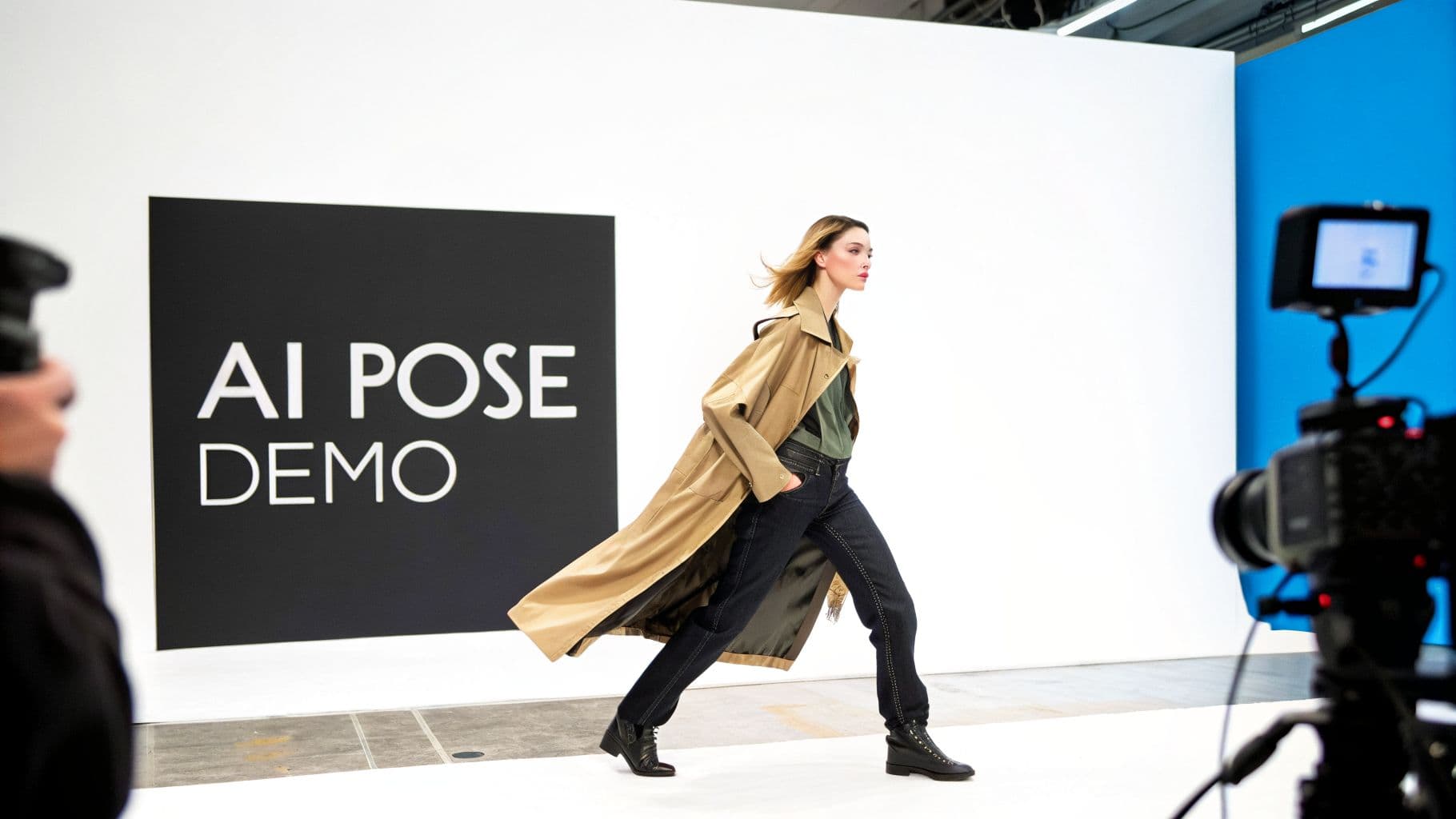
A fashion model in a trench coat and jeans walks past an 'AI POSE DEMO' sign in a studio, with cameras.
Crafting the Perfect Prompt
Specificity is your best friend here. Instead of just typing "standing pose," build the entire scene with your words. Describe what the model is doing with their hands, where they're looking, and the overall mood you want to capture.
- For a static, elegant shot: Try something like, "Full-body photo of a model in a relaxed S-curve pose, one hand in her pocket, looking naturally over her shoulder at the camera." This is fantastic for showing off the clean lines of a dress or the drape of a long coat.
- For a dynamic, energetic shot: You could go with, "Model mid-stride walking toward the camera, trench coat flowing behind her, a confident expression." This is perfect for outerwear or any clothing designed for movement.
The real magic is in the nuance. Adding descriptive words like "effortless," "powerful," or "serene" helps the AI understand the feeling you're after, and when words are not precise enough you can copy a pose straight from a reference photo. The result is a pose that feels authentic and connects with the viewer on an emotional level.
Getting good at this kind of detailed direction with ai pose control gives you the power to recreate poses that are proven to convert. For example, runway walks have changed dramatically. A 2024 analysis found the exaggerated leg-crossing of the 2000s is out, replaced by more athletic strides—the old style is down by 40%. This isn't just a trend; 65% of 2022 New York Fashion Week shows used these "power walks," which boosted viewer engagement by 25%.
With global fashion e-commerce sales hitting $758 billion last year, AI lets any brand instantly generate these high-impact poses and slash production costs. You can read the full research on model gait analysis to get deeper into the data.
Here are a few practical prompts to get you started with a tool like WearView.
WearView Prompting Guide For Perfect Poses
| Desired Pose | Example WearView Prompt | Best For |
|---|---|---|
| Confident Stance | A woman standing with one hand on her hip, the other arm relaxed, looking directly at the camera with a slight smile. | Outerwear, blazers, and power-dressing looks. |
| Movement & Flow | A full-body shot of a model walking towards the camera, her dress flowing behind her as she takes a step. | Dresses, skirts, and flowy trousers. |
| Detail Showcase | A close-up shot of a model with her hand in the pocket of her jeans, head tilted down slightly to show the texture. | Highlighting fabric, pocket details, or accessories. |
| Relaxed & Natural | A model leaning against a plain wall, legs crossed at the ankle, looking off-camera with a neutral expression. | Casual wear, denim, and knitwear. |
| Elegant Profile | A three-quarters shot of a model in profile, looking over her shoulder, one hand gently touching her neck. | Evening wear, formal dresses, and jewelry. |
These are just starting points, of course. The key is to experiment and find the prompts that best capture your brand's unique vibe.
Consistency Is Key With AI Models
Beyond generating single images, AI tools on platforms like WearView let you create and reuse custom AI models. This is a game-changer for maintaining a consistent brand aesthetic. You can develop a model that perfectly embodies your look—or even a diverse cast of models—and use them across every single product and campaign.
This approach makes your workflow incredibly efficient. Just upload your flat-lay product photo, pick your brand's AI model, and apply your saved pose prompts. You get consistent, high-quality visuals every time, which means you can get new collections online faster than ever.
While AI is transforming how we approach model photography, its impact doesn't stop there. Many brands are also exploring how fashion stores use AI chatbots to increase sales, creating more interactive and helpful shopping experiences for their customers.
Beyond the Pose: Composition and Inclusivity
A killer pose is a great start, but it’s what you do with it that really sells the product. To create images that stop the scroll and feel truly professional, you have to think beyond just the model's stance. This means stepping into the shoes of a creative director, focusing on how the shot is framed and, just as importantly, who you’re featuring in it.
This is where good e-commerce photography becomes great e-commerce photography.
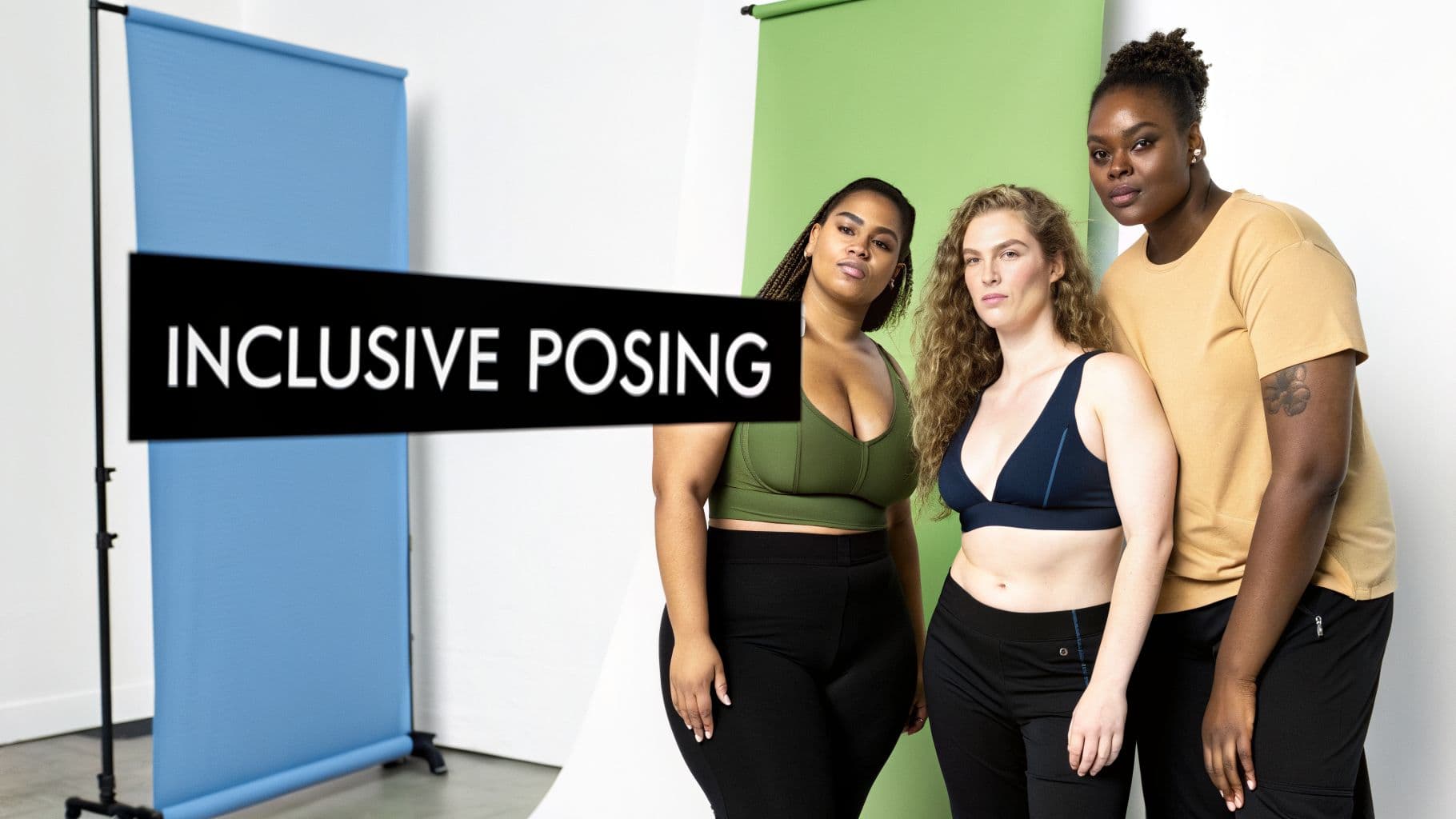
Three diverse women in activewear pose confidently, promoting inclusive modeling on a studio backdrop.
The strongest product images don't just happen by chance. They are carefully constructed to pull the viewer's eye right where it needs to go. A few timeless photography principles can make your products look more polished and irresistible.
Framing the Shot Like a Pro
Let's break down two simple composition rules that will instantly upgrade your imagery. These aren't just for art school grads; they are practical tools for creating balance and making your garments pop.
- The Rule of Thirds: Picture a tic-tac-toe grid over your image. The sweet spots are where the lines intersect. Instead of planting your model smack in the middle, try positioning them along one of the vertical lines. It immediately makes the photo feel more dynamic and less like a standard catalogue shot.
- Negative Space: Think of this as breathing room. It’s the empty space around your subject. A cluttered photo is a confusing photo. By giving your model and the garment some space, you make them the undeniable star of the show.
Mastering these isn't just about looking good. A well-composed shot communicates quality and intention, which builds a subtle but powerful sense of trust in your brand. If you want to dive deeper, our complete guide on how to photograph clothing for your e-commerce store has you covered.
Reflecting Your Audience with Authentic Representation
Modern shoppers aren’t just buying clothes; they're buying into a brand that sees them. Inclusivity has moved from a buzzword to a core business strategy, and for good reason. The data doesn't lie: a staggering 62% of consumers say they feel a stronger sense of loyalty to brands that champion diversity in their ads.
This goes way beyond tokenism. It’s about genuinely representing a true spectrum of body types, ages, ethnicities, and abilities in your campaigns. Your pose direction needs to adapt, too. Instead of forcing every model into the same mold, find poses that feel authentic and empowering for them.
Authenticity is your most powerful asset. Select poses that celebrate individuality and allow the model's personality to shine through. This genuine connection is what builds brand love and loyalty.
The ultimate goal is to build a brand that feels both aspirational and achievable. When a customer sees someone who looks like them confidently wearing your clothes, it breaks down a huge barrier. They can instantly picture themselves in the garment, which is a critical step on the path to purchase. This isn’t just about doing the right thing—it’s smart business that forges a real connection with the people you want to reach.
Common Questions About Fashion Model Poses
Even with a rock-solid plan, questions always pop up when you're in the thick of a shoot. Getting them answered quickly can be the difference between a frustrating day and a set of images you're proud of. Let's tackle some of the most common questions we hear from e-commerce pros about model poses.
Think of this as your back-pocket guide for getting over those little hurdles that stand between a good photo and a great one.
What Is The Most Universally Flattering E-Commerce Pose?
If you're looking for a workhorse pose that almost never fails, the Contrapposto is your answer. It's that classic stance where the model shifts their weight onto one leg, creating a subtle, natural S-curve in the body. It’s a go-to for a reason.
This pose is fantastic because it adds a touch of dimension and a relaxed vibe without being distracting. It just works, whether you’re shooting a structured blazer or a flowy dress, making it a safe and incredibly effective bet for your main product shots.
How Can I Make Static Poses Look More Natural?
The key to making a static pose feel alive is to break the perfect symmetry. A little bit of imperfection is what makes an image feel human and relatable, not stiff and mannequin-like.
Here are a few simple tricks I use all the time:
- Have the model slightly bend one knee.
- Ask them to place a hand in a pocket—it instantly feels more casual.
- A slight head tilt can add a world of personality.
- Give them a prop to interact with, even something as simple as a coffee cup or a phone.
A tiny shift in weight or a relaxed hand gesture can completely change the mood of a photo. It’s these small details that transform a pose from staged to authentic, helping customers connect with the person in the image.
When you're using an AI tool like WearView, try adding descriptive words like "relaxed," "casual stance," or "effortless" to your prompts. This helps steer the AI toward generating a more organic, less rigid result.
How Many Poses Should I Use For One Product?
To give shoppers the confidence to click "add to cart," you'll want to aim for 3 to 5 unique poses per product. This variety gives them a 360-degree understanding of the item, answering questions visually before they're even asked. It’s a proven way to help reduce those pesky return rates.
A solid shot list for a single product usually looks something like this:
- The Hero Shot: A clean, full-body shot that shows the entire garment clearly.
- The Detail Shot: A ¾ crop or a close-up that highlights fabric texture, a unique button, or intricate stitching.
- The Action/Angle Shot: A side profile, a back view, or a subtle walking pose to show how the garment moves and fits in real life.
Ready to generate unlimited, on-brand poses without the cost and complexity of photoshoots? With WearView, you can turn any product photo into a studio-quality image in seconds. Create diverse AI models, control every pose, and accelerate your time to market. Start your free trial at WearView and see the difference today.

WearView Team
WearView Content & Research Team
WearView Team is a group of fashion technology specialists focused on AI fashion models, virtual try-on, and AI product photography for e-commerce brands. We publish in-depth guides, case studies, and practical insights to help fashion businesses improve conversion rates and scale faster using AI.


