
February 27, 2026•23 min read
Images for e commerce: 2026 Guide to High-Converting Visuals
Discover how to craft images for e commerce that boost sales in 2026 with AI-led workflows, SEO, and visual strategy.
Images for e commerce: 2026 Guide to High-Converting Visuals
For an online fashion brand, your product images aren't just a nice-to-have. Until a customer has the garment in their hands, your photos are the product. They’re your digital handshake, your virtual fitting room, and your most persuasive salesperson all rolled into one.
Exceptional visuals are the bedrock of trust, instantly elevating how shoppers see your brand and justifying your price point. The quality of your images for e commerce is directly tied to everything from that crucial first impression to the final click of the "Buy Now" button.
Why Your Visuals Are Your Most Valuable Asset
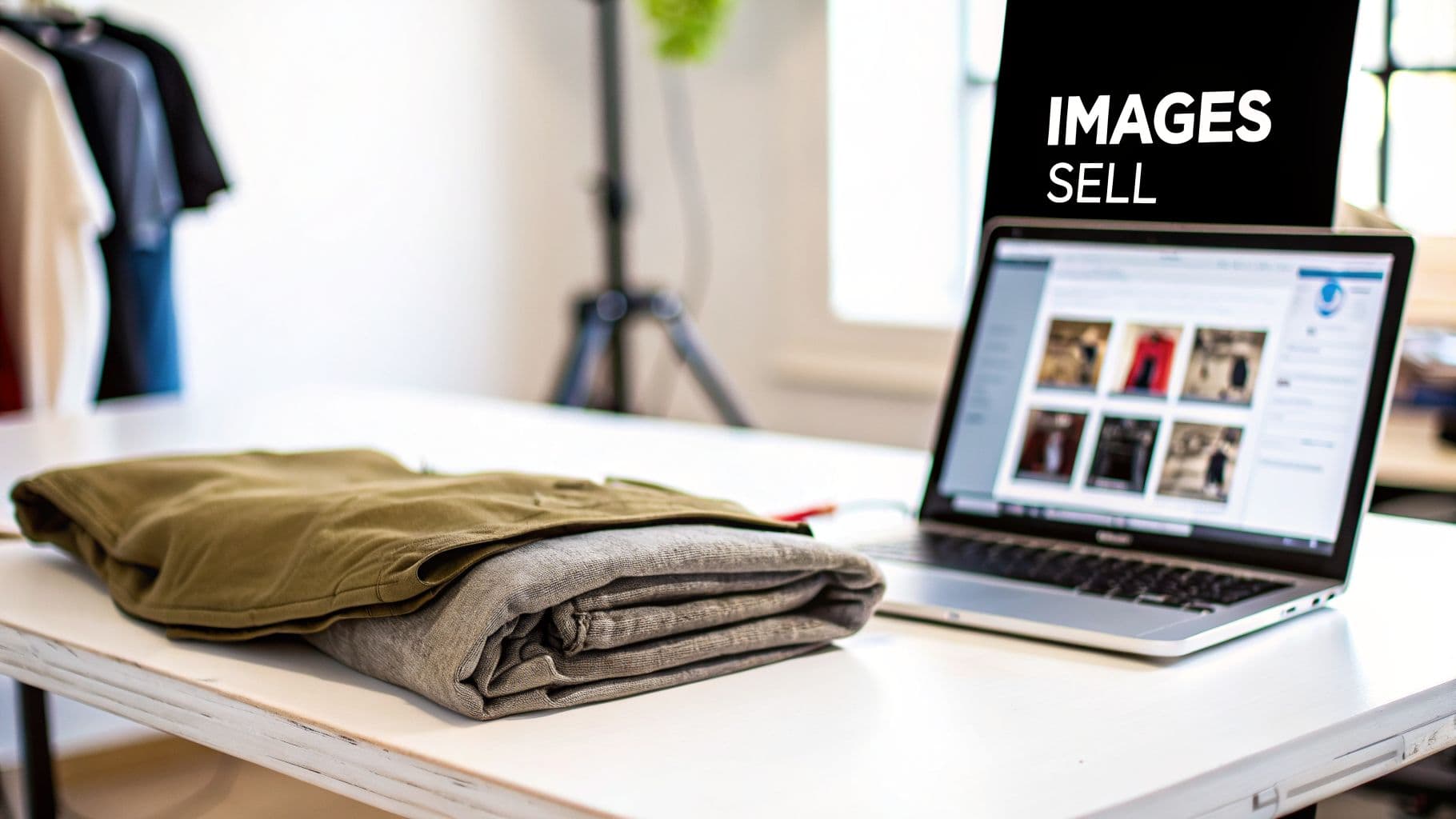
Folded clothes and a laptop displaying e-commerce product images with an 'IMAGES SELL' sign.
Think about it: when a shopper can't physically touch a sweater or try on a pair of jeans, your images have to do all the heavy lifting. They're tasked with bridging the gap between a 2D screen and a 3D reality, answering vital questions about texture, drape, and fit that a product description can only hint at.
But great photography does more than just show what a product looks like. It sparks an emotional connection. It helps a shopper see themselves wearing your clothes, making your product part of their story. That’s how you build loyalty that lasts long after the first purchase.
The Real-World Impact on Sales and Trust
The link between image quality and sales isn't just a theory—it's cold, hard data. In a market where attention is the scarcest resource, shoppers make snap judgments based on what they see.
A massive Etsy buyer's survey drove this point home, finding that an incredible 90% of shoppers said photo quality was either 'extremely important' or 'very important' to their decision to buy. In many cases, it’s a more powerful factor than price, shipping costs, or even customer reviews. You can dig into the full survey findings to see just how much shoppers rely on visual cues.
This trust-building has a direct, measurable effect on your bottom line. We see it every day with the brands we work with.
This table gives you an at-a-glance summary of how different levels of image quality can either help or hurt critical business outcomes for online stores.
How Image Quality Directly Impacts Key E Commerce Metrics
| Metric | Impact of Low-Quality Images | Impact of High-Quality Images |
|---|---|---|
| Conversion Rate | Shoppers hesitate and abandon carts due to uncertainty about the product. | Confidence soars, leading to more "add to cart" clicks and completed checkouts. |
| Return Rate | Increases dramatically when the product doesn't match the poor-quality photo. | Plummets because what arrives looks exactly like what they bought online. |
| Brand Perception | Seen as unprofessional, cheap, or untrustworthy, eroding brand equity. | Perceived as premium, detail-oriented, and reliable, justifying higher prices. |
| Customer Trust | Quickly eroded. Blurry or dark photos suggest you have something to hide. | Instantly established. Clear, professional images communicate quality and transparency. |
At the end of the day, it's about confidence. When a customer feels confident in what they’re buying, they’re far more likely to convert. And when the item that arrives perfectly matches the picture, your return rates drop, saving you a fortune in reverse logistics.
A blurry, poorly lit photo whispers "low quality" and "unprofessional." A customer will instantly transfer that feeling to your product and your brand. On the flip side, a crisp, well-executed image shouts quality and builds instant credibility.
Dodging the Old-School Production Hurdles
So, if everyone knows visuals are this important, why do so many brands still struggle? Because the traditional photoshoot model is often slow, expensive, and inflexible.
The costs can be crippling. Photographer fees, model day rates, studio rentals, and retouching can drain a marketing budget before you’ve even launched a single product.
And then there are the logistics. The slow turnaround time means your new collection is stuck in a warehouse, invisible to customers, while you wait weeks for the final edited shots. On top of that, achieving the genuine model diversity that modern shoppers expect is a huge logistical and financial challenge.
This is exactly where things are starting to shift. AI-powered tools like WearView offer a smarter, scalable way forward. By cutting out the need for physical photoshoots, brands can now generate a limitless supply of on-brand, studio-quality visuals without the delays and exorbitant costs. It ensures your most valuable asset is always working for you, not against you.
A killer visual strategy doesn't just happen—it’s built on purpose. Think of it as the visual handshake that greets a customer and instantly tells them, "You're in the right place." This strategy becomes the blueprint for all your images for e commerce, making sure every single photo feels like it belongs to your brand.
Long before you even think about cameras, lighting, or models, you have to nail down your brand’s unique aesthetic. Are you minimalist and modern, all clean lines and muted tones? Or are you vibrant and playful, bursting with bold colors and dynamic energy? This core identity is the compass that will guide every visual decision from here on out.
Just as important is knowing your audience inside and out. A Gen Z shopper scrolling through TikTok expects to see authentic, almost user-generated-style content. On the other hand, a luxury buyer is looking for polished, high-fashion editorials. Your images have to speak their language to forge a real connection.
Crafting a Comprehensive Shot List
Your shot list is your production roadmap. It’s the detailed battle plan that outlines every single image you need for a product, guaranteeing you get it all in one go without costly reshoots. A solid shot list is your best defense against inconsistency and your guarantee that you have the right assets for every channel.
For any given product, your list needs to cover all the bases a shopper needs to buy with confidence.
- The Hero Shot: This is your clean, on-white background shot showing the full product, no distractions. It’s your standard for category pages and marketplaces.
- Detailed Close-ups: Get in close on the fabric texture, the quality of the stitching, a unique button, or branded hardware. These shots help bridge the sensory gap of not being able to touch the product.
- Multiple Angles: Front, back, and side views are non-negotiable. Customers need a 360-degree understanding of the item's shape and fit.
- In-Context or Lifestyle Shots: Show the product being used. A dress on a model at a party, a handbag styled with a full outfit—this is where you sell the dream.
Your shot list isn’t just a checklist; it’s a strategic storytelling tool. Each shot should preemptively answer a customer's question, wiping out doubt and building the confidence they need to hit "add to cart."
Choosing the Right Mix of Imagery
Relying on a single type of image just doesn't cut it anymore. The most successful brands use a diverse mix of visual formats to pull customers in at every touchpoint. The mission is to create a rich, multi-dimensional shopping experience that’s as informative and engaging as being in a physical store.
Take 360-degree views, for example. They've become a game-changer for boosting engagement. When shoppers can digitally spin a product and inspect every angle, they feel more in control, which studies show can seriously slash return rates.
At the same time, integrating authentic lifestyle photography helps customers see the products in their own lives. A jacket styled for a casual weekend outing feels far more relatable and desirable than a flat hanger shot. It’s all about striking a balance between clean, informative product photos and aspirational, context-rich lifestyle images. You can dive deeper when you explore effective strategies for clothing and branding that connect with modern consumers.
Ensuring Consistency and Inclusive Representation
Visual consistency is the quiet hallmark of a powerful brand. It’s about more than slapping the same filter on everything. It means keeping the same lighting style, background color, model poses, and overall mood consistent across your entire catalog, from your first product to your thousandth. This uniformity builds a professional, trustworthy storefront.
But consistency in style should never mean uniformity in people. Today’s shoppers don't just hope to see themselves reflected in the brands they buy from—they demand it. Planning for genuine diversity and inclusion in your model selection isn’t an optional nice-to-have; it's a business imperative.
This is where modern solutions are making a massive impact. Platforms like WearView, for instance, let you use Consistent Models across your entire product line. You can choose a diverse cast of virtual models who perfectly match your brand's vibe and use them for every new item you launch. This completely solves a huge logistical and financial headache of traditional photoshoots, ensuring your visual strategy is not only cohesive but also authentically inclusive and ready to scale.
The Modern Workflow for Creating Stunning Images with AI
Let's be honest, the old way of creating product images is a dinosaur. The endless cycle of booking studios, hiring photographers, casting models, and then waiting weeks for retouched photos just doesn't cut it anymore. It's a relic from a much slower era of retail.
Today, there's a smarter, faster, and dramatically more cost-effective way to get the job done, and it’s all powered by AI.
Instead of a month-long production marathon, the new process is refreshingly simple. It starts with a clean photo of your garment. That’s it. A flat lay on a neutral background, a ghost mannequin photo, or a quick shot on a hanger is all you need. No fancy lighting, no expensive cameras required at this stage.
This single photo is your new raw material. Using a platform like WearView, you can instantly place that garment onto a massive selection of virtual models that perfectly match your brand's vibe. Within seconds, you can generate dozens of high-quality, on-model images, complete with different poses and backgrounds, ready for your product pages and marketing campaigns.
From Weeks to Minutes
The sheer speed of this workflow is a game-changer. What used to take a full team weeks of coordination can now be handled by one person in an afternoon. This directly impacts how quickly you can get new collections online and in front of customers—a critical advantage when your competitors are still scheduling their photoshoots.
Picture launching a new seasonal collection:
- The Old Way: You'd need weeks for pre-production planning, a full day for the shoot itself, and another week or two for post-production. You’re easily looking at a month before those images are live.
- The AI Way: You snap photos of your garments the moment they arrive. Within a few hours, you can generate your entire library of on-model product shots and have them live on your site the very same day.
This isn’t just about making things easier; it’s about agility. A small boutique can launch an entire collection in days. A global brand can create hyper-localized marketing campaigns with different models for different regions, all without the logistical nightmare of coordinating international photoshoots.
The real magic of an AI-driven workflow isn't just saving money—it's gaining agility. Brands can now react to trends, test new products, and launch campaigns at a pace that was once unthinkable, all while keeping total creative control.
This modern visual strategy is a simple loop: you define your goals, create your assets with incredible speed, and then maintain that consistent look over time.
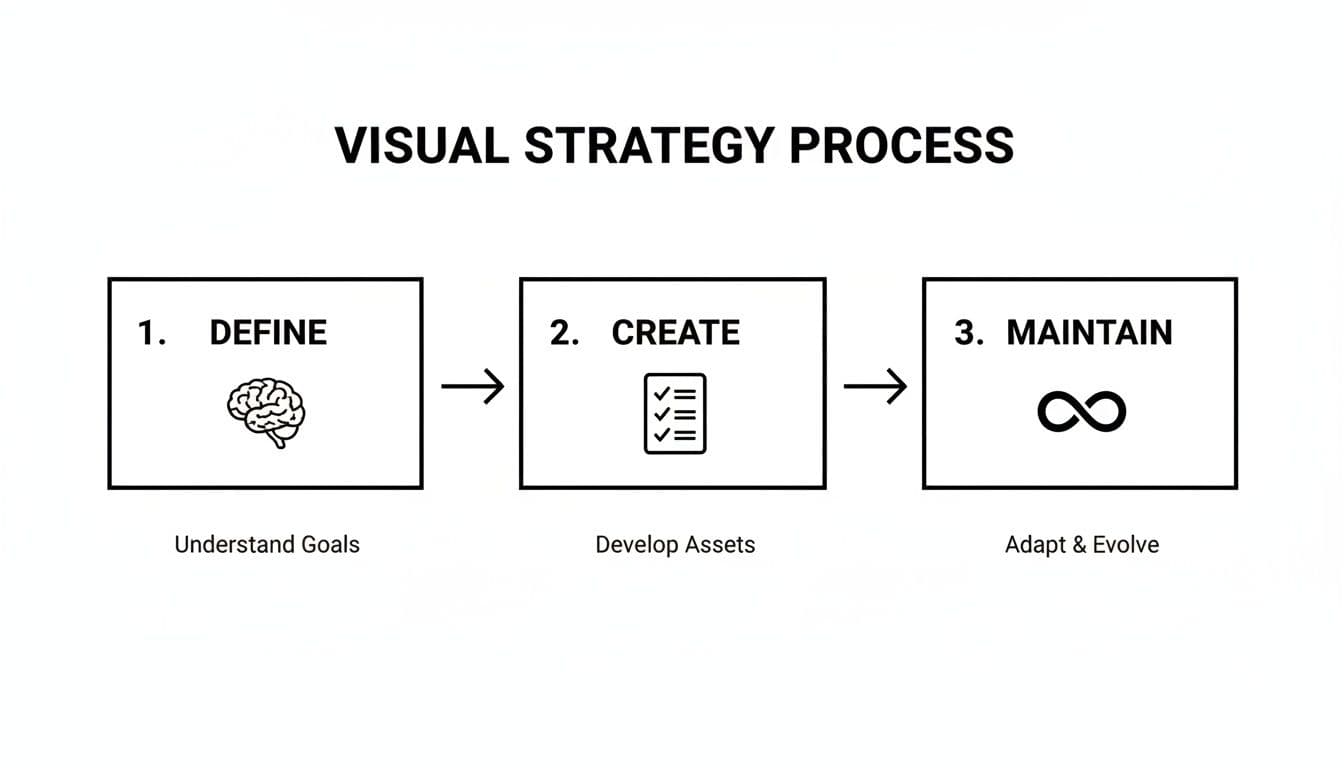
Visual strategy process diagram with three steps: Define (Understand Goals), Create (Develop Assets), Maintain (Adapt & Evolve).
This structured-yet-flexible approach is key to adapting your visual content and staying ahead of the curve.
A Clear Comparison: Traditional vs. AI
To really see the difference, let's put the two workflows side-by-side. The contrast in resources, time, and creative freedom is stark.
| Factor | Traditional Photoshoot | AI Image Generation (WearView) |
|---|---|---|
| Cost | $1,000–$10,000+ per shoot (models, studio, photographer, etc.) | Flat monthly fee (often under $50), unlimited images |
| Time | 2-4 weeks from planning to final images | Under 1 hour from product photo to final images |
| Creative Flexibility | Limited to the shots taken on a single day | Infinite variations: any model, pose, or background on demand |
| Scalability | Expensive and slow to scale for new products or markets | Effortless. Generate 10 or 10,000 images with the same process |
As you can see, the AI approach transforms image creation from a major capital expense into a predictable, low-cost operational task.
Unlocking Creative and Financial Flexibility
The benefits go way beyond just speed and cost. This new workflow unlocks a level of creative freedom that was previously out of reach for most brands.
Think about your ads and social media content. You can now generate the same product on five different models, in ten different poses, against twenty different backgrounds, and A/B test them all to see which combination actually drives sales. This kind of data-driven visual merchandising used to be a luxury reserved for the biggest players. Now, anyone can do it.
For generating entirely new concepts or variations from scratch, you can even explore some of the best free AI image generators out there.
By 2026, this isn't a "nice to have"—it's a necessity. With mobile traffic now making up 54% of the global total, having optimized, high-performing images is non-negotiable. We're already seeing 3D and 360-degree images become standard, with some data showing they can boost conversions by up to 250% by giving customers a much better feel for the product.
The financial impact is just as profound. Brands that switch to AI-powered platforms often report saving up to 90% on their image production budgets. That's money that can be funneled back into product development, marketing, or anywhere else your business needs it. It levels the playing field, making professional, high-quality imagery accessible to everyone.
To see this process in action, check out our complete guide on AI product photography. The modern workflow empowers you to produce better, more effective visual content faster and for a fraction of the cost, turning your product imagery into a scalable engine for growth.
How to Optimize Your Images for SEO and Performance
Creating stunning images for e commerce is only half the battle. If those visuals are slow to load or invisible to search engines, they won’t move the needle on sales. This is where optimization comes in—it’s the non-negotiable step that turns your creative assets into hard-working business drivers.
Think of image optimization as the bridge between your studio and your customer's screen. It’s what ensures your product photos load instantly on any device, which is a massive factor in user experience. Google absolutely rewards fast, user-friendly websites, and your images are often the heaviest part of any page. Get this right, and you’ll see a direct impact on your search rankings.
File Naming and Alt Text That Actually Work
Your first shot at SEO happens before you even upload an image. A generic filename like IMG_8472.jpg is a huge missed opportunity. It tells search engines nothing.
Instead, get into the habit of using descriptive, keyword-rich names that clearly identify the product. Something like blue-cashmere-v-neck-sweater-front.jpg is infinitely more valuable to Google than a random string of numbers. This simple change helps crawlers understand and categorize your visuals, making them far more likely to pop up in image searches.
Just as critical is the alt text (alternative text). This is the text that shows up if an image breaks and, more importantly, it's what screen readers use to describe the image to visually impaired users. It's also a powerful SEO signal.
Alt text isn’t just an accessibility checkbox; it’s a direct line of communication to search engines. A well-written alt text description can seriously boost your product's visibility in Google Images, driving highly targeted traffic right to your product page.
A great alt text would be something like: “Model wearing a blue cashmere V-neck sweater with dark wash jeans.” It’s descriptive, natural, and paints a clear picture for both users and search bots. For a deeper dive into the post-production side of things, you can explore the complexities of ecommerce image editing.
Choosing the Right File Format and Compression
The format of your image files is a constant balancing act between quality and performance. While JPEGs have been the go-to for years, modern formats deliver much better results.
- JPEG (or JPG): Still a solid choice for complex photos with lots of color. It offers good compression, but push it too far and you'll see a noticeable drop in quality.
- PNG: The best option for any image that needs a transparent background, like a logo or a product shot on a plain backdrop. The downside is that PNG files are typically larger than JPEGs.
- WebP: This is the modern champion. Developed by Google, WebP provides superior compression—often 25-35% smaller than JPEGs—with virtually no visible loss in quality. It also supports transparency, making it incredibly versatile.
Once you’ve picked a format, compression is next. The goal is to shrink the file size as much as possible without turning your gorgeous photo into a pixelated mess. The good news is that many AI-powered platforms, including WearView, let you download assets that are already pre-optimized, saving you this entire step.
Optimizing for Visual Search
The way people discover products is fundamentally changing. Instead of typing "striped long-sleeve shirt," shoppers are increasingly using images to find exactly what they want. Visual search is no longer a gimmick; it's a core part of the e-commerce journey.
Retailers who enable visual search often see a 25% lift in customer engagement, simply because shoppers find it easier to upload a screenshot than to guess the right keywords. This trend is only getting stronger with the rise of mobile-first shopping, which is projected to drive 61% of all online retail traffic by 2026.
To capitalize on this, you need to structure your image data correctly. It comes down to a few key things:
- High-Quality Images: Visual search engines need clear, detailed photos to make accurate matches. No shortcuts here.
- Descriptive Filenames and Alt Text: As we covered, this provides critical context that algorithms rely on.
- Image Sitemaps: An image sitemap is a simple file that helps search engines find and index all the visual content on your site much more effectively.
Ultimately, every optimization you make ladders up to a better user experience. That’s the real secret to both SEO success and more sales. To tie it all together, it's essential to understand how you can increase your e-commerce conversion rate by making sure your stunning visuals are actually seen by the right people at the right time.
How to Measure Your Visual Content's Impact

A person points at a large computer monitor displaying business performance tracking data and charts.
Creating killer images for e commerce is a huge win, but the job isn't done until you prove they're actually working. Your new visuals are assets, plain and simple. They need to perform everywhere—on your product pages, in email campaigns, across social media, and in your paid ads.
It's time to shift from "I think this looks good" to "I know this works."
This requires treating your visuals not as static, one-time creations, but as dynamic tools designed to hit specific business goals. The only way to know what truly resonates with your audience is to test, measure, and iterate. This data-driven approach takes the guesswork out of creative strategy.
Setting Up Smart A/B Tests
A/B testing (or split testing) is your best friend for measuring impact. It’s a straightforward method of comparing two versions of an image to see which one performs better. By changing just one thing at a time, you can pinpoint exactly what's influencing customer behavior.
For a fashion brand, the testing possibilities are endless and can uncover some incredibly valuable insights. You could test:
- Different Models: Does a dress on Model A convert better than on Model B? This can reveal crucial demographic preferences you didn't know you had.
- Poses and Angles: Does a dynamic, in-motion pose get more engagement on Instagram than a standard studio shot?
- Backgrounds: Compare a clean, white background on a PDP against a vibrant, lifestyle background in a Facebook ad.
The setup is simple. For an ad campaign, you run two identical ads where the only difference is the image. For a product page, you use a testing tool to show 50% of your visitors one main image and 50% another. Then, you let the data tell you which visual is the winner.
Key Metrics to Monitor
To understand what’s working, you have to track the right numbers—the ones that connect your creative choices directly to your bottom line. Forget vanity metrics like "likes." Focus on the data that proves a real return on your investment.
Measuring your visual content’s impact is about translating creative choices into business results. When you can definitively say, “This image style increased our add-to-cart rate by 15%,” you’ve moved from creating art to driving growth.
Here are the essential metrics every e-commerce team should be watching:
- Conversion Rate: The percentage of visitors who make a purchase. This is the ultimate test of an image's power to persuade.
- Add-to-Cart (ATC) Rate: How many visitors add a product to their cart. It’s a strong signal of purchase intent sparked by your visuals.
- Click-Through Rate (CTR): For ads and emails, this tells you how many people saw your image and were compelled enough to click. A high CTR means you grabbed their attention.
- Return on Ad Spend (ROAS): This calculates the revenue generated for every dollar spent on ads. By A/B testing ad creatives, you can directly tie specific images to a higher ROAS.
- Time on Page: A longer visit can mean shoppers are more engaged with your images, zooming in and exploring every angle.
By consistently monitoring these KPIs, you create a powerful feedback loop. You'll learn exactly what your customers respond to, allowing you to refine your visual strategy over time. It's how you ensure your investment in high-quality imagery delivers measurable, repeatable success.
Common Questions About Creating Images for E-commerce
Even with a killer strategy, the day-to-day work of creating e-commerce visuals throws curveballs. I get asked these questions all the time by brand owners and marketing managers, so I've put together some straight-to-the-point answers to help you navigate the most common hurdles.
Think of this as a quick-reference guide to sharpen your approach and solve those nagging problems.
How Many Images Should I Use for Each Product?
There's no single magic number, but experience shows the sweet spot is between 5 and 8 high-quality images. This gives shoppers enough visual information to feel confident clicking "buy" without getting overwhelmed.
Your image set isn't complete without a few key shots. Always start with a crisp "hero" image on a clean background. Then, get in close with detailed shots of the fabric, stitching, or any unique hardware. You absolutely need multiple angles—front, back, and side are the bare minimum.
Finally, throw in at least one lifestyle or in-context shot. Seeing a product in a real-world setting makes it relatable. For clothing, showing a garment on a few different body types or styled in different ways can be the final push a customer needs. This is where AI tools are a game-changer, letting you create that variety without the massive cost.
Can AI-Generated Images Really Replace a Photographer?
For the bulk of e-commerce product imagery, especially in fashion, the answer is increasingly yes. Today's AI platforms can produce photorealistic, on-model visuals that are often impossible to tell apart from traditional studio shots. More importantly, they deliver a level of speed, consistency, and affordability that a conventional photoshoot just can't match.
A human photographer is still the right call for those highly artistic brand campaigns or unique editorial spreads. But for the scalable, everyday work of filling your product pages, social feeds, and ad campaigns? AI is simply a smarter tool for the job.
The real power of AI isn't just replacement; it's about solving the biggest operational headaches. It lets you feature incredible model diversity and slashes turnaround times, making your whole brand faster and more responsive to what's happening in the market.
What Are the Biggest Mistakes to Avoid?
I see the same three mistakes tanking sales for otherwise great products: bad image quality, a lack of visual consistency, and painfully slow page load times.
Low-res, blurry, or poorly lit photos are an instant trust-killer. They make your products look cheap. In the same way, having inconsistent styling, lighting, or backgrounds across your site creates a jarring, unprofessional experience. It screams that you don't care about the details, and customers will assume the same is true of your products.
And don't forget performance. Huge, unoptimized image files will make your site grind to a halt. This doesn't just annoy users and send your bounce rate through the roof; it directly penalizes your SEO rankings. Always, always compress your images and stick to a cohesive visual identity.
How Can I Ensure Accurate Colors in My Product Images?
Getting color right is non-negotiable if you want to minimize returns and keep customers happy. Nothing is more disappointing than unboxing an item that looks nothing like the picture online. It all starts with capturing your original garment under professional, color-neutral lighting.
Whether you're in post-production or using an AI tool, it's crucial to work on a calibrated monitor. Otherwise, you're just guessing. The best AI platforms are trained specifically to protect the garment's original color integrity from start to finish.
Here's a pro tip: add a small disclaimer to your product description. A simple line like, "Colors may appear slightly different depending on your screen," can do wonders for managing expectations. It's a small touch, but that kind of transparency shows you’re thinking about the customer experience from every angle.
Ready to stop worrying about photoshoot logistics and start creating stunning, on-brand visuals in minutes? WearView uses AI to transform your flat-lays into studio-quality model images, cutting costs by up to 90% and getting your products to market faster. See how WearView can scale your e-commerce imagery.

WearView Team
WearView Content & Research Team
WearView Team is a group of fashion technology specialists focused on AI fashion models, virtual try-on, and AI product photography for e-commerce brands. We publish in-depth guides, case studies, and practical insights to help fashion businesses improve conversion rates and scale faster using AI.


