Let's be honest—in fashion e-commerce, your product photos are your product until the customer has it in their hands. Great ecommerce image editing isn't just a nice-to-have anymore; it's the engine that powers sales and builds brands in a ridiculously competitive market.
These visuals do more than just show off a new dress or a pair of sneakers. They build immediate trust, manage customer expectations (which is huge for reducing returns), and start telling your brand’s story from the very first glance.
Why High-Quality Ecommerce Image Editing Is Non-Negotiable
Think of your product images as your best salespeople, working around the clock, 24/7. They're often the first—and sometimes only—interaction a potential customer has with your brand. That first impression can mean the difference between a bounce and a sale.
When a shopper lands on your site, professionally edited photos send a powerful, unspoken message: this brand cares about quality and pays attention to the details. This isn't just about one photo, either. It’s about creating a consistent look across your entire digital storefront, from the homepage banner down to the smallest thumbnail in a social media ad. That visual harmony builds a brand identity people feel they can trust, which is critical when they can't physically touch the fabric or try on the fit.
The True Cost of "Good Enough" Images
Cutting corners on your visuals has real, painful consequences that hit your bottom line. "Good enough" just doesn't cut it.
If the color of a sweater looks different on screen than it does in real life, you're practically inviting a return. Poor retouching or inaccurate colors mislead customers, and that gap between expectation and reality leads directly to higher return rates and unhappy reviews. On the flip side, crisp, clear, and true-to-life images are one of the most powerful tools you have to minimize those costly returns.
And the pressure is constant. Brands are expected to pump out a relentless stream of new content, all while making sure it’s inclusive and represents a diverse audience. This demand is fueling massive growth in the tools that make it possible. The global photo editing software market was valued at USD 1,149.06 million and is expected to hit USD 1,818.90 million by 2034. If you want to dig deeper, you can explore a detailed analysis of the photo editing software market to see just where things are headed.
Polished imagery does more than just sell a single item; it communicates your brand's core value. It justifies a premium price point, differentiates you from competitors, and fosters long-term customer loyalty by delivering a consistently excellent experience.
Investing in professional e-commerce image editing isn't an expense; it's a strategic move that directly boosts your business by improving:
- Customer Trust: High-quality visuals scream professionalism and reliability.
- Reduced Returns: When what they see is what they get, customers are happier and returns drop.
- Brand Value: Consistent, beautiful imagery strengthens your brand's perceived worth and justifies your pricing.
Crafting a Killer Workflow for Fashion Product Photos
A stunning final image doesn't just happen by accident; it's the result of a deliberate, repeatable process. Nailing down a core editing workflow is the secret to keeping your brand looking sharp and consistent across hundreds—or even thousands—of products. This isn't about boxing yourself in with rigid rules, but about building a reliable system that saves you a ton of time and kills the guesswork.
The real work starts long before you even think about opening Photoshop. It kicks off with organizing your raw files from the shoot. The first, most crucial step is culling—sifting through every shot to pick the absolute best of the best. You're looking for the sharpest focus, the most flattering light, and the strongest composition. Tossing out the unusable shots right away saves you from wasting hours editing photos that were never going to make the cut.
When you get this process right, it directly impacts your bottom line. A polished, trustworthy image builds confidence, which in turn leads to happier customers, fewer returns, and a stronger brand.
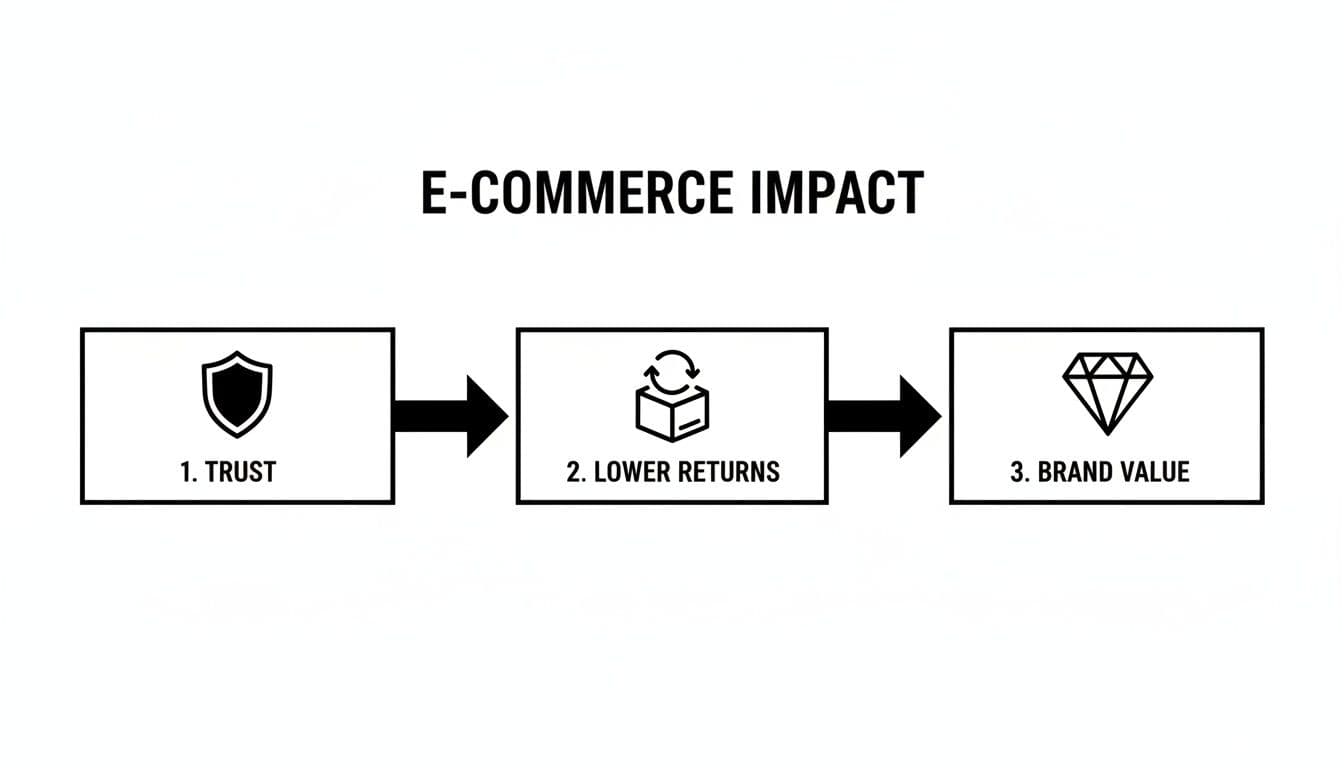
Diagram illustrating e-commerce impact: Trust leads to lower returns and increased brand value.
As you can see, every part of a solid editing workflow builds on the last, turning great photos into real business results.
Background Removal and Cleanup
Once you’ve cherry-picked your hero shots, the first real edit is almost always getting rid of the background. A clean, consistent backdrop—usually pure white (#FFFFFF) to play nice with marketplaces like Amazon—makes your product the star of the show. This is non-negotiable for creating a uniform look across your entire product catalog.
Modern tools have made this job way easier, but don't mistake easier for sloppy. Precision is still everything. You have to zoom in and obsess over the details, like the delicate edges of a lace dress or stray hairs on a model.
After the background is gone, do a digital cleanup. Hunt down and remove any dust, lint, or tiny scuffs on the product itself. You want it looking absolutely pristine. If you're handling your own photoshoots, our guide to apparel product photography has some great tips that make this whole stage much smoother.
Color Correction and Retouching
This is where the magic really happens. Color correction is all about tweaking the hues, saturation, and brightness until the color on the screen is a perfect match for the physical item. This is hugely important. Why? Because inaccurate color is one of the top reasons customers return fashion items.
The point of color correction isn't to make a product look better than it is—it's to make it look exactly as it is. You're building trust by setting accurate expectations, and that's the foundation of a great customer experience and a low return rate.
Next comes a light touch of retouching. The goal here is to fix minor distractions without making the product look fake. This usually involves:
- Wrinkle Reduction: Gently softening harsh creases in the fabric so the garment looks clean, not digitally manipulated.
- Symmetry Adjustments: Making tiny tweaks to ensure the product hangs beautifully and looks balanced.
- Model Retouching: If you're using a live model, this might mean some light skin smoothing or blemish removal. The focus should always, always be on the clothes.
Consistent Cropping and Sizing
With the heavy lifting done, it’s time to standardize the presentation. Every single image needs to be cropped and sized using the same template. This is what gives your category pages that clean, organized, professional grid that encourages browsing.
Set some clear, simple rules for your team and stick to them:
- Aspect Ratio: Pick one and own it. Whether it's a 1:1 square or a 4:5 vertical, consistency is key.
- Product Placement: Center the product in the frame every time, leaving the same amount of margin or white space around it.
- Sizing: Export your final images in web-optimized dimensions. Something like 1080x1080 pixels is a great standard for a square format.
This level of consistency might seem small, but it creates a seamless shopping experience. It lets customers compare products easily without being jarred by visual chaos. It’s a subtle detail that screams professionalism.
Your Ecommerce Image Editing Checklist
To keep everything on track, a simple checklist can be a lifesaver. It ensures no step is missed and helps maintain high standards, whether you're editing one image or one hundred.
| Workflow Stage | Key Action | Quality Checkpoint |
|---|---|---|
| Preparation | Cull raw photos to select the best shots. | Is the image sharp, well-lit, and on-model? |
| Background | Remove background cleanly; target #FFFFFF. | Are all edges clean? No stray pixels or halos? |
| Cleanup | Remove dust, lint, and product imperfections. | Does the product look pristine and brand new? |
| Color | Adjust colors to match the physical item. | Does the on-screen color perfectly match the real product? |
| Retouching | Soften wrinkles and correct minor flaws. | Does the product look natural, not plastic or fake? |
| Sizing | Crop and resize to a consistent template. | Is the aspect ratio, margin, and final size correct? |
| Final Review | Zoom in to 100% and do a final check. | Are there any missed spots or inconsistencies? |
Using this checklist for every image guarantees that your brand's visual identity remains strong and cohesive, which is fundamental to building a loyal customer base.
Advanced Techniques That Make Your Visuals Stand Out
Once you have a solid workflow dialed in, it’s time to add the finishing touches that separate the premium brands from everyone else. These aren't just simple cleanups; they're the techniques that create a mood, solve tricky visual problems, and make your products look absolutely essential. This is where you justify a higher price point and build an aesthetic people remember.
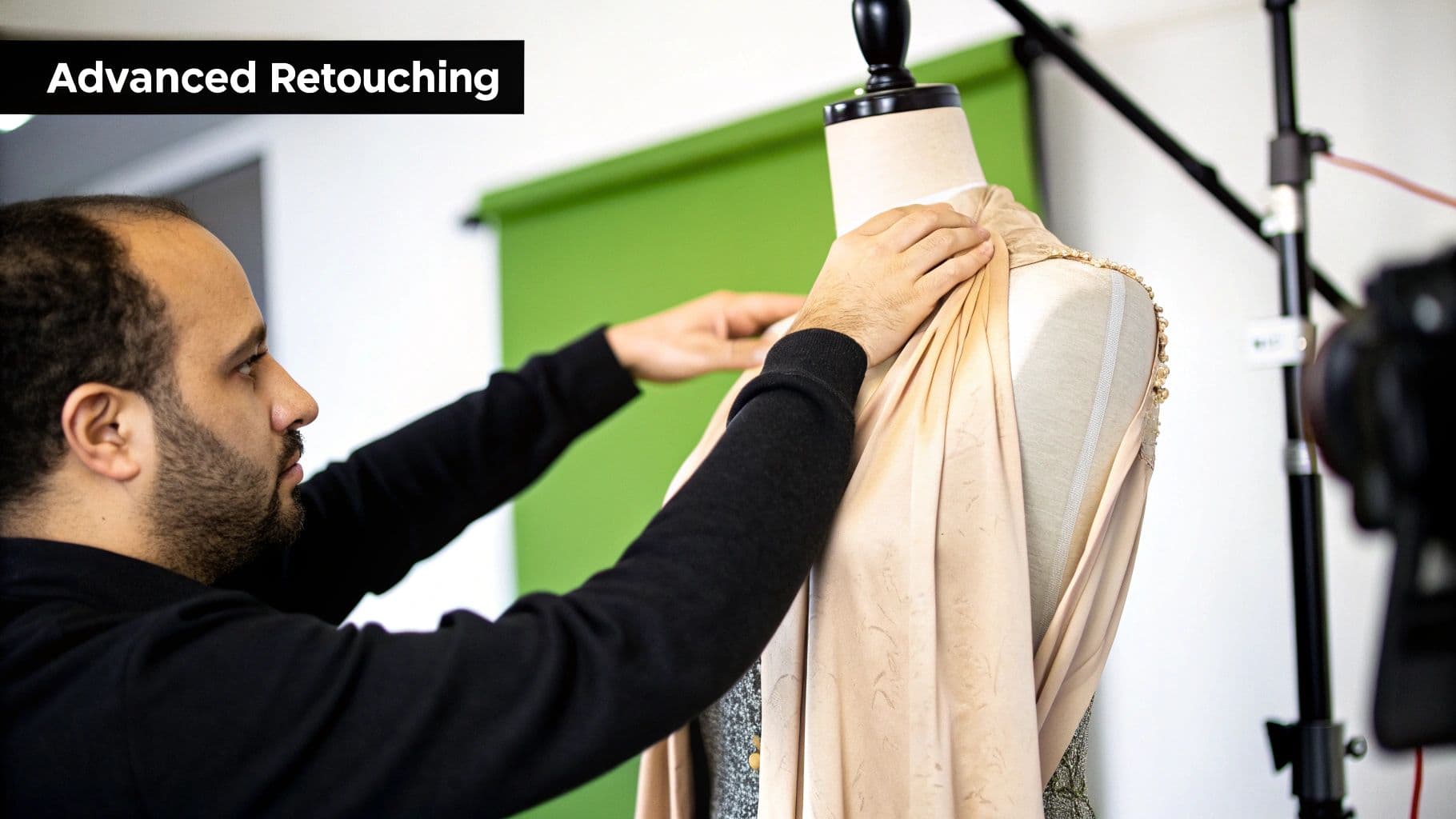
A man adjusts a beige garment on a mannequin with a green screen and camera in the background.
Strategic color grading, for example, is one of the most powerful tools in your arsenal. It’s about so much more than just getting the colors right—it’s about forging an emotional connection. You can lean into warmer, slightly desaturated tones for a vintage, aspirational feel, or push cool, crisp whites for a clean, minimalist vibe. When that color story stays consistent across every single image, it reinforces your brand identity on a subconscious level.
Mastering the Ghost Mannequin Effect
The ghost mannequin effect—sometimes called the invisible mannequin technique—is an industry staple for a very good reason. It gives clothing a three-dimensional, filled-out shape that shows off its true fit and drape, all without the distraction of a live model or a visible dummy. It just works. The customer can picture themselves in the garment much more easily.
To pull this off, you actually have to composite multiple shots. You’ll need one photo of the garment on the mannequin and another shot of just the interior sections, like the collar or cuffs. In post-production, these are meticulously stitched together to create a single, seamless image that looks like the garment is floating. It’s definitely time-consuming, but the professional result is almost always worth the effort.
The ghost mannequin effect strikes the perfect balance. It delivers the structural context of a model without introducing any potential distractions, keeping the customer's focus exactly where it should be—on the product itself.
Tackling Difficult Materials and Textures
Let’s be honest: not all products are created equal. Some materials are just plain difficult and demand a more nuanced approach than a one-size-fits-all editing process.
Handling these materials well takes patience and a few specialized tricks:
- Reflective Surfaces: Think jewelry, shiny hardware on a bag, or patent leather shoes. These can create harsh glares and distracting reflections of your studio. The edit involves carefully toning down highlights, cleaning up those unwanted reflections, and boosting the natural shine without making it look fake.
- Sheer Fabrics: Materials like lace, chiffon, or organza require a delicate touch. The whole point is their transparency, so the key is preserving that airiness and all the intricate details without letting them get lost against the background. This often means some pretty complex masking and layering.
- Intricate Patterns: Busy prints can easily lose their sharpness during editing or, even worse, during web compression. A skilled retoucher will make sure every last detail of that pattern stays crisp and clear, so what the customer sees on screen is exactly what they get in the box.
Getting these advanced skills down is what elevates your product imagery from just functional to truly aspirational. It’s how you build a visual brand that really stands out.
How AI Is Flipping Ecommerce Image Editing On Its Head
The days of tedious, pixel-by-pixel editing are fading fast. For fashion brands, this shift from manual labor to smart automation is completely changing the game. AI isn't some far-off concept anymore; it's a real, practical tool that's becoming the engine of modern ecommerce image editing workflows. It handles the repetitive grunt work with a speed and precision that’s frankly impossible for a human to match.
What used to take a skilled retoucher hours—like meticulously carving a product out of its background—can now be done in the time it takes to grab a coffee. But simple background removal is just the tip of the iceberg. The most profound development for fashion is AI's ability to generate photorealistic model images from a simple picture of a shirt on a hanger. This one feature alone can wipe out the massive cost and logistical nightmare of traditional photoshoots.
Scaling Creativity and Slashing Costs
This new wave of automation isn't just a convenience; it unlocks real, tangible benefits that were once out of reach for smaller brands. The most obvious win is the massive drop in production costs. When you can skip hiring models, photographers, and renting out studios, that budget can be poured back into what really matters: marketing and product development.
But it’s not just about saving money. It's about velocity. AI-powered editing puts the entire content pipeline on hyperdrive, letting brands get new products online faster than ever before. In a trend-obsessed industry like fashion, that speed-to-market is a massive competitive edge. This isn't just a niche trend; the AI image editor market is expected to explode from USD 5.121 billion to USD 48.74 billion by 2035. That's a staggering 441% year-over-year growth in its early stages, mostly fueled by e-commerce's insatiable demand for visuals.
AI isn’t here to kill creativity; it’s here to amplify it. By taking over the tedious, soul-crushing parts of image editing, it frees up your creative team to focus on brand strategy, storytelling, and building campaigns that actually resonate.
Unlocking a New Marketing Playbook
Beyond pure efficiency, AI opens up powerful new ways to connect with customers. One of the most important is the ability to generate diverse and inclusive model representation on the fly. Brands can now showcase their clothing on a huge range of body types, ethnicities, and ages without having to coordinate dozens of separate, expensive photoshoots.
This enables a level of personalization that was previously impossible to scale. If you want to dive deeper into this, it’s worth looking into how AI personalization is reshaping marketing as a whole. The core idea is the same: using intelligent tools to create more relevant and powerful customer experiences.
Even better, AI can instantly place your products into entirely new, on-brand scenes. This means you can create endless variations for social media, ads, and email campaigns, all from a single source photo. Wondering what this looks like in the real world? Our guide to AI product photography breaks down exactly how brands are using these tools to create stunning, studio-quality visuals in minutes. This tech isn't just an editing tool—it's a content creation engine.
Getting Your Images Ready for the Web
You’ve done the hard work—the retouching is perfect, the colors pop, and your products look incredible. But all that effort is wasted if the final image files are so bloated they bring your site to a grinding halt. This last step, optimization, is what turns a beautiful picture into a money-making asset.
Slow-loading pages are conversion killers. Customers will bounce, and Google will notice, pushing you down in search results. Since images are almost always the heaviest part of a product page, getting them lean and web-ready isn't just a good idea—it's essential for business.
Choosing the Right File Format
The format you save your image in directly impacts its size, quality, and capabilities. There’s no single "best" option; the right choice depends entirely on what the image is and how you'll use it. Knowing the difference is key.
Here’s a practical breakdown of the formats that matter for e-commerce:
- JPEG (or JPG): Your go-to for most product photos. Think on-model shots, lifestyle images, and anything with rich colors and gradients. JPEGs offer fantastic compression to keep file sizes down, but they can't handle transparency.
- PNG: Pull this one out when you need a transparent background. It’s perfect for those clean, floating product-on-white shots that are standard for category pages. The tradeoff is that PNGs are usually larger than JPEGs because their compression method preserves more data.
- WebP: This is Google's modern answer to web images. WebP is a game-changer, offering top-notch compression that can make files 25-34% smaller than a comparable JPEG, all while supporting transparency like a PNG. If you're serious about site speed, you should be using WebP.
My rule of thumb is simple: JPEGs for photos with backgrounds, PNGs for anything needing transparency, and WebP for everything if your platform supports it. It’s the best of both worlds.
Mastering Compression and Making Google Happy
Once you've picked a format, it’s time to compress. Compression is the process of shrinking the file size by smartly shedding unnecessary data. Your goal is to find that perfect balance—the smallest possible file size with zero visible loss in quality. Nearly all modern editing tools, from Photoshop to smaller web apps, have a "Save for Web" or "Export" function that lets you adjust the compression and see a live preview. Play with the slider until you hit the sweet spot.
Finally, you need to tell search engines what your images are about. This comes down to two simple but powerful actions.
First, write descriptive alt text for every single image. This is the text that screen readers use for visually impaired shoppers and what Google reads to understand your image. Instead of a useless default like "IMG_8081.jpg," your alt text should be "woman wearing blue linen midi dress." It’s a huge win for both accessibility and SEO.
Second, give your actual files meaningful names. A file named blue-linen-midi-dress.webp tells Google a lot more than final_edit_v2.webp. These small habits in your ecommerce image editing workflow add up, giving you a serious edge in search visibility without costing you a dime.
Scaling Your Editing Process Without Sacrificing Quality
As your brand grows, so does the relentless demand for fresh visual content. The one-by-one editing workflow that got you through your first ten products will quickly become a crippling bottleneck. To scale your ecommerce image editing effectively, you have to shift from manual, repetitive tasks to smarter, automated systems that keep your brand's unique aesthetic intact.
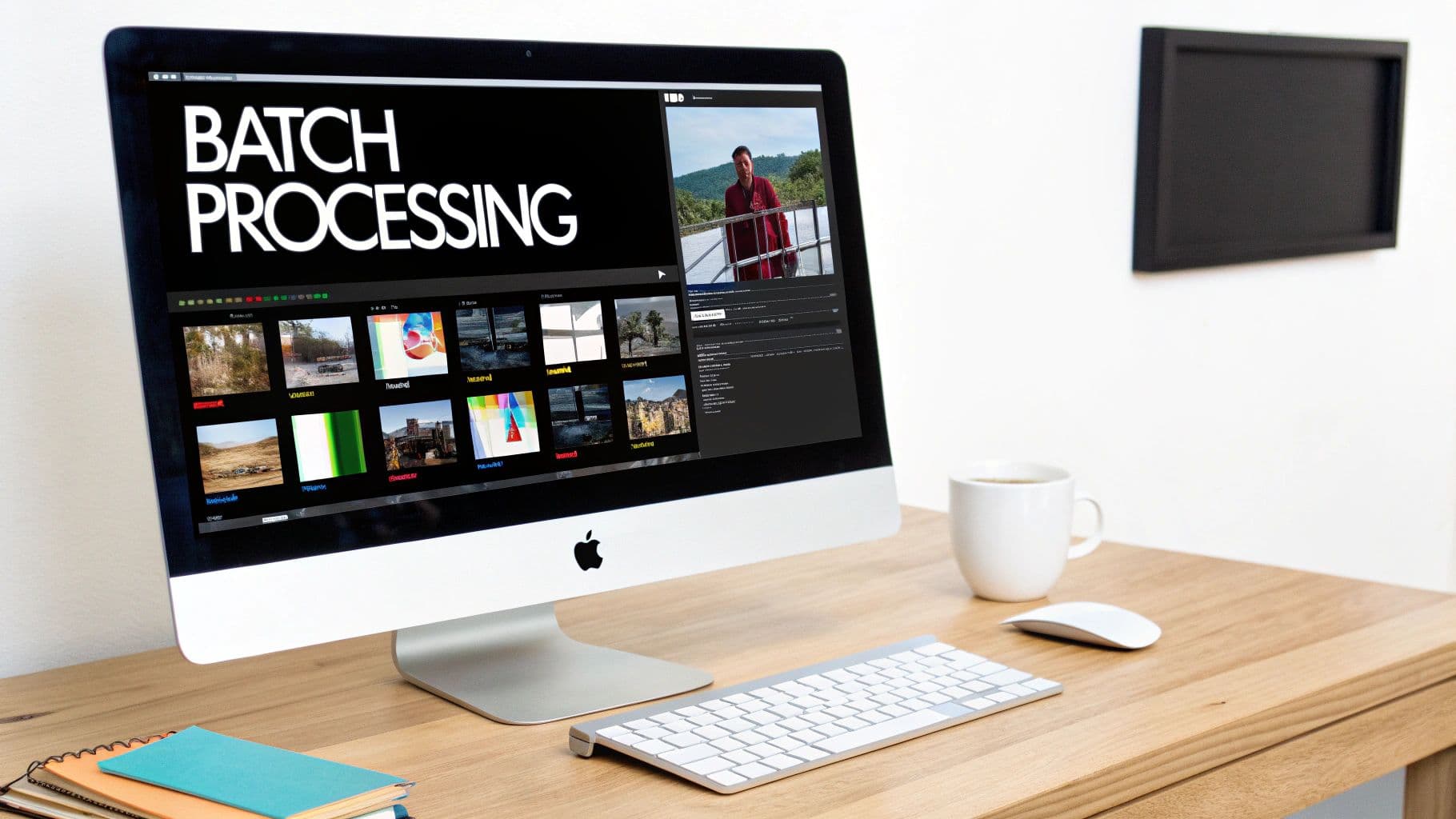
An iMac on a wooden desk displaying a batch processing interface with multiple images and a video.
The first real step toward efficiency is building standardized templates. In a program like Adobe Photoshop, you can record a series of edits—like cropping to a specific aspect ratio, applying a color profile, and exporting for web—and save them as an Action. With a single click, that entire sequence can be applied to another image, ensuring perfect consistency every time.
Similarly, creating Presets in tools like Lightroom lets you save your signature color grading and exposure settings. Applying the same preset across an entire photoshoot gives all the images a cohesive, on-brand look in a matter of seconds.
Embracing Batch Processing and Automation
While presets and actions are powerful, true scale comes from batch processing and AI-driven platforms. Batch processing is simply the idea of applying the same set of edits to hundreds or even thousands of images all at once. Instead of opening each file individually, you tell the software to run your predefined action or preset on an entire folder. This is how you turn hours of tedious clicking into a hands-off process.
Modern AI tools take this a giant leap further. These platforms can intelligently identify products, remove backgrounds, apply consistent styles, and even generate different model poses across your whole product line—automatically. The impact is undeniable. 87% of retailers using AI are reporting annual revenue uplifts, and some brands have seen a massive 60% conversion rate increase from AI-powered on-model imagery. With 80% of retail executives expecting to adopt AI automation soon, it's becoming a clear competitive advantage. If you're curious, you can dig into some fascinating AI product photography stats and see the business case for yourself.
Scaling isn't just about going faster. It’s about building a system that delivers predictable, high-quality results every single time, whether you're editing ten photos or ten thousand. Automation is what unlocks that capability.
The Final Gatekeeper: a Solid QA Process
Automation is incredible, but it isn’t infallible. A simple but structured Quality Assurance (QA) process is the crucial final step that protects your brand from embarrassing mistakes. Before any image goes live, it needs a final human check.
Your QA checklist should be simple and focused:
- Background Check: Is the background perfectly clean, with no stray pixels or weird halos around the product?
- Color Accuracy: Does the product color on screen genuinely match the physical item?
- Retouching Flaws: Are there any weird digital artifacts or blemishes that were missed?
- Consistency: Does this image follow all your brand’s rules for cropping and sizing?
This quick once-over catches any issues that might have slipped through the automated workflow. For brands looking to integrate this level of automation seamlessly, our guide on the best AI tools for fashion brands offers a deeper look into platforms built specifically for this purpose. A strong QA process ensures that even as you scale up, your quality never slips.
Got Questions About Ecommerce Image Editing? We've Got Answers.
When you're deep in the weeds of building a visual strategy, a lot of questions pop up. It's totally normal. Over the years, I've seen brands grapple with the same key issues time and again. Getting these sorted out early saves you a ton of headaches, time, and money down the road.
Let's dive into some of the most common questions I hear from ecommerce brands and get you some straight answers.
What's the Best Software for Editing Product Photos?
This really comes down to what you're trying to accomplish: detailed, creative work or high-volume, everyday edits.
For those one-off hero images or complex campaign shots where every single pixel matters, you can't beat the classics. Adobe Photoshop and Lightroom are still the kings of the castle for a reason—their level of granular control is unmatched.
But let's be realistic. For the day-to-day grind of a busy e-commerce store, manually editing hundreds of photos is a nightmare. That’s where AI-powered platforms have become an absolute game-changer. They handle the repetitive stuff like background removal and batch processing automatically, freeing up your team and slashing costs.
How Can I Make Sure My Product Colors Are Spot-On?
Getting color right is non-negotiable. It’s one of the biggest reasons for customer returns, and nothing tanks profitability faster than a high return rate.
First things first: get your own house in order with a professionally calibrated monitor. You can't trust what you can't see accurately. Then, during the photoshoot itself, use a gray card to set a custom white balance in-camera. It takes ten seconds and saves you an hour of guesswork in post-production.
Once you're editing, pull up the physical product and put it right next to your screen. Use your color correction tools to meticulously match the digital image to the real thing. Before you hit publish, do a final check on a few different devices—your phone, a laptop, maybe a tablet—to see how the colors look to the average customer.
Should We Hire a Pro or Just Do It In-House?
Ah, the million-dollar question. The answer really depends on your product volume, budget, and the skills you already have on your team. There's no single right answer, but here's how I see it break down.
- Doing it In-House: If you have a smaller catalog or are just getting started, handling edits yourself with some of the user-friendly tools out there is a smart, cost-effective move.
- Hiring a Professional: For brands with massive product volumes or items that require super-detailed work (like jewelry or intricate textiles), outsourcing to a pro retoucher or a specialized agency is often worth the investment for guaranteed quality.
- The Hybrid Model: Honestly, this is the sweet spot for most scaling brands. Use AI tools and your in-house team for the bulk of your standard product shots. Then, bring in the professional retouchers for your big campaign images and tricky products. It’s the perfect balance of cost, speed, and quality.
Ready to eliminate the costs and complexities of photoshoots? With WearView, you can generate an endless supply of on-brand, studio-quality model imagery in seconds. Get started with WearView today.

WearView Team
WearView Content & Research Team
WearView Team is a group of fashion technology specialists focused on AI fashion models, virtual try-on, and AI product photography for e-commerce brands. We publish in-depth guides, case studies, and practical insights to help fashion businesses improve conversion rates and scale faster using AI.